
There are 3 major Files which is responsible for Sharepoint SPFxWebpart Property Plan,
- src/webparts/demo/loc/en-us.js
- src/webparts/demo/loc/mystring.d.ts
- src/webparts/demo/DemoWebPart.ts
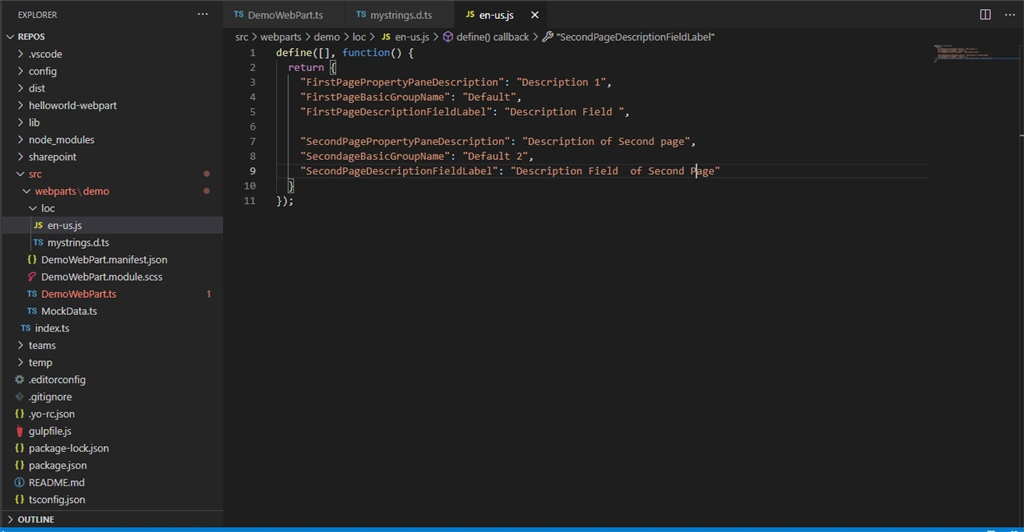
"FirstPagePropertyPaneDescription": "Description 1",
"FirstPagePropertyPaneDescription" is the Property, and "Description 1" is the value of the property associated with it.
In Mystring.d.ts we are making the Properties as Constant, and returning it so that in the entire project it works as constant
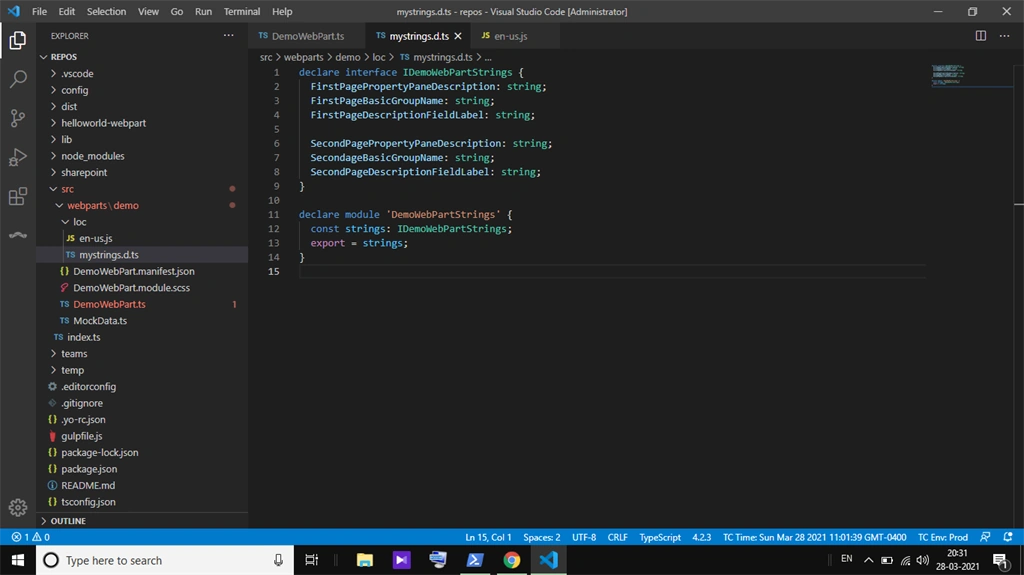
So Moral of the story till now if we don't want to Hard Code the value of the string we need to use these two files. Which gives us the flexibility to work with string properties.
Now the main Story Begins,
Where we define all the Properties to show up, the webpart.ts file
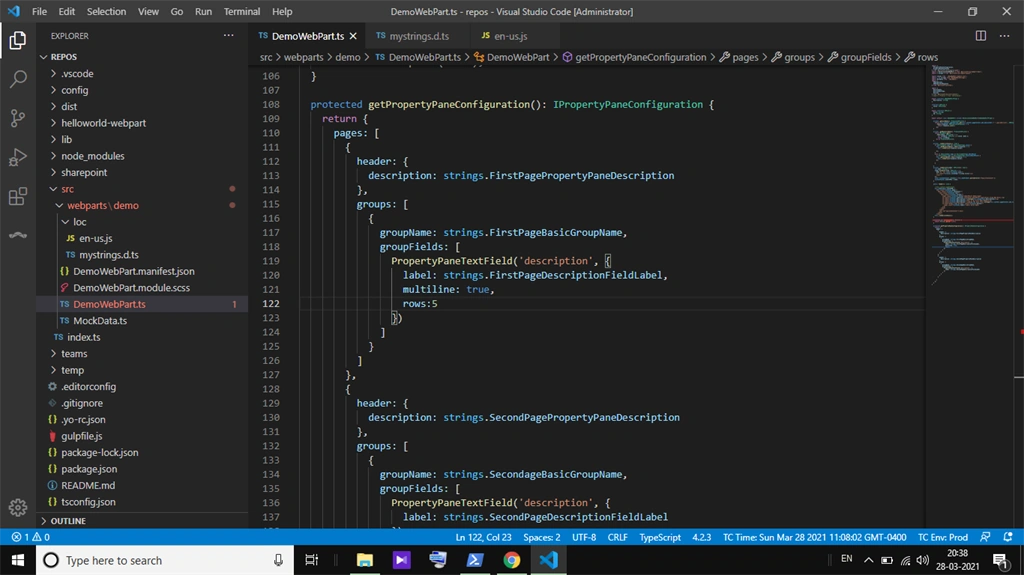
in the webpart.ts file we have below mentionned function which is responcible for PropertyPane
- protected getPropertyPaneConfiguration(): IPropertyPaneConfiguration()
The Basic Structure of JSON is,
- pages: [{
- header: {
- description: strings.PropertyPaneDescription
- },
- groups: [{
- groupName: strings.BasicGroupName,
- groupFields: [
- PropertyPaneTextField('description', {
- label: strings.DescriptionFieldLabel,
- multiline: true,
- rows: 5
- })
- ]
- }]
- }, {
- header: {
- description: strings.PropertyPaneDescription
- },
- groups: [{
- groupName: strings.BasicGroupName,
- groupFields: [
- PropertyPaneTextField('description', {
- label: strings.DescriptionFieldLabel
- })
- ]
- }]
- }]
- };]
In the Pages Array we can put as pages we want it will. In the screenshot, I have made 2 pages it renders as follows
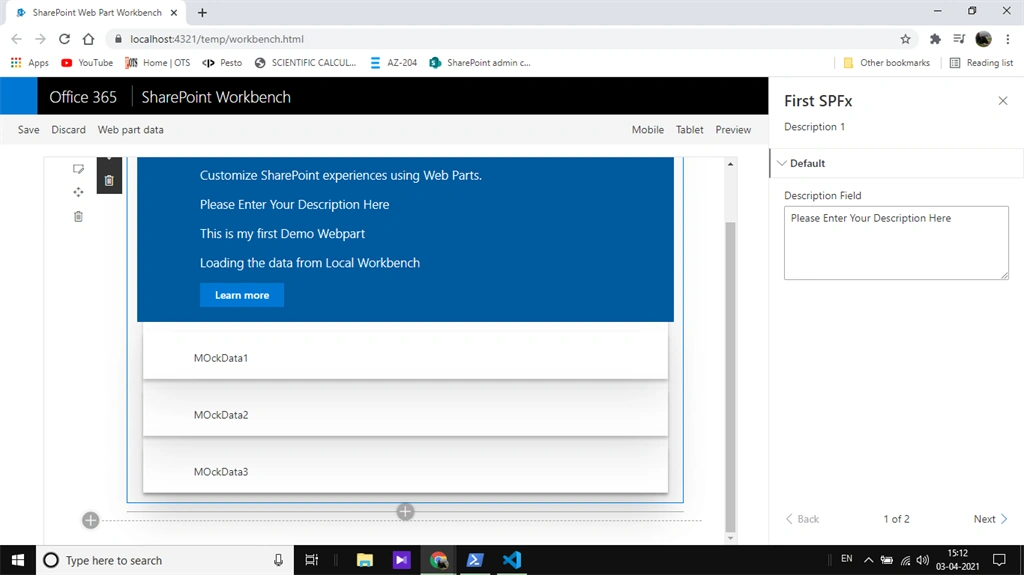
Header and displayGroupsAsAccordion are optional.
Where a group is a required field. That means we need to put groupFields inside group array.
Inside GroupFields we put all the textbox/Dropdown etc.
All the values we use are mapped in our property interface.
- export interface ICreateListWebPartProps {
- description: string;
- }
To use this property in any function we need to call
- this.properties.description
Otherwise the value should not be available in the property object.
Join the conversation! Your thoughts help the community grow.