Introduction
In this article, we will learn how to convert your sketch to HTML code with Sketch2Code.
Sketch2CodeIs a brand-new AI project from Microsoft and the good news is that it is absolutely free of cost.
Using the Sketch2Code, we can transform any handmade drawing or wireframe design into an HTML code with AI.
Step 1
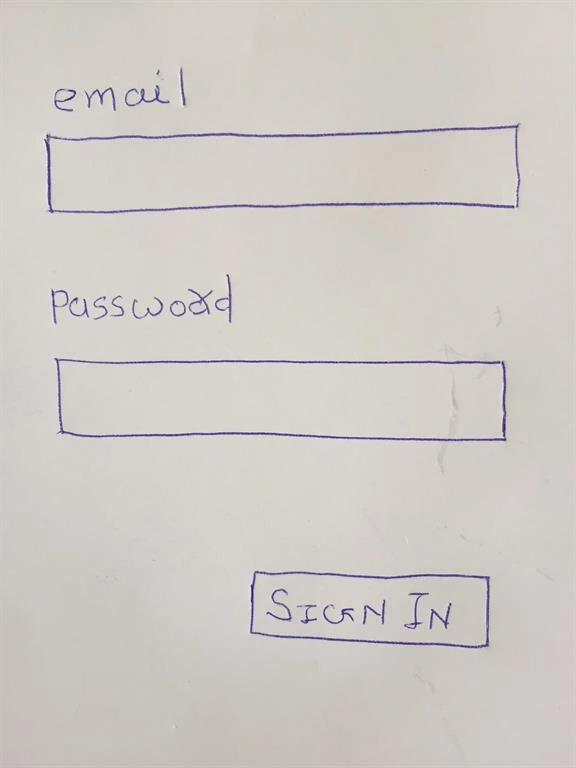
Create a handmade design or wireframes/Mockup.
Here, I have created a sample Sign In page with 2 textboxes and one Button.
Step 2
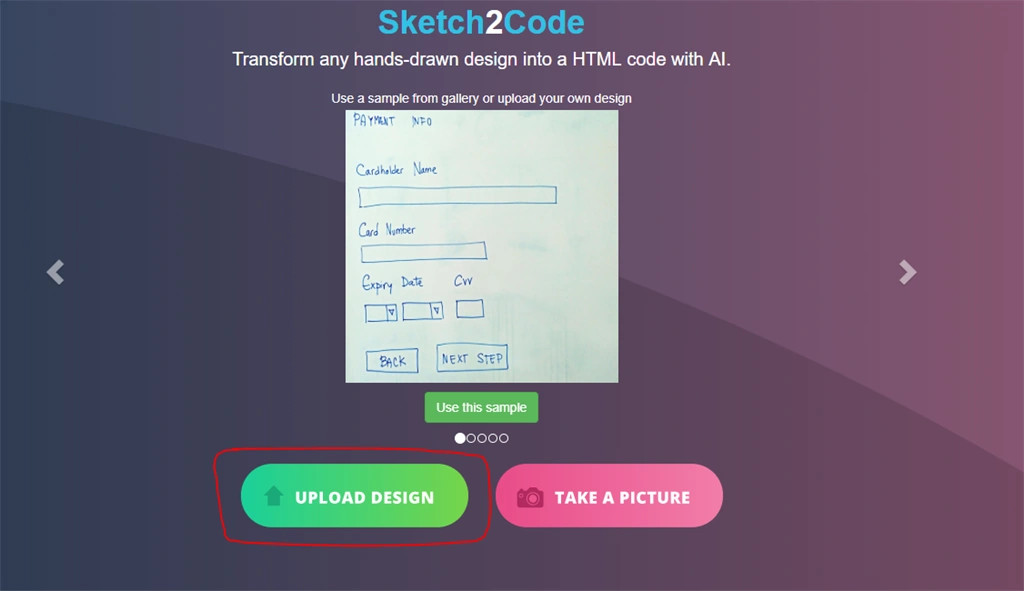
Open the site
here.
Step 3
Upload the handmade design or wireframes/Mockup, by clicking on Upload Design button.
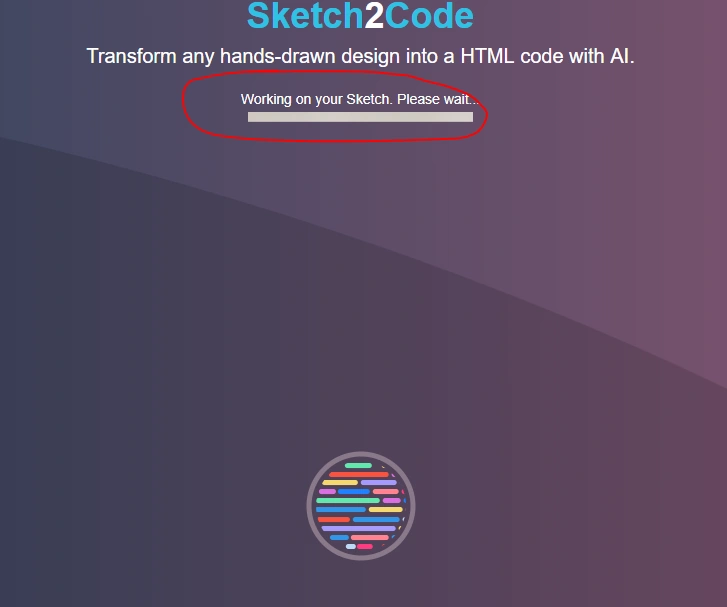
It will take hardly a minute to convert into HTML.
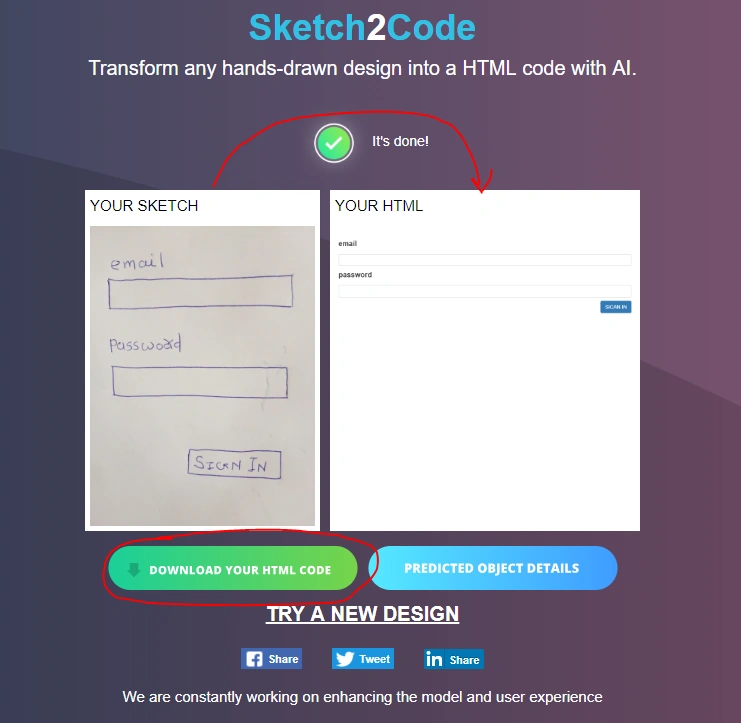
That's it -- your HTML from your Sketch is ready to use, you can download the HTML by clicking on 'Download your HTML Code'
Check your HTML and make the necessary changes if there are any.
Also, you can directly take a picture and process images to HTML.
How it Works,
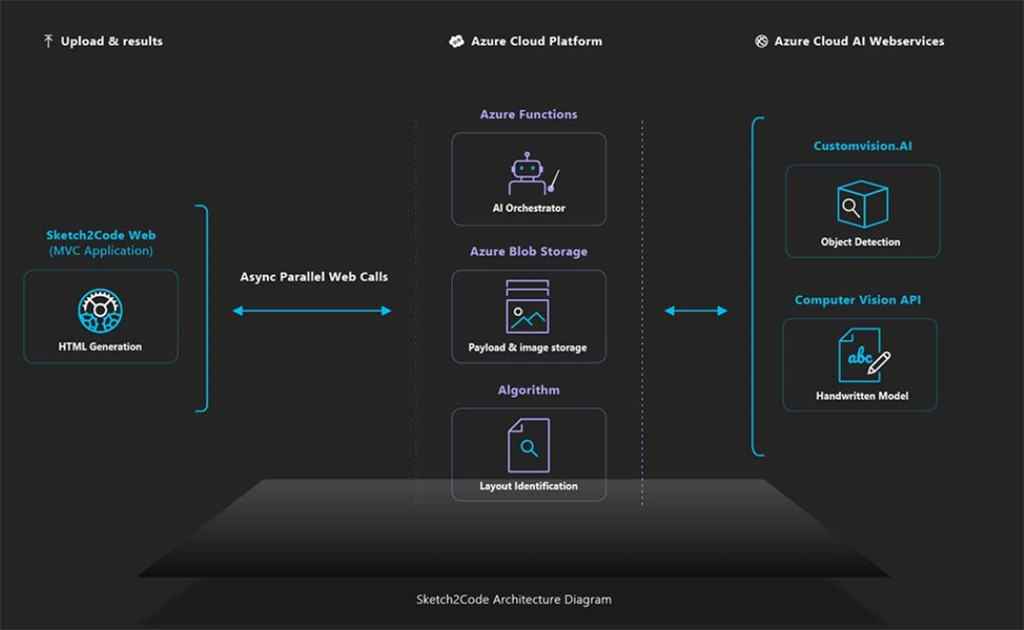
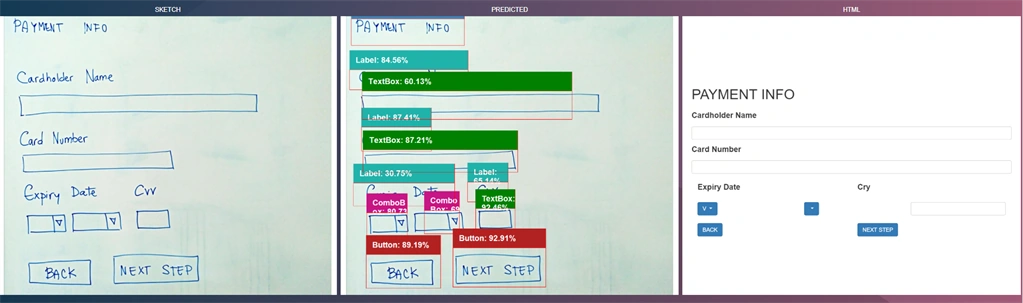
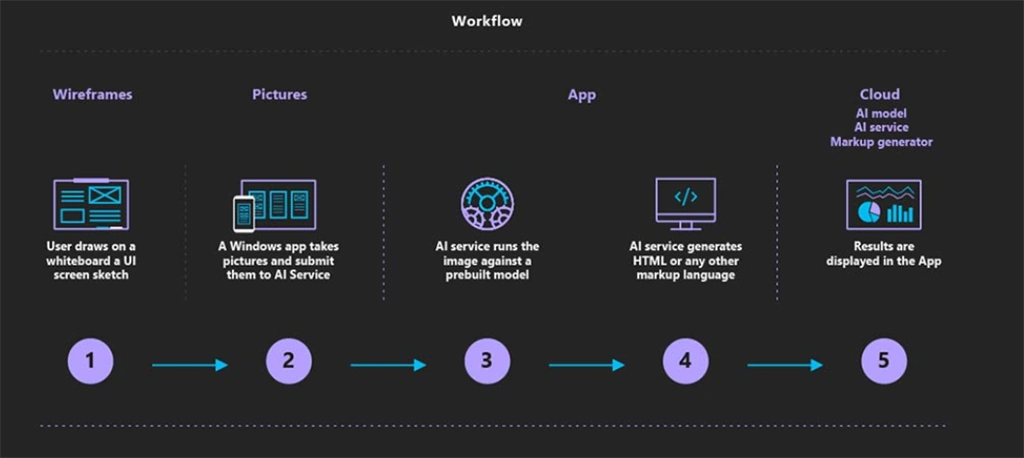
Sketch2code detects design patterns which we have uploaded, then it understands the handwritten text and the structure, and the engine builds the HTML based on the best match as shown in the below screen.
By using this technology we can build a system that understands what a UI/UX team or team members have drawn on a whiteboard and can translate that understanding to HTML code. This way we can generate HTML wireframes directly from a hand-drawn image.
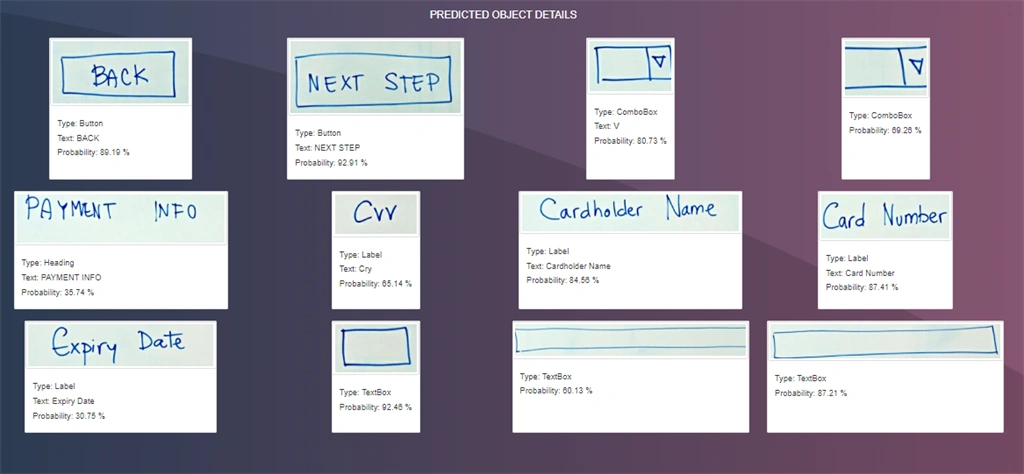
You can also predict object details.
You can also check the video here:
https://youtu.be/uwW2vSGDrlc
What a great way of thinking and using Artificial Intelligence a big thank you to AI Team @Microsoft.
Reference - https://channel9.msdn.com/Shows/AI-Show/Sketch2Code 


Aaron CarterPosted Dec 17, 2022, 6:59 AM
Did they pull the sketch 2 code website/service down? I can't seem to get the thing to load now ... just getting an error page, even when I try to navigate from Microsoft website or enter the url in address bar ...
Barath Kumar MPosted Nov 7, 2020, 12:44 PM
Thanks for sharing :)
Pritesh MaturkarPosted Jan 3, 2020, 10:05 PM
It is very Amazing tool. It is very helpful and time saving for developer. Thanks for Sharing .
kalu singh raoPosted Oct 12, 2018, 5:07 AM
Amazing stuff by Microsoft. Thanks to built for us. Again thanks for sharing.
Munish APosted Sep 1, 2018, 10:24 AM
Great share......
Aakash MauryaPosted Sep 1, 2018, 4:55 AM
What I normally do is, I design a Mock Up design for client and once it get approve then I proceed to develop HTML. But After reading this article, I will now love to draw a mock-ups as HTML will be auto generated.. That's a great share...
Former memberPosted Sep 1, 2018, 1:40 AM
Good article sir..
Rushi MehtaPosted Aug 31, 2018, 11:00 PM
This article helps to make the design faster and easy where people don't have to write the HTML code. Thanks, Ankur for writing this type of innovative article...... Thanks once again.
yahia galalPosted Aug 31, 2018, 1:27 PM
I tried To Open The Site But Redirected To Service Unavailable Page HTTP Error 503. The service is unavailable.
Sarathlal SaseendranPosted Aug 31, 2018, 8:55 AM
Nice initiative from Microsoft. Thank you for the article.