

Azure Log Analytics
Log Analytics is a service in Operations Management Suite (OMS), that helps you to collect and analyze the data created by the resources in your cloud and on-premises environments. It gives you real-time understanding, using an integrated search and custom dashboards to readily analyze millions of records across all your workloads and the servers, regardless of their physical location.
Prerequisites
- Azure account.
Now, let's get started with the following steps:
Create a Log Analytics
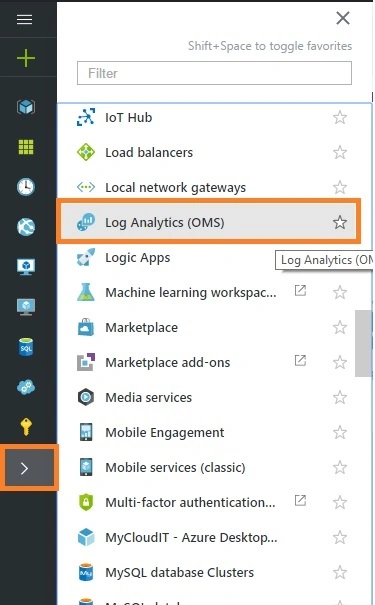
Sign in to the online Microsoft Azure Portal. Select browse and then scroll to the Log Analytics (OMS) option and select.
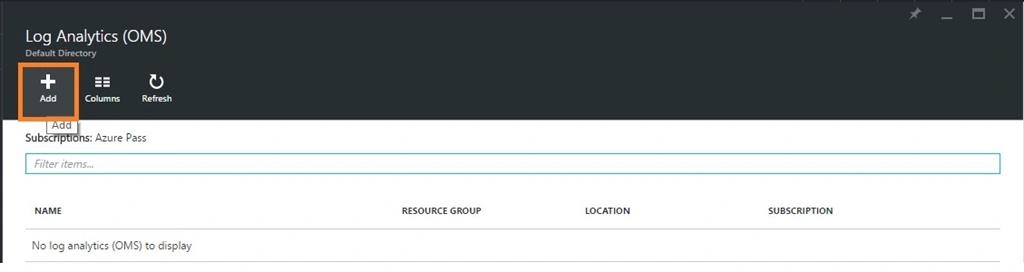
Next, we will get the Log Analytics Page, click Add option.
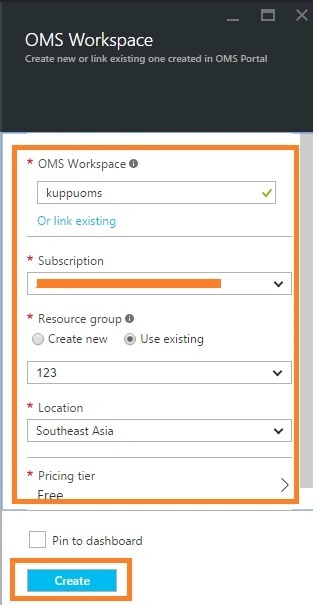
After some time, we will get Log Analytics workspace details in the Azure portal.
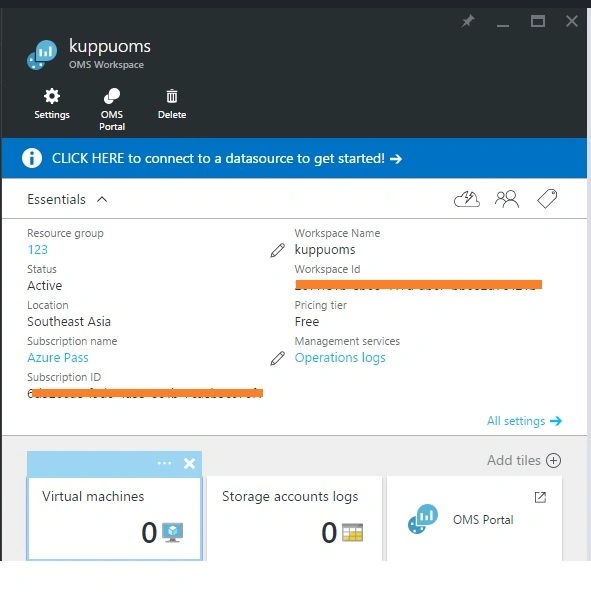
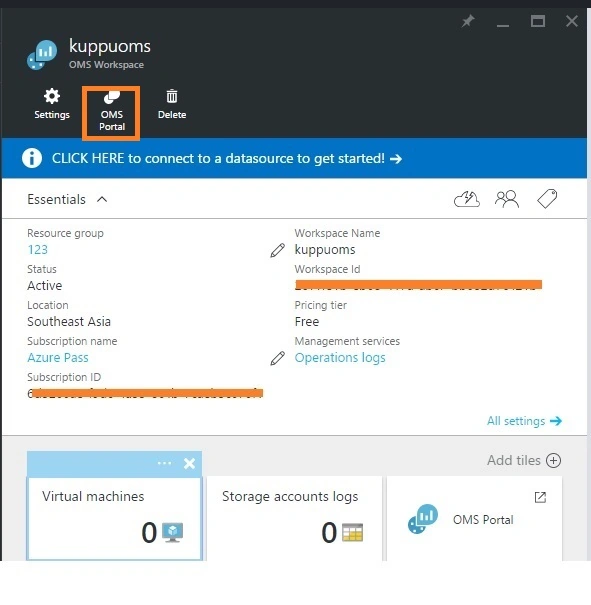
Now, we are ready to start and use the Operations Management Suite portal.
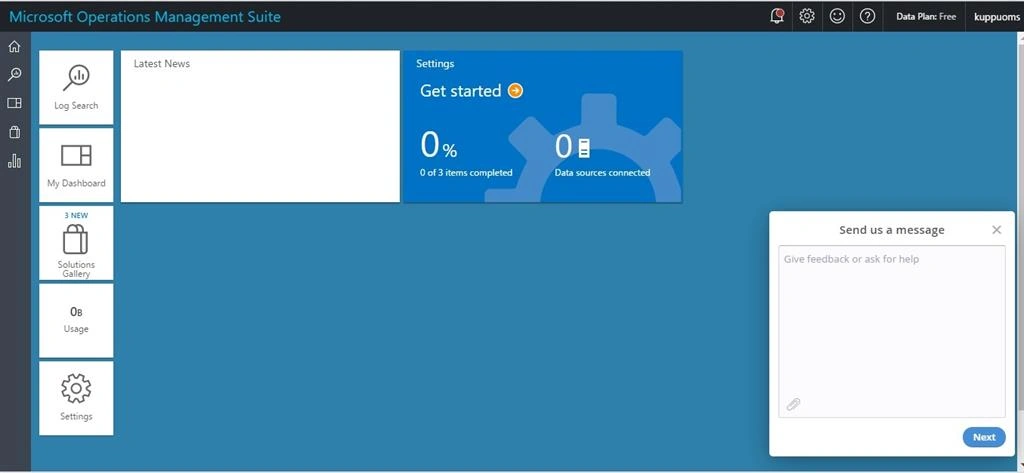
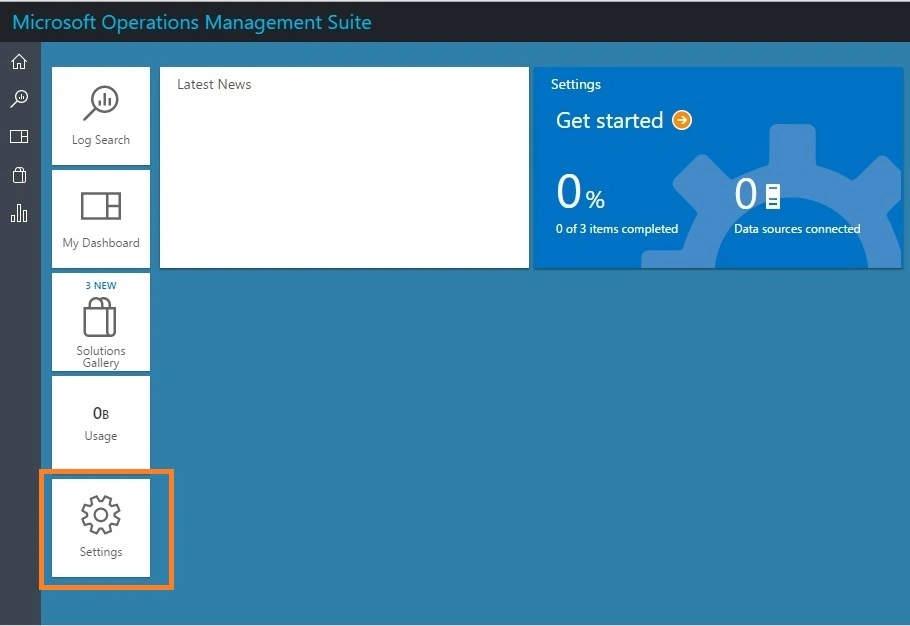
To choose solutions and connect the Servers we need to manage, click the Settings tile and follow the steps in the section, given below:
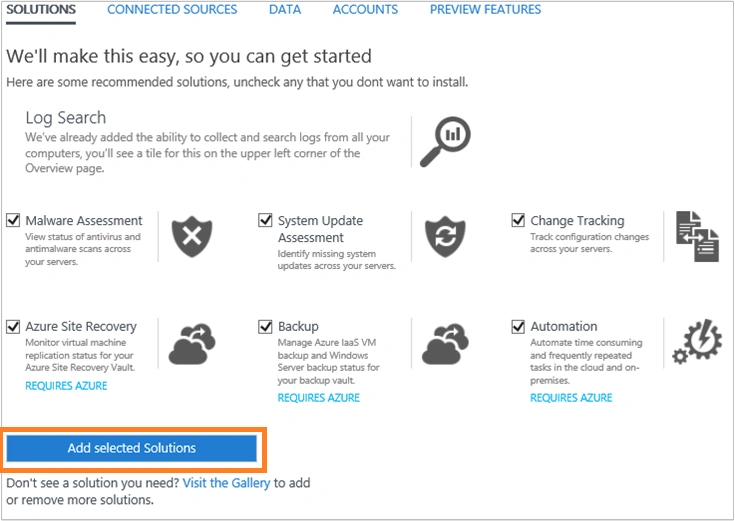
Add Solutions - Select the solutions, we would like to use and click Add selected solutions.
Connect a data source - Choose how we would like to connect to our Server environment to gather the data.
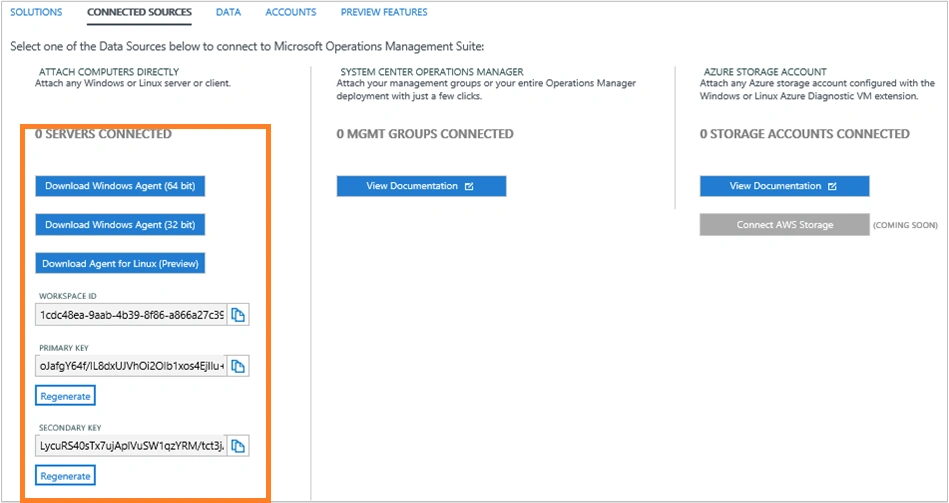
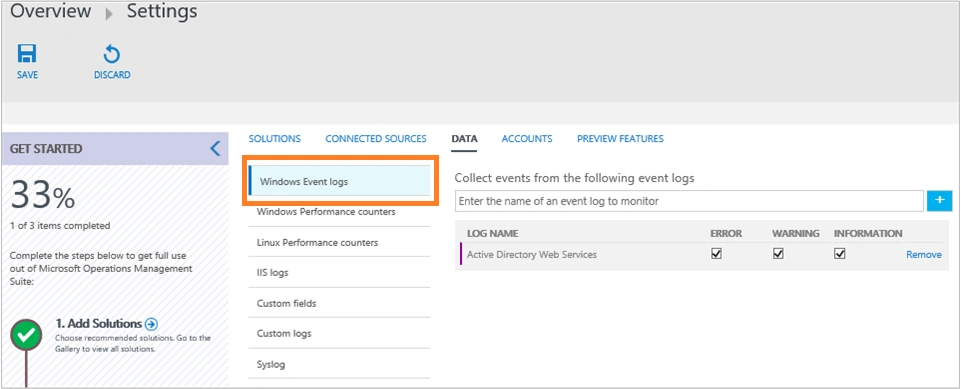
Add logs- Configure at least one data source to populate our data and select Save. For event logs, we can specify the type of messages including an error, a warning, and information to monitor.
Santhakumar MunuswamyPosted Jun 30, 2016, 1:01 AM
Thank you for nice article
Vignesh ManiPosted Jun 28, 2016, 8:26 AM
Nice
kalu singh raoPosted Jun 28, 2016, 1:23 AM
Nice...