

In year 2001, I wrote an article on how to use IE Browser ActiveX control in your Windows Forms applications using COM Interop.
Now Windows Forms 2.0 (ships with Visual Studio 2005) comes with a Windows Forms Web Browser control, which is again is a wrapper of IE ActiveX control. This control is available in Visual Studio 2005 Toolbox. See Figure 1.
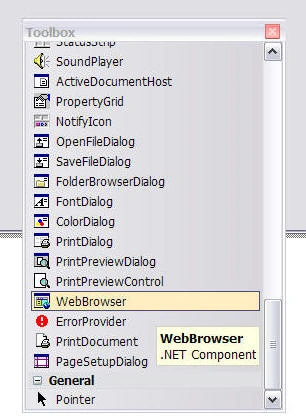
Figure 1. WebBrowser control in Toolbox
To add this control to your application, just drag and drop on the form. Now I add a TextBox and a Button control to the Form, change their Name and Text properties, and write the following code on the button click event handler.
private void BrowseBtn_Click(object sender, EventArgs e){
webBrowser1.Url = UrlTextBox.Text;
}
Now run the application, type a URL in the TextBox and click the button. The output is Figure 2.
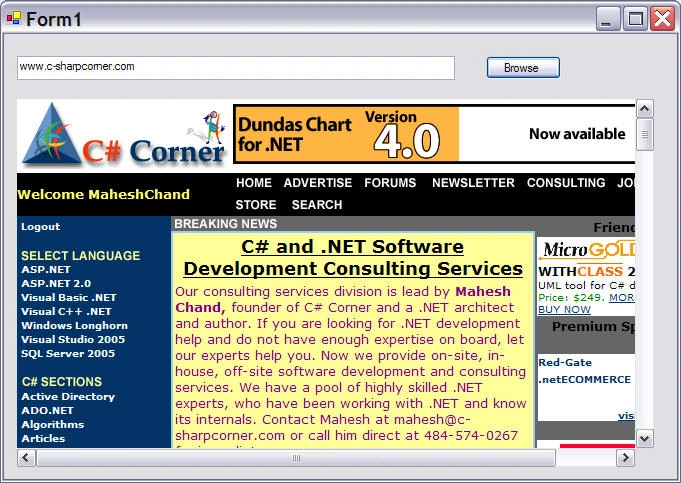
Figure 2. Using WebBrowser control
WebBrowser control is represented by System.Windows.Forms.WebBrowser class.
In this control, you can set some properties such as IsWebWebBrowserContextMenuEnabled, SecurityLevel, and WebBrowserShortcutEnabled. See Figure 3.
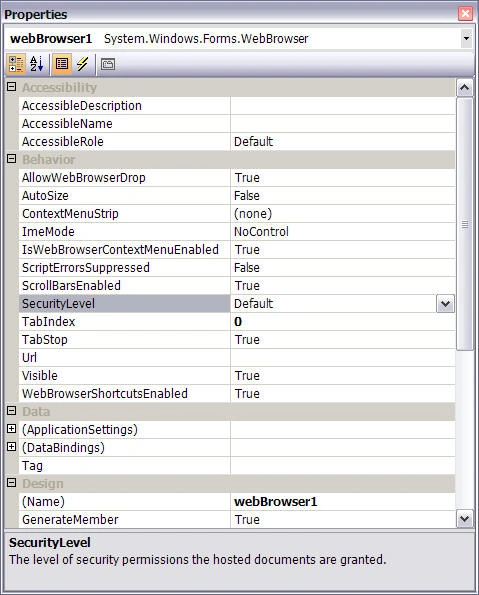
Figure 3. WebBrowser control properties.
Personally, I am really not fond about this control. What I would really like to see in this control was to have property to show URL TextBox and button built-in the control itself. So as a programmer, if I wanted the URL TextBox to be displayed, I would simply set the property.
Other features I would like see in this control could be all the features IE and other browsers provide. I guess Microsoft always leaves something for us programmers to do ;).
Mohamed HanafyPosted Feb 21, 2013, 12:03 PM
hi, The project is working very well with me, but an error appears when trying to open html page contains embedded ActiveX controls. Please give me your advise to overcome this problem. The error message that appear is : " The program is stopped working A problem caused the program to stop working correctly Windows will close the program and notify you if a solution is available" When debug The error message that appear is : {"Attempted to read or write protected memory. This is often an indication that other memory is corrupt."}
Bipin DalbhidePosted Jul 30, 2012, 5:25 AM
hi
Mark KasunPosted Nov 10, 2011, 5:00 PM
Hi Mahesh, I am working on a small c# application that uses an embedded webbrowser in a windows form. I want to use the print option from the webbrowser toolbar. The print method of the browser does a terrible job on the report, but the toolbar print option gives me what I need. Can you tell me how to access this functionality? Thanks.
dhirendra jaiswalPosted Nov 4, 2011, 6:24 AM
sir, this is good article but i am a fresher and want to ristrict or bane an url for parrental control in my project.
MIRZA NURNOBIPosted Sep 5, 2010, 2:36 AM
vai tore thanks. ei jinis life e dekhar luck hoy ni
Lery TorresPosted Feb 27, 2008, 5:56 PM
I need to save *.pdf with webbrowser
kap creationsPosted Nov 21, 2007, 12:41 PM
I am running the 2.0.0 WebBrowser and do not see the property for SecurityLevel.... what am I missing?
David Van Der KlauwPosted Mar 17, 2006, 2:07 AM
This is a good article that explains how to "save as" the current web page of the Browser Object. I would like to know how to perform a "save as" on a link on the current page. i.e. same as right click on a link followed by "save as" thanks