

AWS Simple Storage Service, is also known as S3, which provides to Customers, such as IT Teams and Developers. with highly secure, durable and scalable Object Storage.
AWS S3 is elementary to use, with a simple web services interface to store and retrieve any amount of data, in any type of format (Structured / Un-Structured / Semi-Structured), from anywhere on the web.
Basics about S3
- It is an Object-Based Storage, We can store any type of data.
- Unlimited storage of data, The File size can be from 0 bytes to 5 TB.
- Files are stored in Buckets, Bucket is nothing but a folder we can PUT and GET our data.
- When we create a bucket in S3 it should be a universal namespace and that is must be unique around the global.
- S3 Web link will be like https://s3.console.aws.amazon.com/yourbucketname.
- When we upload a file into S3, we will receive an HTTP 200 code if the upload was successful.
Data consistency in S3
- We can READ after WRITE consistency work for PUTS of new Objects
- Eventually Consistent for overwrite PUTS and Deletes it can take some time to propagate.
AWS S3 guarantees us for Data Consistent
- Amazon Guarantee 99.99% availability for S3 information.
- Amazon Guarantee 99.99999999999% durability for S3 information. (11x9s)
S3 Features
- S3 have dissimilar Tiered Storage Classes are available.
- We can manage our data with the use of Lifecycle Management
- By the help of Versioning, we can log and secure our data.
- Stores all versions of an object including all write and even if we delete an object.
- Versioning is also called us a Backup tool.
- Once enabled, it cannot be disabled, we can only suspend.
- We also integrate with Lifecycle management rules.
- Also, we can use Encryption for our stored data.
- Encryption in transit is achieved by
- SSL/TLS
- Encryption At Rest or Server Side is achieved by
- S3 Managed Keys – SSE-S3
- AWS Key Management Service, Managed Keys – SSE-KMS
- Server-Side Encryption With customer Provided Keys – SSE-C
- The most important feature is MFA Delete, it will reduce our forgettable deletion of data, which can be used to provide an additional layer of security.
- We can secure our data using Access control lists and Bucket Policies.
- We can store our data across different regions for replication, it is known as Cross-Region Replication.
- To enable Cross-region replication, versioning must be enabled on both the source and destination buckets.
- Regions must be unique.
- Files in an existing bucket are not replicated automatically.
- All eventually updated files will be replicated automatically.
- Delete markers are not reproduced.
Transfer Acceleration which is used to access our data in low latency.
For example
If the user accesses data a first time from the S3 Data in the London region, from Tokyo region AWS, it will bring S3 Data from London region. After accessing the first time any user, or the same user, can access it from the Tokyo region AWS will bring the data from the nearby edge location.
How to create a S3 Bucket
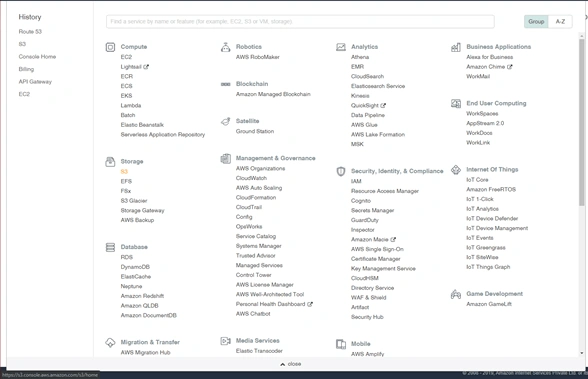
Select S3 from AWS Management Console under the services
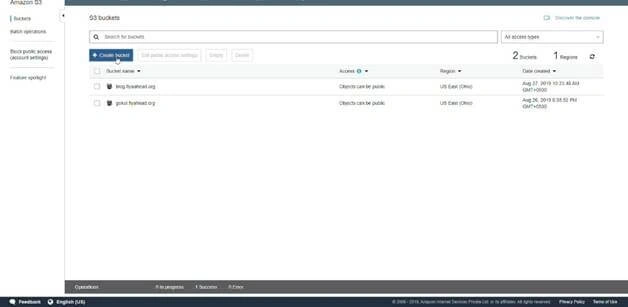
In S3 Dashboard Click Create Bucket,
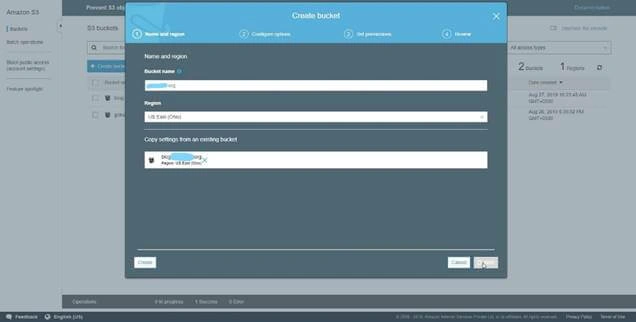
Type name example.org in Bucket name, select the Region which you want, create new settings for this bucket, or select existing Bucket and click Next,
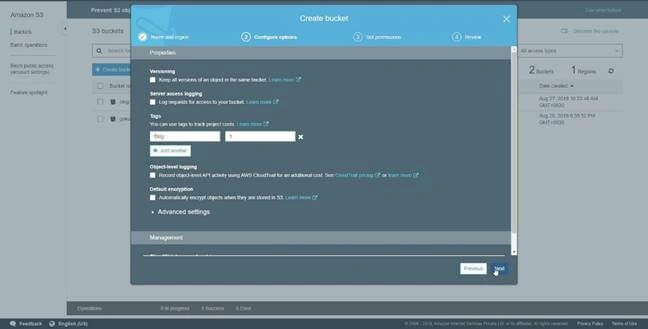
Select and fill in the details and then click Next,
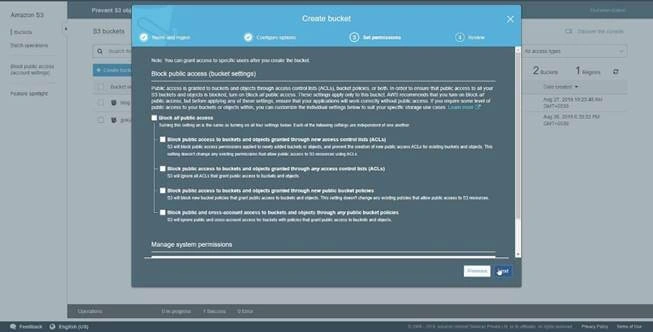
Uncheck the Block Public Access to Buckets for access from anywhere or public,
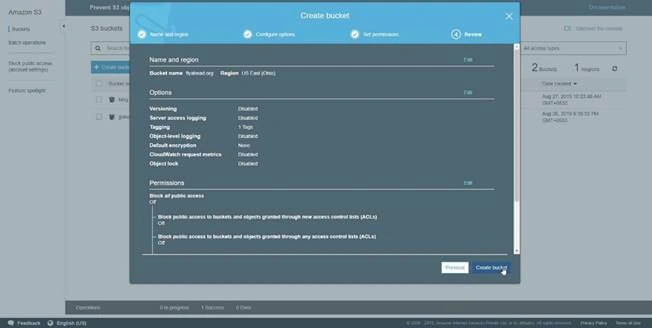
Check the bucket details and Click the CreateBucket.
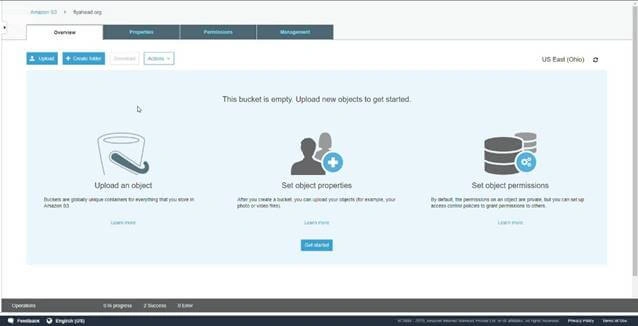
Here, we can see the Bucket and Upload the websites Files into the Bucket by Clicking the Upload,
Join the conversation! Your thoughts help the community grow.