
The Calendar control is based on the .NET Framework DateTime object, and you can display any date between the years 0 and 9999 A.D.In the following article you will find that you can utilize the existing control as per you requirement.
In Visual Studio 2005 changing the template is quit easy as compare to MS VS 2003.You can see the templates below:
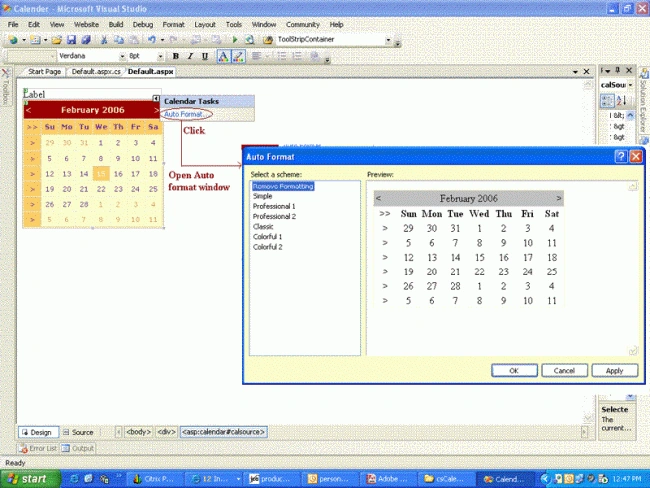
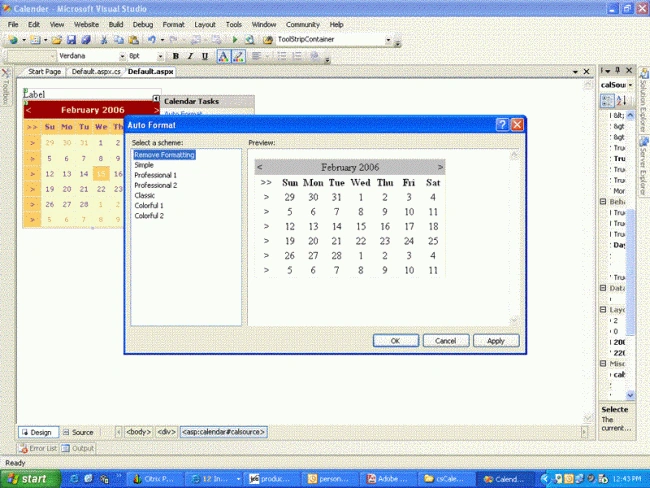
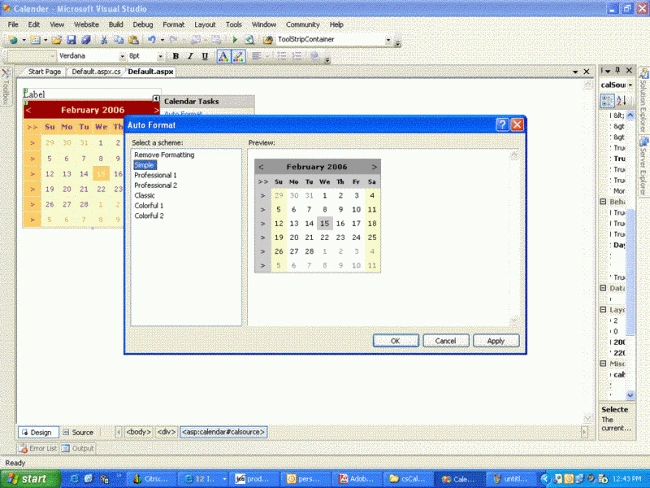
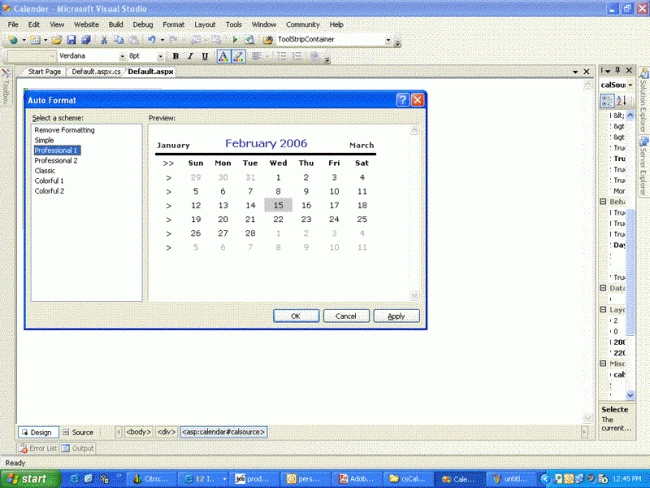
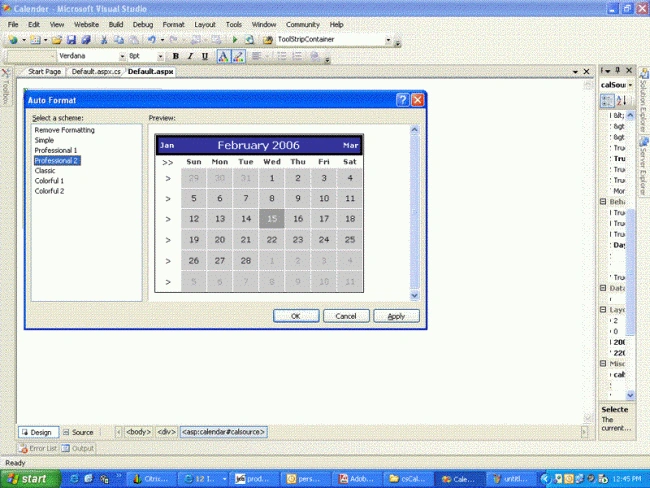
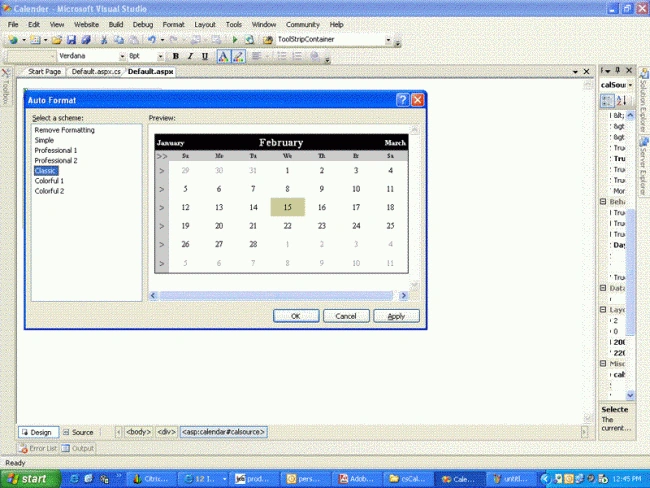
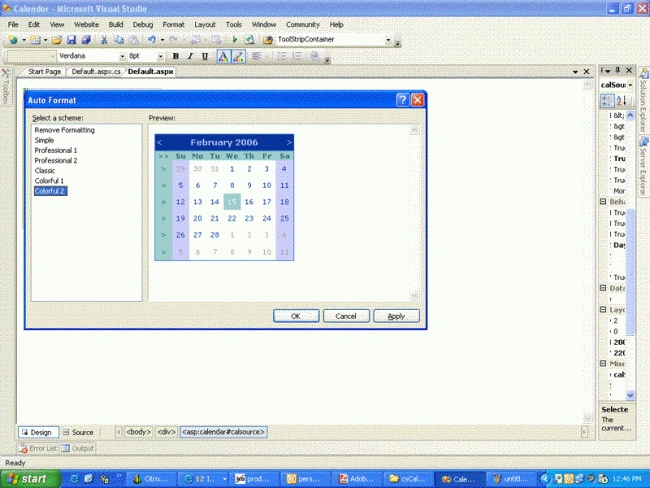
After selecting the template for calender, editor will generate the following code for you:
<asp:Calendar ID="calSource" runat="server" BackColor="#FFFFCC" BorderColor="#FFCC66" BorderWidth="1px" DayNameFormat="Shortest" Font-Names="Verdana" Font-Size="8pt" ForeColor="#663399" Height="200px" ShowGridLines="True" Width="220px" OnSelectionChanged="calSource_SelectionChanged">
<SelectedDayStyle BackColor="#CCCCFF" Font-Bold="True" />
<TodayDayStyle BackColor="#FFCC66" ForeColor="White" />
<SelectorStyle BackColor="#FFCC66" />
<OtherMonthDayStyle ForeColor="#CC9966" />
<NextPrevStyle Font-Size="9pt" ForeColor="#FFFFCC" />
<DayHeaderStyle BackColor="#FFCC66" Font-Bold="True" Height="1px" />
<TitleStyle BackColor="#990000" Font-Bold="True" Font-Size="9pt" ForeColor="#FFFFCC" />
</asp:Calendar>
In the same way add other controls also
<asp:DropDownList ID="drpMonthCal" runat="server" AutoPostBack="True" OnSelectedIndexChanged="drpCalMonth_SelectedIndexChanged" Width="101px">
</asp:DropDownList>
<asp:DropDownList ID="drpYearCal" runat="server" AutoPostBack="True" OnSelectedIndexChanged="drpCalYear_SelectedIndexChanged" Width="104px">
</asp:DropDownList>
<asp:Label ID="lblDate" runat="server" Text="Label" Width="390px"></asp:Label>
Now you are ready with the web page.So you can start with the implementation.
protected void Page_Load(object sender, EventArgs e)
{
//Hide the title of the calendar control
calSource.ShowTitle = false;
//Populate month and year dropdown list boxes which
//replace the original calendar title
if (!Page.IsPostBack)
{
Populate_MonthddList();
Populate_YearddList();
}
lblDate.Text = "Current date: " + calSource.TodaysDate;
}
private void Populate_MonthddList()
{
drpMonthCal.Items.Add("January");
drpMonthCal.Items.Add("February");
drpMonthCal.Items.Add("March");
drpMonthCal.Items.Add("April");
drpMonthCal.Items.Add("May");
drpMonthCal.Items.Add("June");
drpMonthCal.Items.Add("July");
drpMonthCal.Items.Add("August");
drpMonthCal.Items.Add("September");
drpMonthCal.Items.Add("October");
drpMonthCal.Items.Add("November");
drpMonthCal.Items.Add("December");
// drpCalMonth.Items.FindByValue((objdate.Month.ToString())).Selected = true;
// drpCalYear.Items.FindByValue(DateTime.Now.Month.ToString()).Selected = true;
}
private void Populate_YearddList()
{
//Year list can be extended
int intYear ;
for(intYear =Convert.ToInt16(DateTime.Now.Year) - 20;intYear<=DateTime.Now.Year + 20;intYear++)
{
drpYearCal.Items.Add(Convert.ToString(intYear));
}
drpYearCal.Items.FindByValue(DateTime.Now.Year.ToString()).Selected = true;
}
protected void calSource_SelectionChanged(object sender, EventArgs e)
{
if (calSource.SelectedDates.Count == 1)
// If one date is selected, display it.
lblDate.Text = "Selected date: " + calSource.SelectedDate;
else
// If multiple dates are selected, display them.
lblDate.Text = "Selected dates: " + calSource.SelectedDates[0] + " to " + calSource.SelectedDates[calSource.SelectedDates.Count - 1];
}
protected void drpCalMonth_SelectedIndexChanged(object sender, EventArgs e)
{
calSource.TodaysDate =Convert.ToDateTime (drpMonthCal.SelectedItem.Value + " 1, " + drpYearCal.SelectedItem.Value);
}
protected void drpCalYear_SelectedIndexChanged(object sender, EventArgs e)
{
calSource.TodaysDate = Convert.ToDateTime(drpMonthCal.SelectedItem.Value + " 1, " + drpYearCal.SelectedItem.Value);
}
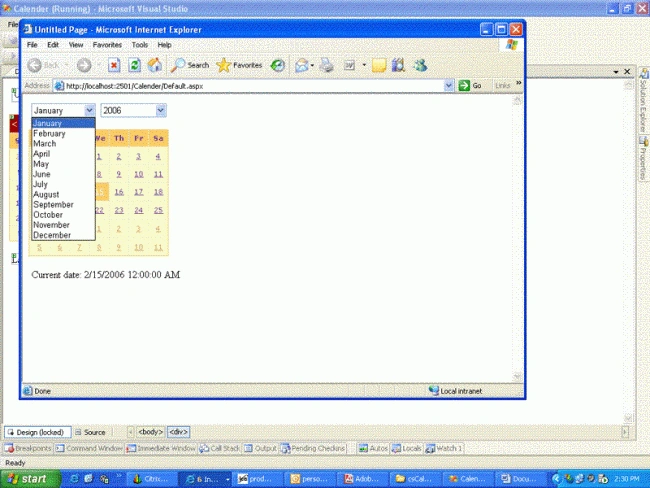
After writing the code Run the application.
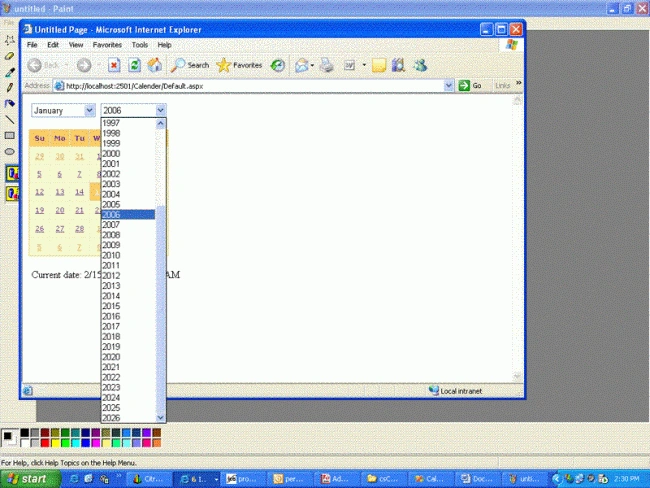
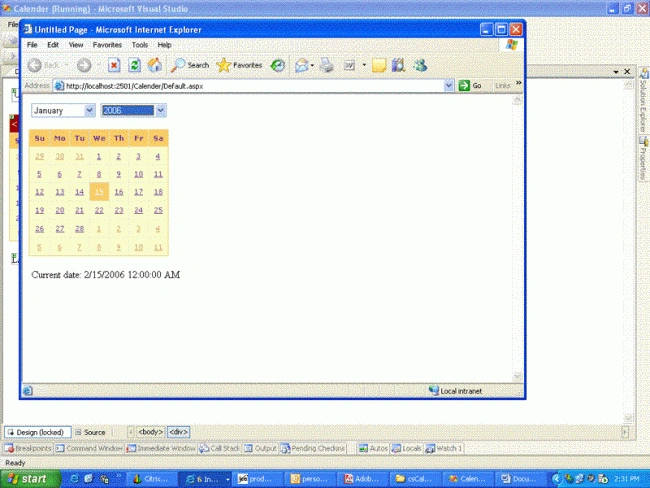
Now you will see the following output screen :-
vahini marriappanPosted Sep 17, 2010, 8:46 AM
how to display event in calender Column
Dumidu PereraPosted Feb 11, 2009, 3:55 AM
Thanks for your help my chum. i solved my problem after 3 hours net browsing, But no need to add dropdowns for change month/year. instead we can hide Title and we can add our own html row with controls (buttons) as same as calendar control header
Dumidu PereraPosted Feb 11, 2009, 3:53 AM
Thanks for your help my chum. i solved my problem after 3 hours net browsing, But no need to add dropdowns for change month. instead we can hide Title and we can add ower own html row with controls (buttons) as same as calendar control header
Raghavendran kPosted Feb 10, 2009, 8:24 AM
Clicking on the calendar.zip file does not provide the source, but only the solution files. Can you please re-up the zip file? Thank you!
jmarquisettePosted Jan 8, 2009, 5:22 PM
Clicking on the calendar.zip file does not provide the source, but only the solution files. Can you please re-up the zip file? Thank you!
jagadevi BasuPosted Jan 8, 2008, 6:46 AM
Can u tell me how to use the image button. Meanse if user clicks on image then it should disply the calender control.
jagadevi BasuPosted Jan 8, 2008, 6:43 AM
This calender control code is working fine. Thanks
Henrik EmborgPosted Jul 14, 2006, 4:26 AM
It works like a charme. Now I just wish I could get it to work when putting it inside my templatefields. But a very nice function, that should have been in the package from the start.
wayne athertoneditedPosted Apr 4, 2006, 10:23 AMEdited Oct 25, 2006, 8:27 AM
Hi there, a little help if you are not too busy. I am using your calendar control example post on this site. It works fine. However, I have create a couple of panels that hide and show the control base on a users click. When I click a image (image button control) I hide the button and display the calendar panel, which includes your example. I then make my selections and pick my date, on the selected index changed events, I populate the dob txt box, hide the calendar control and display the image button again. All is well until I click on the image button again. When I do this, I get the following error message: Cannot have multiple items selected in a DropDownList. Description: An unhandled exception occurred during the execution of the current web request. Please review the stack trace for more information about the error and where it originated in the code. Exception Details: System.Web.HttpException: Cannot have multiple items selected in a DropDownList. Could you shed any light on why this is happening please, I am using VS2005/ASP.NET 2.0 regards, Wayne