

Note: This article is published on 06/14/2021.
This series of articles will discuss View related issues of the MVC module.
- Razor Engine in MVC
- View Variables in ASP.NET MVC --- this article
- View Variables in ASP.NET Core MVC
- Pass Data Across Views In .NET MVC
- Partial, RenderParial, Action, RenderAction
- Data Binding in Angular
Note: (added on 12/08/2024)
I put this article, Angular Features (1) --- Data Binding: Data Transfer inside Component, here in the name Data Binding in Angular, because it has the similar or same mechanizm or funcationality as view variable does in MVC module, say
- in MVC module, View Variables transfer data between Controller (code) and View, while
- in Angular, Data Binding mainly transfer data between TypyScript (code) and HTML Template.
Introduction
This will be the contents of this article,
- ASP.NET MVC
- Setup Environment for Code Testing
- What ViewBag, ViewData, TempData, and Session are
- How ViewBag, ViewData, TempData, and Session Work
- ViewBag and ViewData
- TempData
- Session
- ASP.NET Core MVC - will be discussed in the next article
- What ViewBag, ViewData, TempData, and Session are
- How ViewBag, ViewData, TempData, and Session Work
A: Setup MVC Environment for Code Testing
Step 1 - Create an ASP.NET MVC app
We use the current version of Visual Studio 2019 16.9.4 and .NET Framework 4.8 to build the app,
- Start Visual Studio and select Create a new project.
- In the Create a new project dialog, select ASP.NET Web Application (.NET Framework) > Next.
- In the Configure your new project dialog, enter MVC for Project name > Create.
- In the Create a new ASP.NET Web Application dialog, select MVC > Creat
Note
For beginners, you may see details from here.
Step 2 - Add ViewBag, ViewData, TempData, and Session
In Controller, update HomeController/Index action,
namespace MVC.Controllers
{
    public class HomeController : Controller
    {
        public ActionResult Index()
        {
            List<string> Student = new List<string>();
            Student.Add("Jignesh");
            Student.Add("Tejas");
            Student.Add("Rakesh");

            this.ViewData["Student"] = Student;
            this.ViewBag.Student = Student;
            this.TempData["Student"] = Student;
            this.HttpContext.Session["Student"] = Student;

            return View();
        }

        ......
    }
}
In View/Homw/Index.cshtml,
@{
    ViewBag.Title = "Home Page";
}

<br>
<br>

@*<ul>
    <b>ViewBag</b>
    @foreach (var student in ViewBag.Student)
    {
        <li>@student</li>
    }
</ul>*@
<ul>
    <b>ViewData</b>
    @foreach (var student in ViewData["Student"] as List<string>)
    {
        <li>@student</li>
    }

</ul>
<ul>
    <b>TempData</b>
    @foreach (var student in TempData["Student"] as List<string>)
    {
        <li>@student</li>
    }
</ul>
<ul>
    <b>Session</b>
    @foreach (var student in Session["Student"] as List<string>)
    {
        <li>@student</li>
    }
</ul>
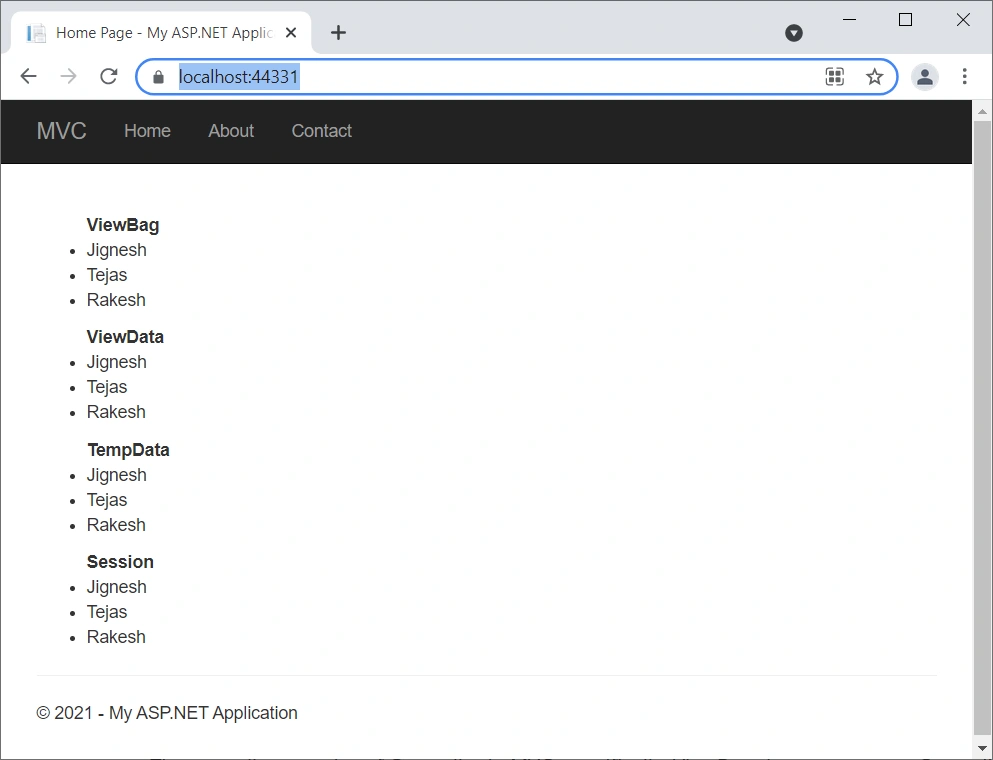
The result,
B: What ViewBag, ViewData, TempData, and Session are
ViewBag, ViewData, TempData, and Session are the options to send value from controller to view or to other action method/pages.
1, They are the properties of Controller in MVC
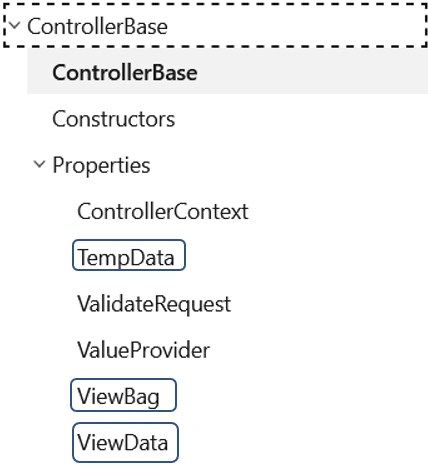
Specifically, ViewBag, ViewData, and TempData are the properties of ControllerBase class, which is the parent of the Controller Class.
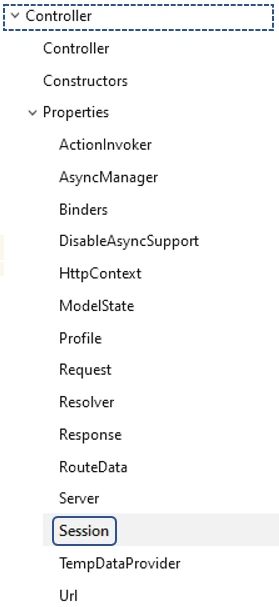
While the Session is the property of Controller class,
2, Type
They are all the Type of Dictionary with the string as key, except ViewBag is dynamic type:
- ViewData --- public System.Web.Mvc.ViewDataDictionary ViewData { get; set; }
- ViewBag --- public dynamic ViewBag { get; }
- TempData --- public System.Web.Mvc.TempDataDictionary TempData { get; set; }
- Session --- public System.Web.HttpSessionStateBase Session { get; }
Note:
ViewBag is a wrapper over ViewData and allows to store and retrieve values using object-property syntax rather than key-value syntax used by dictionary objects. It does so using the dynamic data type feature of .NET.
C: How ViewBag, ViewData, TempData and Session Work
1, ViewBag and ViewData
They can be used to pass data from controller to view, one way only in the same request.
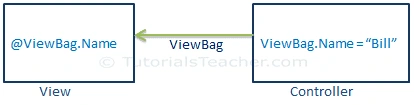
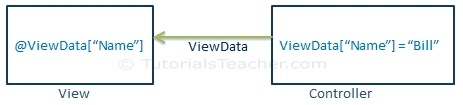
The following example show if the ViewBag is assigned value in one action --- index, but try to retrieve from another view --- About (two trips, two requests), it will not work
Comment out the ViewBag from Index,
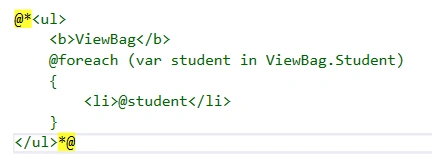
Add the code to View/Home/About.cshtml,
<ul>
    <b>ViewBag</b>
    @foreach (var student in ViewBag.Student)
    {
        <li>@student</li>
    }
</ul>
Run the app, it will go to the Index page, and then click the About button to navigate to the About page.
We got the error due to the value defined in ViewBag exists only in the same action, within the same request, i.e. in View/Home/About.cshtml retrieving ViewBag value, it must be defined in Action About,

The difference between ViewBag and ViewData,
- ViewData
- If passing string into ViewData then no need to typecast
- If the passing object in ViewData then you need to typecast it but before that, you need to check if it is not null
- ViewBag
- ViewBag's a dynamic type so not necessary to typecast
2, TempData
TempData is used to transfer data from view to controller, controller to view, or from one action method to another action method of the same or a different controller.
TempData stores the data temporarily and automatically removes it after retrieving a value. i.e., It can be retrieved once, and only once.
We demo how TempData transfers info by the following example (you need to run the example from step 1 to step 4, one by one).
Step 1 - Go to Action Index to define the TempData
public ActionResult Index()
{
    List<string> Student = new List<string>();
    Student.Add("Jignesh");
    Student.Add("Tejas");
    Student.Add("Rakesh");

    this.ViewData["Student"] = Student;
    this.ViewBag.Student = Student;
    this.TempData["Student"] = Student;
    this.HttpContext.Session["Student"] = Student;

    return View();
}
while in the View: the TempData comments out,
@{
    ViewBag.Title = "Home Page";
}

<br>
<br>

<ul>
    <b>ViewBag</b>
    @foreach (var student in ViewBag.Student)
    {
        <li>@student</li>
    }
</ul>
<ul>
    <b>ViewData</b>
    @foreach (var student in ViewData["Student"] as List<string>)
    {
        <li>@student</li>
    }

</ul>
@*<ul>
    <b>TempData</b>
    @foreach (var student in TempData["Student"] as List<string>)
    {
        <li>@student</li>
    }
</ul>*@
<ul>
    <b>Session</b>
    @foreach (var student in Session["Student"] as List<string>)
    {
        <li>@student</li>
    }
</ul>
Result: not showing TempData as expected,
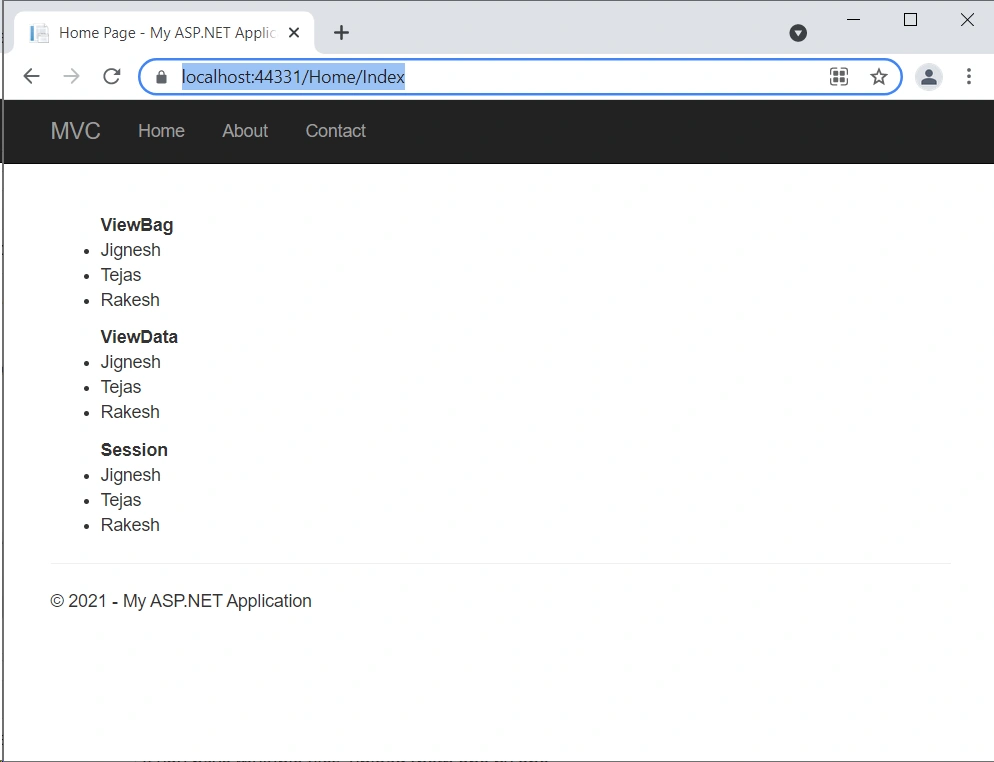
Step 2 - Go to Action Contact to do nothing, but in the View
Retrieve TempData["Student"], also redefine TempData["name"] = "Steve"
}
<h2>@ViewBag.Title.</h2>
<h3>@ViewBag.Message</h3>

<address>
    One Microsoft Way<br />
    Redmond, WA 98052-6399<br />
    <abbr title="Phone">P:</abbr>
    425.555.0100
</address>

<address>
    <strong>Support:</strong>   <a href="mailto:[email protected]">[email protected]</a><br />
    <strong>Marketing:</strong> <a href="mailto:[email protected]">[email protected]</a>
</address>

<ul>
    <b>TempData</b>
    @foreach (var student in TempData["Student"] as List<string>)
    {
        <li>@student</li>
    }
</ul>
@{
    TempData["name"] = "Steve";
}
<ul>
    <b>Session</b>
    @foreach (var student in Session["Student"] as List<string>)
    {
        <li>@student</li>
    }
</ul>
Result: showing retrieved TempData["Student"]
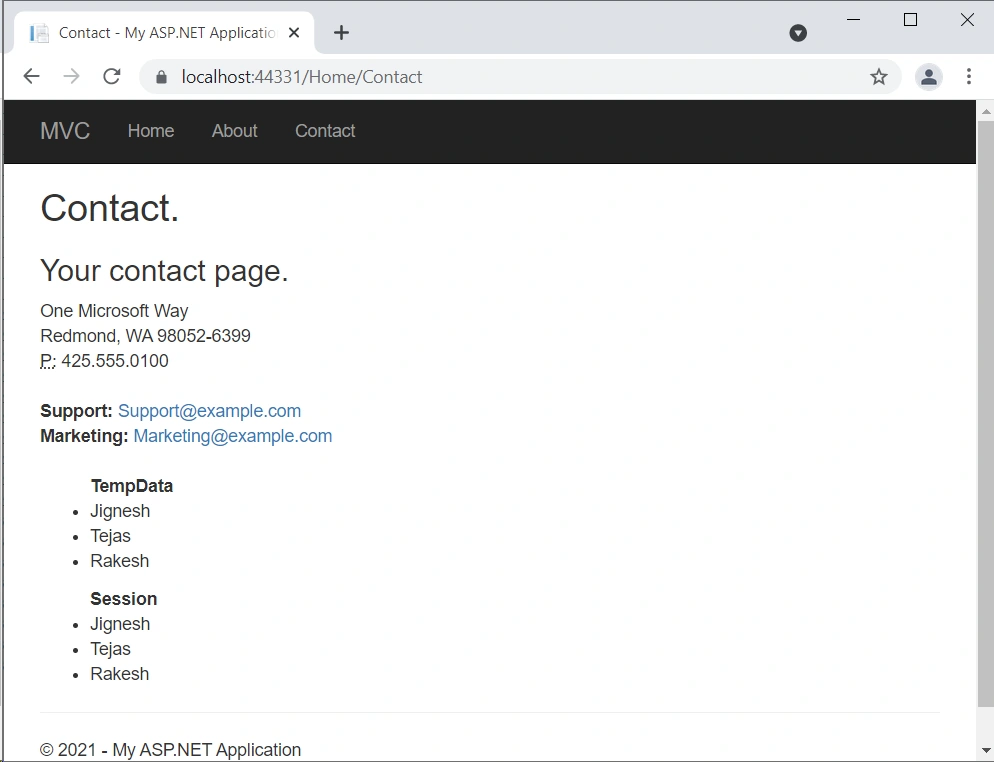
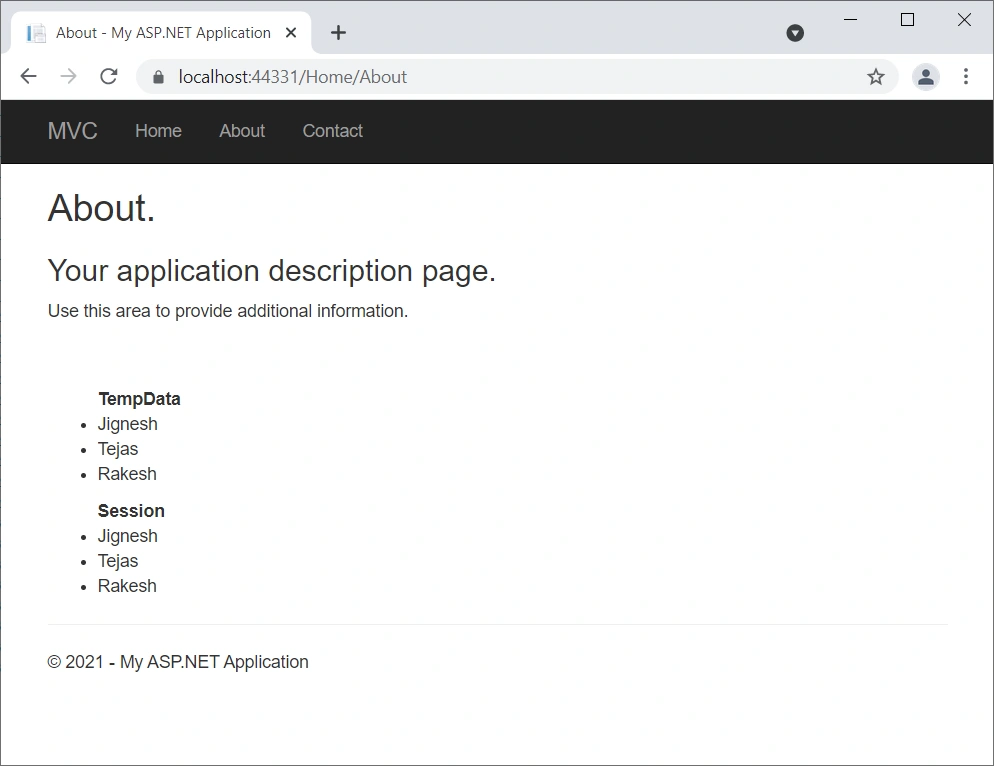
Step 3 - Go to Action About
Retrieve TempData["name"], and redefine TempData["Student"]
public ActionResult About()
{
    ViewBag.Message = "Your application description page.";

    if (TempData["name"].ToString() == "Steve")
    {
        List<string> Student = new List<string>();
        Student.Add("Jignesh");
        Student.Add("Tejas");
        Student.Add("Rakesh");

        this.ViewData["Student"] = Student;
        this.ViewBag.Student = Student;
        this.TempData["Student"] = Student;
        this.HttpContext.Session["Student"] = Student;
    }
    return View();
}
View: desplay TempData["Student"]
<ul>
    <b>TempData</b>
    @foreach (var student in TempData["Student"] as List<string>)
    {
        <li>@student</li>
    }
</ul>
<ul>
    <b>Session</b>
    @foreach (var student in Session["Student"] as List<string>)
    {
        <li>@student</li>
    }
</ul>
Result: as expected: showing TempData["Student"]
Step 4
Finally, Go back to Click Contact: try to a second time to Retrieve TempData["Student"], we got an error message,

Finally, we should mention,
- TempData Saves into the session so on the expiration of session data loss;
- TempData removes a key value once accessed, you can still keep it for the subsequent request by calling
TempData.Keep()method. TempDatais usually used to pass error messages or something similar.
3, Session
- Session stores data into session
- The session is not similar to TempData to access one but you can read as many time as you want
- The session never becomes null until or unless session timeout or session expires.
- The session is not a good practice to use session very frequently or store big data, it hits performance
Summary
This article actually discussed ASP.NET MVC ViewBag, ViewData, TempData, and Session. We will leave ASP.NET Core MVC for the same discussion in the next article.
- ASP.NET MVC
- Setup Environment for Code Testing
- What ViewBag, ViewData, TempData, and Session are
- How ViewBag, ViewData, TempData, and Session Work
- ViewBag and ViewData --- pass data from controller to view, one way only in the same request.
- ViewBag is a dynamic type so not necessary to typecast
- TempData --- pass data from view to controller, controller to view, or from one action method to another action method of the same or a different controller. It can retrieve once, and only once.
- Session --- Session is similar to TempData but can be retrieved multiple times.
- ViewBag and ViewData --- pass data from controller to view, one way only in the same request.
Reference
- ViewData, ViewBag, TempData, and Session in MVC --- advancesharp.com
- Difference Between ViewData and TempData? --- stackoverflow.com
- ViewData VS ViewBag Vs TempData in MVC --- c-sharpcorner
- Controller Class --- MS
- ControllerBase Class --- MS
Arnab MukherjeePosted Jun 14, 2021, 5:42 PM
Nice article