

What are variations?
The variations feature creates sites and synchronizes the content and supported list items from a source variation site to one or more target variation sites. By default, the variations feature synchronizes publishing pages from the pages library of the source variation site and any lists that are configured to be synchronized to specific target variation sites.
Variations timer jobs
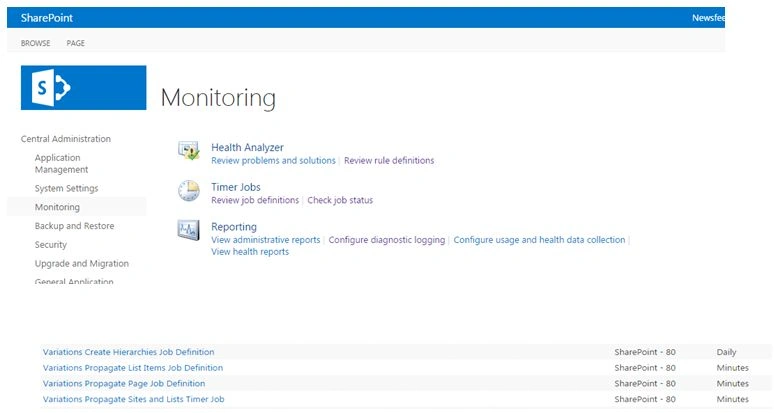
- Variations Create Hierarchies Job Definition
Creates a complete variations hierarchy by creating all variation sites, lists and the pages from the source variation site, based on the variation labels. By default, this timer job runs hourly. - Variations Propagate List Items Job Definition
Creates and updates the list items on the target variation sites, after a list is configured to send items to the specific target variation labels. By default, this timer job runs every 15 minutes. - Variations Propagate Page Job Definition
Creates and updates the pages on the target variation sites after a page on the source variation site is approved or after it is manually submitted by a user. By default, this timer job runs every 15 minutes. - Variations Propagate Sites and Lists Job Definition
Creates variation sites and lists when the create everywhere option is enabled. By default, this timer job runs every 30 minutes.
Reference - Variations overview in SharePoint Server 2013.
Open -> Central admin -> Click Monitoring -> Under timer jobs -> Click Review job definition.
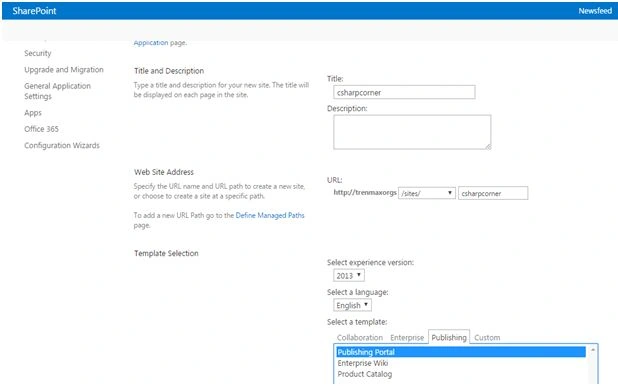
Create a new publishing site.
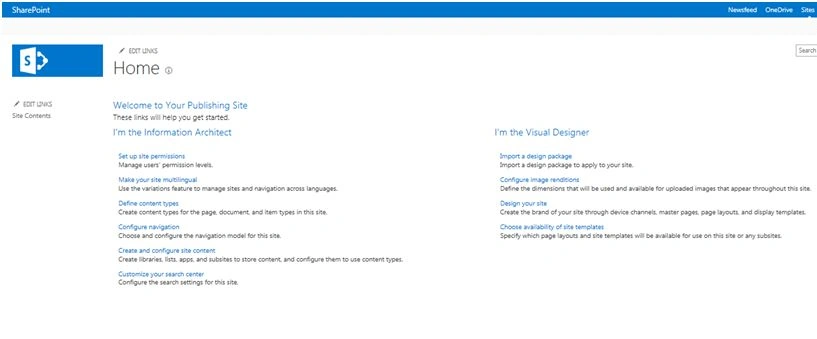
Created a site named "csharpcorner".
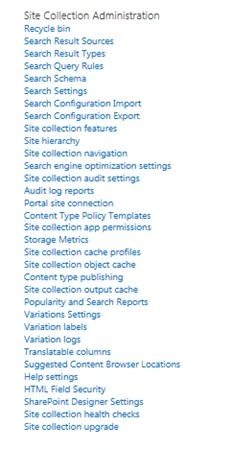
Click site settings -> under site collection administration -> click variations settings.
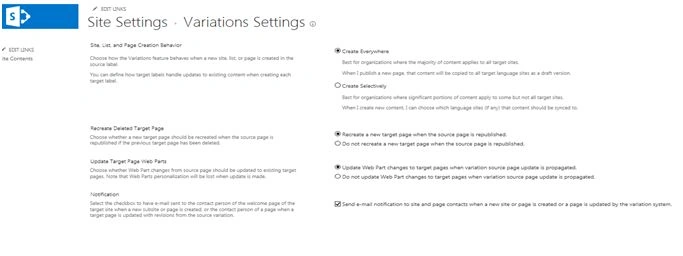
Site, list, and page creation behavior
- Create everywhere
It will create a site, list and pages from source to target variation sites automatically. - Create selectively
It will sync the sites lists and pages the first time; after that we have to do it manually. - Recreated a deleted target pages
It will help you to recreate the deleted pages in the source variation site into the target variation sites, once it is republished by source.
If create everywhere is enabled, it will do this step automatically, created on a target variation. - Update target page web parts
If you have done any changes in the Webparts on source variation sites, it will be updated on the target variation site also. - Notification
It will send the notification to the users when the new page is created or updated in source and variation sites.
Now, I am going to create a variation label.
Click on variation labels -> New.
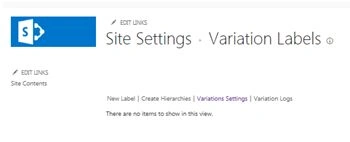
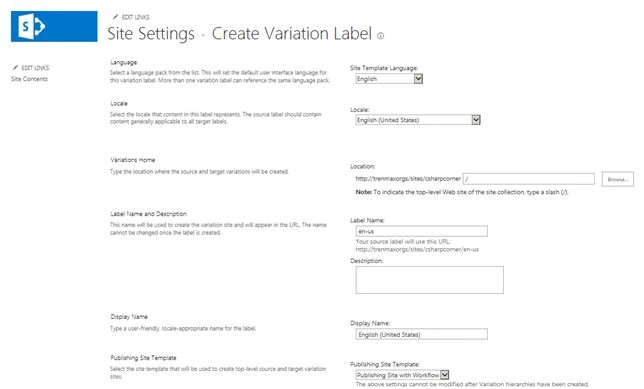
Now, I am going to create a label for the source variation site "English".
- For Site template language "Select English".
- Now, select locale "Selected English (United States)".
- Create a label "en-us".
- Select publish template with or without workflow.
- In this scenario, I selected Publishing template with workflow.
Click OK.
It will create as a source.
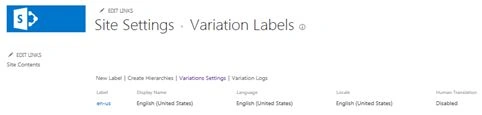
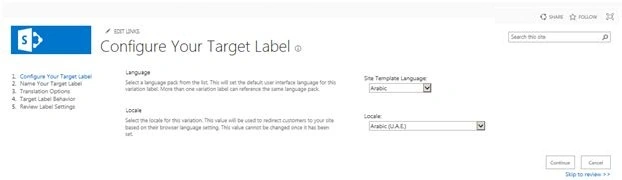
Click new label to create a target variation,
- Select template language as "Arabic".
- Select locale as "Arabic(U.A.E)".
- Click Continue.
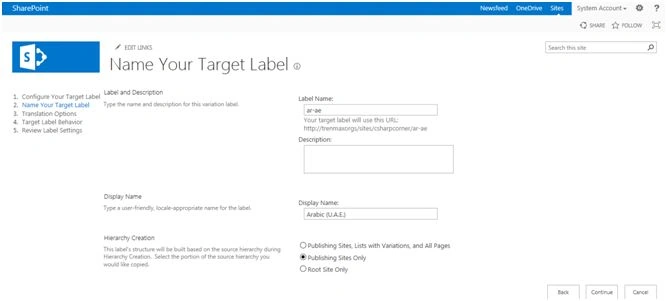
- Provide the label name In my scenario "ar-ae".
- Select the hierarchy creation "Publishing sites list with variations and pages".
- Click Continue.
Allow human translation and machine translation, when you need.
In my scenario, I used both translation.
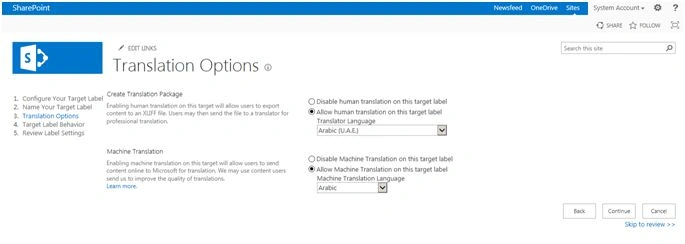
Click continue.
Here, you can provide the page update behavior, which will be automatic or manual.
In my scenario, I selected automatic.
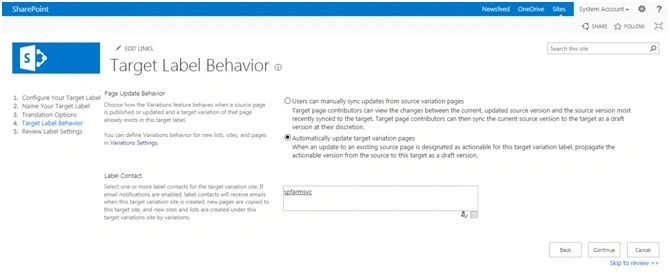
Click Continue.
Review all those settings and click finish.
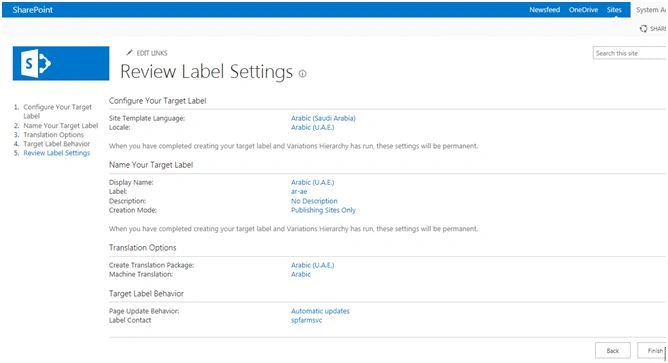
Hence, it will be enabled as a target variation site.
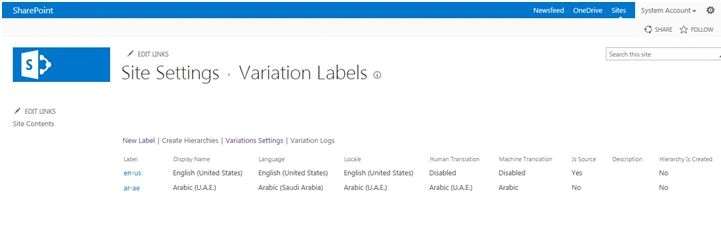
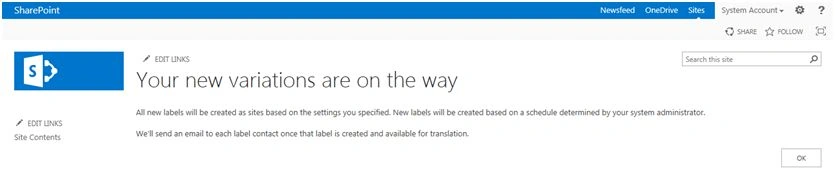
Click Create hierarchy -> OK.
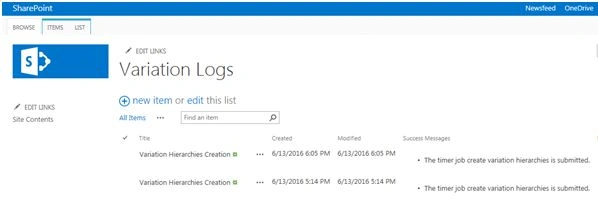
Now, check the variation logs and run the timer jobs manually for immediate requirement.
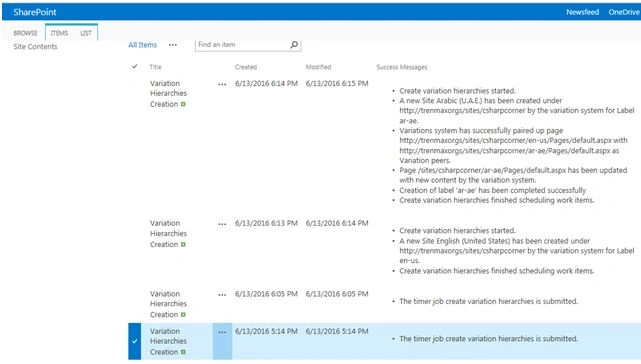
Here is the final result.
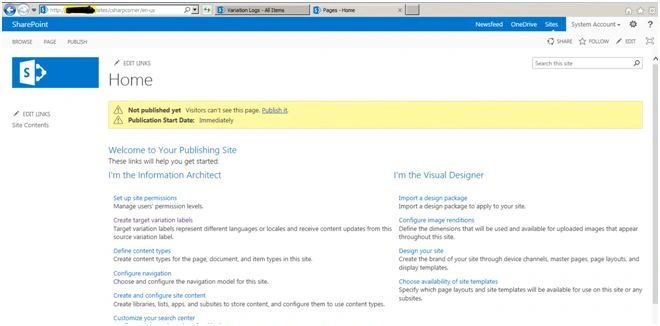
For English,
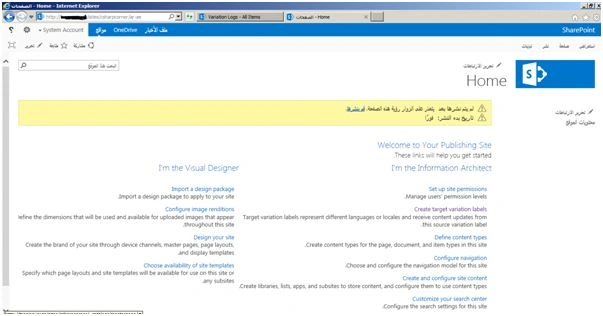
For Arabic,
Reference - Variations overview in SharePoint Server 2013.
Sumit DeshmukhPosted May 18, 2017, 8:48 AM
Helpful..! Thanks for sharing :-)
Santhakumar MunuswamyPosted Jun 25, 2016, 2:59 AM
Nice share
Vinodh NarayananPosted Jun 15, 2016, 9:15 AM
Thanks a lot
Amir RezaPosted Jun 15, 2016, 9:10 AM
Nice Article
Vignesh ManiPosted Jun 15, 2016, 8:46 AM
Nice
Vinodh NarayananPosted Jun 15, 2016, 12:57 AM
Debasis Saha Thanks sir
Debasis SahaPosted Jun 15, 2016, 12:48 AM
Good share..