

A ToolTip is a pop-up window that displays some information in a small window. The XAML Tooltip element represents a window tooltip that can be attached a WPF control using its ToolTip property. This article shows how to use a ToolTip control in WPF.
Creating a ToolTip
The ToolTip element represents a ToolTip control in XAML.
- <ToolTip/>
The IsOpen property indicates whether or not a ToolTip is visible. The HorizontalOffset and VerticalOffset properties represent the horizontal and vertical distance between the target control and the pop-up window. The Content property represents the contents of the ToolTip.
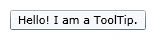
The code snippet in Listing 1 creates a ToolTip control and sets the horizontal offset, vertical offset and content of a ToolTip control.
- <ToolTip Content="Hello! I am a ToolTip."
- HorizontalOffset="10" VerticalOffset="20"/>
Listing 1.
- <ToolTipService.ToolTip >
- <ToolTip Content="Hello! I am a ToolTip."
- HorizontalOffset="10" VerticalOffset="20"/>
- </ToolTipService.ToolTip>
Listing 2.
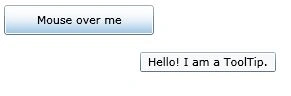
- <Button Content="Mouse over me" Width="150" Height="30"
- Canvas.Top="10" Canvas.Left="10">
- <ToolTipService.ToolTip >
- <ToolTip Content="Hello! I am a ToolTip."
- HorizontalOffset="10" VerticalOffset="20"/>
- </ToolTipService.ToolTip>
- </Button>
Listing 3.
- <!-- Create a button -->
- <Button Content="Mouse over me" Width="150" Height="30"
- Canvas.Top="50" Canvas.Left="20">
- <!-- Create a tooltip by using the ToolTipService -->
- <ToolTipService.ToolTip >
- <ToolTip HorizontalOffset="0" VerticalOffset="0">
- <!-- Add a StackPanel to the tooltip content -->
- <StackPanel Width="250" Height="150">
- <!-- Add an image -->
- <StackPanel.Background>
- <ImageBrush ImageSource="Garden.jpg"
- Opacity="0.4"/>
- </StackPanel.Background>
- <!-- Add a text block -->
- <TextBlock >
- <Run Text="This is a tooltip with an image and text"
- FontFamily="Georgia" FontSize="14" Foreground="Blue"/>
- </TextBlock>
- </StackPanel>
- </ToolTip>
- </ToolTipService.ToolTip>
- </Button>
Listing 4.
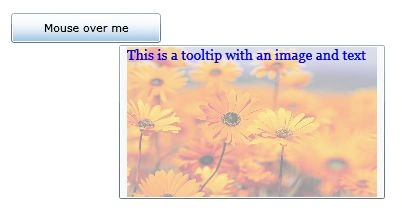
Using the previous approach, you can pretty much put any content as a ToolTip popup.
Here is a more complete tutorial on WPF ToolTip control - ToolTips in WPF
Join the conversation! Your thoughts help the community grow.