

This article will explain RabbitMQ and its usage. Also, I will present a practical example of how to post data on a RabbitMQ queue and how to read the data from this queue.
To publish in the queue we will use a .Net Core Web API and to read from the queue we will use a .Net Core Console application.
What is RabbitMQ?
RabbitMQ is an open-source message broker that implements the message queue protocol, being able to exchange messages between publishers and listeners among different channels and routes.
Among RabbitMQ's main features, find some important ones below, with a brief explanation of it
- Message: A message is a key part of RabbitMQ communication. It moves through channels, from publisher to listeners, and can have any kind of information, from simple text to complex objects serialized.
- Channel: A channel is a logical communication line between the publisher and the listeners. It stands on an existent connection and may transfer messages through different protocols.
- Queue: A RabbitMQ queue works following a FIFO pattern for storing messages between publishers and listeners.
- Connection: A RabbitMQ connection is based on protocols, is the base for having channels running and, as its names say, connects the server to the client.
- Consumer: RabbitMQ client, which is connected to a channel listening to its queues in order to read the messages published on it.
- Publisher: RabbitMQ client, which is connected to a queue publishing messages to it.
- Notification: Notifications are related to monitoring the service health and may be customized in order to alert based on metrics.
- Dead letter: In RabbitMQ, the dead letters are used to store messages that were not able to be read by their listeners. It may not be read because the message was rejected by the listeners, or because the queue was full, or due to the message expiration time.
- Route: RabbitMQ routes are responsible for sending the messages to their correct queues based on their routing keys and exchanges.
- Virtual Host: Compared with an SQL Server database, a RabbitMQ Virtual Host would be an SQL Server Database. Virtual Hosts have their own settings and are independent of other Virtual Hosts, they have their own channels, bindings, protocols, users, etc.
- Exchange: RabbitMQ exchange is responsible for routing messages to their queues based on their attributes.
- Bindings: A RabbitMQ binding works like a link from the queue to an exchange.
The main benefits of RabbitMQ usage
- Multi-platform communication, with messages being serialized/deserialized in common languages such as JSON;
- Async operations, not leaving services locked waiting for an answer;
- Open-source, with a large community working to improve its features daily;
- Multi-language, with a wide range of languages accepted;
- Multi-protocol, with different types of protocols used to exchange messages.
Implementation Step by Step
In this sample, will be used a Web API will post user locations in a RabbitMQ queue, and a console application in a different solution reading and displaying this data.
Downloads required
- RabbitMQ Server and Erland(required for RabbitMQ)
https://www.rabbitmq.com/download.html - RabbitMQ client for .Net
https://www.rabbitmq.com/dotnet.html
https://www.nuget.org/packages/RabbitMQ.Client/
Default RabbitMQ configuration
- Endpoint address: http://localhost:15672/
- Login: guest
- Password: guest
- Windows Service Name: RabbitMQ
- Windows menu item to start the service: RabbitMQ Service - start
Creating the .Net Core Web API to publish user locations in the RabbitMQ queue
For this sample, I used my previous Web API project using Swagger as a base. You may find the complete article explaining how to create a .Net Core Web API using Swagger below as far as the GitHub URL to download the project.
Remove the controller and model
In order to have a better experience, we are using a new model and controller so the old ones were removed.
Add a new class
This class will have location properties as follows,
public class Location
{
    public DateTime Date { get; set; }
    public double Latitude { get; set; }
    public double Longitude { get; set; }
}
Add a new controller
This controller will have an HTTP Post to publish in the RabbitMQ queue as follows,
[Route("api/[controller]")]
[ApiController]
public class LocationController : ControllerBase
{
    [HttpPost]
    public void Post([FromBody] Location location)
    {
        var factory = new ConnectionFactory() { HostName = "localhost" };
        using (var connection = factory.CreateConnection())
        using (var channel = connection.CreateModel())
        {
            channel.QueueDeclare(queue: "locationSampleQueue",
                                 durable: false,
                                 exclusive: false,
                                 autoDelete: false,
                                 arguments: null);

            string message = "Latitude: " + location.Latitude + ", Longitude: " + location.Longitude + " and Time: " + location.Date;
            var body = Encoding.UTF8.GetBytes(message);

            channel.BasicPublish(exchange: "",
                                 routingKey: "locationSampleQueue",
                                 basicProperties: null,
                                 body: body);
        }
    }
}
Run your Web API Project
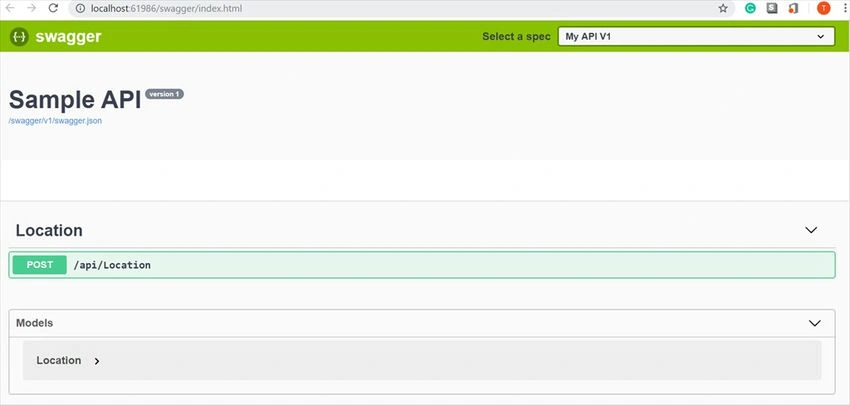
If you used my project base, or have installed and configured Swagger, you may access your endpoint from it.
Validating results
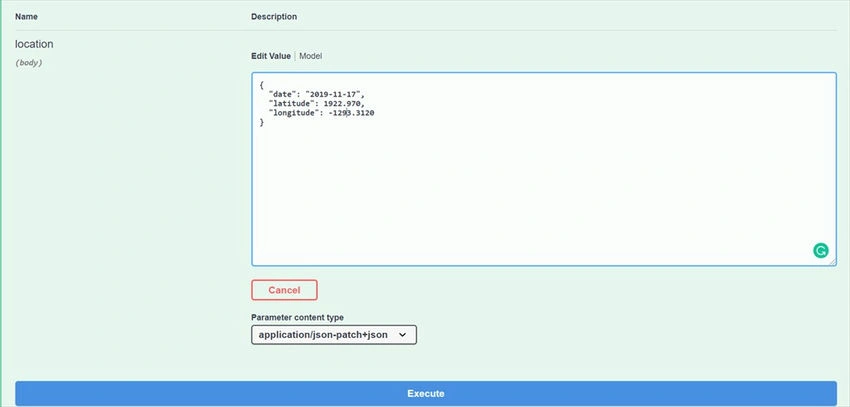
Inputting sample data,
- Date: 2019-11-17
- Latitude: 1922.970
- Longitude: 1293.3120
Validate the controller
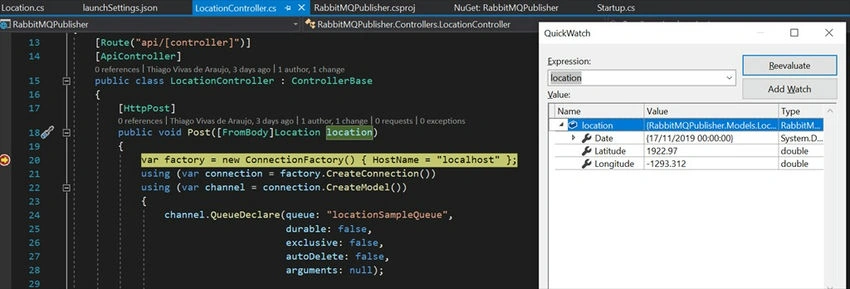
Checking if input data is correct, as follows,
Validate RabbitMQ
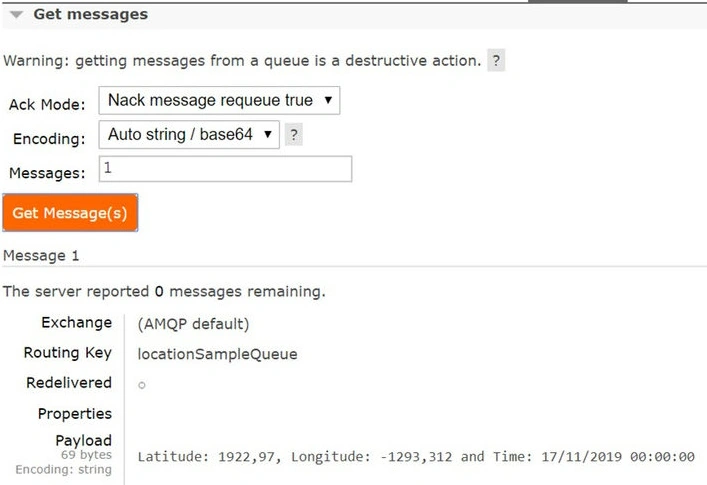
Checking if RabbitMQ was created,
http://localhost:15672/#/queues
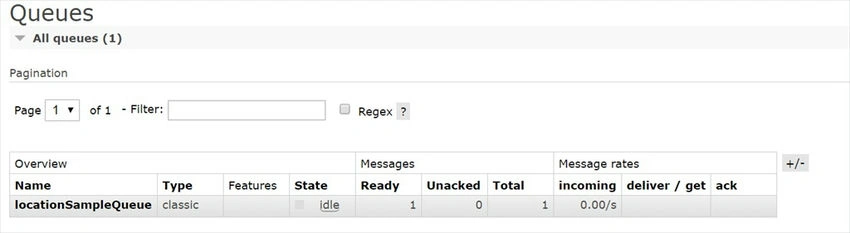
Checking the message in the queue,
Creating the .Net Core console application to read user locations from the RabbitMQ queue
Now that we are able to publish messages in our RabbitMQ queue, the next step is to create a listener to subscribe to this queue and read its messages, as follows.
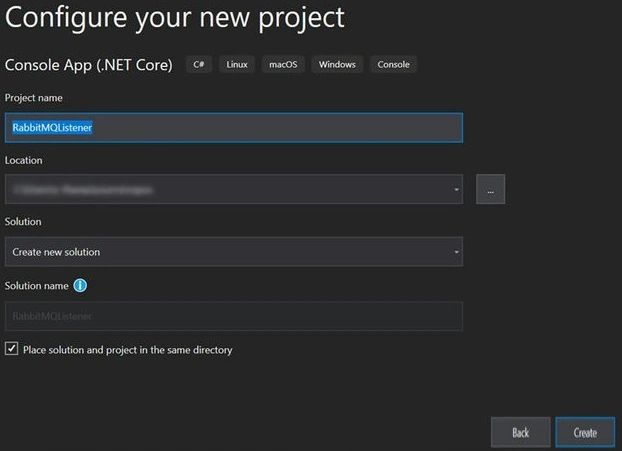
Create the .Net Core Console Application project
Update the Program.cs
In order to subscribe to this queue and write its information on the console, we only need the following code,
static void Main(string[] args)
{
    var factory = new ConnectionFactory() { HostName = "localhost" };
    string queueName = "locationSampleQueue";
    var rabbitMqConnection = factory.CreateConnection();
    var rabbitMqChannel = rabbitMqConnection.CreateModel();

    rabbitMqChannel.QueueDeclare(queue: queueName,
                                 durable: false,
                                 exclusive: false,
                                 autoDelete: false,
                                 arguments: null);

    rabbitMqChannel.BasicQos(prefetchSize: 0, prefetchCount: 1, global: false);

    int messageCount = Convert.ToInt16(rabbitMqChannel.MessageCount(queueName));
    Console.WriteLine(" Listening to the queue. This channels has {0} messages on the queue", messageCount);

    var consumer = new EventingBasicConsumer(rabbitMqChannel);
    consumer.Received += (model, ea) =>
    {
        var body = ea.Body;
        var message = Encoding.UTF8.GetString(body);
        Console.WriteLine(" Location received: " + message);
        rabbitMqChannel.BasicAck(deliveryTag: ea.DeliveryTag, multiple: false);
        Thread.Sleep(1000);
    };
    rabbitMqChannel.BasicConsume(queue: queueName,
                                 autoAck: false,
                                 consumer: consumer);

    Thread.Sleep(1000 * messageCount);
    Console.WriteLine(" Connection closed, no more messages.");
    Console.ReadLine();
}
Validate the result
Checking that the console application is running.
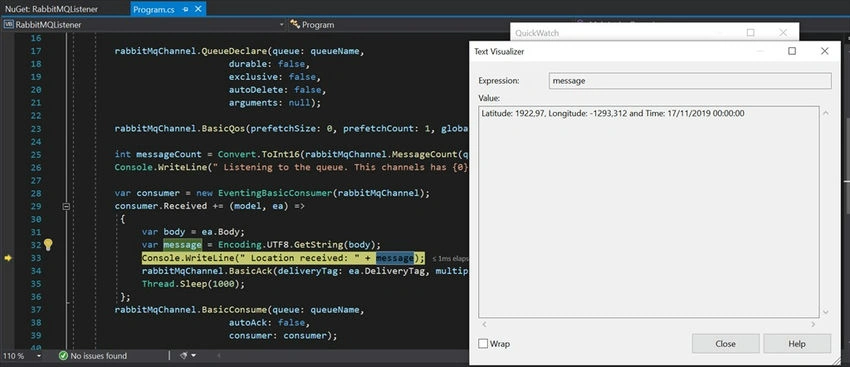
Checking the console application,

Projects on GitHub,
Congratulations! You have successfully created your first application to publish and listen to a RabbitMQ queue.
kayes hasanPosted Nov 23, 2021, 10:05 AM
Its a beginner friendly article to get started.. Thanks Thiago for this amazing article..
fisayo oluwayemiPosted Oct 8, 2020, 2:07 AM
Thanks for this...but location queue always returns empty even after sending location request from my postman
Hamid KhanPosted Jul 23, 2020, 12:33 AM
Awesome explain..................
Alexander NikonovPosted May 13, 2020, 5:54 AM
Thank you very much for the demo project! But one point: for some reason, location queue in RabbitMQ management is shown always empty, even if I send location request and do not read from the queue...
Jaimin ShethiyaPosted Nov 29, 2019, 4:33 AM
Good article :)
Juliana CarvalhoPosted Nov 22, 2019, 10:08 AM
Great job!
Prabakaran MPosted Nov 20, 2019, 10:38 PM
Nice article..thanks for sharing sir