

Introduction
Microsoft has just released .NET 7 on 14th November 2022. In the previous articles, we looked at some of the new features.
- Using The New Required Keyword In .NET 7
- Using The New Generics Pattern Matching Feature In .NET 7
- Using The New Generic Number Interface In .NET 7
- New File Scope Feature In .NET 7
- New Features In .NET 7
Today, we will look at another feature introduced with .NET 7 and that is the new multi-line string literals. Let us begin.
The multi-line string literal
Let us create a console application using Visual Studio 2022 Community edition.
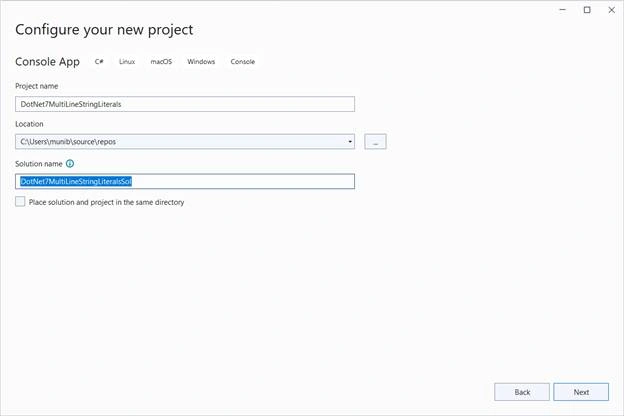
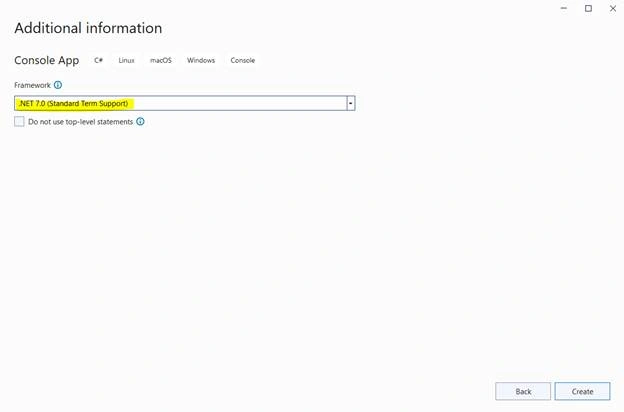
Now, add the below code to the “Program.cs” file,
var firstName = "John";
var lastName = "Smith";
Console.WriteLine($"This is a testing string literal with {firstName} and {lastName}");
When we run the application, we see the below,
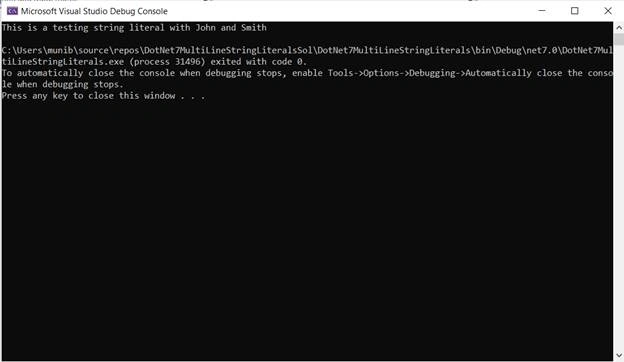
Hence, in .NET 7/ C#11, we can break the string literal into multiple lines in order to improve readability. However, when it is displayed it will show on one line.
Summary
In this article, we looked at a new feature that has been introduced with .NET 7. Using the multi-line feature we can make our string literals more readable. In the next article, we will look into another feature of .NET 7.
Join the conversation! Your thoughts help the community grow.