

Introduction
This article explains the use of Google Maps in the Web API. This map contains the Country or City name. It does not contain the Latitude and Longitude. By using Google Maps we can search any Country and any City in the Country or all over the world.
The following is the procedure.
First, we create a web application as in the following:
- Start Visual Studio 2012.
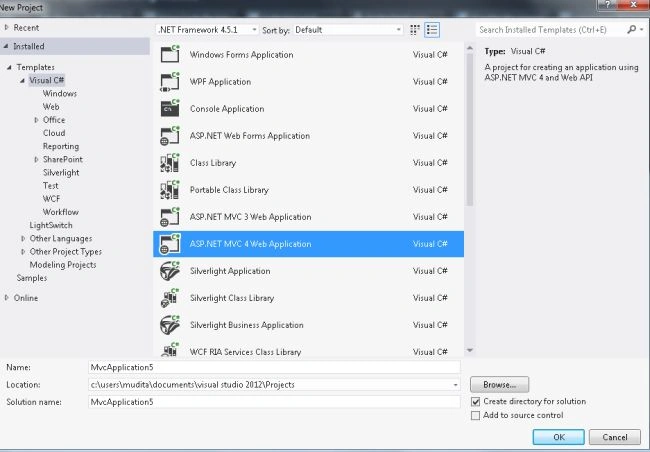
- From the Stat window select "New Project".
- From the new project window select "Installed" -> "Visual C#" -> "Web".
- Select "ASP.NET MVC4 Web Application" and click the "OK" button.
- From the "MVC4 Project" window select "Web API".
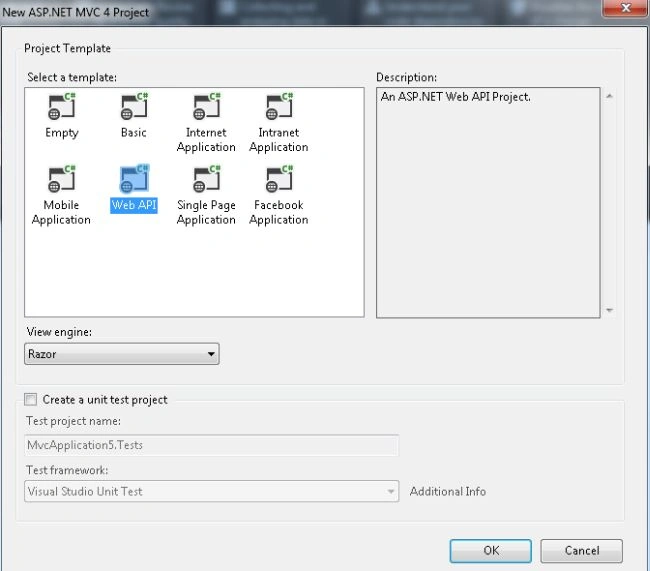
- Click the "OK" button.
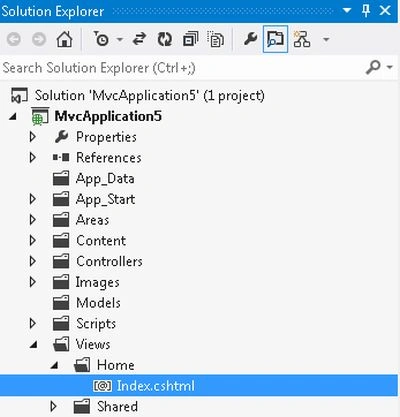
Now we use the "index.cshtml" file for writing some script and HTML code. This file exists:
- In the "Solution Explorer".
- Expand the folder "Home".
- Select the "index.cshtml" file.
Add the following code:
- <!DOCTYPE link href="https://maps/documentation/javascript/examples/default.css" rel="stylesheet" />
- <html>
- <script src="https://maps.googleapis.com/maps/api/js?v=3.exp&sensor=false" type="text/javascript"></script>
- <script>
- var mapcode;
- var diag;
- function initialize() {
- mapcode = new google.maps.Geocoder();
- var lnt = new google.maps.LatLng(26.45, 82.85);
- var diagChoice = {
- zoom: 9,
- center: lnt,
- diagId: google.maps.MapTypeId.ROADMAP
- }
- diag = new google.maps.Map(document.getElementById('map-canvas'), diagChoice);
- }
- function codeAddress() {
- var add = document.getElementById('address').value;
- mapcode.geocode({ 'address': add }, function (results, status) {
- if (status == google.maps.GeocoderStatus.OK) {
- diag.setCenter(results[0].geometry.location);
- var hint = new google.maps.Marker({
- diag: diag,
- position: results[0].geometry.location
- });
- } else {
- alert('This code is not successful ' + status);
- }
- });
- }
- google.maps.event.addDomListener(window, 'load', initialize);
- </script>
- <body>
- <div id="panel">
- <input id="address" type="textbox" value="New Delhi">
- <input type="button" value="Search" onclick="codeAddress()">
- </div>
- <div id="map-canvas" style="width: 600px; height: 390px; border: 5px solid #5E5454;">
- </div>
- </body>
- </html>
There is various status code that returns the following values:
-
google.maps.GeocoderStatus.OK : This defines that the mapcode was successful.
-
google.maps.GeocoderStatus.ZERO_RESULT: It defines that the mapcode was successful but there are no results. That happens when you pass a non-existing address.
-
google.maps.GeocoderStatus.OVER_QUERY_LIMIT : It defines that you are over your Quota.
-
google.maps.GeocoderStatus.INVALID_REQUEST: It defines that the query is missing, in other words, address.
-
google.maps.GeocoderStatus.REQUEST_DENIED : It defines that the user request is denied for some reason.
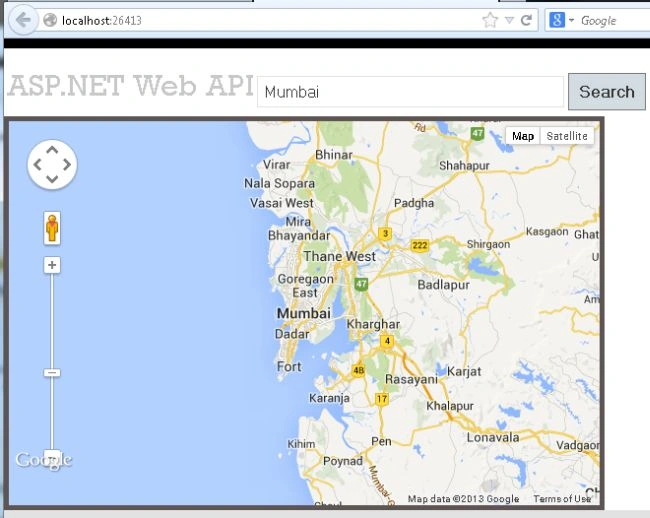
Execute the application by pressing "F5".
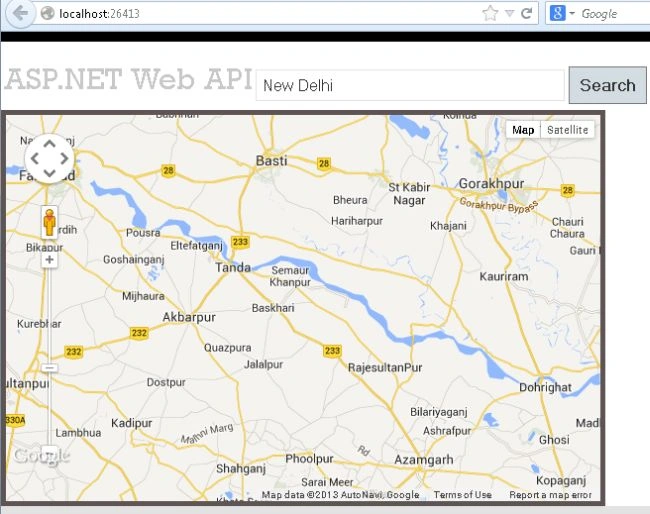
Type any city into the TextBox for the search:
Barath Kumar MPosted Nov 24, 2020, 3:28 AM
Good Job :)
Debasis SahaPosted May 20, 2016, 10:53 AM
Nice One..
Chanel ChooPosted Jun 3, 2015, 9:57 AM
Thanks!