
Introduction:
Application state management
is server side state management. It is stored on the memory of server.
Here we will create a web service using Application state management. This
service will return the number that how many times the service has
accessed. Let's create web service. Follow the given steps.
- Go to Visual Studeo 2010 and take a New Project.
- Take a ASP.NET Web Service Application.
- Click ok button.
- Replace the code with the following code.
using System;
using System.Collections.Generic;
using System.Linq;
using System.Web;
using System.Web.Services;
namespace EHWS
{
/// <summary>
/// Summary description for Service1
/// </summary>
[WebService(Namespace = "http://tempuri.org/")]
[WebServiceBinding(ConformsTo = WsiProfiles.BasicProfile1_1)]
[System.ComponentModel.ToolboxItem(false)]
// To allow this Web Service to be called from script, using ASP.NET AJAX, uncomment the following line. // [System.Web.Script.Services.ScriptService]
public
class Service1
: System.Web.Services.WebService
{
[WebMethod]
public int
data()
{
if (Application["appli"]
== null)
{
Application["appli"]
= 1;
}
else
{
int i = (int)Application["appli"];
i++;
Application["appli"]
= i;
}
return (int)Application["appli"];
}
}
}
Run the service.
Output: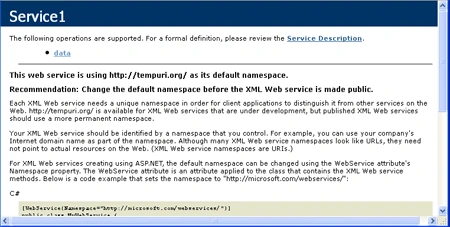
After creating service, create a web application and write the following code on
.aspx.cs page.
using
System;
using System.Collections.Generic;
using System.Linq;
using System.Web;
using System.Web.UI;
using System.Web.UI.WebControls;
namespace aews
{
public partial
class WebForm1
: System.Web.UI.Page
{
protected void
Page_Load(object sender,
EventArgs e)
{
}
protected void
btnok_Click1(object sender,
EventArgs e)
{
localhost.Service1 ob =
new localhost.Service1();
TextBox1.Text = ob.data().ToString();
}
}
}
Run the web application.
Output: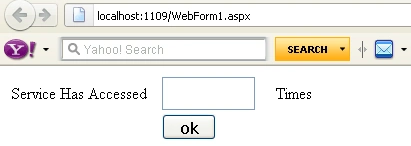
Click the "ok" button.
Output:
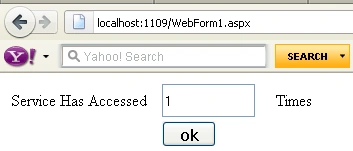
Copy the URL of your running web application and Take a new Tab of your browser
and paste it. Now click at "ok" button.
Output: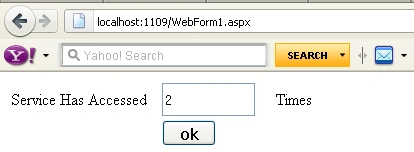
Means when we access the service by calling method, it will show how many times
it has been accessed.
Join the conversation! Your thoughts help the community grow.