

Introduction
The concepts of User-Defined Table Types (UDTTs) and Table-Valued Parameters (TVPs) were introduced in SQL Server 2008. Before SQL Server 2008, it was not possible to pass a table variable in a stored procedure as a parameter; after SQL Server, we can pass a Table-Valued Parameter to send multiple rows of data to a stored procedure or a function without creating a temporary table or passing so many parameters.
Before passing the table variable, first, we need to create a user-defined table variable. So now we create a user-defined table type.
We create the user-defined table type for the Employee table and the structure of the Employee table in the following way.
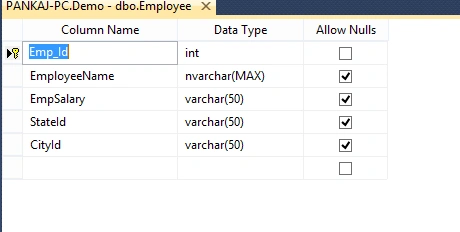
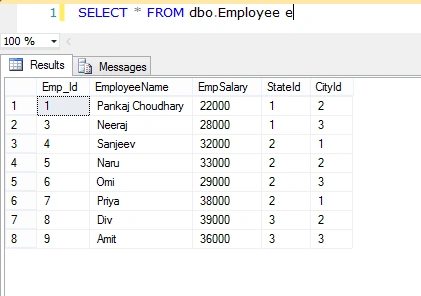
Create User-Defined Table Type
CREATE TYPE UT_Employee AS TABLE
(
    Emp_Id int NOT NULL,
    EmployeeName nvarchar(MAX),
    EmpSalary varchar(50),
    StateId varchar(50),
    CityId varchar(50)
)
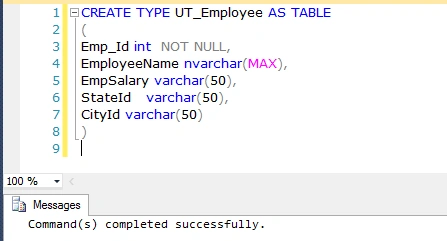
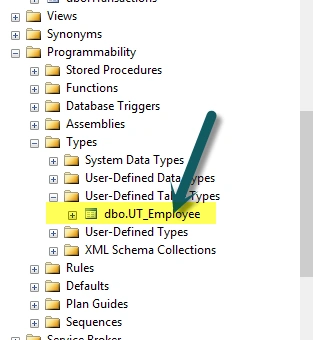
Now if we check the User-Defined Tables Types, we find that UT_Employee has been created.
Now we declare a stored procedure that has a parameter of table type.
CREATE PROCEDURE USP_Insert_Employee_Infi
(
    @Employee_Details [UT_Employee]
)
AS
BEGIN

    INSERT INTO dbo.Employee
    (
        Emp_Id,
        EmployeeName,
        EmpSalary,
        StateId,
        CityId
    )
    SELECT * FROM @Employee_Details

END
Output
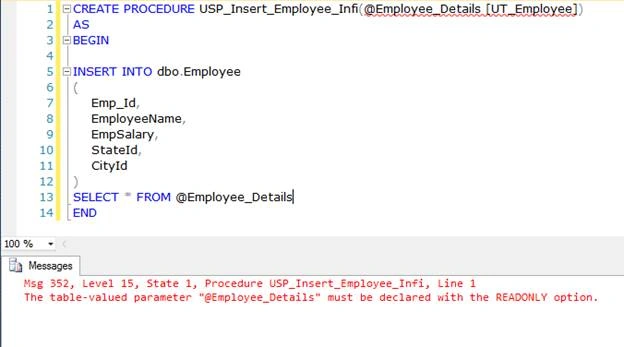
When we try to execute the above query, we get the error of Read Only option, which means Table-valued parameters must be passed as READONLY parameters, and we can’t also perform DML operations like UPDATE, DELETE, or INSERT on a table-valued parameter in the body of a routine.
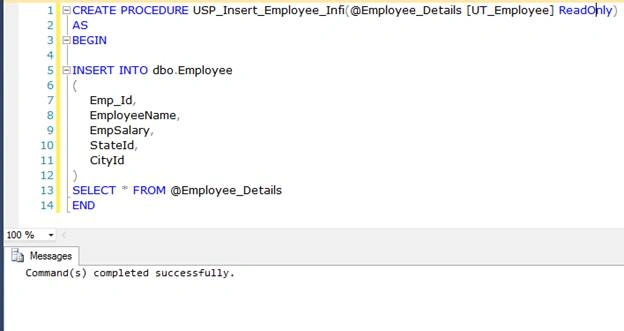
Now we create a table type variable and pass this variable to stored procedure as user-defined table type parameters.
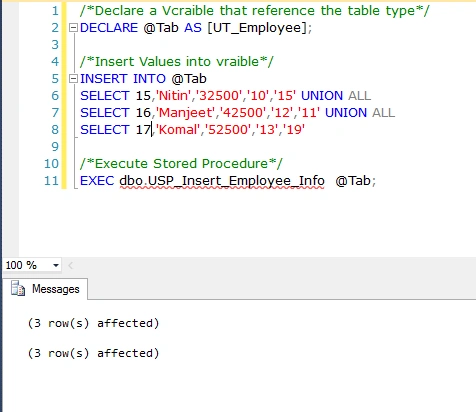
In the above example, we created @Tab table-type variable and used the UT_Employee as a reference. We inserted some values into the variable, and at last, we passed this variable to a stored procedure that was executed successfully. Now we check the data of the Employee table.

Update Data
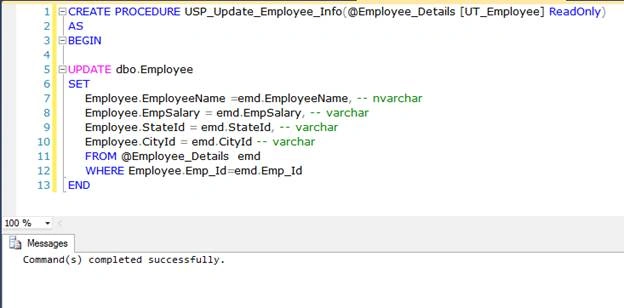
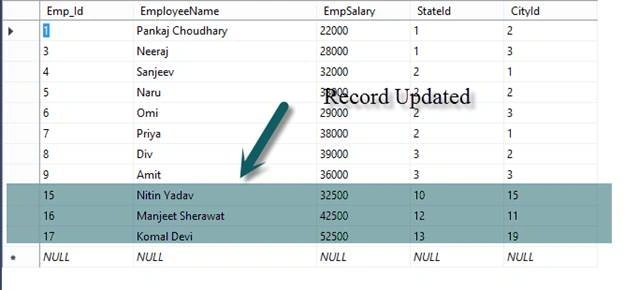
In the previous example, we showed how to insert data into a table using a user-defined table type, and now, we learn how to update the records using user-defined table types. Firstly, we create a procedure that updates the record.
Now we create a table-type variable and pass this variable to the stored procedure as a user-defined table-type parameter.

After execution of the stored procedure, let us check the data of Employee tables.
Delete Data
Now we create a stored procedure that accepts a user-defined table type and deletes the data from a table using this user-defined table type.
ALTER PROCEDURE USP_Delete_Employee_Info(@Employee_Details [UT_Employee1] ReadOnly)
AS
BEGIN

DELETE FROM dbo.Employee WHERE dbo.Employee.Emp_Id IN(SELECT Tab.Emp_Id FROM @Employee_Details Tab);

END
Query
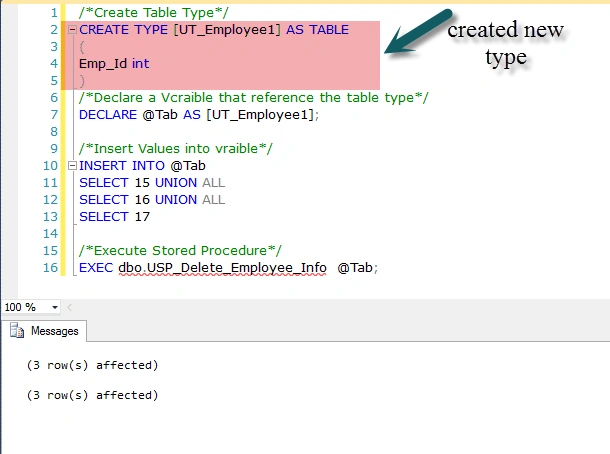
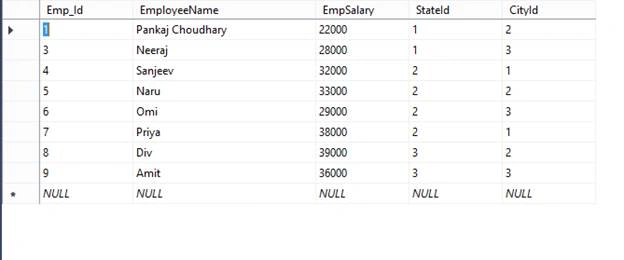
After the successful execution of the above query, we now check the content of the Employee table.
Limitation of Table Valued Parameter
- Table-valued Parameters can’t be used in CLR user-defined functions.
- SQL Server does not maintain statistics on the Table Valued Parameter Columns.
- Table Valued Parameters are ReadOnly in nature, so we can't update, insert, and delete data into the Table Value Parameter.
- We cannot use ALTER TABLE statements to modify the design of table-valued parameters. The only single way to change the table definition is to drop the type first and recreate the table type again.
- Table Valued Parameter can’t used as an OUTPUT parameter in stored procedures.
Thanks for reading the article.
Read more articles on SQL Server:
Viral BamroliyaPosted Aug 30, 2022, 7:25 AM
Thanks Brother Making This Article....
sapana shahPosted Apr 30, 2019, 9:36 AM
Can we use UDTT in Table Valued Functions ? If so what would be the best possible way to do it. Please help me understand.
Amey ChitalePosted Mar 6, 2019, 7:44 AM
How to check whether duplicate data while inserting I mean how to use IF condition while creating the procedure?
Pravas RanjanPosted Oct 31, 2018, 5:52 AM
Nicely explained
SubashPosted Sep 11, 2018, 8:28 PM
Bro I have 1 doubt if we insert records in User defined Type (UT_Employee) it reflect i User Defined table(Employee)???
Bhavesh JadavPosted Dec 7, 2017, 7:40 AM
Nice article with easy to understand
Anu VPosted Apr 25, 2016, 3:41 AM
Nice one
Hugo ContrerasPosted Apr 24, 2016, 10:22 PM
Good one
Jaipal ReddyPosted Apr 20, 2016, 11:57 PM
good one. .
Vignesh ManiPosted Apr 20, 2016, 3:57 PM
Nice one
Debasis SahaPosted Apr 20, 2016, 10:24 AM
Good One..