

Introduction
In Power Automate, at times we must work on strings that have XML values. We can use the XML function in power automate to convert a string value to XML and perform related operations. As an example, an XML string is used here to send a notification to the required person.
Step 1
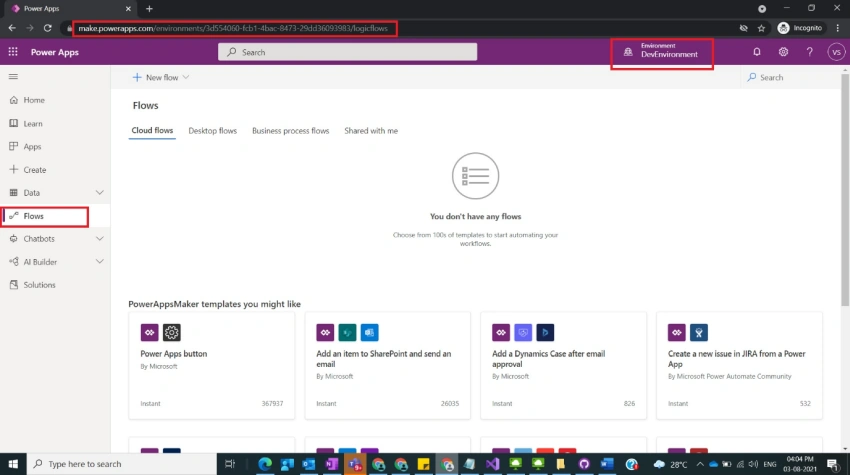
Login to the required Power Apps environment using URL make.powerapps.com by providing username and password and clicking on Flows on the left-hand side as shown in the below figure.
Step 2
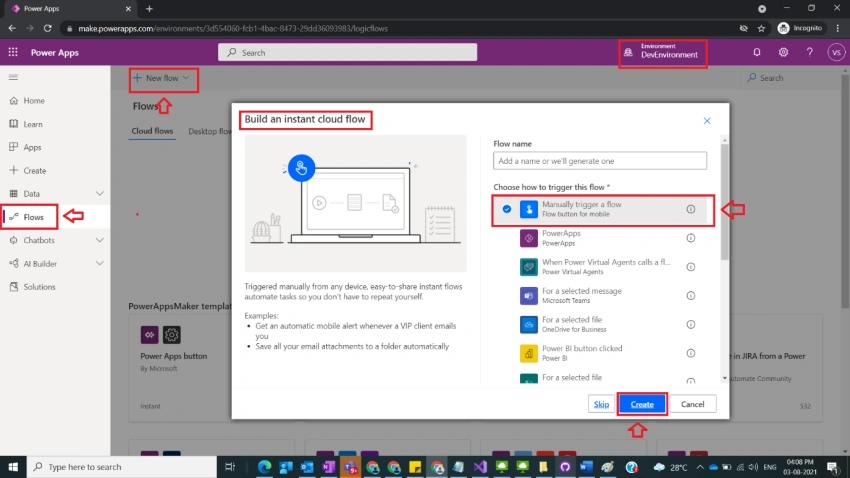
After step 1, Click on New Flow and select instant cloud flow and provide the trigger as Manually trigger a flow and click on Create as shown in the below figure.
Step 3
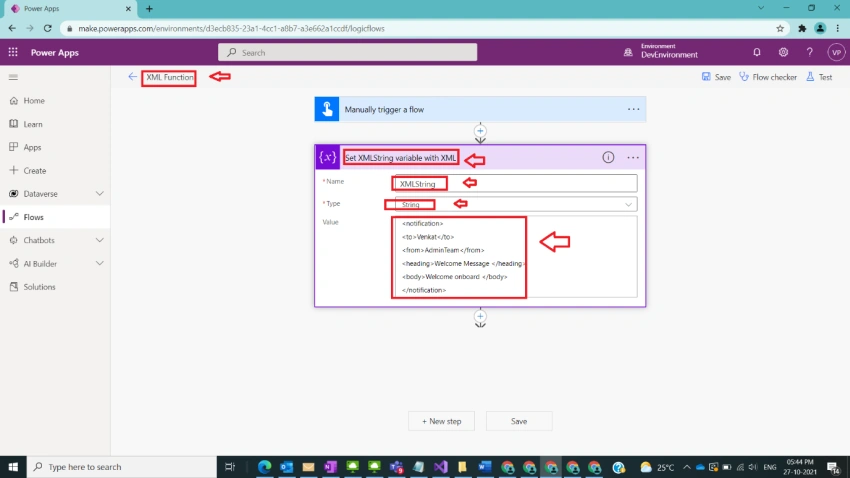
After step 2, name flow as XML Function and take initialize variable and name it as Set XMLString variable with XML with the following fields
Name : XMLString
Type : String
Value :
<notification>
<to>Venkat</to>
<from>AdminTeam</from>
<heading>Welcome Message </heading>
<body>Welcome onboard </body>
</notification>
as shown in the below figure.
Step 4
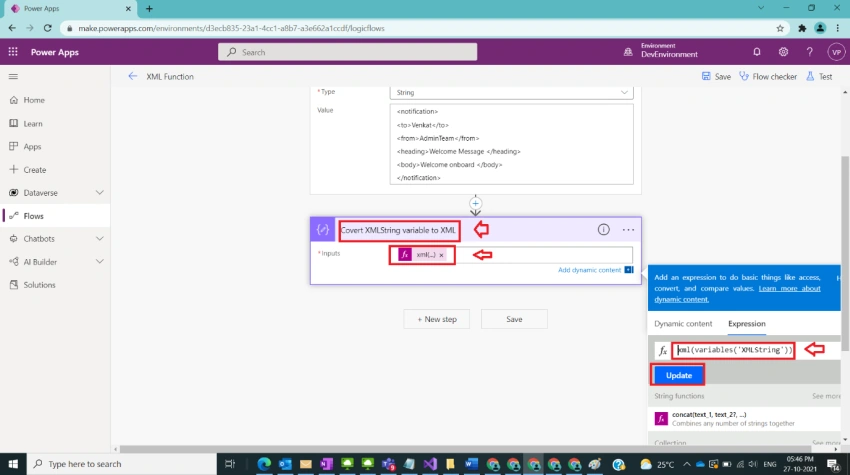
After step 3, take compose function and name it as Covert XMLString variable to XML and provide input value under expression tab,
xml(value:string)
and provide value as,
xml(variables('XMLString'))
and click on ok/update as shown in the below figure.
Step 5
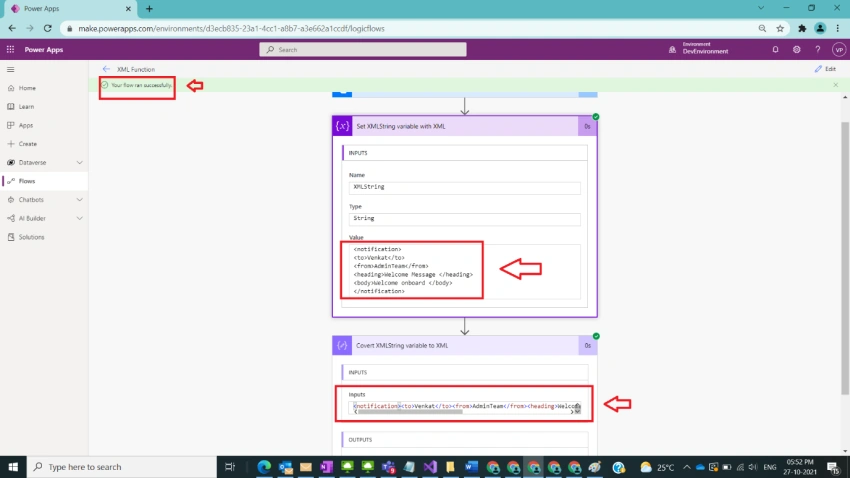
After step 4, save and run the flow and observe the result as shown in the below figure.
Note
- Make sure to save and run the flow whenever you try expressions.
- MS documentation is found here
Conclusion
In this way, we can use the XML function so that provided XML string can be converted to the required XML in power automate easily.
Sagar LadPosted Oct 30, 2021, 7:26 AM
Nice article