

Introduction
In this article, we are going to see how to upload a file to SharePoint from PowerApps. Refer to my previous article for creating a PowerApps application:
Step 1
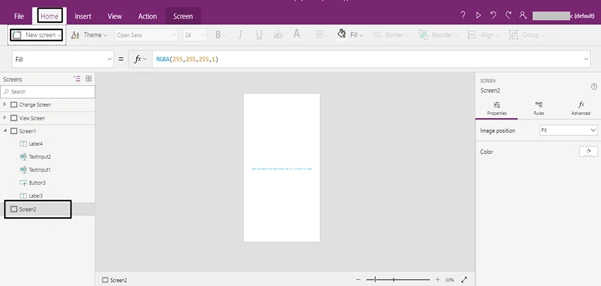
Create one new screen -> click Home -> select New Screen -> Screen Name(Screen -2)
Step 2
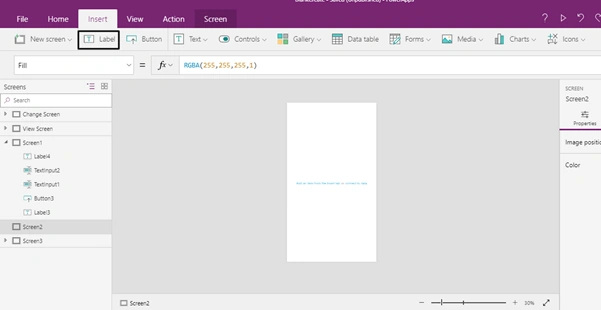
Create one new label -> click Insert and select label
Step 3
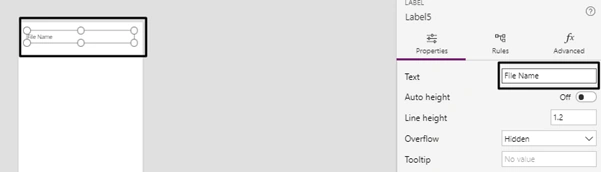
Selected label is shown in the below form. Label text name is changed under property control.
Step 4
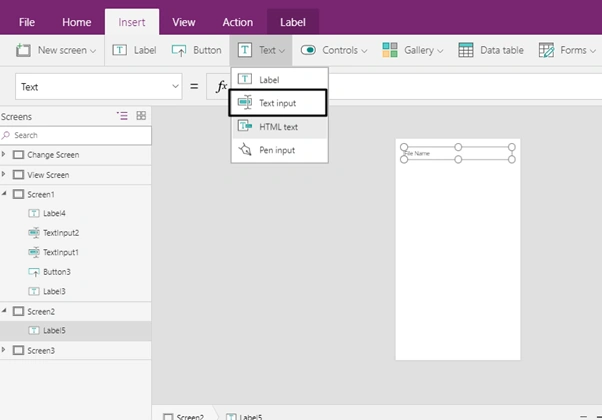
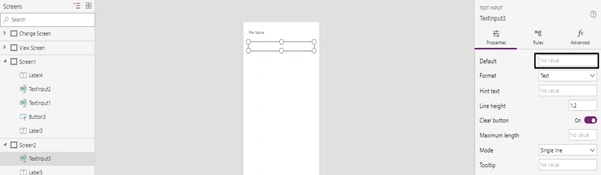
Click Insert -> select Text Input -> Select Textbox for get file name from user.
Step 5
We can set a Textbox default value, I am leaving the default value is empty.
 Step 6
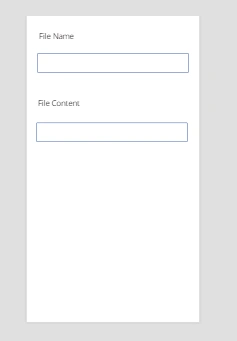
Repeat steps 2 to 5 for placing the file content label and file content text box
Step 7
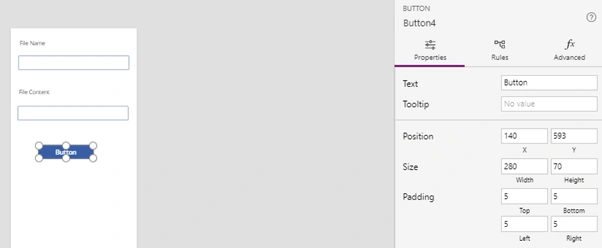
Click Insert -> choose Button

The button is placed in the form
Step 8
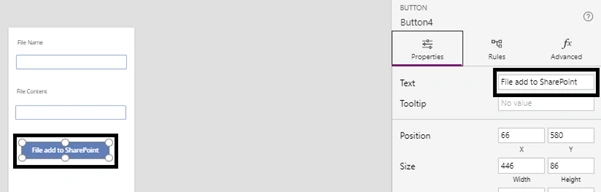
Change the button Name -> Properties -> Text
Step 9
In SharePoint create one document library

Step 10
Flow template created for uploading the file to SharePoint from PowerApps
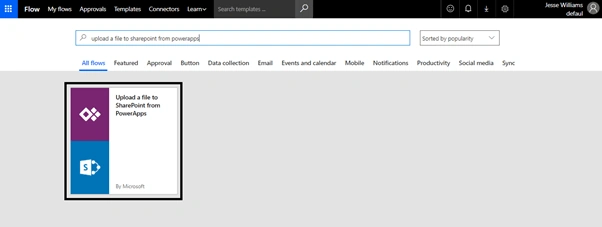
Step 11
The flow connects to SharePoint, and click to continue
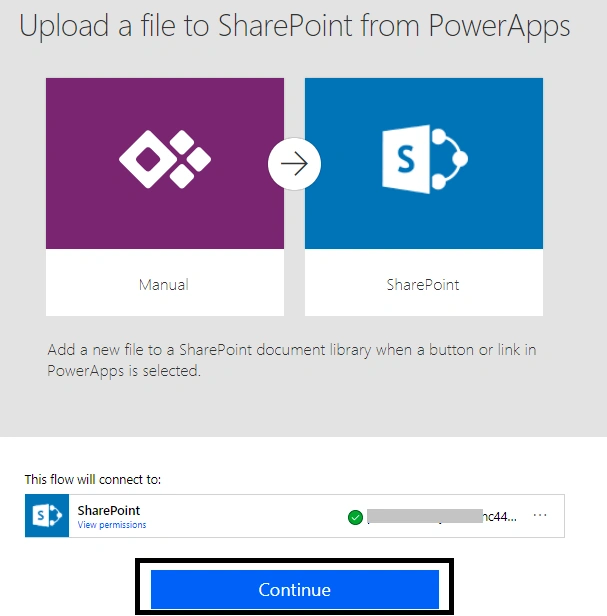
Step 12
Choose site collection
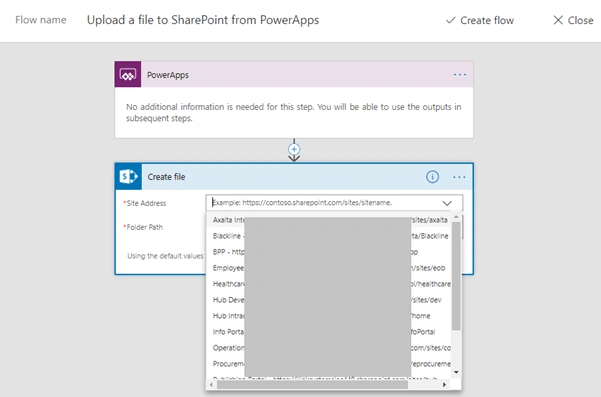
Step 13
Choose the document library from the site collection
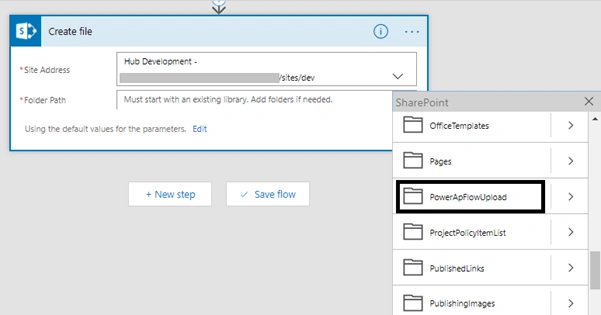
Step 14
Click edit for integrating with PowerApps
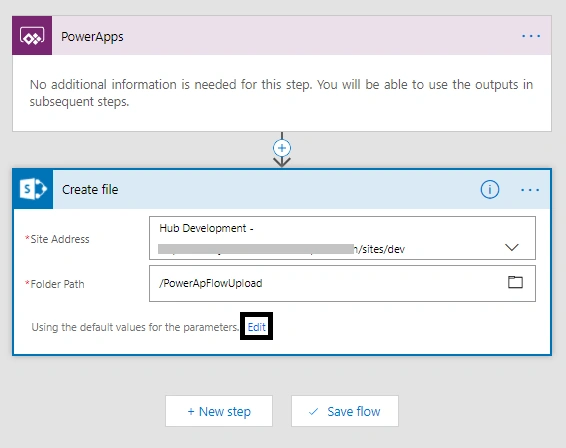
After Edit, full details such as file name and content comes from PowerApps and gives flow name-> click save
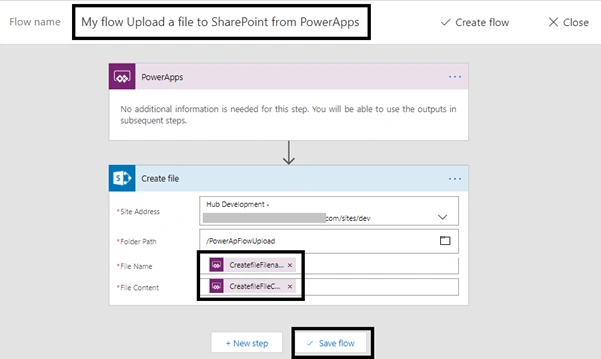
Flow Name: My Flow uploads a file to SharePoint from PowerApps
Step 15
Integrate flow with PowerApps. There are two ways.
- First Way
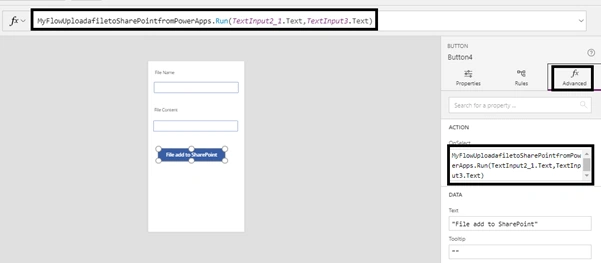
Comes to PowerApps Application Select Button -> Click Advanced -> on select event write below formula(code)MyFlowUploadafiletoSharePointfromPowerApps.Run(TextInput2_1.Text,TextInput3.Text)
- Second Way
Added flow to power apps button by clicking the flow

Flow Added Successfully
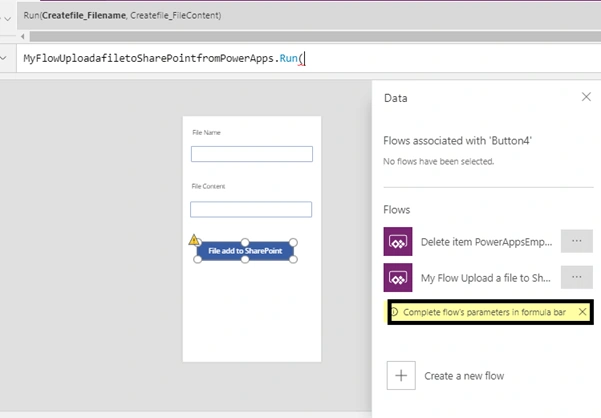
Formula bar
Parameters for flow MyFlowUploadafiletoSharePointfromPowerApps is (CreateFile_FileName, CreateFile_FileContent).
- CreateFile_FileName - TextInput2_1.Text
- CreateFile_FileContent - TextInput3.Text

Step 16
Run this app. Refer to my article (Introduction to PowerApps and Creating Template with it) Step 8 to run.

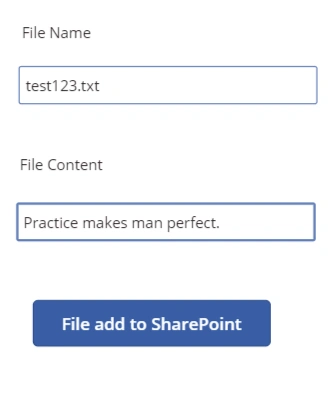
Fill in the name and content. Click button to upload in the document library.
Step 17
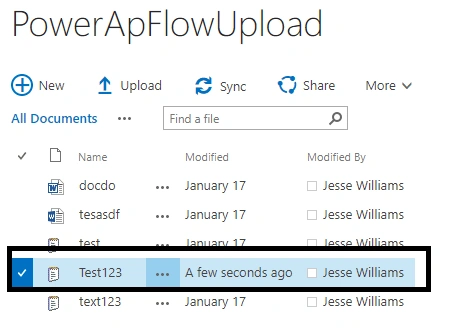
View the uploaded document
Step 18
Result
Open the document to see the file contents.
File Path: ____________ev/PowerApFlowUpload/Test123.txt

Narsinga RaoPosted Mar 1, 2022, 10:58 AM
I'm new to power apps, There is one excel file in SP library, we want to update it through power app. is it possible?
Narsinga RaoPosted Mar 1, 2022, 10:56 AM
Getting error while writing this formula Savefile.Run(CreateFile_FileName - TextInput1.Text,CreateFile_FileContent - TextInput2.Text)
Eric J.Posted Nov 25, 2020, 9:33 AM
There no longer appears to be a Power Automate Template for uploading a file to SharePoint from Powerapps, and the Powerapps trigger will not create the correct input for the file contents. I only get one parameter in PowerApps, and I can create a file, but it has no contents.
Bhawan DasPosted Apr 5, 2020, 10:29 AM
How to upload an excel file in power app and then sort specific data according to given id and then export that specific data to new excel file to automate the manual workload.
Gloubiglouba PatatraPosted Oct 30, 2019, 7:27 AM
Cool ! Thanx for the article... I would like to add info to the file (let's say that the file need to be about 1, 2 or 3 different themes ... animals AND/OR fruits AND/OR vegetables). I know how to create checkboxes on the powerapp + I know how to create a new field (list of choices) in the SharePoint library BUT I have no clue how to report the data from the PowerApp into the SharePoint library field... Anyway you could help me ? (I am no developper and have very little skills... except writing if... then on a paper with a pen) That would be fabulous !
Ashish ShuklaPosted Jun 6, 2019, 2:42 PM
Can we get a link to uploaded file in powerapps after the document is uploaded?
Gladys AguileraPosted Apr 11, 2019, 7:14 AM
What about uploading an image?
Denis MolodtsovPosted Jul 12, 2018, 9:31 PM
Yes, selecting a local file is a capability missing from PowerApps. What a shame.
VamsiKrishna BatchuPosted Apr 12, 2018, 7:42 PM
How about selecting local file and upload? lets say i would ike to select video or document located in my phone to SharePoint library