

Docker, a platform that allows developers to automate the deployment of applications inside lightweight, portable containers, uses various commands to streamline operations. One such command, -fsSL, is frequently encountered in Docker-related documentation and scripts. This article aims to delve into the meaning, usage, and importance of the -fsSL command within Docker, providing a comprehensive understanding for developers and IT professionals.
What is Docker?
Docker is an open-source platform that automates the deployment, scaling, and management of applications within containers. Containers are isolated environments that include all necessary dependencies, libraries, and configurations, allowing applications to run consistently across different environments. Docker simplifies application deployment by providing a consistent runtime environment, making it a crucial tool in modern DevOps practices.
The Role of curl in Docker
To understand the -fsSL command, it's essential first to grasp the basics of curl. curl is a command-line tool used for transferring data with URLs. It supports various protocols, including HTTP, HTTPS, FTP, and more. In the context of Docker, curl is often used to download scripts, images, and other resources from remote servers.
Breaking Down the -fsSL Flags
The -fsSL command is not a standalone command but rather a combination of flags used with curl. Each flag modifies the behavior of curl in specific ways:
-f(Fail silently): This flag instructscurlto fail silently on server errors. If the server returns an error (HTTP status code 400 or above),curlwill not produce any output and will exit with a non-zero status code.-s(Silent mode): The silent mode flag suppresses the progress meter and error messages, making the output cleaner and less cluttered. This is particularly useful in scripts where unnecessary output can be distracting.-S(Show errors): When combined with-s, the-Sflag ensures that error messages are still displayed if an error occurs. This flag balances silent mode and visibility of important error information.-L(Follow redirects): This flag tellscurlto follow HTTP redirects. When a URL redirects to another location,curlwill automatically follow the redirection and retrieve the final destination's content.
Practical Use of -fsSL in Docker
The combination of these flags (-fsSL) is commonly used in Docker-related commands to download and execute scripts. Let's break down a typical example:
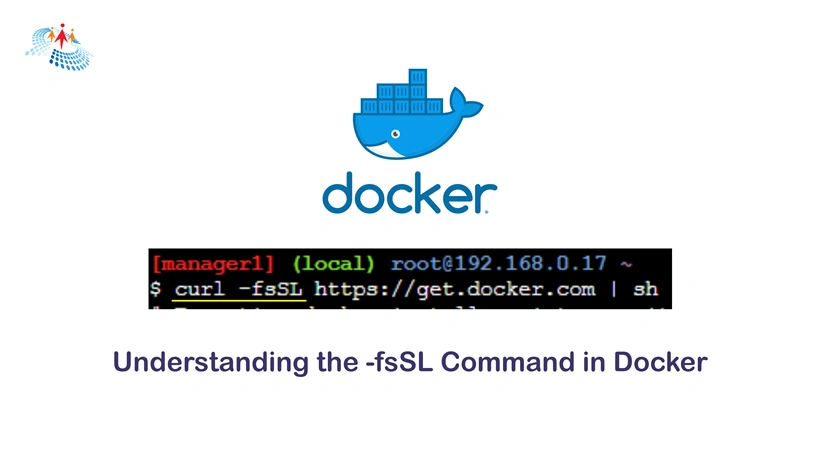
curl -fsSL https://get.docker.com | sh
In this command, curl uses the -fsSL flags to download a script from https://get.docker.com and pipe it directly to sh for execution. This is a streamlined and efficient way to install Docker on a system. Here's what each part does:
curl -fsSL: Downloads the script from the specified URL while failing silently on errors, running in silent mode, showing errors if they occur, and following any redirects.https://get.docker.com: The URL from which the script is downloaded.| sh: Pipes the downloaded script to the shell (sh) for immediate execution.
Benefits of Using -fsSL in Docker
The use of -fsSL in Docker commands offers several advantages:
- Error Handling: The
-fflag ensures that server errors do not go unnoticed, which is crucial for automation scripts that need to handle failures gracefully. - Clean Output: The
-sflag suppresses unnecessary output, making logs and script outputs easier to read and debug. - Visibility of Errors: The
-Sflag ensures that error messages are still visible, providing critical information when something goes wrong. - Handling Redirects: The
-Lflag simplifies the process of dealing with redirected URLs, ensuring that the desired content is always retrieved.
Common Scenarios for Using -fsSL in Docker
The -fsSL flags are useful in various scenarios, particularly when automating Docker installations and updates. Here are some common use cases:
Automated Docker Installation
Automating the Docker installation process can save time and reduce errors when setting up a new server or virtual machine. The -fsSL flags ensure that the installation script is downloaded and executed smoothly without unnecessary output or interruptions.
Updating Docker
Keeping Docker up to date is essential for security and performance. By using the -fsSL flags, administrators can automate the update process, ensuring that the latest version of Docker is always installed.
Retrieving Docker Images
In some cases, it may be necessary to download Docker images or other resources from remote servers. The -fsSL flags help streamline this process, handling redirects and errors efficiently.
Best Practices for Using -fsSL in Docker
While the -fsSL flags are powerful, it's important to follow best practices to ensure safe and effective use:
- Verify URLs: Always verify the URLs from which scripts and resources are downloaded. Ensure that they come from trusted sources to avoid security risks.
- Check Script Contents: Before executing downloaded scripts, review their contents to understand what actions they will perform. This can prevent unintended consequences.
- Use with Automation Tools: Integrate
-fsSLcommands into automation tools like Ansible, Puppet, or Chef to streamline the deployment and management of Docker environments.
Conclusion
The -fsSL command in Docker, derived from the combination of curl flags play a crucial role in automating and simplifying various Docker-related tasks. By understanding and utilizing these flags effectively, developers and IT professionals can enhance their workflows, ensuring smooth and efficient operations. Whether installing Docker, updating it, or retrieving resources, the -fsSL command offers a robust solution for handling these tasks with ease.
Join the conversation! Your thoughts help the community grow.