

Components
Components are the smallest blocks of codes in the React application. A component is a JavaScript class or function that optionally accepts inputs, i.e., properties(props) and returns a React element that describes how a section of the UI (User Interface) should appear.
A React application is made up of one or more components. A React application contains at least one component called root component which is present in all the applications by the name “App” component. So, if we will break a React application, we will find one or more components.

Types of Components
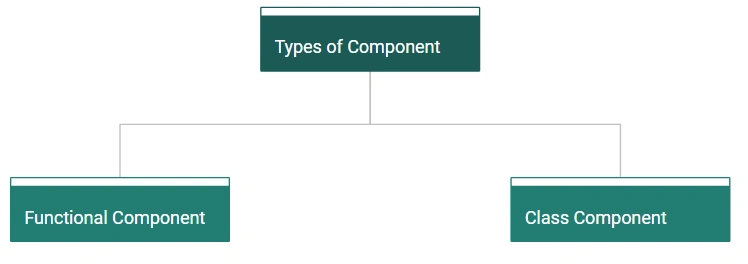
Functional Component
Functional Components are just JavaScript functions. They can optionally receive an object of properties which is referred to as “props” and return JSX (HTML) which describes User Interface (UI).
Functional Component is also referred to as,
- Stateless Component as they do not hold or manage any state.
- Presentation Component because all they do is output UI elements.

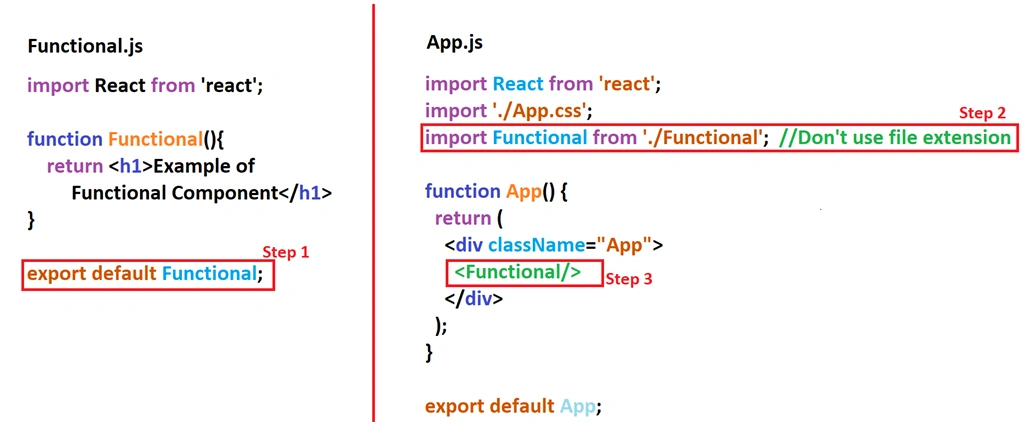
Let's understand with an example. Create a file called “Functional.js” and write the following code.
- function Functional(){
- return <h1>Example of Functional Component</h1>
- }
Now, we can see that we have created a functional component but how can we use it? Or how can we connect it to the root component?
- export default Functional; //exporting a component
- import Functional from './Functional'; //Don't use js extension
After importing, use this function as a simple HTML tag inside the app, like below.
- <Functional/>
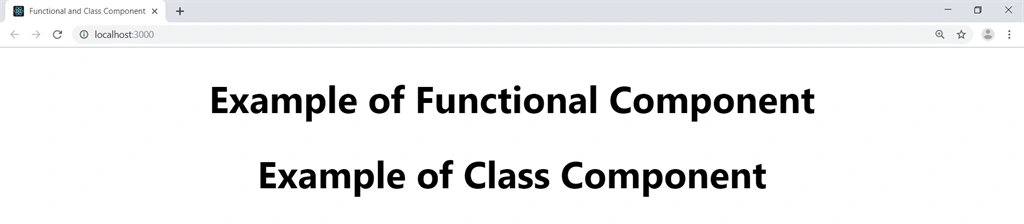
Both our pages look like this.
Run and see the output.

After importing use this function as a simple HTML tag inside the app.
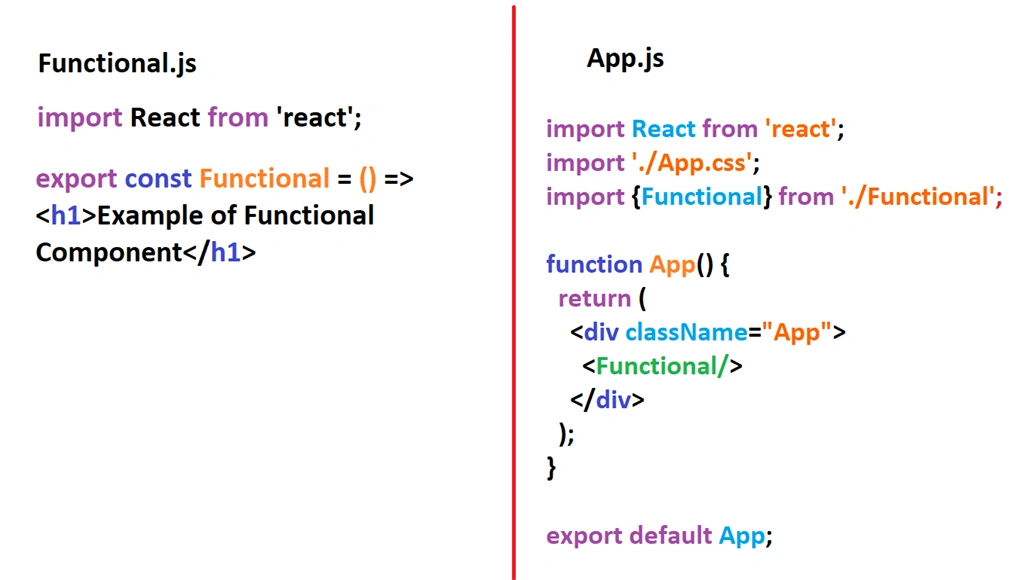
- const Functional = () => <h1>Example of Functional Component</h1>
More about import and export
Whenever we export a component, we can import it with any name.
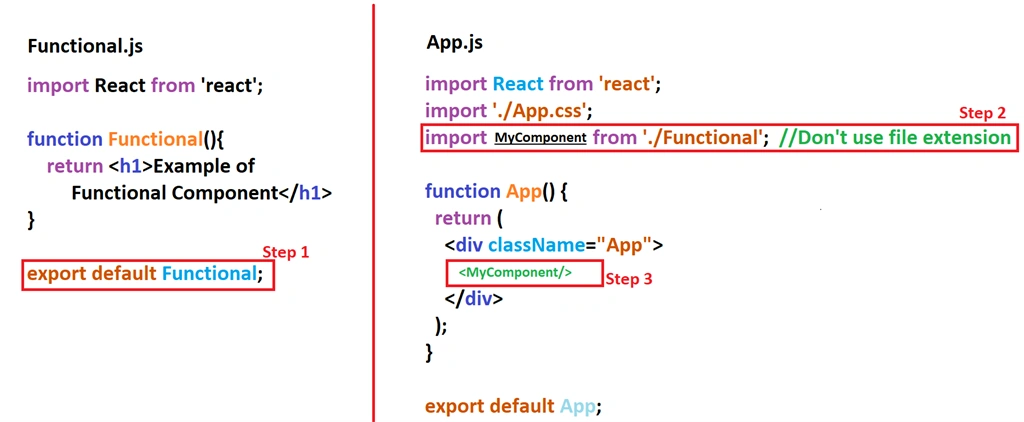
Name Export
Where we must import the component with the same name:
CLASS COMPONENT
For creating a class component, we need to follow these steps.
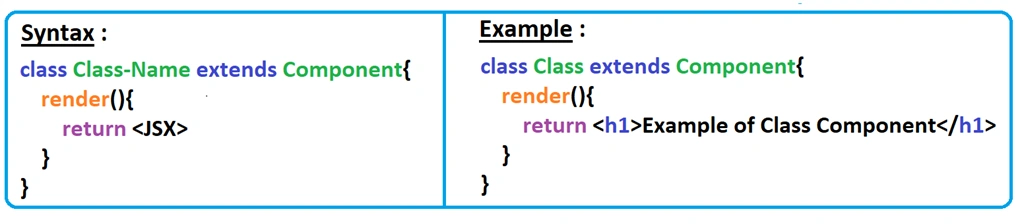
- A class “component” require us to extend from React. Component class.
- The class must implement a render() function, which will return “null” or some “jsx” code.
Class Component is also referred to as,
- Stateful Component as they can hold or manage state.
- Smart Component because they contain logic.
- Container Component because they contain other components.
Let's understand with an example. Create a file called “Class.js” and write the following code.
- import React, {Component} from 'react';
- class Class extends Component{
- render(){
- return <h1>Example of Class Component</h1>
- }
- }
- export default Class;
After creating the class component, render it into App.js file in a similar fashion like we render Functional Component.
- import React from 'react';
- import './App.css';
- import {Functional} from './Functional'; //Don't use js extension
- import Class from './Class';
- function App() {
- return (
- <div className="App">
- <Functional/>
- <Class/>
- </div>
- );
- }
- export default App;
Run and see the output.
Conclusion
Now, we have learned about components and their types. After reading this article, I hope we are able to create components in React. For practice purposes, I have attached the "componentsample” project with this article, which covers all the pieces of the code mentioned in this article.
We can download and modify this as per our different requirements.
All the queries related to this article and sample files are always welcome. Thanks for reading.!!!
Bhawna KaushikPosted Jul 11, 2019, 6:20 AM
Nice explanation...Very nice picture which describe Components in React.......
Khumana RamPosted Jul 9, 2019, 5:30 AM
Awesome article with great explained step by step .... Keep it up
Bhairab DuttPosted Jul 9, 2019, 1:49 AM
Nice Article those who want to learn React :)