
The attached source code shows how to create a transparent Panel in C#. Download the source code for more details.
I first create a Windows Forms application using Visual Studio .NET and give project a name called TransparentPanel.
After that I place a Panel control on the Form and set background color of the Panel to red. Now I set Form's TransparentKey property to the same color as Panel's background color - red in this case.
As you can see now Panel is transparent. You can use the similar method to create other transparent controls.
You can use the same procedure to make other controls transparent.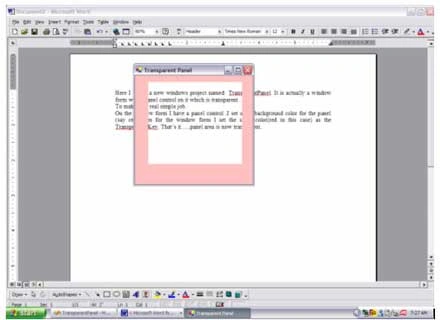
Ankit MauryaPosted Aug 20, 2013, 8:58 AM
Thnks
aslan aslanPosted Oct 23, 2012, 2:51 PM
nice. thanks
Cuong PhamPosted Feb 22, 2012, 2:08 PM
If I want to choose a rectangle of a pdf file through Transparent panel to users see pdf below.
SHAFEEQ MOHAMMEDPosted Jun 2, 2011, 9:45 PM
v.good
Jerrame HertzPosted Jun 22, 2009, 11:59 AM
Your code works if we need a whole ine the form, do you know how to have actual transparency. When you click the mouse goes through the panel and the form, I want only to be able to see through the panel like a window but when you click the hit is still on the panel. jerrame_hertz at hotmail.com
Tavo AlvaPosted Jun 5, 2009, 2:05 PM
Hi, my name is Tavo. I test your proyect and that's ok. Now, i want to change the background of the transparent panel, that is, i need a transparent panel with a transparent image (that have some marks) over a picture box with a image. The idea is that the transparent panel show an image like template over picture box for make marks.