

Introduction
This article helps you to understand how to use the SQL Profiler by the step by step process and it’s very simple and also easy to understand even for the beginners.
What is SQL Profiler
Microsoft SQL Server Profiler is a graphical user interface to SQL Trace for monitoring an instance of the Database Engine or Analysis Services. You can capture and save data about each event to a file or table to analyze later.
Why to use SQL Profiler
The SQL Profiler is used for the following reasons,
- Check the Performance of the SQL Server Database Engine.
- Helps to debug Transact-SQL statements
- Debug the stored procedures.
- Can also analyze the performance of queriesexecuting.
- Stress testing and quality and many more.
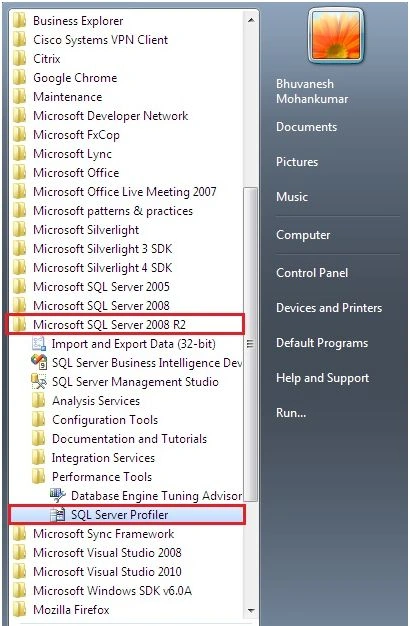
1. Access SQL Profiler: Go to SQL Server, Performance Tools, then SQL Server Profiler.
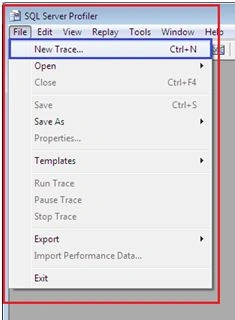
2. TRACE: Create new Trace.
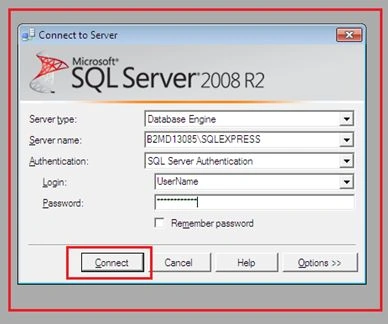
3. Connect to Database using Credentials,
4. Trace Properties: Here are the properties of Trace.
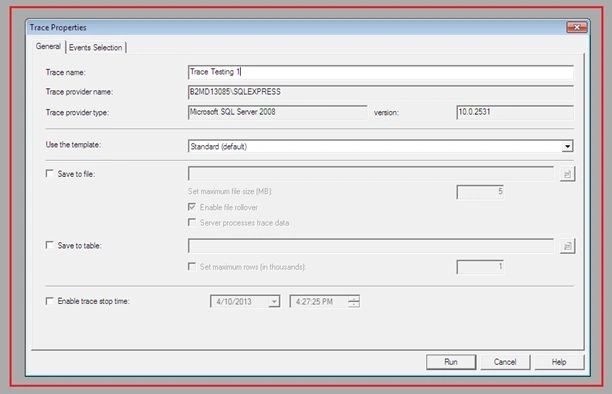
Specify the Trace Name & Template:
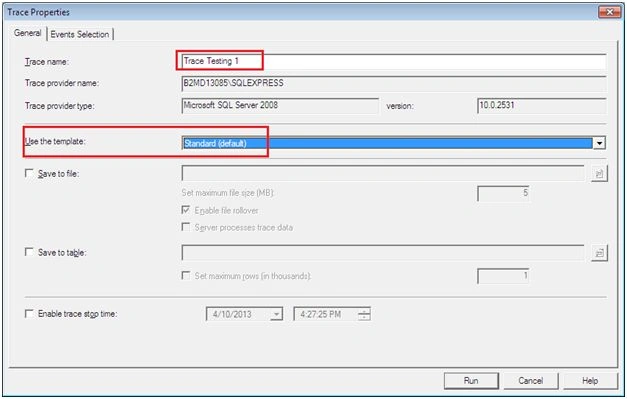
5. Event Selection settings,
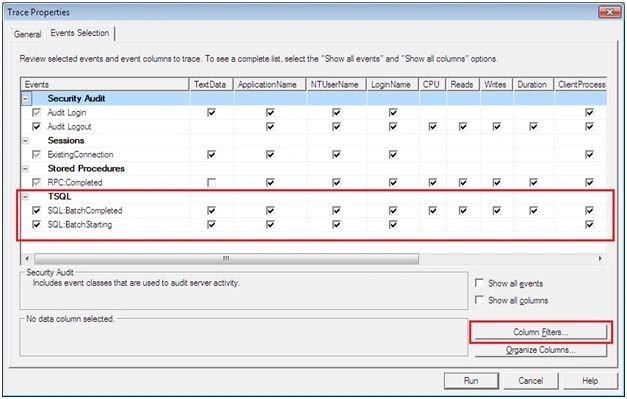
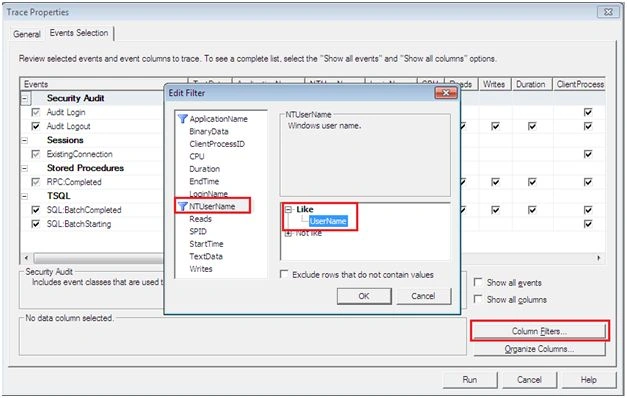
6. Column Filter: Use Column Filter option to trace what all type of query needs to be traced and also from which user the transactions need to be traced.
I selected the User level [DB Username] level tracking.
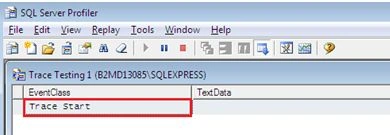
7. Execute: Click “RUN”, Trace is ready to track all the transaction details.
8. Query Execution: Connect to database and execute the query
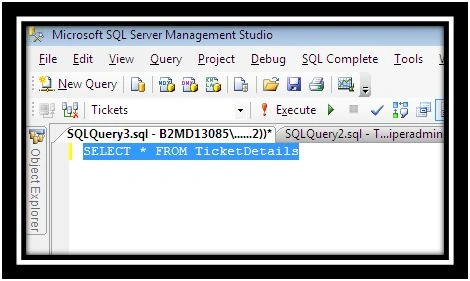
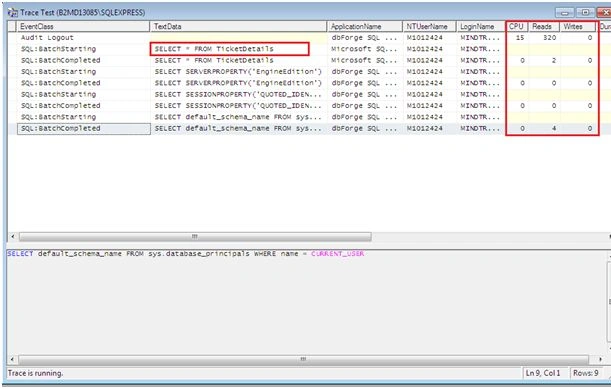
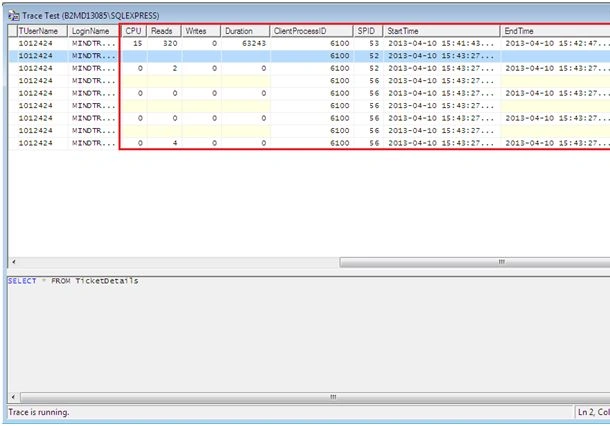
9. Trace Details
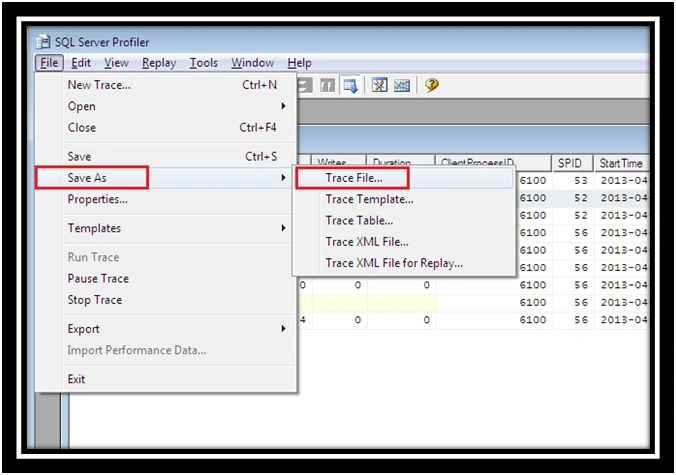
10. Save Trace Records: Save the Trace File for future analysis.
Bhuvanesh MohankumarPosted Jun 10, 2016, 12:54 AM
Thanks @Murugan
Bhuvanesh MohankumarPosted May 23, 2016, 3:44 AM
Thanks Vignesh Mani
Bhuvanesh MohankumarPosted May 23, 2016, 3:43 AM
Thanks Vignesh Mani
Vignesh ManiPosted May 21, 2016, 4:37 PM
nice
Bhuvanesh MohankumarPosted May 19, 2016, 6:45 AM
Thanks Hari Shanker
Bhuvanesh MohankumarPosted May 19, 2016, 6:44 AM
Thanks Yashwant Vishwakarma
Bhuvanesh MohankumarPosted May 19, 2016, 6:44 AM
Thanks Aqib Shehzad
Bhuvanesh MohankumarPosted May 19, 2016, 6:44 AM
Thanks Kuppurasu Nagaraj
Hari ShankerPosted May 19, 2016, 2:11 AM
Nice article
Yashwant VishwakarmaPosted May 19, 2016, 1:32 AM
Superb article, Keep writing bro :)
Muhammad Aqib ShehzadPosted May 19, 2016, 12:29 AM
nice share
Kuppurasu NagarajPosted May 18, 2016, 1:44 PM
Nice Sharing..
Bhuvanesh MohankumarPosted May 18, 2016, 1:10 PM
Thanks Prasanna M
Bhuvanesh MohankumarPosted May 18, 2016, 1:10 PM
Thanks @Debasis saha
Bhuvanesh MohankumarPosted May 18, 2016, 1:10 PM
Thanks Thiruppathi R
Bhuvanesh MohankumarPosted May 18, 2016, 1:10 PM
Thanks Pankaj Kumar Choudhary for that great works, still I am a learner :)
Prasanna MuraliPosted May 18, 2016, 10:40 AM
Nice one...
Debasis SahaPosted May 18, 2016, 10:20 AM
Good One..
Thiruppathi RPosted May 18, 2016, 10:16 AM
Superb...
Pankaj Kumar ChoudharyPosted May 18, 2016, 8:55 AM
Really You are a Multi talented Person Have a deep knowledge of many technology That makes you all rounder in technology field Keep It up............