

Introduction
The modern software world moves quickly. As businesses in 2025 pursue digital transformation and experiment with generative artificial intelligence and edge computing, development teams must deliver reliable products faster than ever. DevOps—a culture that combines software development and IT operations—is no longer just a buzzword. It’s a proven approach to shorten development cycles, foster collaboration between teams and ensure consistent delivery.
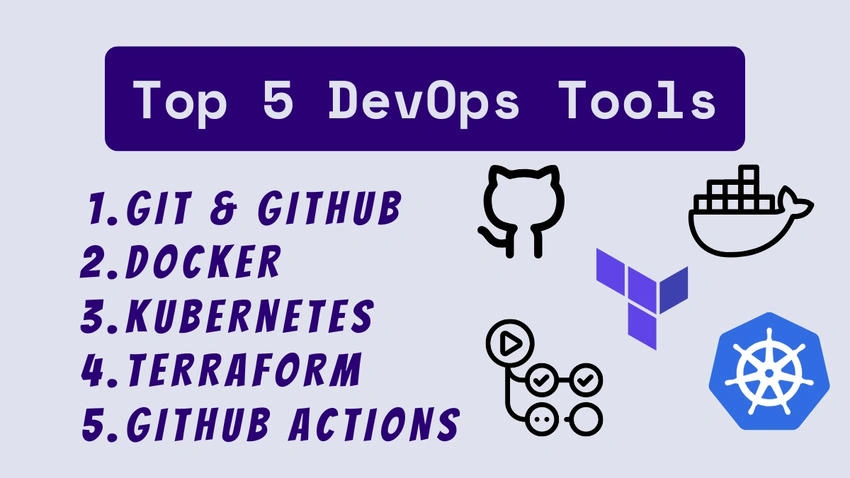
Choosing the right tools is central to DevOps success. The DevOps toolchain of 2025 is vast, spanning everything from source‑code management and containerization to infrastructure automation and continuous delivery. Here i suggest the top five tools every DevOps engineer should master in 2025. Each tool play a vital role in the software lifecycle, and together they form a robust pipeline for building, testing and deploying applications. We’ll explore why these tools matter, what sets them apart, and how you can start using them today.
Understanding DevOps in 2025
Evolution and trends
DevOps has evolved dramatically since its inception in 2009. Early adopters focused on breaking down silos between development and operations. Over time, the movement incorporated practices like continuous integration, continuous delivery (CI/CD), infrastructure as code (IaC), and observability. In 2025, DevOps has converged with newer disciplines such as platform engineering and site‑reliability engineering (SRE). Organizations now expect DevOps engineers to be comfortable with cloud platforms, infrastructure automation, and security practices while also experimenting with AI‑powered assistants for coding, testing, and monitoring.
One of the biggest trends for 2025 is the consolidation of functionalities into fewer, more integrated tools. For example, GitHub has evolved from a version‑control host into a full DevOps platform offering code reviews, CI/CD through GitHub Action,s and even AI‑powered code suggestions. Containerization technologies like Docker remain popular, but teams are also adopting serverless and Kubernetes‑based systems that allow applications to scale elastically across cloud and edge environments. Meanwhile, infrastructure as code has become a standard practice, with tools like Terraform enabling teams to describe complex infrastructure in declarative files.
Why mastering tools matters
DevOps is as much about culture and processes as it is about tooling, yet the right tools make it easier to adopt best practices. Mastering a core set of tools offers multiple benefits:
- Consistency and repeatability: Tools automate complex tasks, ensuring that builds, tests, and deployments are executed the same way every time.
- Speed and efficiency: Automation reduces manual work, shortens feedback loops, and helps teams respond quickly to customer demands.
- Collaboration and transparency: Source‑code management, CI/CD pipelines, and dashboards make it easy for teams to collaborate and understand the state of the system.
- Scalability: Tools like container orchestration and IaC enable you to scale applications and infrastructure seamlessly.
- Future‑proofing: Learning widely adopted tools ensures your skills remain relevant as the tech landscape evolves.
With these benefits in mind, let’s explore the five tools that stand out in 2025.
Criteria for selecting top DevOps tools
The DevOps landscape is enormous. To choose the top tools, we considered several factors:
- Popularity and community support: Tools with large user communities often offer better documentation, plug‑ins and integrations.
- Maturity and stability: We prioritized tools that have proven reliable in production environments.
- Versatility: Tools should be applicable across different cloud providers and deployment patterns.
- Integration capabilities: The ability to work with other tools in the DevOps pipeline is crucial.
- Future relevance: We selected tools that continue to innovate and will remain valuable over the next few years.
Based on these criteria, the following five tools emerged as must‑haves for DevOps engineers in 2025.
Tool 1 – Git & GitHub
Overview of Git
Version control lies at the heart of modern software development. Git is the most widely used distributed version‑control system. It allows developers to create branches, merge changes, and manage code history with efficiency. Git is open source and free to use; it has become the standard tool for managing source code across small projects and large enterprises alike.
Why Git remains essential in 2025
Despite being nearly two decades old, Git remains a foundational skill for DevOps engineers. It is still evolving—features like partial cloning, improved merge strategies, and integrated security scanning keep it relevant. In 2025, most CI/CD pipelines will integrate directly with Git repositories. Infrastructure code, container definitions, and deployment scripts live alongside application code, making consistent Git workflows essential for all parts of the DevOps pipeline.
Understanding Git deeply allows you to:
- Manage large codebases efficiently with branch strategies like GitFlow or trunk‑based development.
- Resolve merge conflicts and use advanced features such as cherry‑picking and rebasing.
- Enforce code quality through pull‑request reviews and pre‑commit hooks.
- Integrate with continuous‑integration tools that trigger pipelines on each commit.
GitHub for collaborative development
Git is a local version‑control system; GitHub extends it with cloud‑based collaboration features. GitHub as “the default and most broadly used code repository management system,” noting that it adds features like issue tracking, wikis and built‑in CI/CD capabilities. By hosting repositories on GitHub, teams can collaborate remotely, review code via pull request, and manage projects with built‑in boards.
GitHub has also become a platform for software supply‑chain security. Features such as Dependabot alerts, secret scanning, and security policies help teams identify vulnerabilities and remediate them quickly. GitHub Packages offers a convenient way to host container images and software packages close to your code. Mastering GitHub means learning how to:
- Use pull requests and code reviews to maintain code quality.
- Manage issues, milestones, and project boards to coordinate work.
- Enforce branch protection rules and required reviews.
- Integrate GitHub with CI/CD tools like GitHub Actions (discussed later).
Getting started with Git & GitHub
To master Git and GitHub:
- Install Git and set up global configuration. Use a modern Git client or command‑line tools on your operating system.
- Create a GitHub account and repository. Practice cloning, committing, and pushing changes.
- Learn branching strategies. Experiment with feature branches, merges, and rebasing.
- Explore GitHub features. Set up a project board, raise an issue, open a pull request, and enable required approvals.
- Automate with hooks. Use pre‑commit hooks to run tests or linting, and integrate with CI/CD workflows.
Explore advanced topics like Git submodules, sparse checkouts, and GitHub Enterprise for large organizations. Learn more about Git and GitHub.
Tool 2 – Docker
Introduction to containerization
Containerization has transformed how software is packaged and delivered. Containers provide lightweight, portable environments that bundle an application and its dependencies. Docker popularized this concept by offering a platform for building, sharing and running containers. According to Docker’s own description, the technology helps developers “build, share, run, and verify applications anywhere—without tedious environment configuration or management”. By isolating applications in containers, teams avoid the infamous “it works on my machine” problem.
Docker features and benefits
Docker’s appeal lies in its simplicity and powerful ecosystem. Key features include:
- Ease of environment setup: Docker allows you to spin up new environments quickly using Docker files and Compose configurations. The company notes that Docker Build Cloud speeds up image builds and that Docker Compose lets you create multiple containers without local constraints.
- Integration with existing tools: Docker integrates smoothly with development tools such as Visual Studio Code, GitHub and CI/CD platforms.
- Consistency across environments: By containerizing applications, you ensure that your software runs the same way in development, testing and production, whether on your laptop or in Kubernetes clusters.
- Extensive ecosystem: Docker Hub is the world’s largest registry of container images. You can find official images for popular databases, programming languages and frameworks, or share your own images with others.
Use cases for Docker
While containers are ubiquitous, understanding when to use Docker is crucial:
- Microservices development: Each microservice can run in its own container, making it easier to scale and deploy independently.
- Testing environments: Containers enable you to spin up disposable environments for integration tests, replicating complex dependency graphs quickly.
- Continuous integration: Many CI systems run tests in containers to ensure a consistent runtime. Docker images can also act as immutable build artifacts.
- Edge computing and AI workloads: Lightweight containers are ideal for packaging models and inference services to run on edge devices or GPU‑powered servers.
Learning resources for Docker
To master Docker in 2025:
- Read the official documentation. Start with the Getting Started guide on Docker’s website to understand basic commands and concepts.
- Build your own images. Write Docker files for your applications and use multi‑stage builds to optimize image size.
- Learn Docker Compose. Compose allows you to define multi‑container applications in a YAML file.
- Use Docker Hub and registries. Publish your images and practice pulling official images.
- Explore advanced tools. Tools like Docker Buildx, BuildKit, and Docker Scout offer faster builds and security scanning.
Consider integrating Docker with container orchestration systems like Kubernetes. Learn more about Docker. Here is a free ebook for you Mastering Docker.
Tool 3 – Kubernetes
The need for orchestration
Running a single container is simple; managing hundreds of containers across clusters is not. Container orchestration platforms automatically handle deployment, scaling, service discovery, and resilience. Kubernetes—often abbreviated K8s—is the de‑facto standard for container orchestration. The official Kubernetes site describes it as “an open‑source system for automating deployment, scaling, and management of containerized applications”. It groups containers into logical units and builds upon years of experience running production workloads at Google.
Key features of Kubernetes
Kubernetes offers several built‑in capabilities that make it a powerful choice:
- Planet‑scale scaling: Kubernetes is designed based on the same principles that allow Google to run billions of containers every week. It can scale without increasing your operations team.
- Portability across environments: Kubernetes is open source, giving you the flexibility to run workloads on premises, in public clouds, or in hybrid setups.
- Service discovery and load balancing: Kubernetes assigns each Pod its own IP address and DNS name and can load‑balance traffic across Pods, so you don’t need to modify application code.
- Automated rollouts and rollbacks: When you update your application, Kubernetes progressively rolls out changes while monitoring the application’s health; if something goes wrong, it automatically rolls back the change.
- Self‑healing: Kubernetes restarts containers that crash, replaces Pods, and ensures that your application is always running.
- Horizontal scaling: You can scale your application up or down based on CPU usage or custom metrics with a single command.
Deploying and scaling with Kubernetes
To leverage Kubernetes effectively:
- Learn core concepts. Understand Pods, Deployments, Services, ConfigMaps, and Secrets.
- Use declarative manifests. Define your applications as YAML manifests and apply them with
kubectl apply. - Set up CI/CD pipelines. Automate building and pushing container images, then deploy to your Kubernetes clusters using pipelines.
- Monitor and observe. Use tools like Prometheus, Grafana, and Kubernetes Dashboard to monitor cluster health and resource consumption.
- Secure your cluster. Implement role‑based access control, network policies, and secret management to protect your workloads.
Tips for mastering Kubernetes
Kubernetes has a steep learning curve. Here are some tips to accelerate your journey:
- Start small: Use tools like Minikube or kind to run Kubernetes on your local machine and practice with sample applications.
- Understand networking: Learn how Kubernetes networking works, including Services, Ingress controllers, and DNS.
- Embrace Helm: Helm charts package Kubernetes manifests and simplify the installation of complex applications.
- Explore managed services: Cloud providers like AWS (EKS), Azure (AKS), and Google Cloud (GKE) offer managed Kubernetes services to reduce operational overhead.
With persistence and practice, Kubernetes becomes a powerful ally for scaling modern applications. Learn more about Why is Kubernetes Necessary for Modern Applications Deployment?
Tool 4 – Terraform
Infrastructure as Code explained
Infrastructure as Code (IaC) allows you to describe your infrastructure in configuration files, enabling you to version control, review, and replicate infrastructure the same way you handle application code. Terraform, developed by HashiCorp, is one of the most popular IaC tools. The official Terraform site states that it “lets you build, change, and version infrastructure safely and efficiently”. Terraform can provision both low‑level components like compute instances and high‑level services like DNS entries.
Terraform features and advantages
Terraform stands out for several reasons:
- Declarative syntax: You describe the desired state of your infrastructure in HashiCorp Configuration Language (HCL). Terraform figures out the actions required to reach that state.
- Provider ecosystem: Terraform supports many cloud providers (AWS, Azure, Google Cloud, Oracle Cloud, and more) and services through providers, allowing you to manage diverse resources from a single tool.
- State management: Terraform maintains a state file that represents the current state of your infrastructure and uses it to plan changes safely.
- Change planning: Before applying changes, Terraform generates an execution plan, showing the actions it will take. This plan reduces surprises and makes infrastructure changes auditable.
- Reusable modules: You can package infrastructure patterns into modules and share them across projects or within your organization.
Practical examples
Common use cases for Terraform include:
- Provisioning cloud infrastructure: Create and manage virtual machines, networking, storage, and security groups in your chosen cloud provider.
- Kubernetes clusters: Use Terraform to provision clusters in AWS EKS, Azure AKS, or GCP GKE and manage updates and scaling.
- Serverless and managed services: Deploy functions, API gateways, and databases, or integrate with SaaS platforms.
- Environment consistency: Use Terraform to create identical environments (development, staging, production) from the same configuration.
- Preview environments: Combined with GitHub Actions, Terraform can generate temporary preview environments for pull requests.
Best practices and learning
To master Terraform:
- Install Terraform and write basic configurations. Start with simple resources like AWS EC2 instances or S3 buckets.
- Understand the Terraform workflow. Learn how to initialize (
terraform init), plan (terraform plan) and apply (terraform apply) changes. - Use remote state backends. Store the state file in remote backends (e.g., S3 with DynamoDB locking) to enable team collaboration.
- Structure your code. Use modules for reusable components and separate environments by workspaces or directories.
- Automate with CI/CD. Integrate Terraform with GitHub Actions or Jenkins pipelines to provision infrastructure automatically on code changes.
Terraform’s wide adoption and continuous development make it a valuable skill for DevOps engineers in 2025. Learn More about Terraform
Tool 5 – GitHub Actions
CI/CD reimagined
Continuous integration and continuous delivery (CI/CD) are critical to modern DevOps. While Jenkins has long been the dominant tool, GitHub Actions offers a fresh take on CI/CD by integrating automation directly into GitHub repositories. Jenkins remains a powerful automation server with a vast plugin ecosystem. StrongDM highlights that Jenkins helps monitor repetitive tasks and provides hundreds of plugins to automate projects. However, many teams are moving to GitHub Actions for tighter integration with GitHub, simpler configuration, and generous free tiers.
GitHub Actions is described by GitHub itself as a CI/CD platform that allows you to “automate your build, test, and deployment pipeline”. You can create workflows triggered by events such as pull requests, issues, or scheduled jobs. GitHub provides Linux, Windows, and macOS runners to execute workflows, or you can host your own runners.
Key features of GitHub Actions
- Native integration with GitHub: Workflows live in your repository under
.github/workflows, making them version‑controlled along with your code. - Event‑driven workflows: You can trigger actions based on pulls, pushes, issue creation, or custom schedules.
- Parallel jobs and matrices: Jobs run in separate virtual machines and can run in parallel or sequentially. You can also create a matrix to run the same job across different environments.
- Reusable actions: The marketplace provides thousands of pre‑built actions that perform tasks like checking out code, setting up languages, or deploying to cloud providers.
- Hosted and self‑hosted runners: Use GitHub‑hosted runners with Linux, Windows, or macOS, or host your own for custom hardware requirements.
- Security features: Use GitHub secrets and encrypted variables to manage credentials securely. GitHub also offers OIDC tokens for secure deployments to cloud providers.
Comparison with other CI/CD tools
Jenkins is still widely used and offers unmatched flexibility through plug‑ins. According to StrongDM, Jenkins is easy to set up and configure via a web interface, supports CLI and REST APIs, and is written in Java. However, Jenkins requires managing your own server and plugins, which can become complex. GitLab CI/CD offers integrated pipelines with GitLab repositories. CircleCI and Travis CI provide hosted CI services with various languages and platforms.
GitHub Actions stands out because:
- It’s native to GitHub. You don’t need to host a separate server, and your pipeline definitions live alongside your code.
- Generous free tiers. Public repositories get free CI minutes, making it ideal for open‑source projects.
- Strong community. The marketplace offers thousands of reusable actions maintained by the community and vendors.
- Unified platform. GitHub is becoming a one‑stop shop for version control, CI/CD, package hosting, and security scanning.
Getting started with GitHub Actions
To master GitHub Actions:
- Explore the documentation. Understand core concepts like workflows, jobs, steps, and actions.
- Create a simple workflow. In your GitHub repository, create a
.github/workflows/ci.ymlfile that runs tests whenever code is pushed. - Use marketplace actions. Integrate pre‑built actions for tasks like caching dependencies, deploying to cloud providers, or sending Slack notifications.
- Secure your secrets. Use GitHub secrets to store API keys and configure workflows to use OIDC for cloud deployments.
- Optimize performance. Use concurrency controls and caching to speed up your pipelines. Consider self‑hosted runners for custom hardware or network requirements.
GitHub Actions has matured quickly and is widely adopted. By mastering it, you can automate almost any workflow in your software development lifecycle. Learn More about GitHub Actions and Workflows
Emerging DevOps tools to watch
While this article focuses on five core tools, several emerging technologies are worth keeping on your radar:
- OpenTofu: A community‑driven fork of Terraform (originally called OpenTF) that aims to remain open source forever. OpenTofu expands on Terraform’s concepts and offers an alternative to HashiCorp’s commercial licensing.
- Pulumi: An IaC tool that lets you write infrastructure code in general‑purpose programming languages like TypeScript, Python, or Go.
- Argo CD and Flux: GitOps tools for continuous deployment to Kubernetes clusters, synchronizing desired state in Git with cluster resources.
- Ansible and other configuration managers: Tools like Ansible, Chef, and Puppet automate configuration and application deployments.
- AI‑powered development tools: Platforms like GitHub Copilot and AI‑powered code completion help automate repetitive coding and infrastructure tasks.
These tools may become essential in future DevOps workflows. Keep experimenting and stay informed about industry trends.
Conclusion
DevOps in 2025 continues to emphasize collaboration, automation, and agility. Mastering key tools can help you stay ahead as software delivery evolves. This article highlighted five essential DevOps tools:
- Git & GitHub: The backbone of version control and collaborative development.
- Docker: The container platform that enables consistent, portable environments.
- Kubernetes: The orchestration system that automates deployment, scaling, and management of containerized applications.
- Terraform: The infrastructure‑as‑code tool that provisions and manages resources safely and efficiently.
- GitHub Actions: The integrated CI/CD platform that automates workflows directly within your repository.
By learning these tools, you’ll gain a versatile skillset applicable to nearly any modern software project. DevOps is a journey of continuous improvement; use these tools to streamline your processes, enhance collaboration, and deliver better software faster. As new technologies emerge, stay curious, keep experimenting, and maintain a growth mindset. The future of DevOps belongs to those who master the foundations and adapt to change.
FAQs
Q 1. Why is Git still important when newer version‑control systems exist?
Git remains the most widely adopted distributed version‑control system, offering robust branching, merging, and collaboration features. Its ecosystem—including GitHub, GitLab, and Bitbucket—makes it integral to modern development workflows.
Q 2. Do I need to learn Docker if I already use Kubernetes?
Yes. Docker teaches you container fundamentals such as building images and managing container lifecycles. Even though Kubernetes can run other container runtimes, Docker’s tooling and ecosystem remain invaluable for local development and CI pipelines.
Q 3. Is Kubernetes overkill for small projects?
For small applications, managed platforms like Heroku or simple container services may suffice. Kubernetes shines when you need to run many containers, scale dynamically, or standardize across environments. Start small and evaluate whether orchestration benefits outweigh the operational overhead.
Q 4. How does Terraform differ from cloud‑native IaC services like AWS CloudFormation?
Terraform is cloud‑agnostic and uses a consistent syntax across providers. Services like CloudFormation are specific to a single cloud. Terraform’s provider ecosystem allows you to manage multiple clouds and SaaS services from one configuration.
Q 5. Can I use GitHub Actions with repositories hosted outside GitHub?
Not directly. GitHub Actions is tightly integrated with GitHub, meaning you need a GitHub repository to run workflows. For external repositories, consider alternatives like Jenkins, GitLab CI/CD, or CircleCI.
Join the conversation! Your thoughts help the community grow.