


.NET MAUI is a powerful platform for building cross-platform mobile applications, and with the right tools and resources, it's easy to implement Toast in your App. This tutorial will walk you through the steps for adding Avatar View in .NET MAUI using .NET MAUI Community Toolkit.
Project Setup
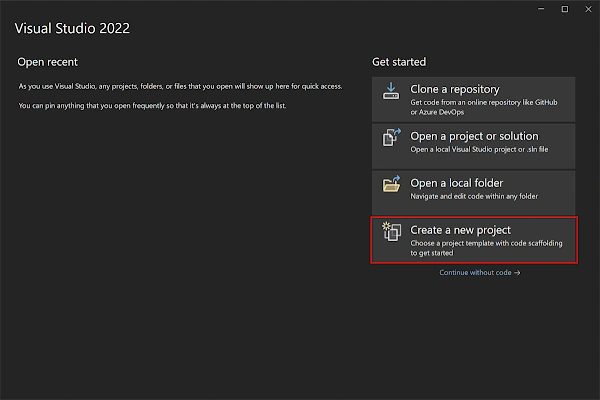
- Launch Visual Studio 2022, and in the start window, click Create a new project to create a new project.
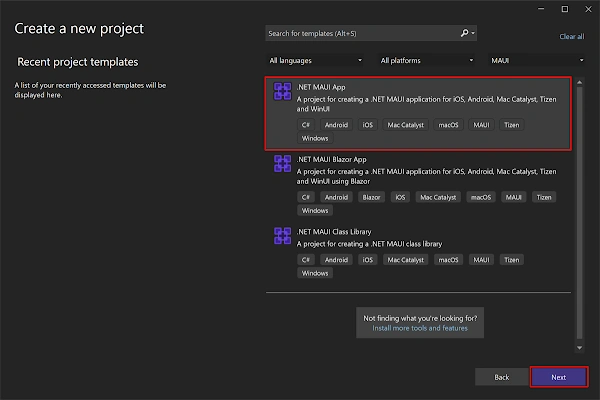
- In the Create a new project window, select MAUI in the All project types drop-down, select the .NET MAUI App template, and click the Next button:
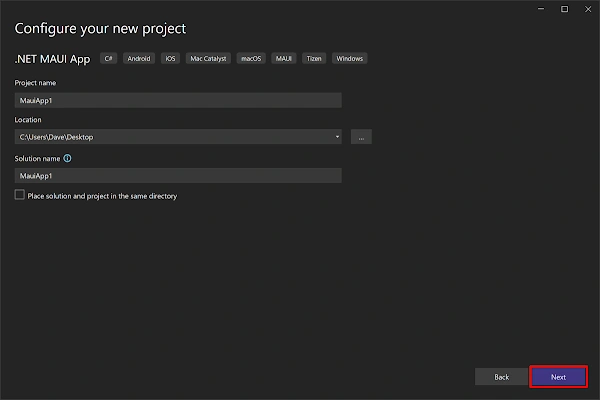
- In the Configure your new project window, name your project, choose a suitable location for it, and click the Next button:
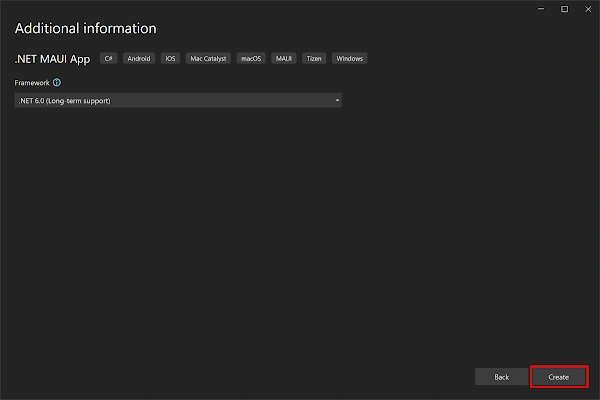
- In the Additional information window, click the Create button:
- Once the project is created, we can see the Android, iOS, Windows, and other running options in the toolbar. Press the emulator or run button to build and run the App

Implementation
.NET MAUI Community Toolkit is the key to achieving drawing in our App is to use Community.ToolKit.Maui NuGet package. It is a collection of reusable elements such as animations, and behaviors converters, among others, for developing applications for iOS, Android, macOS, and WinUI using MAUI.
Install .NET MAUI Community Toolkit
- Install the .NET MAUI Community Toolkit NuGet package on your .NET MAUI application.
- Now initialize the plugin. Go to your MauiProgram.cs file. In the CreateMauiApp method, place in the ".UseMauiApp<App>()" line, and just below it, add the following line of code.
var builder = MauiApp.CreateBuilder();
builder
	.UseMauiApp<App>()
	.UseMauiCommunityToolkit()
	.ConfigureFonts(fonts =>
	{
		fonts.AddFont("OpenSans-Regular.ttf", "OpenSansRegular");
		fonts.AddFont("OpenSans-Semibold.ttf", "OpenSansSemibold");
	});
CancellationTokenSource cancellationTokenSource = new CancellationTokenSource();
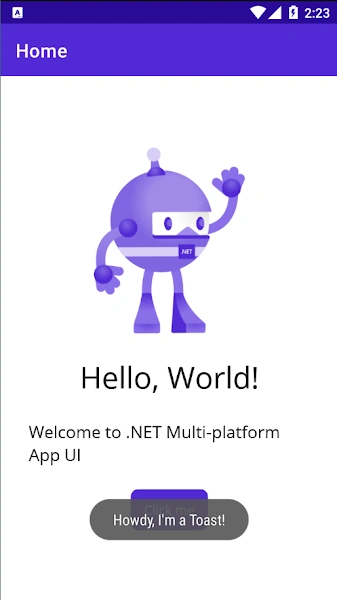
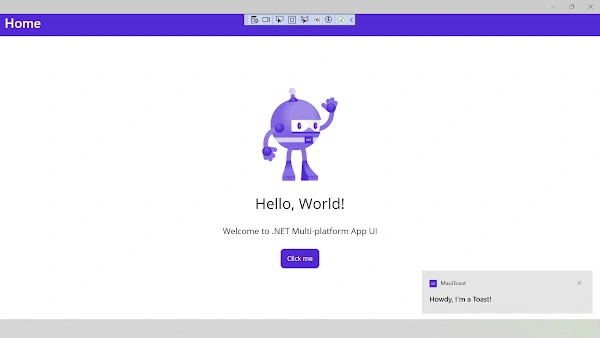
        await Toast.Make("Howdy, I'm a Toast!",
                  ToastDuration.Long,
                  16)
            .Show(cancellationTokenSource.Token);
Make() and Show() are two crucial methods that must be used to display the Toast on the screen. Each of these methods has particular attributes that aid with Toast setting. Let's take a closer look at them.
Make
- This method is responsible for creating the Toast. It receives the following parameters:
- Text: It is the message that will be shown in the Toast. It's of string type. – [Mandatory]
- Duration: This represents the precise duration that the Toast message will be displayed on the screen before it fades away. – It&rsquo's of ToastDuration type, which is an enumeration that defines the following members:
- ToastDuration.Short [Default value]: It lasts for 2 seconds.
- ToastDuration.Long: It lasts for 3.5 seconds.
- TextSize: It's the text size of the Toast. – It's of double type. – [Its default value is 14]
- CancellationToken: Its Token property allows you to get and send a cancellation message to the Toast. – [Its default value is the default.
Show
- This method is responsible for displaying the requested Toast. It receives the following parameters:
Full Code
using CommunityToolkit.Maui.Alerts;
using CommunityToolkit.Maui.Core;
namespace MauiToast;
public partial class MainPage : ContentPage
{
	int count = 0;
	public MainPage()
	{
		InitializeComponent();
	}
	private async void OnCounterClicked(object sender, EventArgs e)
	{
        CancellationTokenSource cancellationTokenSource = new CancellationTokenSource();
        await Toast.Make("Howdy, I'm a Toast!",
                  ToastDuration.Long,
                  16)
            .Show(cancellationTokenSource.Token);
    }
}
Demo
Download Code
You can download the code from GitHub. If you have any doubts, feel free to post a comment. If you liked this article and it is helpful to you, do like, share the article & star the repository on GitHub.
Join the conversation! Your thoughts help the community grow.