

Introduction
Power Apps is an emerging technology. It is one of the major components of the Microsoft Power Platform. This article provides insights to what Power Apps is, its features, components and how to get started with Microsoft Power Apps.
What is Power Apps?
Power Apps is a suite of apps which consists of services, connectors, and a data platform. It facilitates a rapid application development platform or simply we can say it is an environment to build custom applications for our business needs. We can develop applications, portals and customized forms using Power Apps with less effort. Additionally, we can develop application with no code or low code based on our requirement and need. Power Apps helps to save our development cost, effort and time as well as reduce human error. Using it we can quickly develop application using various types of databases such as Microsoft Dataverse (Common Data Service), on-premises data sources (SharePoint, Microsoft 365, Dynamic 365, SQL Server and so on), online data sources and also third-party databases or non-Microsoft Database and many more.
Moreover, applications developed from Power Apps can be automated using Power Automate and we can intelligently or smartly process applications combining with AI Builder.
Components of Power Apps,
- Canvas apps
- Model-driven apps
- Portals
- Microsoft Dataverse
There are three methods to start with Power Apps development for App makers.
Start from blank
We can start to develop applications from scratch by selecting start from blank option. We can choose this option, if we want to develop everything by ourselves without getting single components by default. Start from blank has three different options.
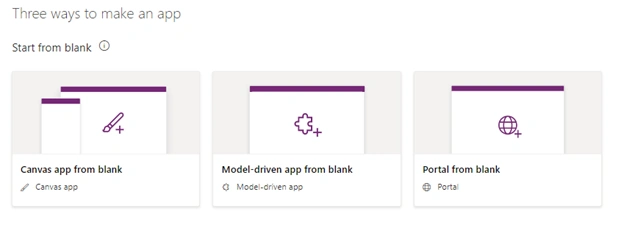
Canvas App
The main purpose of Canvas app is to design and build custom applications by dragging and dropping elements into a canvas. Canvas App can be shared with users and that can be run on browser and mobile device also we can embed it into SharePoint, Power BI, or Teams. For the case: when we need to develop customized application, which needs to be run on mobile devices we can choose Canvas App.
Model-driven App
If we do not need custom design and our data is in Microsoft Dataverse, we can automatically create a model-driven app from business data and processes. Applications made from model driven method in Power Apps can model forms, views, and other components. The default UI of applications developed from Model-driven App automatically adjusts to phones, laptops, and other devices. It consists of three key focus areas: Modeling business data, defining business processes, composing the app. Mainly you need to determine what data your app will need and how that data will relate to other data. Model-driven design employs a metadata-driven architecture hence, it is ease of use to customize the application.
Portal from blank
Portals are external facing website. Power Apps makers allows to create new type of experience that enables users outside of their organizations to sign in with a wide variety of identities, create and view data in Microsoft Dataverse also it allows to browse content anonymously.
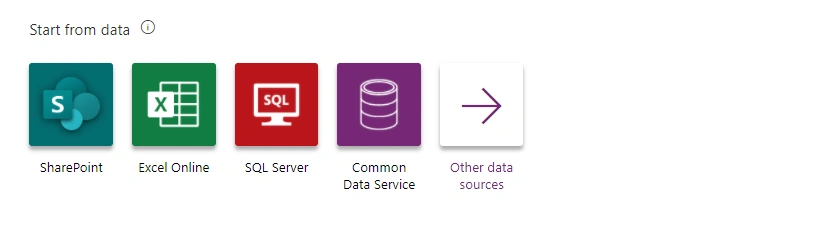
Start from data
Start from template
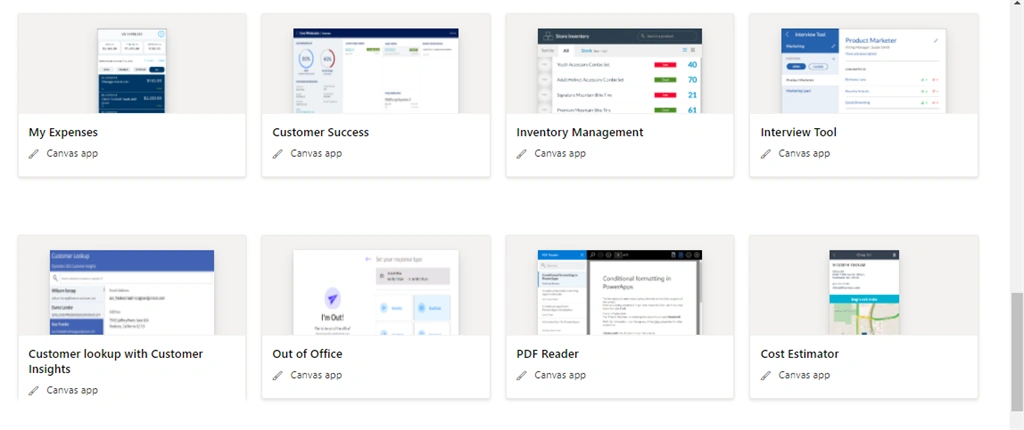
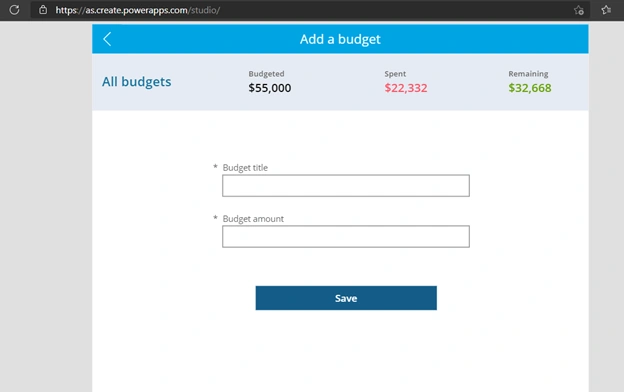
Now, let me take an example of a Budget Tracker template. Simply by the name we can use this template if we need to develop application for tracking a budget. Here in the below picture, I have provided sample template of Budget Tracker where we can add Budget under different Budget Titles and expenses under the respective Budget Title.
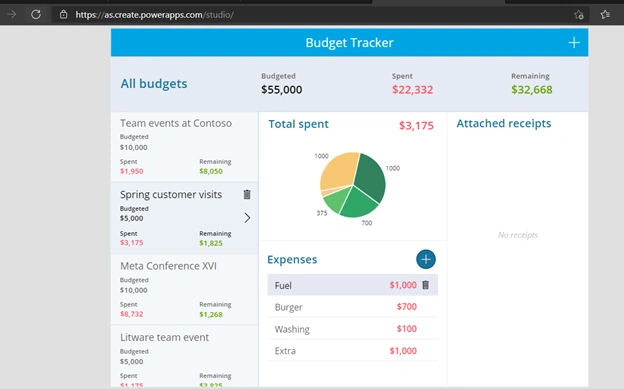
We can click on the right side top corner to add more budget information.
How to Preview and Customize Template?
To check and view the template, Go to Power Apps studio, just select template name which you want to see e.g., Budget Tracker, give Application Name, choose Format either Tablet or Phone and click on Create and Run it to see its default look.
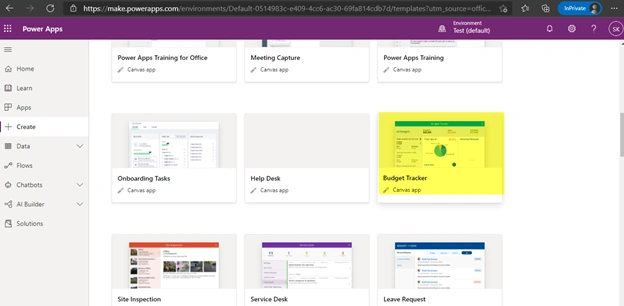
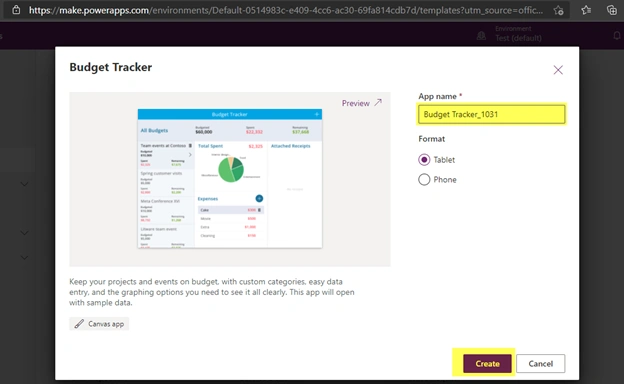
Additionally, you can customize it in Power Apps studio based on your requirement and publish it for use.
Conclusion
This article has described what is Power Apps and the basic knowledge that we need to know to develop applications and portals using Power Apps. Furthermore, it provided information about available options in Power Apps studio as well as discussed when to use Canvas App, Mobile driven app and select blank template. Besides this, it has explained when to use start from data option and select available templates as well as described shortly about available templates, how to preview and customize those. I believe, it will provide readers clear insight and understanding as well as help to select the right options to build applications according to their need.
References
Join the conversation! Your thoughts help the community grow.