
Introduction
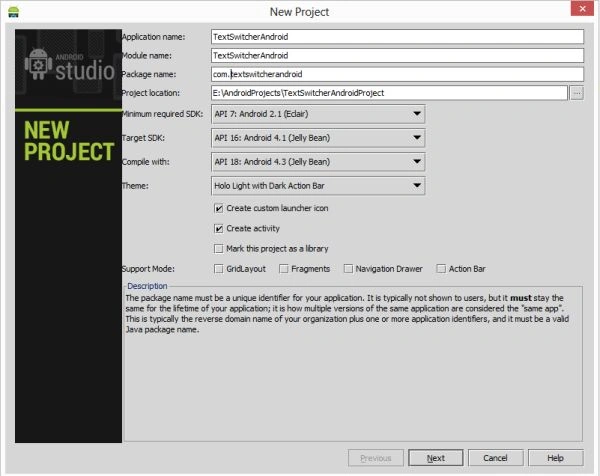
- <?xml version="1.0" encoding="utf-8"?>
- <RelativeLayout xmlns:android="http://schemas.android.com/apk/res/android"
- android:layout_width="fill_parent"
- android:layout_height="fill_parent" >
- <ImageSwitcher
- android:id="@+id/switcherImage"
- android:layout_width="fill_parent"
- android:layout_height="fill_parent"
- android:layout_alignParentLeft="true" >
- </ImageSwitcher>
- <TextSwitcher
- android:id="@+id/switcherText"
- android:layout_width="fill_parent"
- android:layout_height="wrap_content"
- android:layout_alignParentBottom="true"
- android:layout_centerHorizontal="true"
- android:background="#99000000"
- android:padding="10dp" />
- <Button
- android:layout_width="wrap_content"
- android:layout_height="wrap_content"
- android:layout_alignParentRight="true"
- android:layout_alignParentTop="true"
- android:layout_marginTop="10dp"
- android:onClick="onSwitch"
- android:text="Next Image >>" />
- </RelativeLayout>
Step 3
Create a Java class file with the following.
In a Java class file, you will create the id of the TextSwitcher and ImageSwitcher. Now call the setFactory method and the view as an argument.
- package com.textswitcher;
- import android.app.Activity;
- import android.os.Bundle;
- import android.view.Gravity;
- import android.view.View;
- import android.widget.ImageSwitcher;
- import android.widget.ImageView;
- import android.widget.TextSwitcher;
- import android.widget.TextView;
- import android.widget.ViewSwitcher.ViewFactory;
- public class MainActivity extends Activity
- {
- private static final String[] TEXT =
- {
- "Image 1",
- "Image 2",
- "Image 3"
- };
- private static final int[] IMAGES =
- {
- R.drawable.image1,
- R.drawable.images2,
- R.drawable.images3
- };
- private int Position = 0;
- private TextSwitcher switcherText;
- private ImageSwitcher switcherImage;
- @Override
- public void onCreate(Bundle savedInstanceState)
- {
- super.onCreate(savedInstanceState);
- setContentView(R.layout.activity_main);
- switcherText = (TextSwitcher) findViewById(R.id.switcherText);
- switcherText.setFactory(new ViewFactory()
- {
- @Override
- public View makeView()
- {
- TextView textView = new TextView(MainActivity.this);
- textView.setGravity(Gravity.CENTER);
- return textView;
- }
- });
- switcherText.setInAnimation(this, android.R.anim.fade_in);
- switcherText.setOutAnimation(this, android.R.anim.fade_out);
- switcherImage = (ImageSwitcher) findViewById(R.id.switcherImage);
- switcherImage.setFactory(new ViewFactory()
- {
- @Override
- public View makeView()
- {
- ImageView imageView = new ImageView(MainActivity.this);
- return imageView;
- }
- });
- switcherImage.setInAnimation(this, android.R.anim.slide_in_left);
- switcherImage.setOutAnimation(this, android.R.anim.slide_out_right);
- onSwitch(null);
- }
- public void onSwitch(View view)
- {
- switcherText.setText(TEXT[Position]);
- switcherImage.setBackgroundResource(IMAGES[Position]);
- Position = (Position + 1) % TEXT.length;
- }
- }
Step 4
Android Manifest.xml file
- <?xml version="1.0" encoding="utf-8"?>
- <manifest xmlns:android="http://schemas.android.com/apk/res/android"
- package="com.textswitcher"
- android:versionCode="1"
- android:versionName="1.0" >
- <uses-sdk
- android:minSdkVersion="7"
- android:targetSdkVersion="16" />
- <application
- android:allowBackup="true"
- android:icon="@drawable/ic_launcher"
- android:label="@string/app_name"
- android:theme="@style/AppTheme" >
- <activity
- android:name="com.textswitcher.MainActivity"
- android:label="@string/app_name" >
- <intent-filter>
- <action android:name="android.intent.action.MAIN" />
- <category android:name="android.intent.category.LAUNCHER" />
- </intent-filter>
- </activity>
- </application>
- </manifest>
Step 5

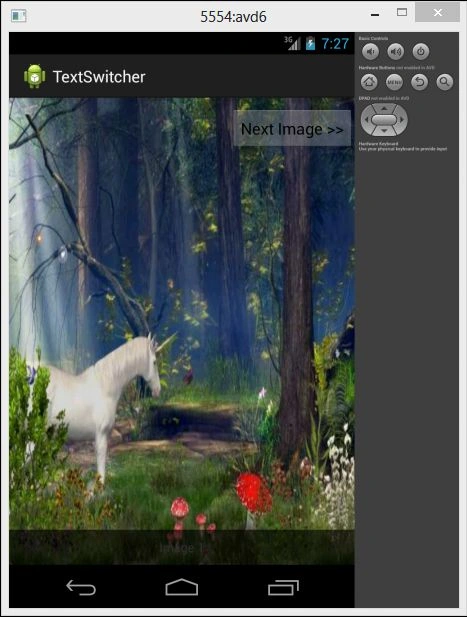
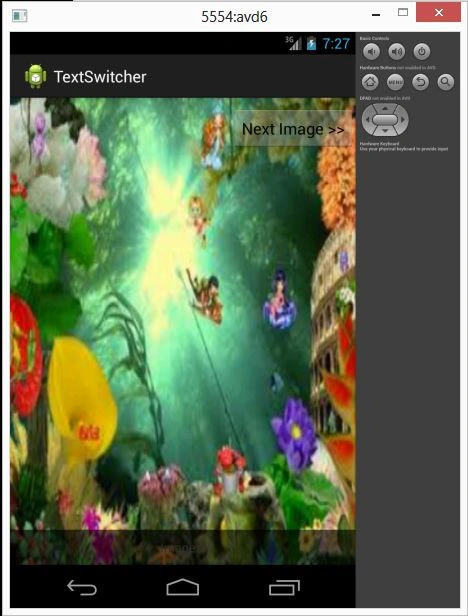
Mg KyaingPosted Nov 12, 2014, 6:25 AM
Thank Sir. a lot bec your project :)