

Introduction
This article explains how to perform testing of the ASP. NET Web API methods using Fiddler.
Testing is the practice of making objective judgments regarding the extent the system meets, exceeds or fails to meet the stated objectives.
Step 1
First we create the Web API application using the following:
- Start Visual Studio 2012.
- Select "File"->"New"->"Project".
- On the template window select "Installed" -> "Template" -> "Other Languages" -> "Visual C#" -> "Web".
- Now choose "ASP. NET MVC4 Web Application" and change the name to "Testing1".
- Click on the "OK" button.
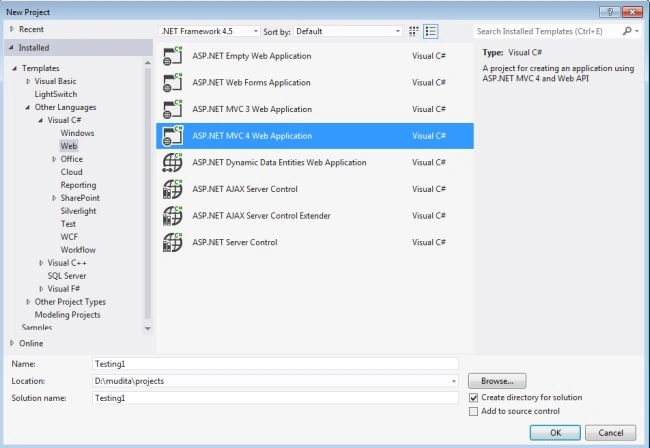
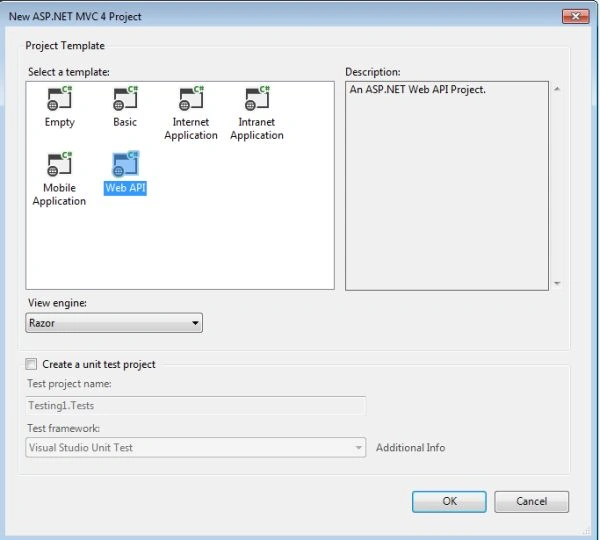
Now a New ASP .NET MVC4 Project window is opened, then:
- In this window select the "Web API".
- And click on the "OK" button.
Step 2
Now we add the Controller to the application using the following:
- In the "Solution Explorer" right-click on "Controller folder".
- "Add" -> "Controller".
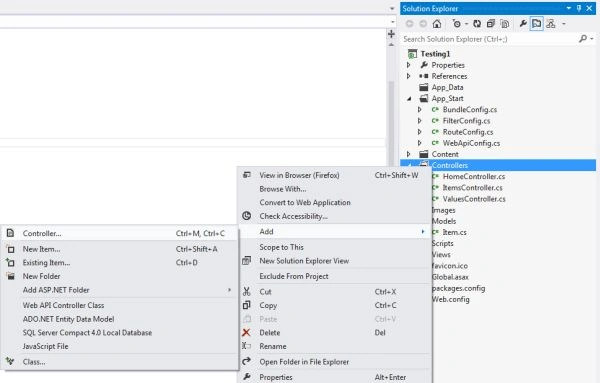
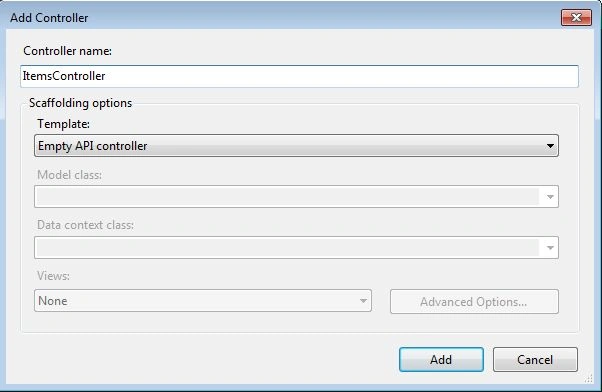
- Open an "Add Controller" window.
- Change the name to "ItemsController" and click on the "Add" button.
Write this code in the "ItemsController":
using System;
using System.Collections.Generic;
using System.Linq;
using System.Net;
using System.Net.Http;
using System.Web.Http;
using Testing1.Models;
namespace Testing1.Controllers
{
    public class ItemsController : ApiController
    {
        private static List<Item> _items = new List<Item>()
        {
            new Item() { Id = 1, Name = "Mruti 800", Type = "Car" },
            new Item() { Id = 2, Name = "Super Splender", Type = "Byke" },
            new Item() { Id = 3, Name = "Hero-Honda",Type= "Byke" },
            new Item() { Id = 4, Name = "Herculus ", Type = "Bycle" },
        };
        public ItemsController() { }
        [HttpGet]
        public IEnumerable<Item> GetItems()
        {
            return _items;
        }
        [HttpGet]
        public Item GetItem(int id)
        {
            Item pro = _items.Find(p => p.Id == id);
            if (pro == null)
                throw new HttpResponseException(HttpStatusCode.NotFound);
            else
                return pro;
        }
        [HttpGet]
        public IEnumerable<Item> GetProductsBySearch(string search)
        {
            var items = _items.Where(p => p.Type.Contains(search));
            if (items.ToList().Count > 0)
                return items;
            else
                throw new HttpResponseException(HttpStatusCode.BadRequest);
        }
        [HttpPost]
        public HttpResponseMessage PostProduct(Item p)
        {
            if (p == null)
                return new HttpResponseMessage(HttpStatusCode.BadRequest);
            _items.Add(p);
            return new HttpResponseMessage(HttpStatusCode.Created);
        }
        [HttpDelete]
        public IEnumerable<Item> DeleteProduct(int id)
        {
            Item pro = _items.Find(p => p.Id == id); _items.Remove(pro);
            return _items;
        }
        [HttpPut]
        public HttpResponseMessage PutProduct(Item p)
        {
            Item pro = _items.Find(pr => pr.Id == p.Id);
            if (pro == null)
                return new HttpResponseMessage(HttpStatusCode.NotFound);
            pro.Id = p.Id; pro.Name = p.Name; pro.Type = p.Type;
            return new HttpResponseMessage(HttpStatusCode.OK);
        }
    }
}
Step 3
Now create the Model Class using the following:
- In the Solution Explorer right-click on the "Model Folder".
- "Add" -> "Class".
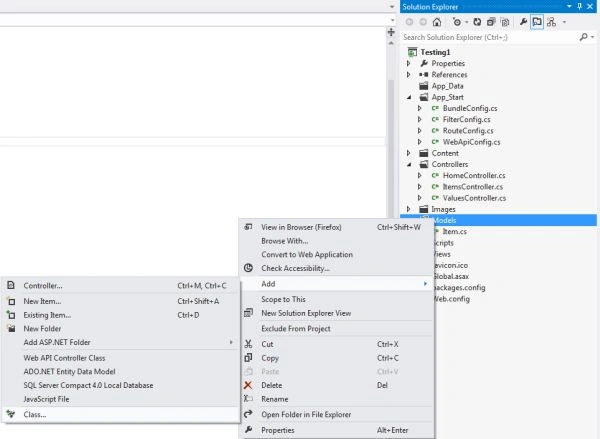
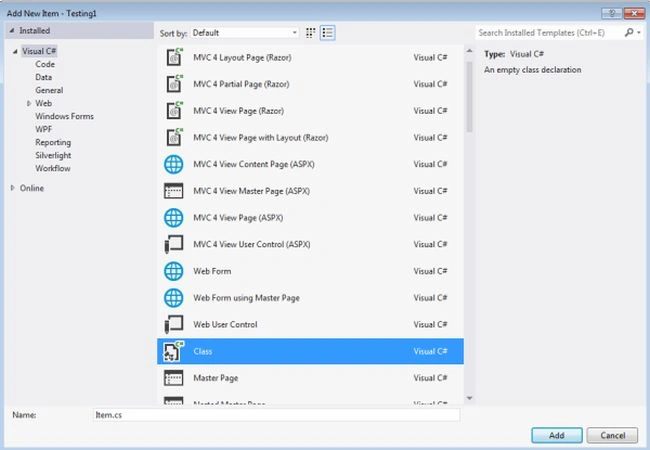
- Open the "Add New Item" window.
- Select "Installed" -> "Visual C#"and then choose the "Class".
- Change the name to "Item".
Now add this code into the "Item Model Class":
using System;
using System.Collections.Generic;
using System.Linq;
using System.Web;
namespace Testing1.Models
{
    public class Item
    {
        public int Id { get; set; }
        public string Name { get; set; }
        public string Type{ get; set; }
    }
}
Step 4
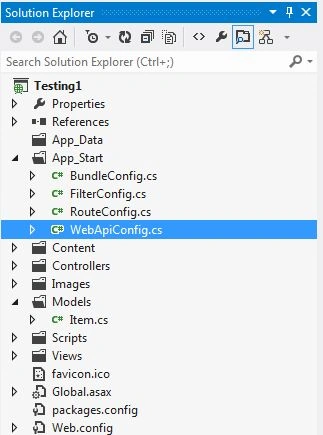
Now we use the WebApiConfig.cs.
This is in the App_Start folder.
using System;
using System.Collections.Generic;
using System.Linq;
using System.Web.Http;
namespace Testing1
{
    public static class WebApiConfig
    {
        public static void Register(HttpConfiguration config)
        {
            config.Routes.MapHttpRoute(
                name: "DefaultApi",
                routeTemplate: "api/{controller}/{id}",
                defaults: new { id = RouteParameter.Optional }
            );
        }
    }
}
Step 5
For executing the application press F5. Now we need to use Fiddle. We need to install it from this link: "Fiddler"
It looks like this:
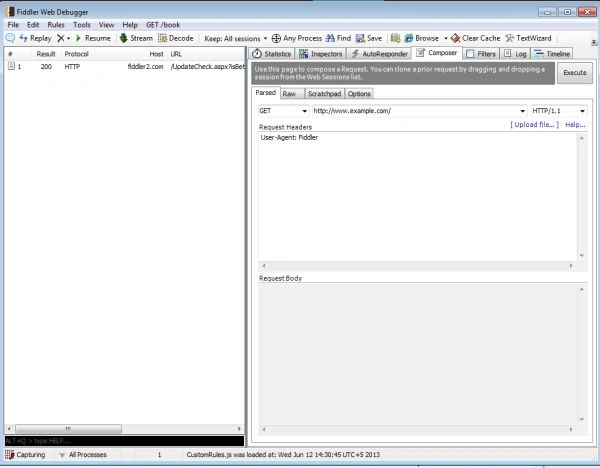
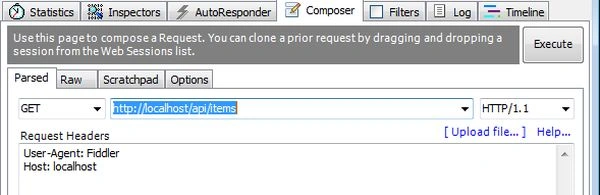
Open Fiddler and click on the "Composer" tab. In the Composer tab we can compose our request and send it to the server.
Step 6
Now we host the application and use Fiddler for testing the methods of the Web API.
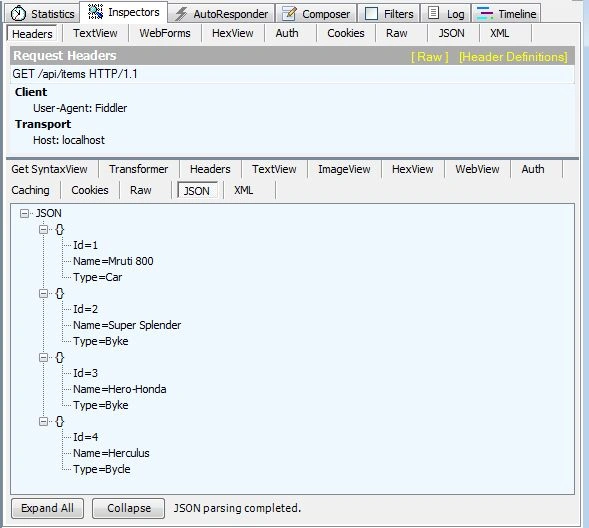
- GET Method.
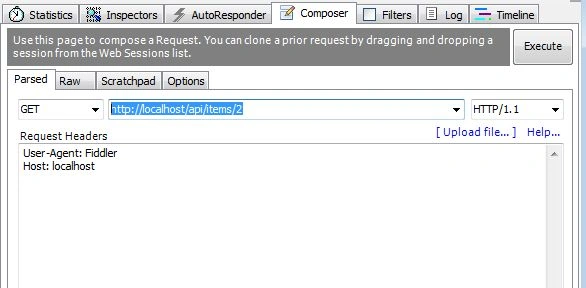
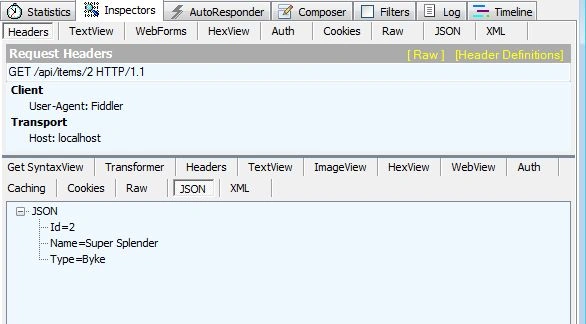
- GET by Id.
- DELETE Method
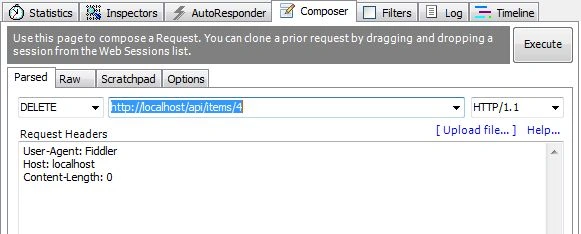
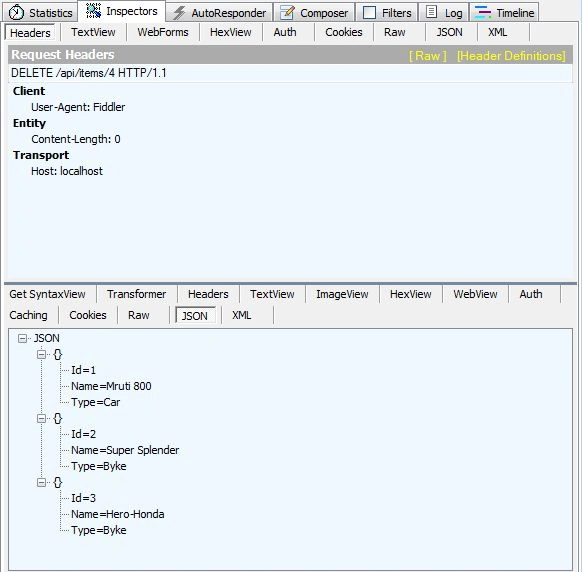
- GET item by type.
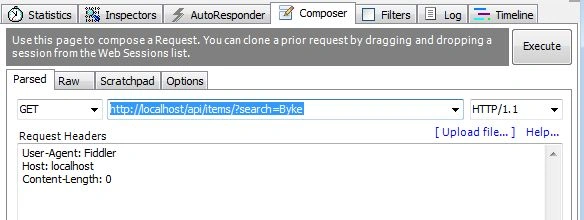
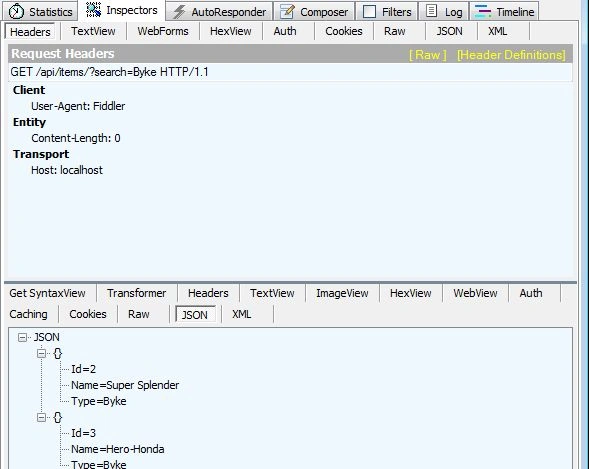
Gowtham RajamanickamPosted Jan 6, 2016, 1:23 AM
good article..
Abhaysingh N RajpurohitPosted Jul 1, 2014, 7:07 AM
I do not have Fiddler in my system so can you explain this by calling from another application