

Introduction
This article demonstrates how to switch a light on using up & down arrow keys using C# Scripts In Unity.
Prerequisites
Unity Environment version 2018.4.19f1
Create the Project
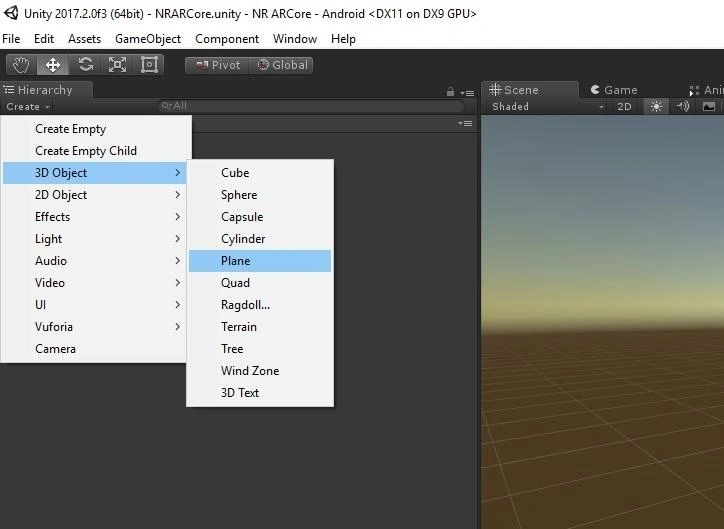
Create plane in Unity
First, you have to open the Unity project. Click on the "GameObject" menu in the menu bar. Select the 3D object and click on plane.
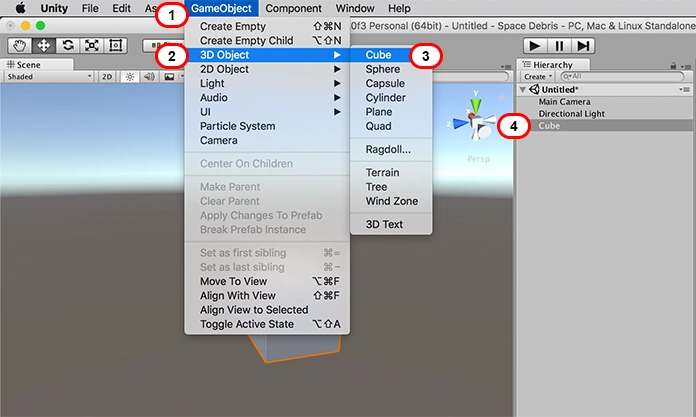
Create the Cube in Scene View
Click on the "GameObject" menu in the menu bar. Select the 3D Object. Click on Cube.
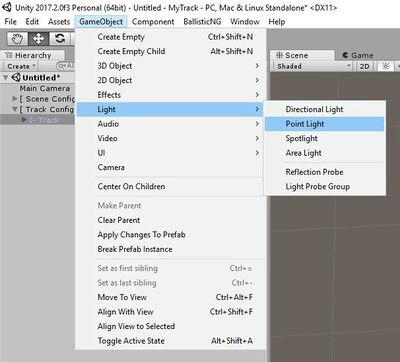
Add the Point Light in Scene View
Add one to your scene by going to GameObject > Light > Point Light .
Color Change to Point Light in Scene View
As you can see, the inspector shows the color change so a light with a blue color is the same as no light at all.

Create the folder
Right-click on Assets. Select Create >> Folder
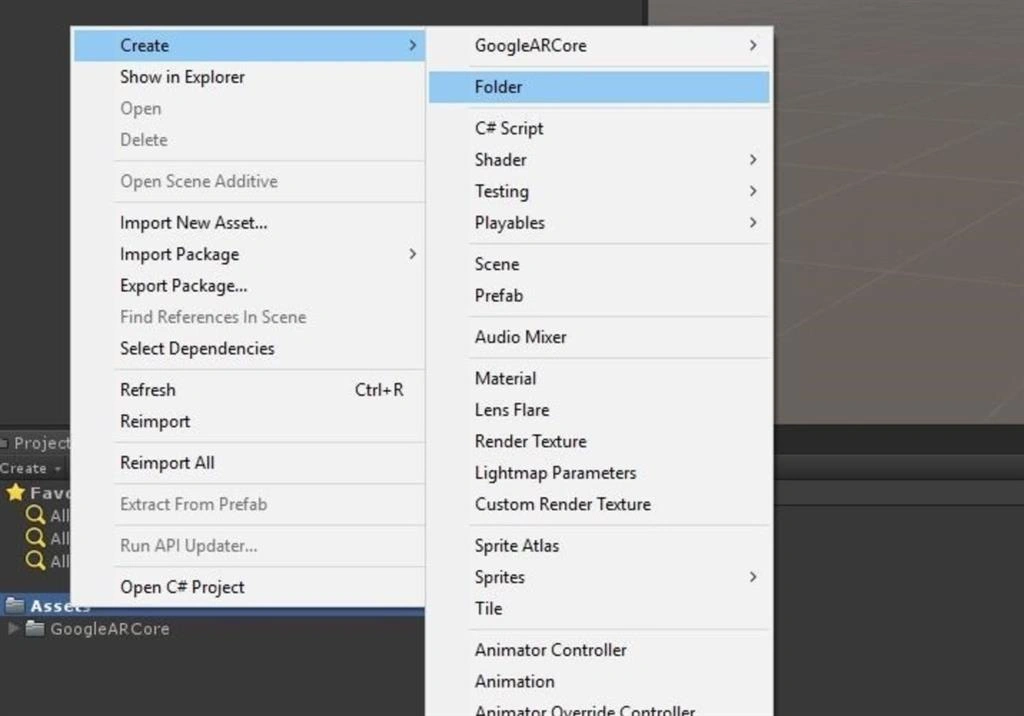
Rename the Folder as Scripts
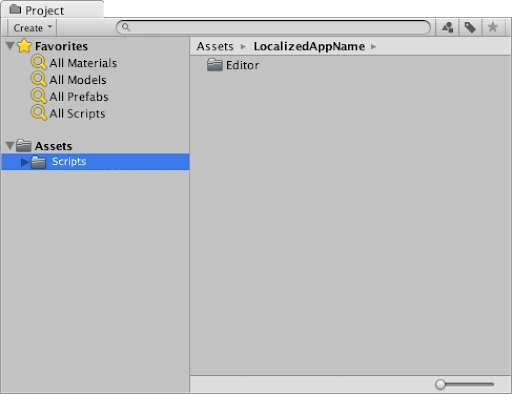
Create the Scripts
Right-click on Assets. Select Create >> C# script
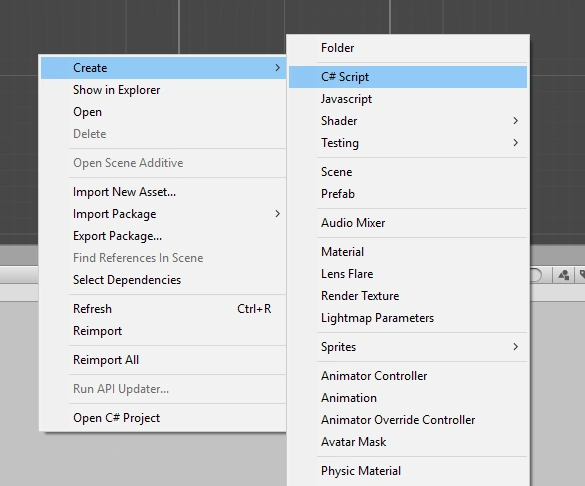
Rename the Scripts as Switch
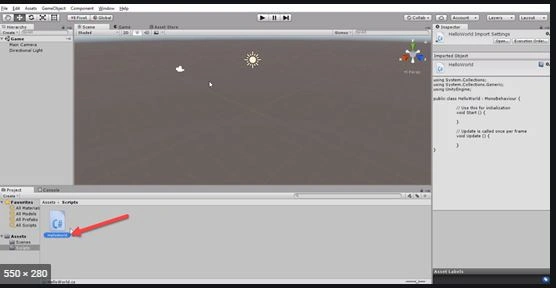
Double click on the Exit script. Write the code as shown below,
- using System.Collections;
- using System.Collections.Generic;
- using UnityEngine;
- public class Switch: MonoBehaviour {
- void start() {}
- void update() {
- if (Input.GetKey(KeyCode.UpArrow)) this.GetComponent < Light > ().enabled = true;
- if (Input.GetKey(KeyCode.DownArrow)) this.GetComponent < Light > ().enabled = false;
- }
- }
Save the Program
Drag and drop the Switch Scripts onto the Point Light .
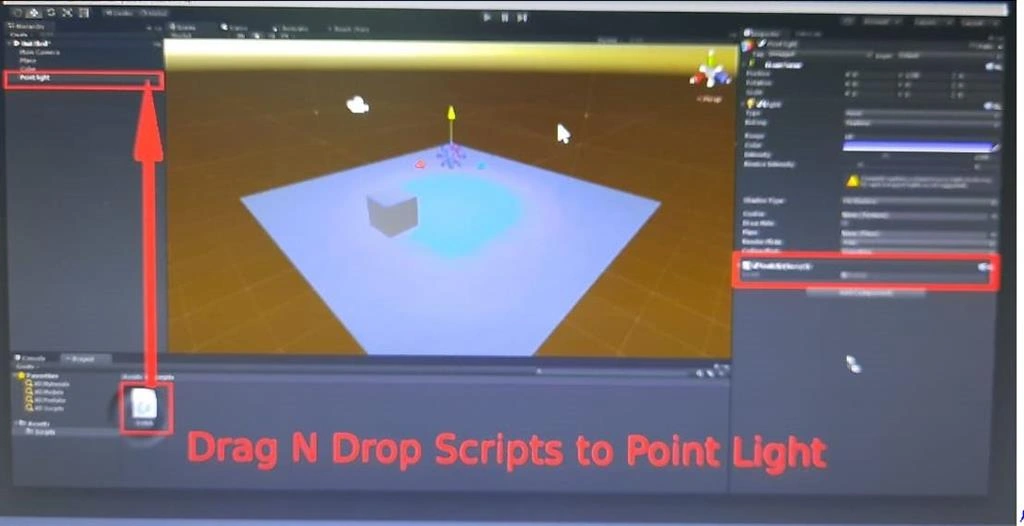
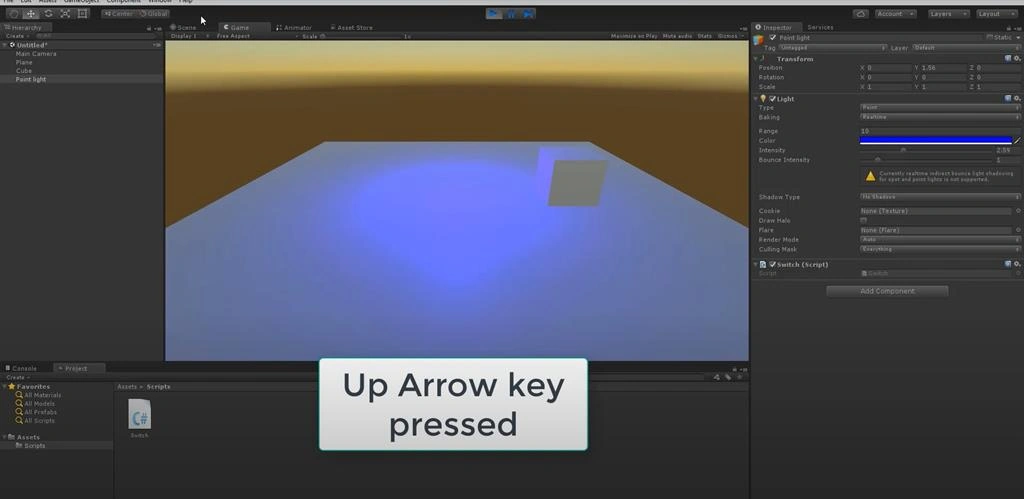
Click on the Play button. Select UpArrow Keys and click on the light in scene view.
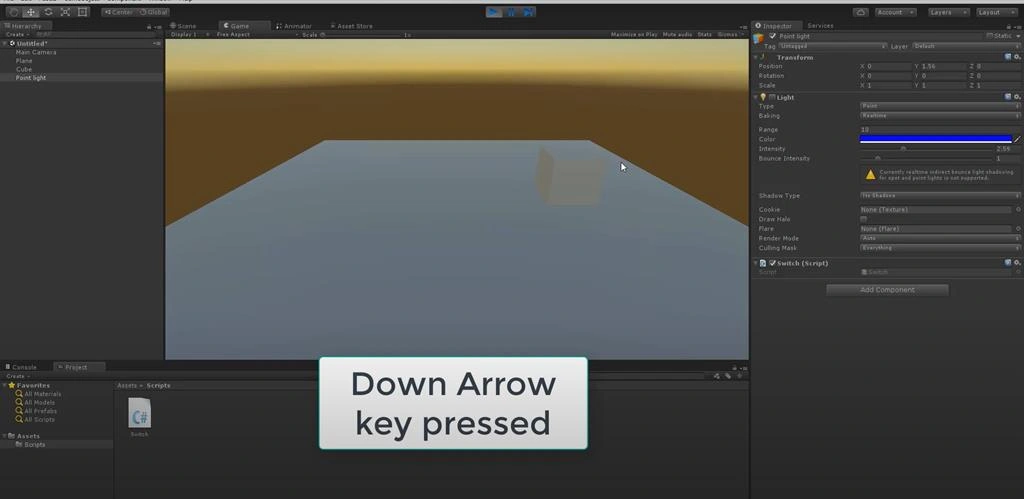
Select on DownArrow Keys and click off the light in scene view.
Summary
I hope you understood how to switch a light on and off using the up and down arrow keys using C# Scripts In Unity.
Join the conversation! Your thoughts help the community grow.