

Introduction
Swashbuckle is an open source project for generating Swagger documents for Web APIs that are built with ASP.NET Core.
There are three core components:
- AspNetCore.SwaggerGen - provides the functionality to generate JSON Swagger documents that describe the objects, methods, return types, etc.
- AspNetCore.SwaggerUI - an embedded version of the Swagger UI tool.
- AspNetCore.Swagger - a Swagger object model and middleware to expose SwaggerDocument objects as JSON endpoints.
Step 1
Open Visual Studio 2017. Click -> File -> new -> Project.
Step 2
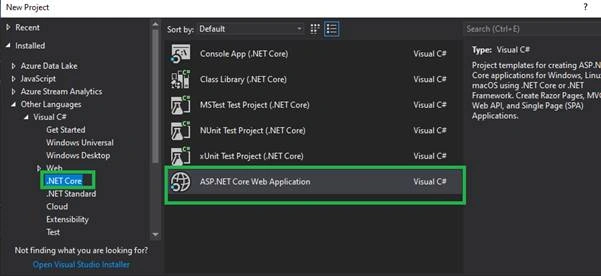
Select .NET Core -> ASP.NET Core Web Application.
Step 3
Create a new ASP.NET Core web application project.
Step 4
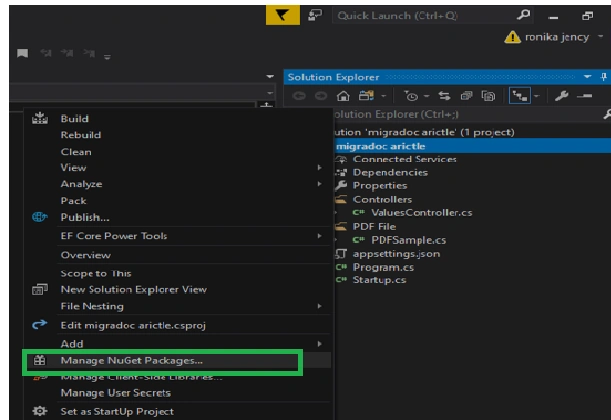
In Solution Explorer -> solution (Right click) -> Manage Nuget Packages (select)
Step 5
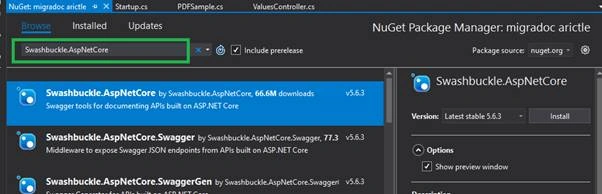
Search the word ->Swashbuckle.AspNetCore under the browse text box.
Step 6
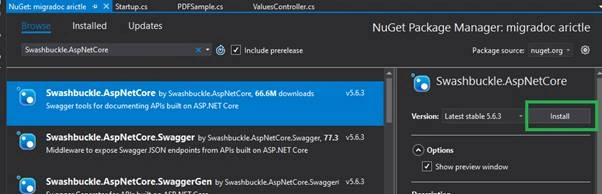
Click the install button to install the Swashbuckle.AspNetCore
Step 7
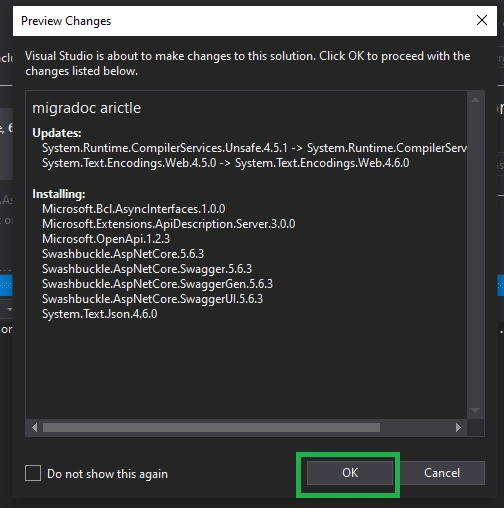
We are going to install and update the following things. Click the OK button.
Step 8
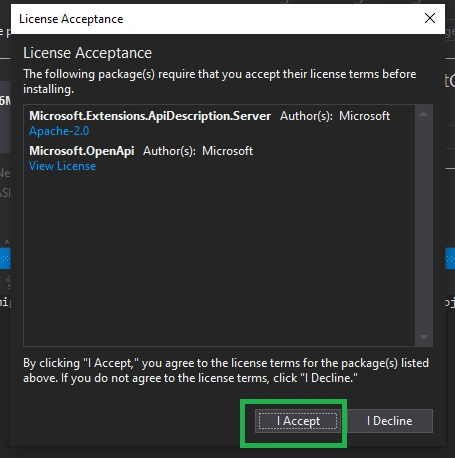
Accept their license term -> click ok.
Step 9
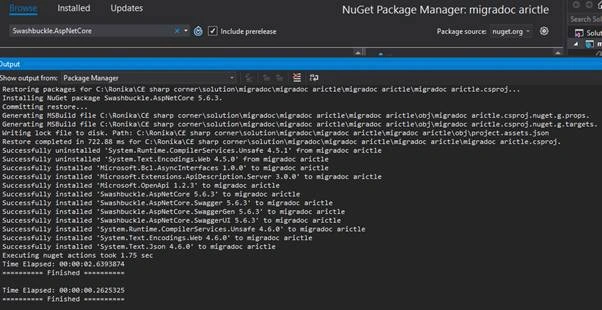
Installed the Swashbuckle.AspNetCore successfully. You can see the output window.
Step 10
Configure the startup.cs file
- using Microsoft.AspNetCore.Builder;
- using Microsoft.AspNetCore.Hosting;
- using Microsoft.Extensions.Configuration;
- using Microsoft.Extensions.DependencyInjection;
- using Microsoft.OpenApi.Models;
- using System;
- namespace migradoc_arictle {
- public class Startup {
- public Startup(IConfiguration configuration) {
- Configuration = configuration;
- }
- public IConfiguration Configuration {
- get;
- }
- // This method gets called by the runtime. Use this method to add services to the container.
- public void ConfigureServices(IServiceCollection services) {
- services.AddMvc();
- services.AddSwaggerGen(c => {
- c.SwaggerDoc("v1", newOpenApiInfo {
- Version = "v1",
- Title = "Test API",
- Description = "ASP.NET Core Web API",
- TermsOfService = new Uri("https://example.com/termslinks"),
- Contact = newOpenApiContact {
- Name = "Ronika Jency",
- Email = string.Empty,
- Url = new Uri("https://twitter.com/ronikajency"),
- },
- });
- });
- }
- // This method gets called by the runtime. Use this method to configure the HTTP request pipeline.
- public void Configure(IApplicationBuilder app, IHostingEnvironmentenv) {
- if (env.IsDevelopment()) {
- app.UseDeveloperExceptionPage();
- }
- app.UseMvc();
- app.UseSwagger();
- app.UseSwaggerUI(c => {
- c.SwaggerEndpoint("/swagger/v1/swagger.json", "Test API V1");
- });
- }
- }
- }
Step 11
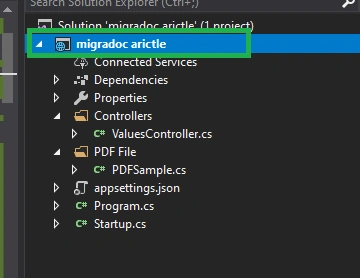
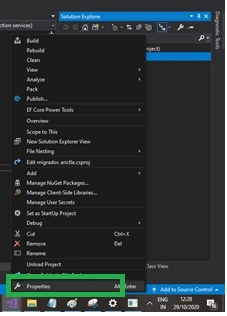
Solution name (right-click)
Step 12
Click -> Properties
Step 13
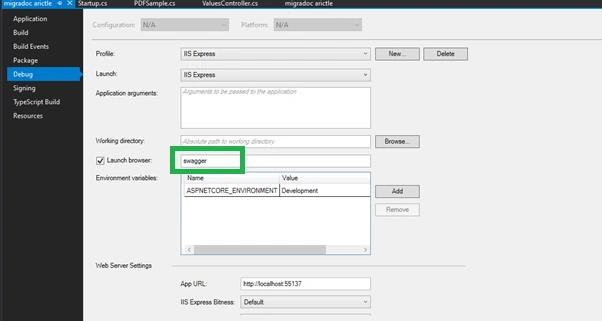
Debug -> Change the browser URL to swagger.
Step 14
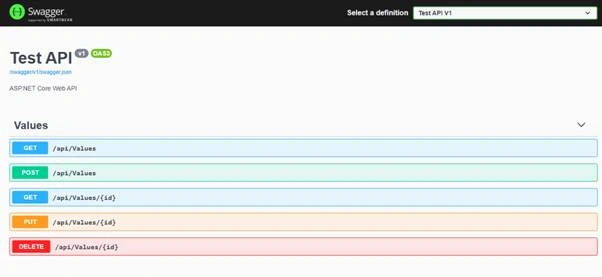
After running the application you can able to check the API via Swagger.
Hamid KhanPosted Nov 5, 2020, 12:12 AM
Good explanation...........