

SVG animation in HTML5
SVG animates an element to change an attribute or property over time. Some elements of Synchronized Multimedia Integration Language (SMIL) tags are embedded in the SVG specification.
The principle of animation is simple: Animation means changing attributes of SVG elements over time.
Definition: Animation is the time-based manipulation of an attribute of a target element.
Animation defines a beginning and a simple duration that can be repeated. Each animation defines an animation function that produces a value for the target attribute at any time in the simple duration.
The target attribute is the name of a characteristic of a target element. It can be either an XML attribute contained in the element or a CSS property applied to the element. By default, the target element of animation will be the parent of the animation element.
The attributes to identify a target attribute are:
- attributeName = "<attributeName>" Specifies the name of the target attribute.
- attributeType = "CSS | XML | auto"
Specifies the namespace in which the target attribute and its associated values are defined. The attribute value is one of the following:
1. CSS
This specifies that the value of "attributeName" is the name of a CSS property defined as animatable in this specification.
2.XML
This specifies that the value of "attributeName" is the name of an XML attribute defined in the default XML namespace for the target element. 3.auto:
The implementation should match the "attributeName" to an attribute for the target element. The implementation must first search through the list of CSS properties for a matching property name, and if none is found, search the default XML namespace for the element.
The default value is "auto".
Five animation elements are:
- animate: used to change over time a single attribute or a single CSS property
- set: provides a simple way for setting a single attribute value for a specified duration.
- animateMotion: causes the displacement of an element along a path of movement.
- animateColor: specifies a color transformation over time.
- animateTransform: change a transformation attribute on a target element, thereby allowing animations to control translation, scaling, rotation and / or inclination.
AnimateColor
AnimateColor is one way to change the color in a shape. Color changes can be done in a number of ways in SVG. What sets animateColor apart from what you might encounter with the "animate" element is the "to" and "from" attributes. The syntax is different between the two actions.
Browser Support
You must use a recent browser (issued 2011 or later), e.g. FireFox, Chrome, Opera or Safari. These examples will not work with Internet Explorer 9.
Generally, color can be chosen by using one of the following three codes:
- RGB Value: a color model that uses red, green and blue levels to specify the shade: rgb (0,0,255) is the key for blue.
- Color Name: typing out the color name, such as blue
- Hexadecimal Value: this is an assigned numerical code that defines each color: #0000FF is blue.
Using a Color Name
This approach is used to type in the name of the color you want to use.
fill="blue" stroke="black"
This will add blue shade to the inside of the shape and a black line as a border.
Using an RGB value
The syntax gets slightly complicated if you would rather use a value for the color. The coding follows a similar pattern for RGB, such as:
style="fill:#0000ff;stroke:#000000"
The line starts with style. When using the style attributes, such as fill, divide the value from the name with a colon.
fill:rgb
Separate the various attributes with a semicolon.
fill:#0000ff;stroke
Using a Hexadecimal Values
Use the same syntax for hexadecimal values, as in:
style="fill:#0000FF; stroke=#000000"
AnimateColor Example
- <!DOCTYPE html>
- <html lang="en" xmlns="http://www.w3.org/1999/xhtml">
- <head>
- <title>SVG animateColor</title>
- <meta http-equiv="Content-type" content="text/html;charset=UTF-8" />
- </head>
- <body>
- <h2>ColorAnimation HTML5</h2>
- <svg width="300px" height="200px" xmlns="http://www.w3.org/2000/svg">
- <circle cx="100" cy="100" r="50" fill="red">
- <animateColor
- attributeName="fill"
- begin="1s"
- dur="10s"
- values ="red; orange; yellow; green; blue; indigo; violet; red"
- repeatCount="indefinite"
- />
- </circle>
- <circle cx="200" cy="100" r="50" fill="red">
- <animate
- attributeName="fill"
- begin="1s"
- dur="10s"
- values ="red; orange; yellow; green; blue; indigo; violet; red"
- repeatCount="indefinite"
- />
- </circle>
- </svg>
- </body>
- </html>
Output
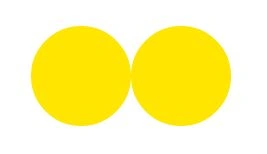
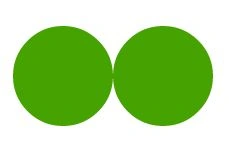
In the following, within a few seconds, the color will change automatically in both circles.
Join the conversation! Your thoughts help the community grow.