

Introduction
Python string is one of the common and important data types in the language. In this article, I am going to explain how we can use and manipulate strings in Python.
The string is a collection of characters. Strings are immutable, that is, once it is defined, it cannot be changed or updated hence strings are immutable.
The indexes of a string begin from 0 to length-1 in forwarding direction and -1,-2,……-length in the backward direction. For example,
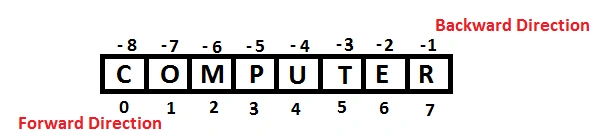
Accessing a string
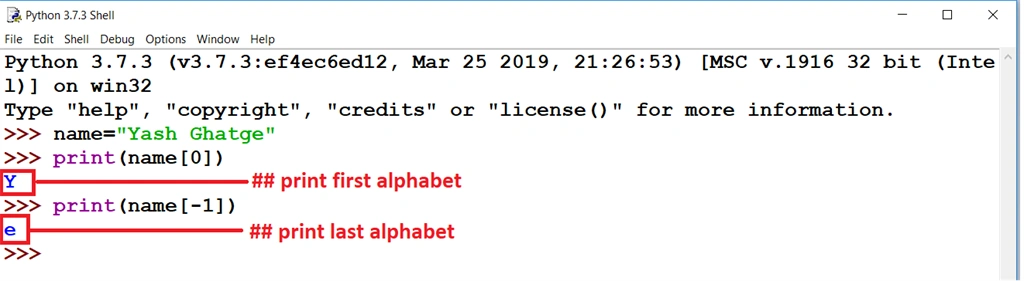
You can access string by using its index number like below.
- name=”Yash Ghatge”
- print(name[0])
- print(name[-1])
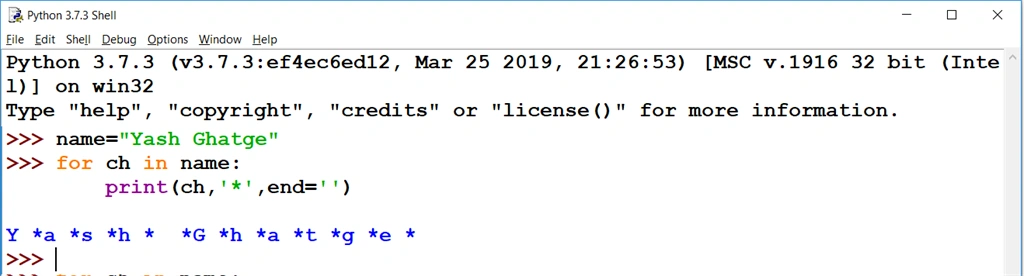
You can also access each character of a string using a For loop, like below.
- >>> name="Yash Ghatge"
- >>> for ch in name:
- print(ch,'*',end='')
String Operators
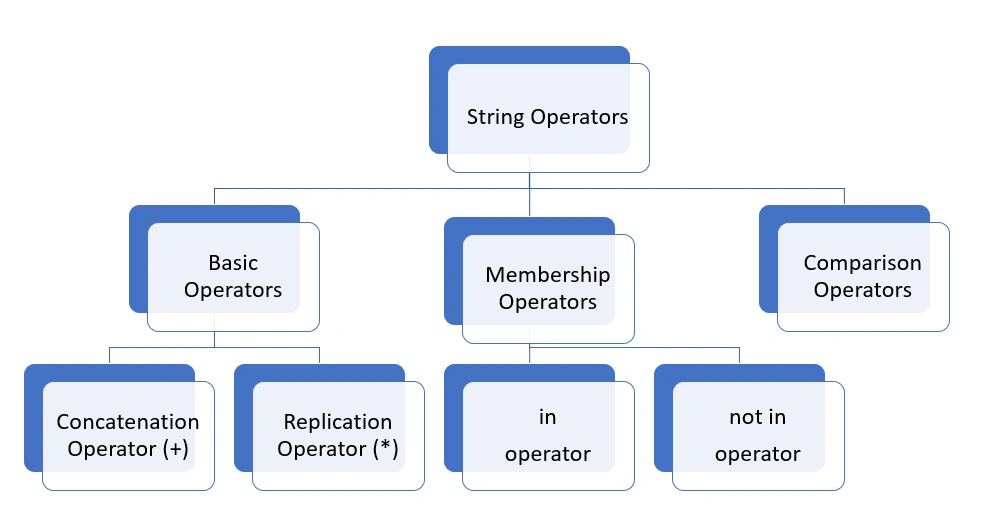
Concatenation Operator (+)
The + operator creates a new string by joining the two operand strings like below.
- >>> "Yash" + "Ghatge"
- Will result = 'YashGhatge'
One interesting point from the above code is + operator can work with numbers and strings separately for addition and concatenation respectively. But in the same expression, you cannot combine numbers and strings as operands with a + operator. For example -
- 7+7 = 14 valid
- ‘7’+’7’=’77’ valid
- ‘7’+7 invalid, it will produce the error
Replication Operator ( * )
It is used to create a new string that is a number of repetitions of the input string.
Syntax
number*string or string*number
Example
- 3*'Yash' will give YashYashYash
- 'Yash'*3 will give YashYashYash
in operator
This operator returns True if the substring or character is present in the string, otherwise, it will return False.
not in operator
This operator returns True if the substring or character is not present in the string, otherwise, it will return False.
- >>> 'j' in 'japan'
- True
- >>> 'jap' in 'japan'
- True
- >>> 'jap' not in 'japan'
- False
However, both operators match the result as per case sensitive.
Comparison Operator
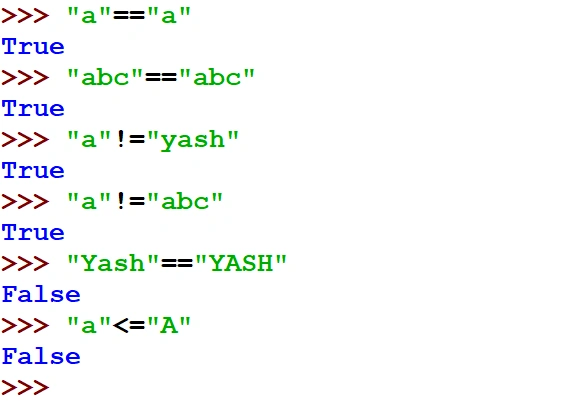
All comparison operators (relation operators >, <, >=, <=, ==, !=) apply to string also. The comparison using these operators is based on the standard character-by-character comparison rules for Unicode.
For example,
- “a”==”a” will give True
- “abc”==”abc” will give True
- “abc”!=”Abc” will give True
- “a”<=”A” will give False because the ASCII value of lower case letter is higher than upper case letter.
Concatenation of Strings
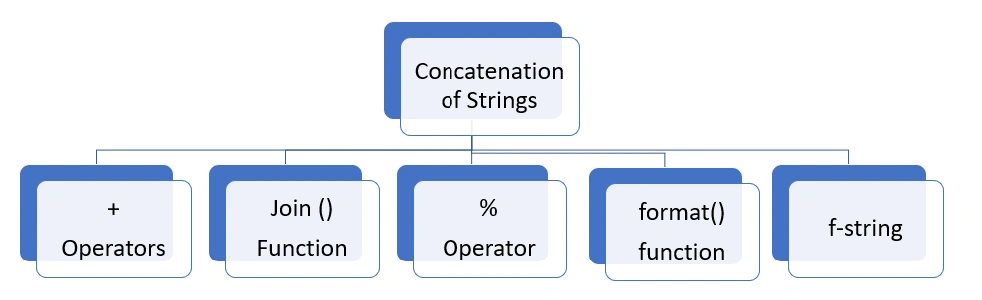
As we can see one operator for concatenation i.e. +, but there are also some other ways to combine more than one string like,
Join() Function
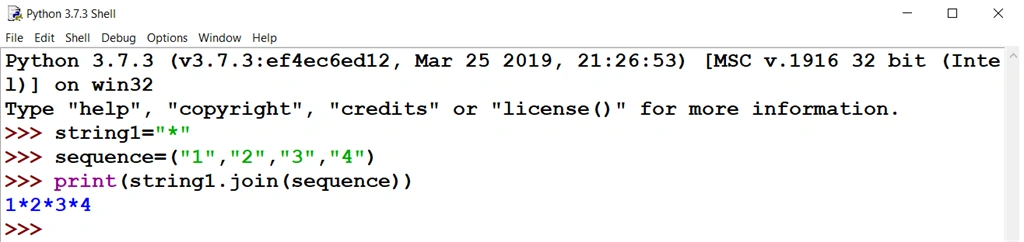
It is used to return a string that has string elements joined by a separator.
Syntax
string.join(sequence)
Example
- >>> string1="*"
- >>> sequence=("1","2","3","4")
- >>> print(string1.join(sequence))
% operator
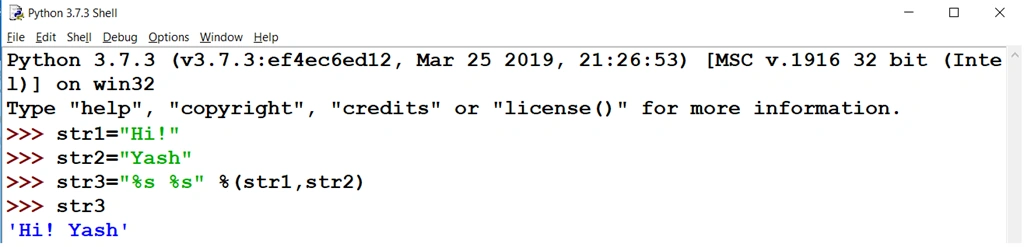
It is used to combine two or more than two strings.
- >>> str1="Hi!"
- >>> str2="Yash"
- >>> str3="%s %s" %(str1,str2)
- >>> str3
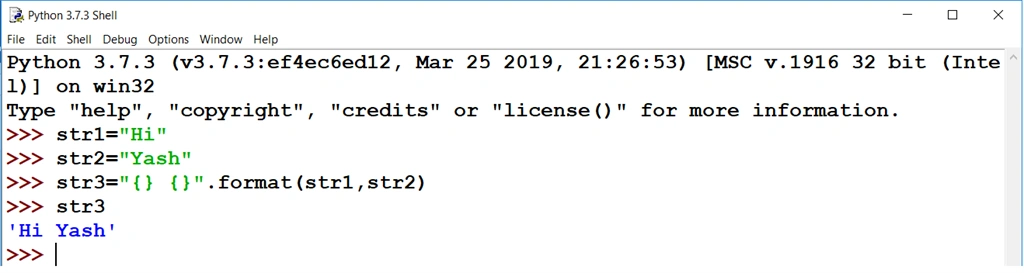
format() function
This function also combines two or more string and returns a string.
- >>> str1="Hi"
- >>> str2="Yash"
- >>> str3="{} {}".format(str1,str2)
- >>> str3
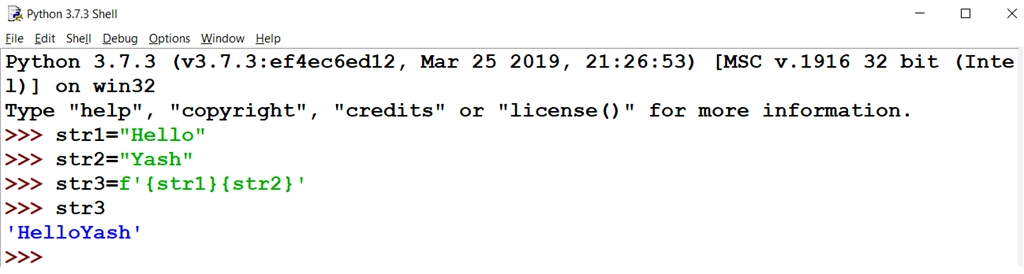
f-string
This function is used to concatenate string and return a string.
- >>> str1="Hello"
- >>> str2="Yash"
- >>> str3=f'{str1}{str2}'
- >>> str3
Conclusion
I hope I was able to properly explain some basic topics of string along with string operators and string concatenation. In my next article, I will explain some other string concepts like string slicing, string methods, etc.
All the queries related to this article are always welcome. Thanks for reading.
Prasham SabadraPosted Jul 7, 2019, 11:19 PM
Thanks for sharing :)
Mahesh VermaPosted Jul 7, 2019, 6:56 AM
Great work...keep it up :-)
Mahesh ChandPosted Jul 6, 2019, 9:13 PM
Nicely done, Yash.