

Think MySQL is only for local dev and LAMP stacks? Think again.
In today’s fast-moving projects, you need more than just a working database; you need one that’s scalable, secure, and ready to roll in minutes. That’s where Azure Database for MySQL comes in.
If you’re a PHP developer, chances are you’ve set up MySQL locally more times than you can count. But what if you could get a fully managed, production-ready database running in minutes, without worrying about servers, backups, or scaling headaches?
By the end, you’ll not only have your PHP app talking to Azure DB like a pro, but you’ll also understand why this cloud-native combo might just be your new default setup. In this way, developers testing a side project or building the next big SaaS will no longer feel like a wrestling match with config files. Viewing the database, tables, and writing your code will also be done only in VS Code.
Before we dive into setting things up, it’s worth knowing what options Azure gives you. Azure isn’t just about MySQL; it offers a range of fully managed database services to suit different needs, coding styles, and scalability goals.
Here’s a quick look at the primary database types you can choose from.
Relational data
Relational databases are systems that organize data into structured tables, with relationships defined between those tables.
Some examples
- Azure SQL Database
- Azure SQL for PostgreSQL
- Azure Database for MySQL
- Oracle Database @ Azure
Major advantages
- Data is structured and consistent.
- You need relationships (foreign keys).
- You require ACID transactions.
- You run complex queries and reporting.
Common uses
- E-commerce
- ERP software
- HR and Payroll
NoSQL Database
- NoSQL databases are non-relational database systems that store data in a non-tabular format.
- Data is stored in various formats, including documents (JSON or XML), key-value pairs, and graphs.
Some examples
- Azure Cosmos DB for NoSQL
- Azure Managed Instance to Apache Cassandra
- v-Core-based Azure Cosmos DB for MongoDB
- MongoDB Atlas on Azure
Major advantages
- Data is semi-structured, unstructured, or rapidly changing.
- You need to store large volumes of data
- You work with documents, key-value pairs, graphs, or wide-column formats
Common uses
- Real-time chat apps
- Content management systems
- Product catalogs
Caching
- A cache is used to serve data faster.
- Azure cache for Redis can be used as a data cache, session store, or message broker that provides high throughput and low-latency access to data for applications
Some examples
Azure Cache for Redis
Major advantages
- You need to serve frequently accessed data quickly.
- Reduce load on primary databases.
- Improve performance for read-heavy or latency-sensitive apps.
Common uses
- Home pages
- Auth sessions
- Shopping cart
Advantages of using DB on Azure
- Built-in security
- Accessible anywhere, from any machine & collaborator
- No installation, ports, or local config headaches
- Comes with some tools like backups and monitoring
- Scales easily and can simulate the prod env easily
- No maintenance at your level.
What is required to get started?
- An Azure account. You can easily create one and get USD 150 credits.
- VS Code
- Internet connection.
Creating the service on Azure
- Search for Azure Database for MySQL in the search and select the service.
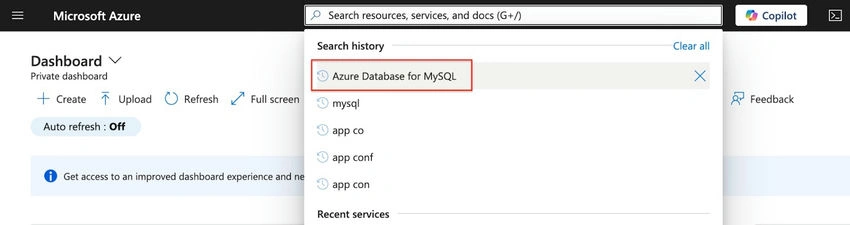
- Click on ‘Create’.
- You will land on this screen:
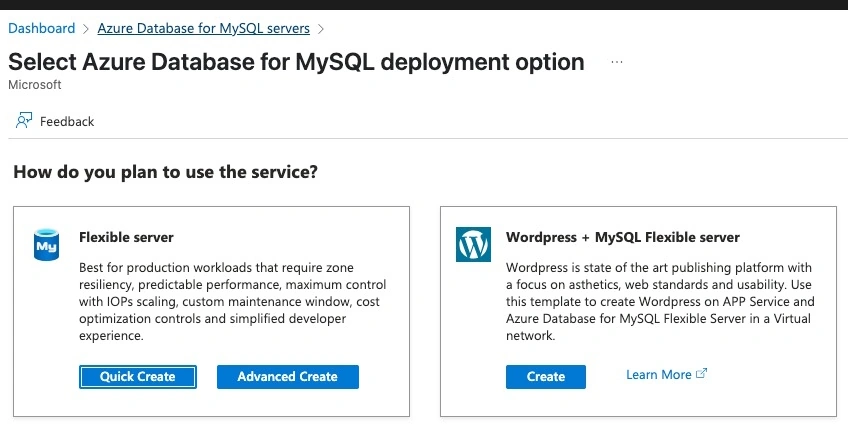
- If you want only the DB, click ‘Quick Create’ in the first option. If you want something for WordPress, select the second one.
- We will go with the first one.
- The configuration screen, as shown below, is loaded.
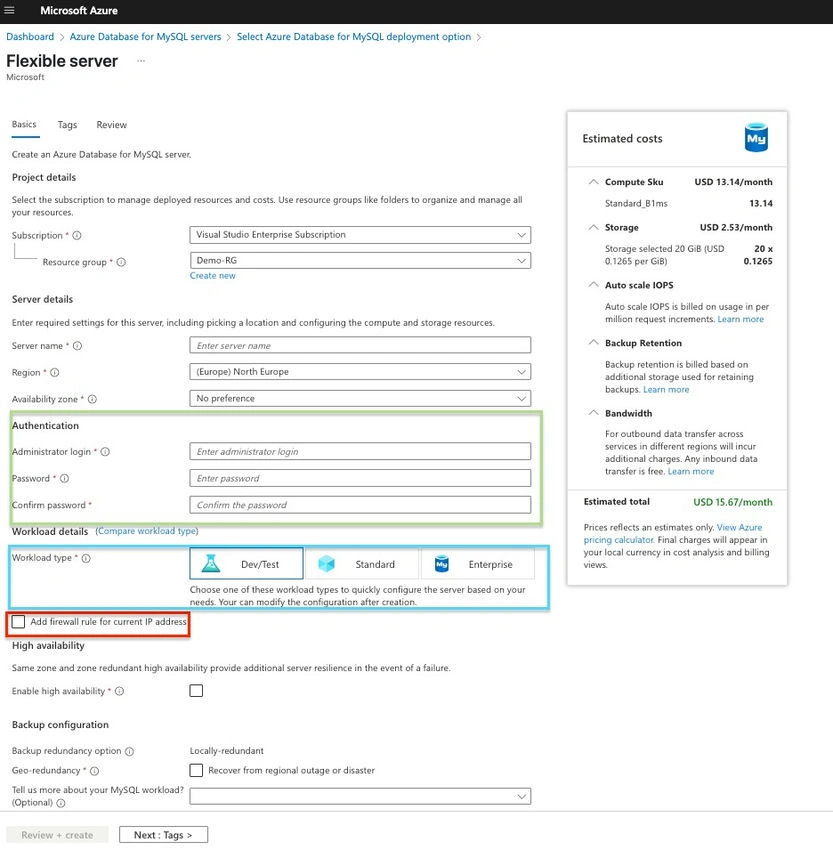
- In the green box, you need to set the credentials for the database. Make sure to use a secure password.
- In the blue box, you select the type, specifying whether you need a database for dev/test, which is suitable for learning, standard, or enterprise. Notably, the first option is relatively cheap, while the two others are a bit more expensive. You can see the specs and the estimated price in the section on the right called ‘Estimated cost’.
- The red box is important. To connect to the database, you need to add a firewall rule to allow your computer to communicate with it. As such, ticking this option will enable you to proceed. In simpler terms, it is like whitelisting your IP address so your local application can communicate with this service.
- You can change the IP address later if you want, or you can deploy your application on a server.
- Once you have filled in all this information and the other required ones, you can click on ‘Review+Create’.
What to do when the service is created?
- Once the service is created, you will see a screen like the following.
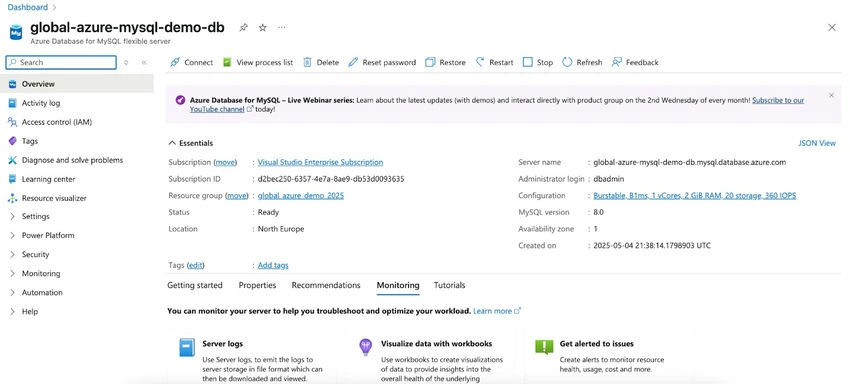
- Next, expand the ‘Settings’, then select the ‘Networking’ option.
- Enable the ‘Allow public access to this resource through the internet using a public IP address’ option.
- Then scroll down to the ‘Firewall rule’. Remember when creating the service, we had a similar option that allowed our local to communicate with the service? We have a similar option here as well.
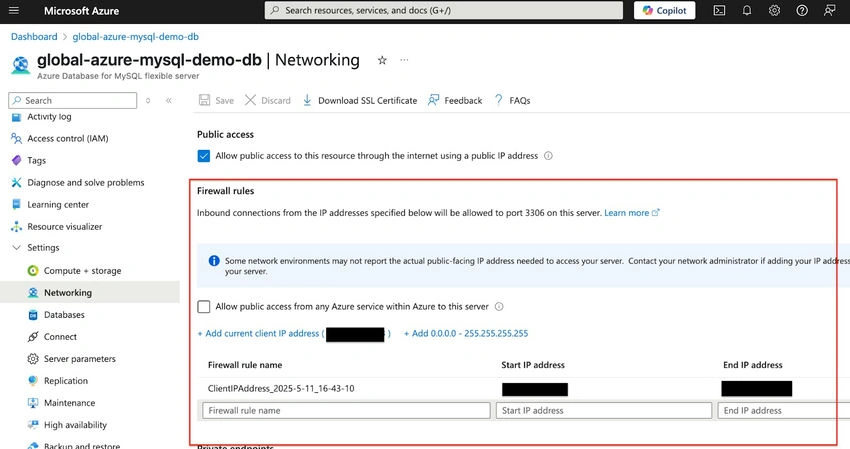
- To create a firewall rule for your IP, click on ‘+ Add current client IP address’
- Next, click on ‘Databases’ from the list of options under ‘Settings’.
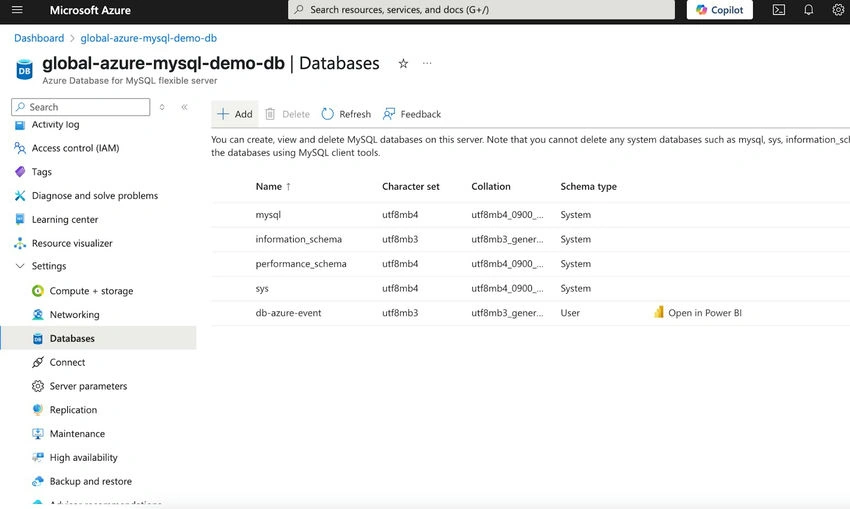
- Click on ‘+Add’ to create your database.
- To create a new database, only the name will be asked.
- Last, click on ‘Connect’ from the list of options under ‘Settings’.
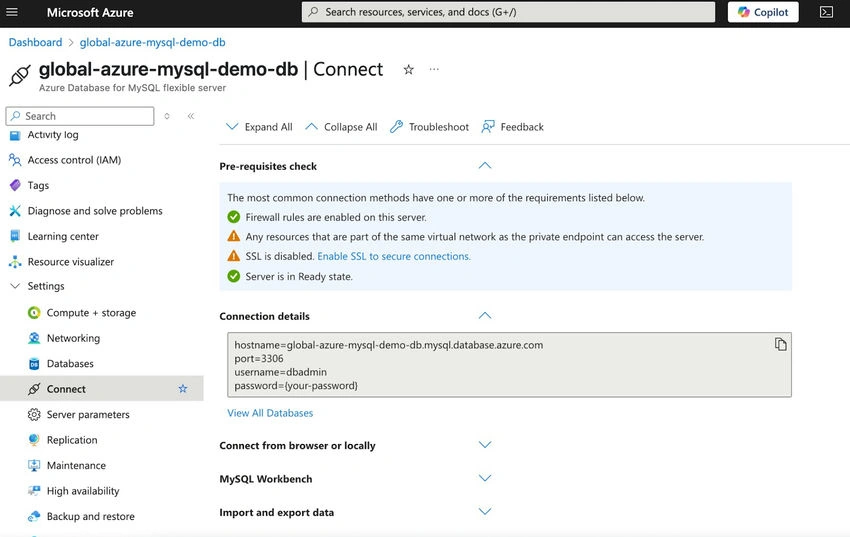
- The information provided under ‘Connection details’ will be used in your code to connect to the service.
- Now the service and the database have been created on Azure. Let’s write a simple php code to see how to make it all work together.
PHP code snippet
Code snippets to perform connect, create, retrieve, update, and delete operations in PHP for MySQL databases.
You can check the official documentation: https://learn.microsoft.com/en-us/azure/mysql/flexible-server/connect-php?tabs=macos%2Cprocedural-create-table%2Cprocedural-insert%2Cprocedural-read%2Cprocedural-update%2Cprocedural-delete
Accessing the database from VS Code
- Open the Extensions in VS Code and look for ‘mysql’.
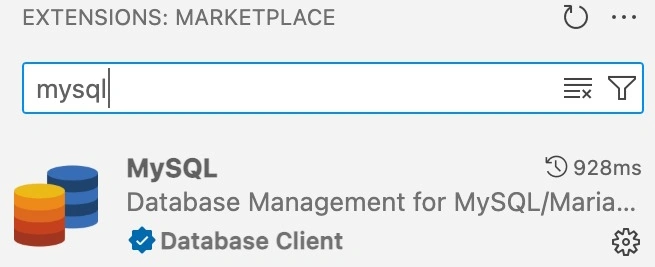
- Install the one from ‘Database Client’.
- Once installed, you will see the extension appear in VS Code as per below.
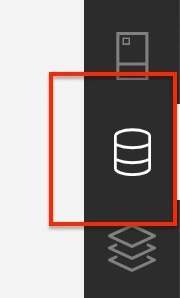
- You will see the following in the pane.
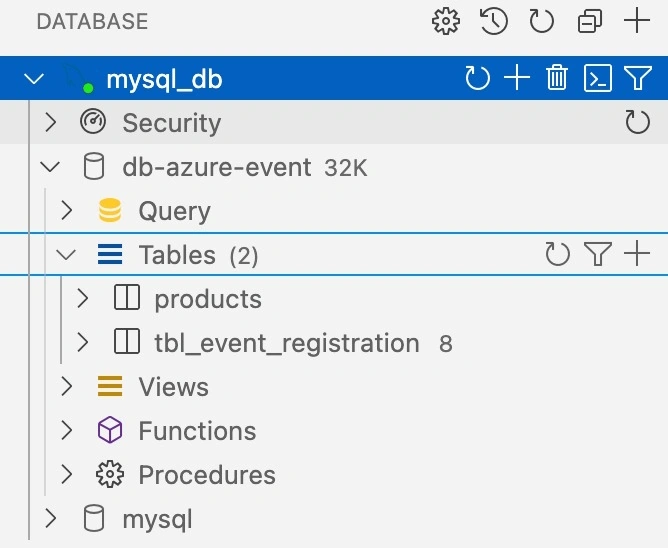
- If you want to add a new database connection, you click on the ‘+’ next to ‘DATABASE’ on top.
- You will be given the following screen:
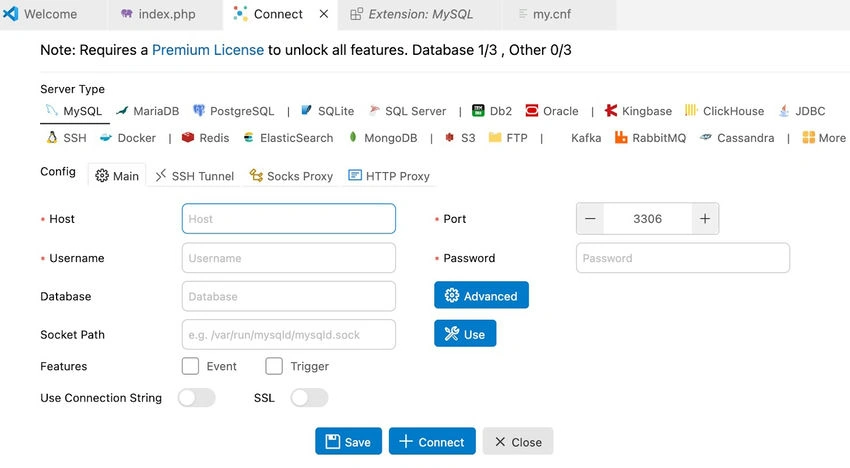
- The required information can be found on Azure in the ‘Connect’ section under ‘Settings’.
- Once the values are entered, click on connect. If there is no error message, you can click on save.
- If you are encountering SSL errors, follow this documentation: https://learn.microsoft.com/en-us/azure/mysql/flexible-server/how-to-connect-tls-ssl.
- When the connection is established, you can view your tables and run queries directly, like in any DBMS.
Conclusion
Getting started with Azure Database for MySQL and PHP doesn’t have to be complicated. With just a few simple steps, you can set up your database on Azure and connect and query it directly from VS Code. You can quickly build and scale secure, cloud-based applications. Whether you're prototyping or building production-grade solutions, this setup lays a solid foundation for performance and growth. Try it out, and let the cloud handle the heavy lifting while you focus on coding what matters.
Reference
- https://learn.microsoft.com/en-us/azure/mysql/flexible-server/connect-php?tabs=macos%2Cprocedural-create-table%2Cprocedural-insert%2Cprocedural-read%2Cprocedural-update%2Cprocedural-delete (I have also suggested the Object Oriented approach in this one).
- https://learn.microsoft.com/en-us/azure/mysql/flexible-server/how-to-connect-tls-ssl
Join the conversation! Your thoughts help the community grow.