

Here, I have described how to develop a simple SPFx application and deploy it in SharePoint online.
Note
The environment should be ready with the required components installed. For more details, refer to this article Set up your SharePoint Framework development environment.
Step 1
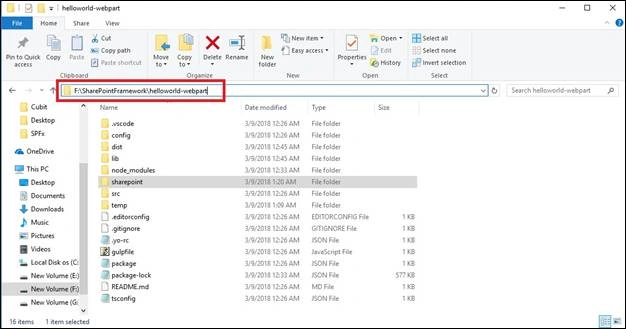
Open the command prompt and select the directory where you want to create solutions. Here, I have created the below directory.
Folder location
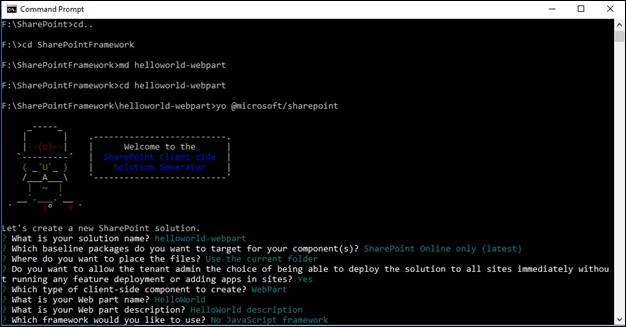
Run the following command for creating an application. It’ll ask to fill in the required inputs.
Note
No JavaScript framework means, it is default to TypeScript.
yo @microsoft/sharepoint
Step 2
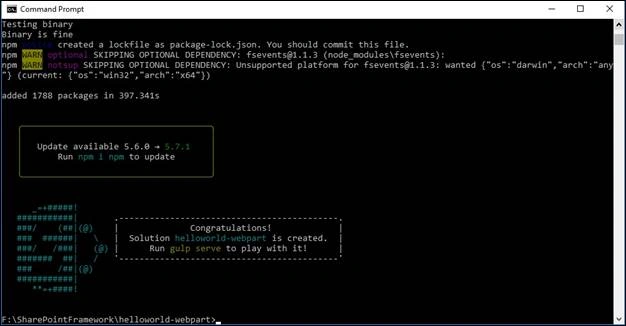
On successful execution of command, SPFx solution is ready to use with the below screenshot.
Step 3
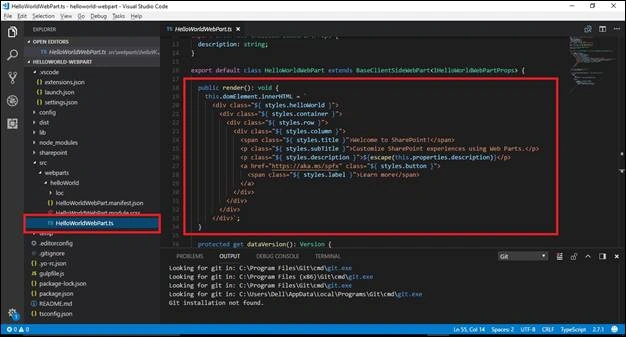
Now, the solution is ready and we can customize the solution by opening it in Visual Studio Code.
Step 4
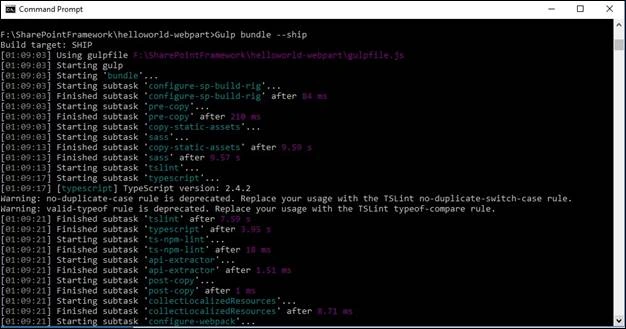
After changes in the solution, run the below command for bundling your solution.
Note - Here, I have not modified anything in the solution.
Gulp bundle --ship
Step 5
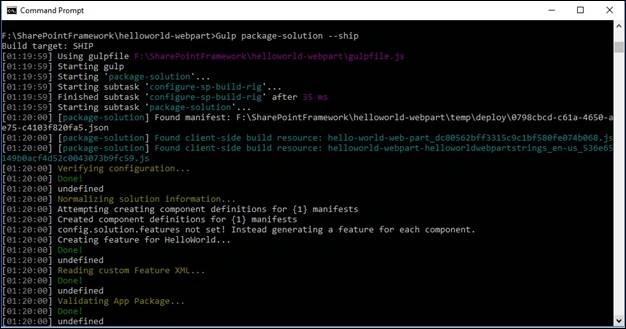
Now, run this command, which will create .sppkg file of your solution.
Gulp package-solution –ship
Step 6
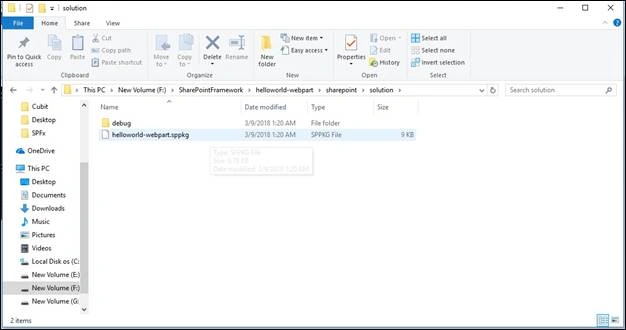
Package file is ready at the below location.
Step 7
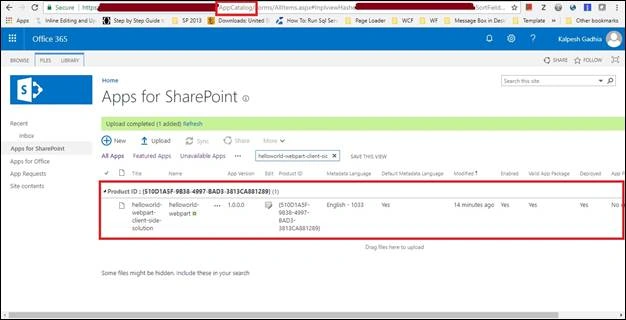
Upload your package file in App catalog. At that time, you will get a pop up; it asks for your web part available for all the sites of this tenant. Tick the checkbox and click to Deploy.
Step 8
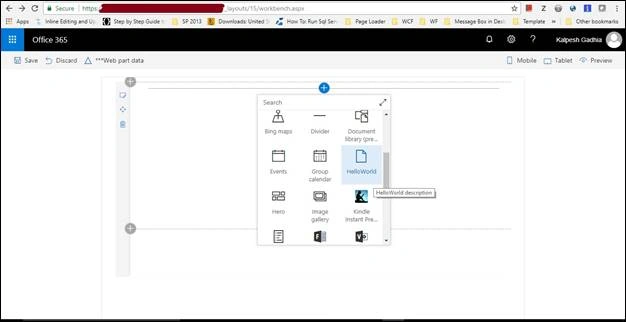
For testing, open workbench.aspx. This is the default page and it is available in the file system. Here, you can get your web part. However, you can also add your webpart in your modern page as well as a classic page.
Path
https://<SharePoint.tenanat>/Site/<SiteName>/_layouts/15/ workbench.aspx
Step 9
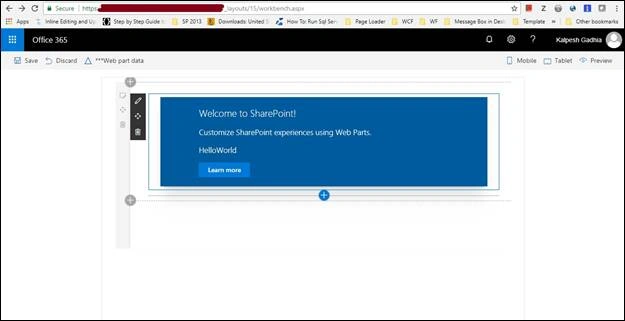
Select your webpart on the page. It’ll be displayed as below.
Classic page
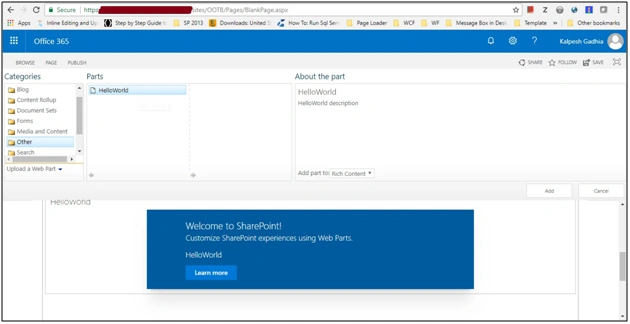
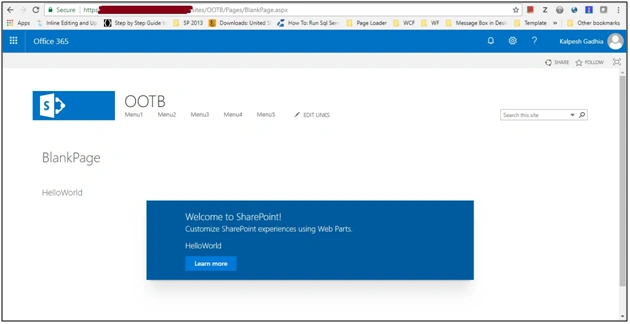
Add webpart on classic page.
Anand BhojanPosted May 2, 2018, 6:39 AM
Good article. when the assets need to be placed on the cdn location?. after placing the files in the cdn location, my app started to work. Its doesnt work just by placing the package in app catalog. do u know why ??
Aakash MauryaPosted Apr 11, 2018, 5:49 AM
Explantation is good. Deploying SpFx webpart to SharePoint doesn't mean to keep your gulp server running mode. Deploying means if you have stopped the gulp server then also the webpart should work.
Raghavendar SwaminathanPosted Mar 13, 2018, 12:57 AM
Hi Kaplesh, Nice start i want to start the SPFx from scratch can you guide me on this