
Introduction
Deployment of an application is a big issue in application software development. Normally you have to check each and every possible scenario before deploying your application so that your current deployment doesn't affect the existing application.
Through Microsoft Visual studio .NET we can do it in a better way.
In this article, I would like to discuss creating a setup project for a web application.
Let us discuss the step-by-step process of creating an installer for a web application. In this article, I am mainly concentrating on the Setup project. You can follow the same steps for creating an installer for any complicated project.
Step I:
Create a Simple web application using Microsoft Visual Studio .NET
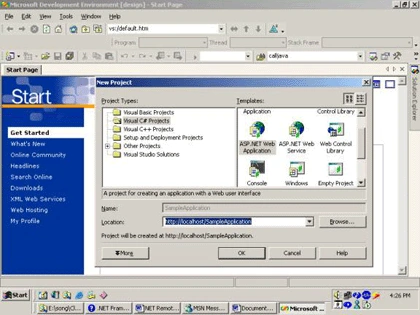
Step II:
Create a Simple WebForm in the web project. You can also add some more Webform or other control in this project by creating a separate directory or in the same directory.
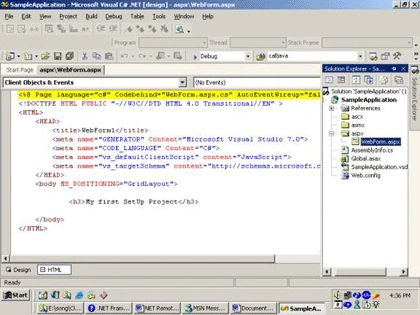
Step III:
Select Setup and Deployment Projects and then select Web Setup Project also specify the location and name of your project.
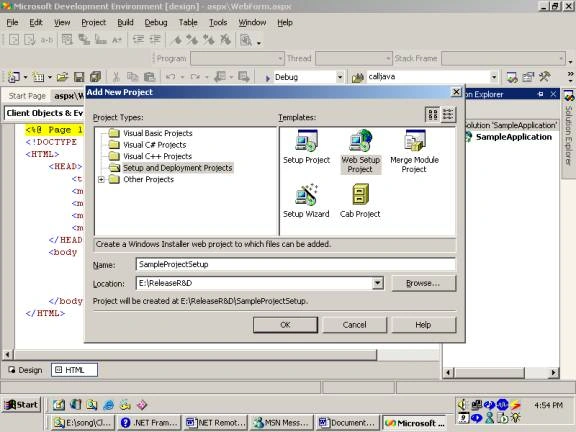
After creating setup project right click on the project and then select view, it will show different possible operations, which you can perform with this setup project.
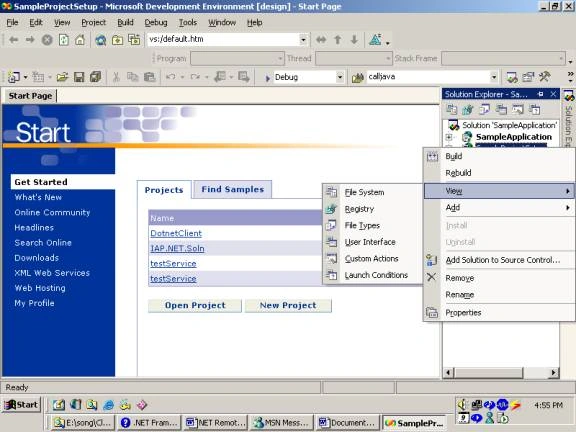
These options are
- File System
- Registry
- File Types
- User interfaces
- Custom Actions
- Launch conditions
Step IV:
Select File system, it is used to create a file system on the target machine. Through this, you can specify what details you want to provide at the target machine.
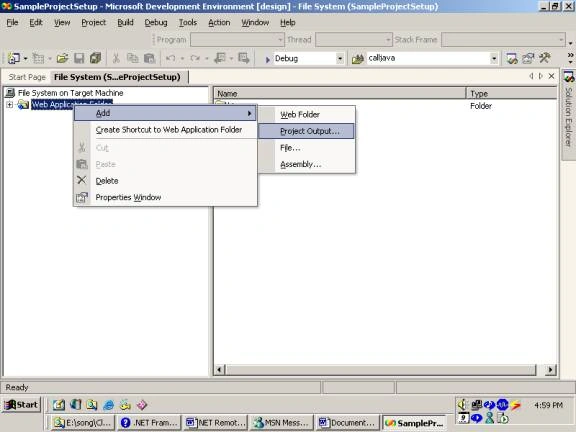
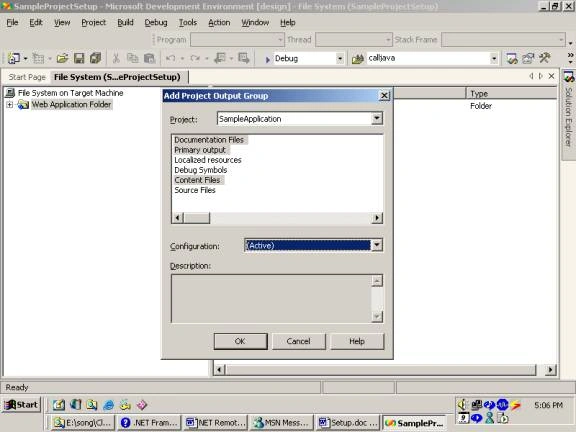
For providing right-click on web application project than select add, it will display certain options out of that select project output. After that select all details you want to supply for the target machine.
Step V:
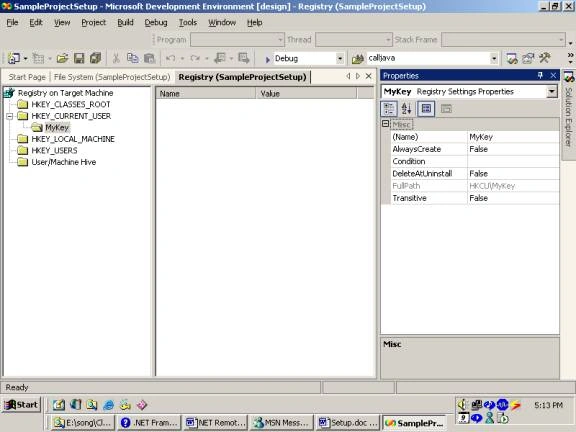
Second Selection is Registry Selection in this selection you can specify the dll, which you want to install at client registry. For that, you have to create an exact structure of registry in the registry folder structure and then you can specify the required DLL for installation in that structure.
You can create a new folder by right-clicking on that folder and then select a new key and define key Name. Each key is associated with a property window where you can specify which dll you want to install in the registry.
Step VI:
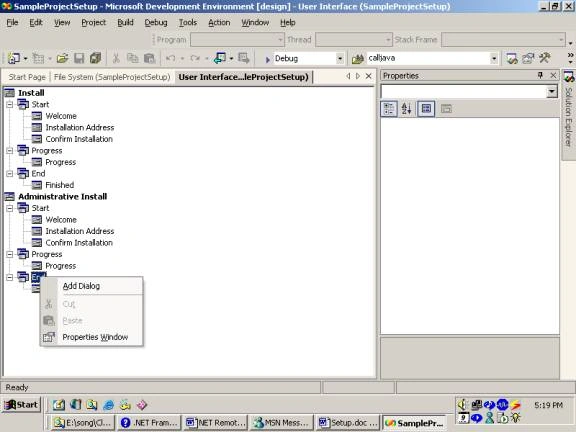
Select User Interface from the view in this selection you can specify what are the screens you want to display during installation process. You can change it, remove it or you can define new screen by right-clicking on the screen header.
Step VIII:
Select Launch Conditions through this condition you can specify your criteria, which are prerequisites for your application installation.
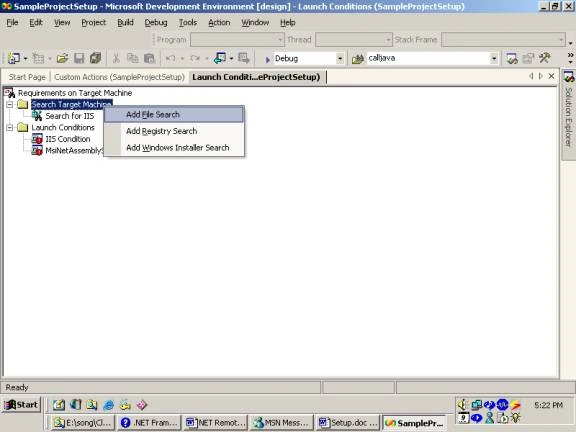
Step IX:
Now the final step is to compile the setup project. After compilation, you will notice that it has generated SampleProjectSetup.msi at the applications bin/debug folder.
You can supply this MSI the target machine, when you run this MSI at the target machine it will create a virtual directory as well as create the same folder structure, which you have specified in File System. This installer will also install the specified libraries in the registry which are specified in the Registry.
Now you can browse that application at the target machine in the same way as you have done at your own machine.
Amit RaiPosted May 28, 2018, 7:18 AM
At Step-IV I am seeing only "content files" while Add--Project output section. please help me.
kannan RamaswamyPosted Aug 29, 2012, 9:13 AM
I have 1 website, 2 webservice, 3 window service , 1 exe. Now the task is need to develope the deployment exe while run in the client place it will ask the connection string,key value in webconfig,storage folder.. Can any one guide .. I go through webdeployment in asp.net
Pankaj SahaPosted Jul 29, 2009, 3:33 AM
I have multipal web application in the same solution and want to create a single setup project. Once I run the setup all the web application should be setup and configure in the IIS. I have tried with the Add Project Output Group and added all the web application but when I run the setup its only configures a single web application.
vikas chaubeyPosted Apr 5, 2007, 7:44 AM
Its an urgent requirement
aperna kPosted Oct 3, 2006, 9:23 AM
hi... Can we create a generalized MSI...so tht any application can use the setup can we if yes can u just say me the steps??? how the virtual directory is being created and wht will be there inside bin folder??wht is the use of BIN?? thanks in advance Aperna