

Introduction
This article shows how to use a calculated field for SSRS reports.
Create a Report Server Project as in Figure 1.
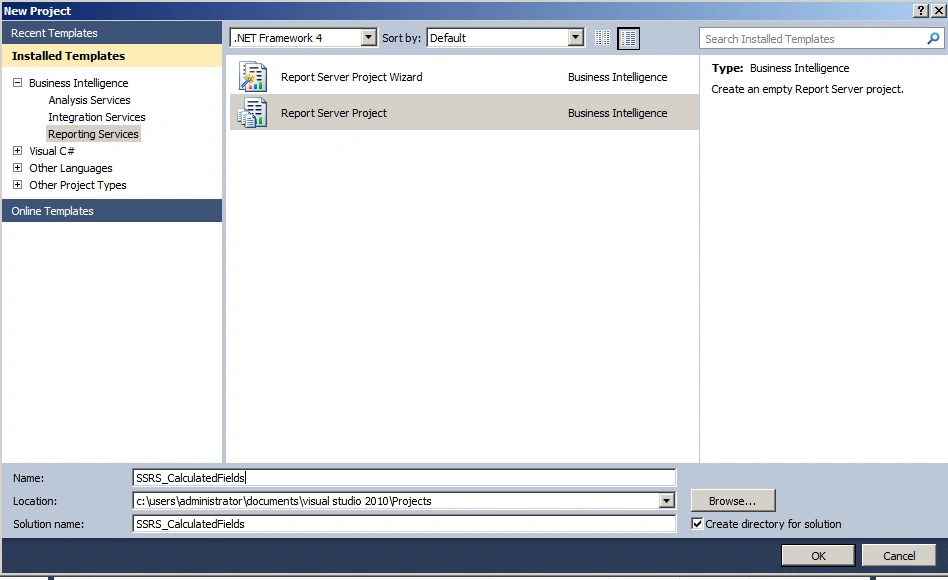
Figure 1: Report Server Project
Add a Data Source as in Figures 2 and 3.
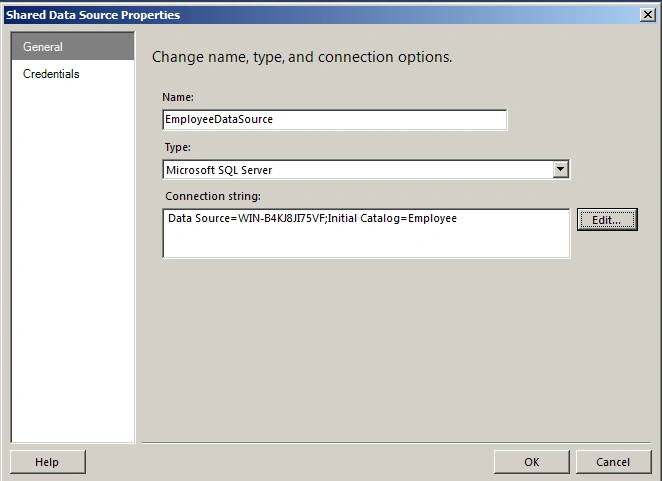
Figure 2: Configure Data Source
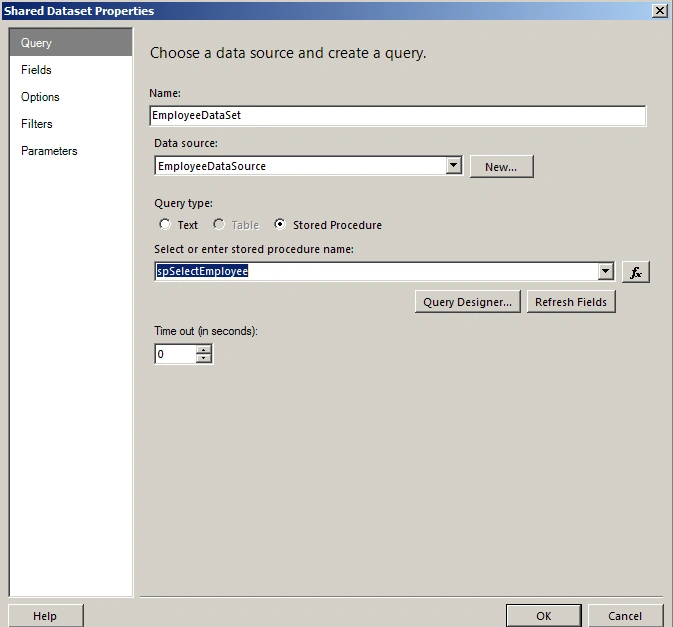
Figure 3: Choose appropriate Stored Procedure
Add a new Report Item as in Figure 4.
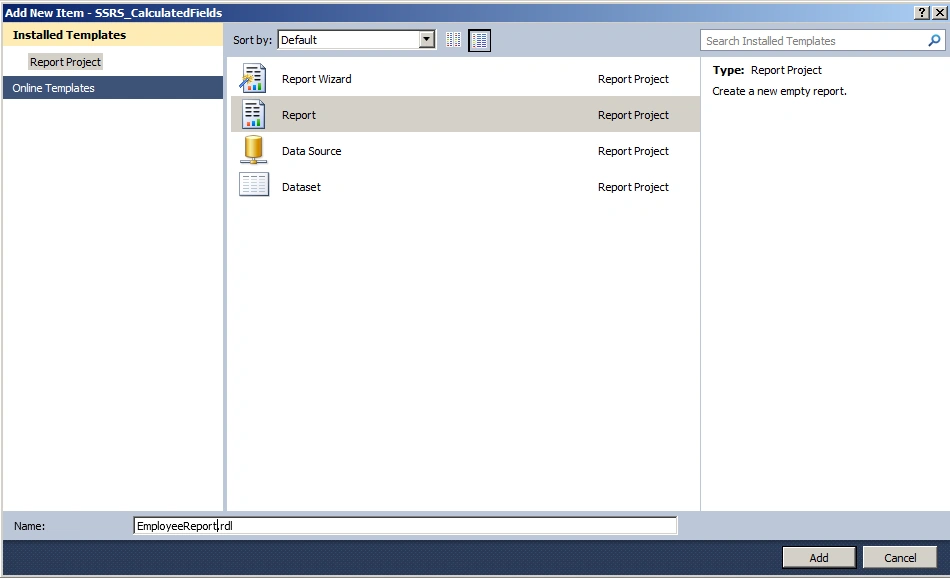
Figure 4: Add Report
Use a table as in Figures 5 and 6.
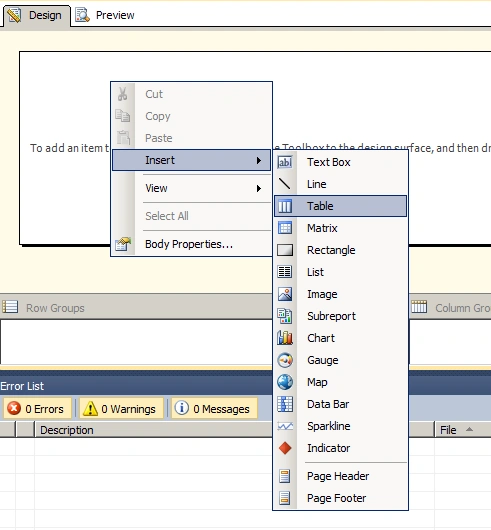
Figure 5: Insert Table
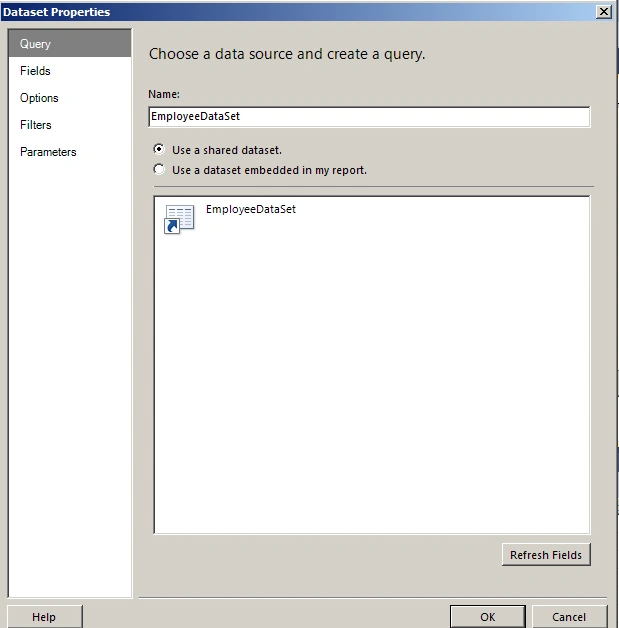
Figure 6: Choose Data Source and create a query
Add a Calculated Field as in Figures 7, 8 and 9.
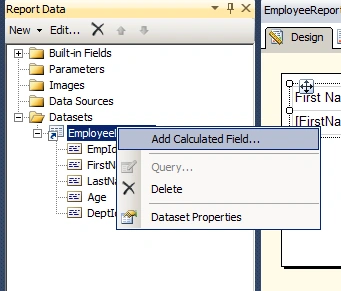
Figure 7: Add calculated field
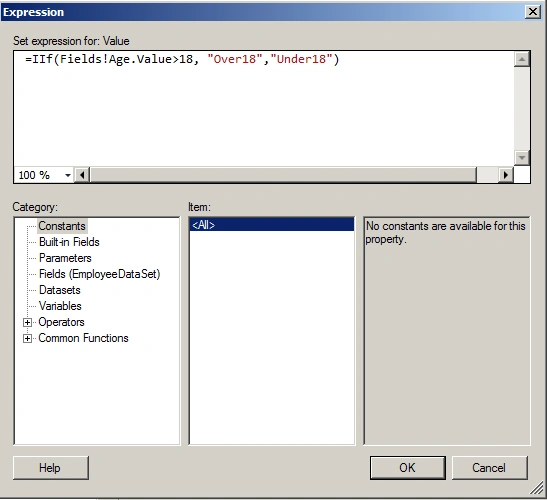
Figure 8: Expression
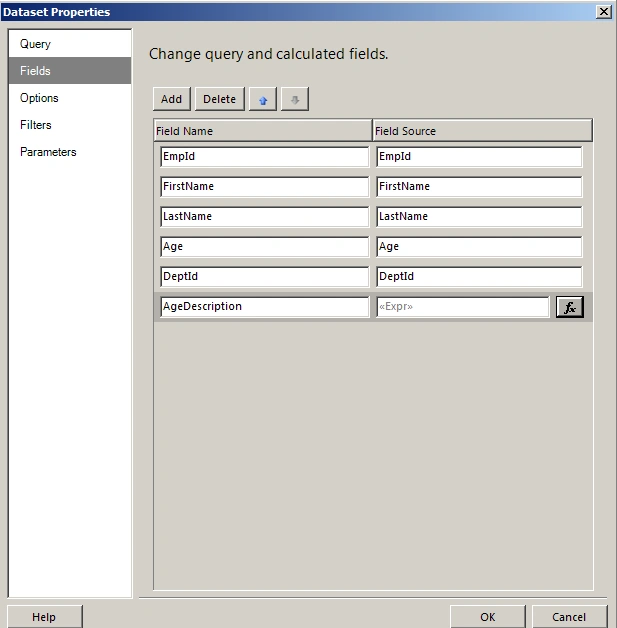
Figure 9: DataSet properties
The output of the report is as in Figures 10 and 11.
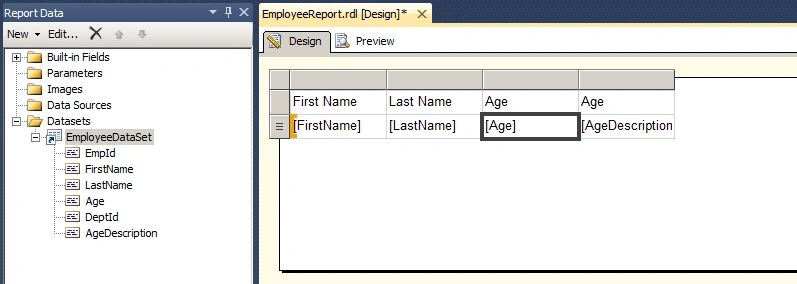
Figure 10: Output Design View
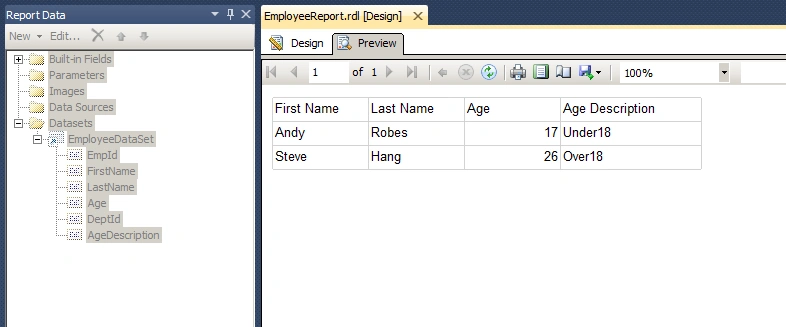
Figure 11: Output Preview
Summary
In this article we saw how to use a calculated field for SSRS reports.
Santhakumar MunuswamyPosted Jun 6, 2015, 2:31 AM
Thanks for nice article