

Introduction
In this article, we’ll explore two common methods for creating staging tables and migrating data to Dynamics 365 Customer Engagement (D365): using SQL Stored Procedures and Azure Data Factory (ADF) Data Flows**. This comparison highlights the pros and cons of each approach, focusing on execution time, cost, and suitability for data migration projects.
Scenario: Migrating D365 Case Records
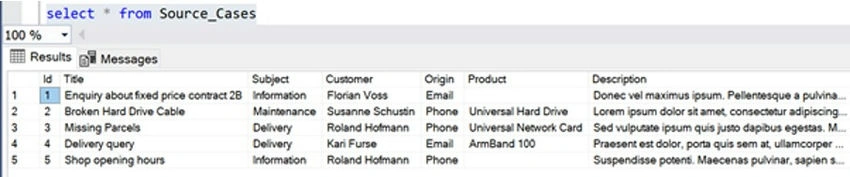
We are tasked with migrating 5 test Dynamics 365 (D365) cases (incident entity) from a Source SQL database. Key attributes of D365 Case records include lookups and optionsets, which need to be resolved before migration.
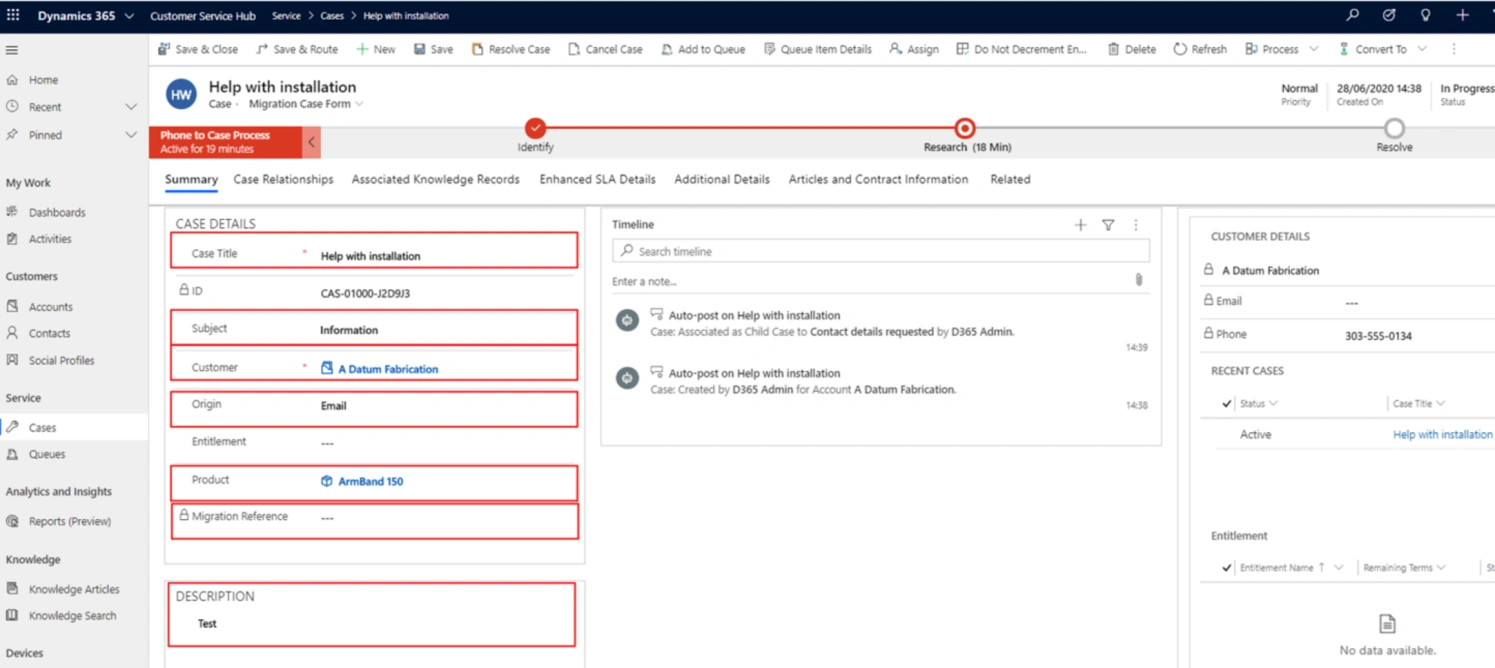
- Lookups: Retrieve underlying D365 record unique identifiers (GUIDs).
- Optionsets: Map D365 optionset integer values.
Once these references are obtained, we can build a staging table to prepare the data for migration.
Resolving References and Creating Staging Table
Before migrating records to D365, we need to create a staging table by joining the source table with various D365 reference tables. Two common methods to achieve this.
- SQL Stored Procedure: Use a stored procedure to create the staging table in the SQL database.
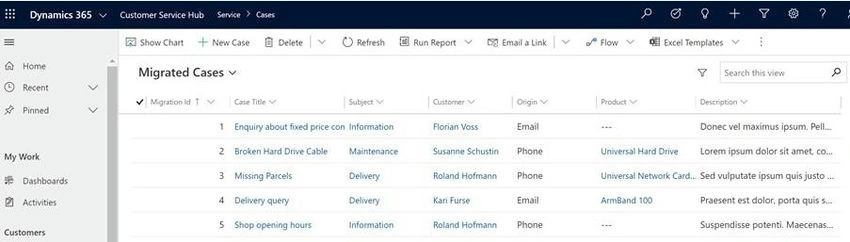
- ADF Data Flow: Use ADF’s no-code data flow transformations to perform the same task.
Option 1. Using SQL Stored Procedure
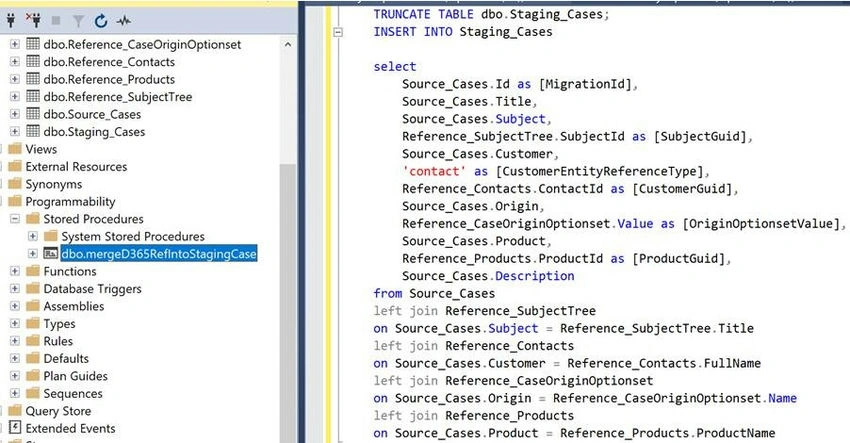
- Write and execute a SQL Stored Procedure to join the source table with reference tables.
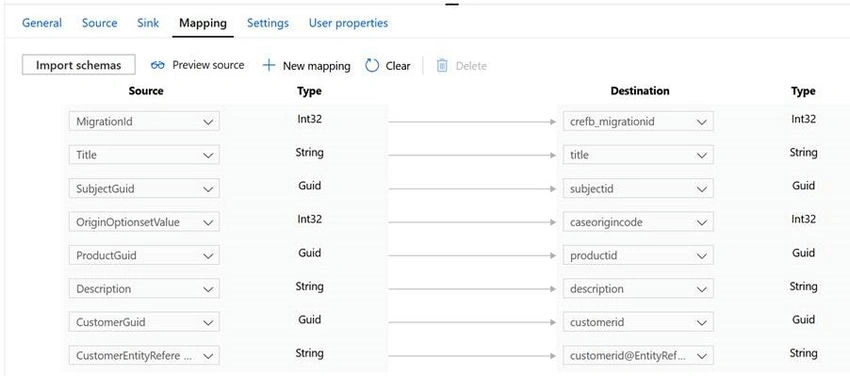
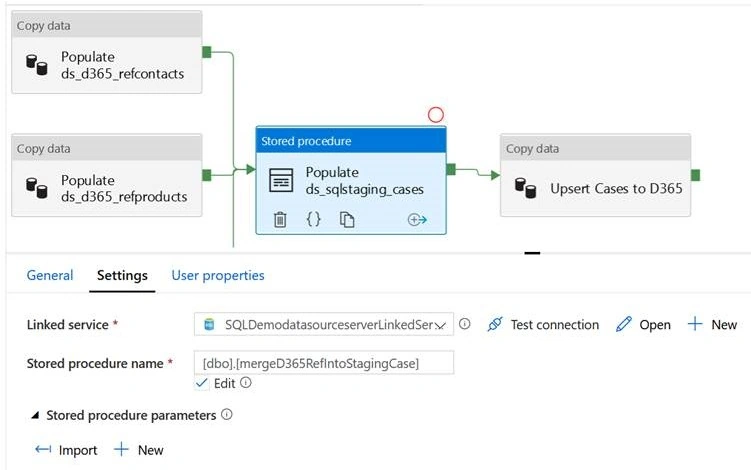
- Call the stored procedure via the ADF Stored Procedure Activity to generate the staging table.
- Use the Copy Activity in ADF to migrate data from the staging table to D365.
Option 2. Using ADF Data Flow
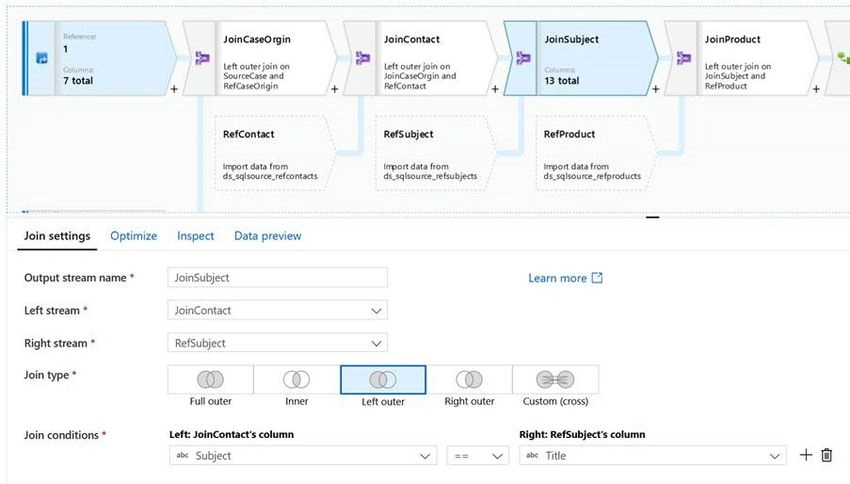
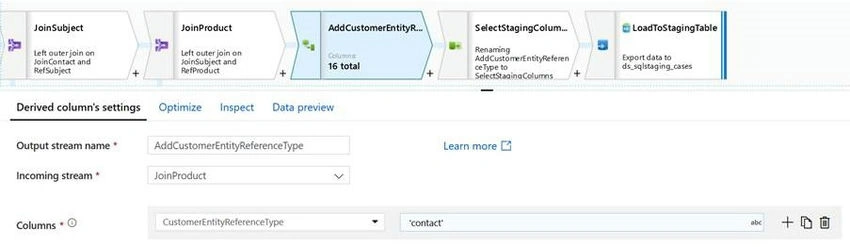
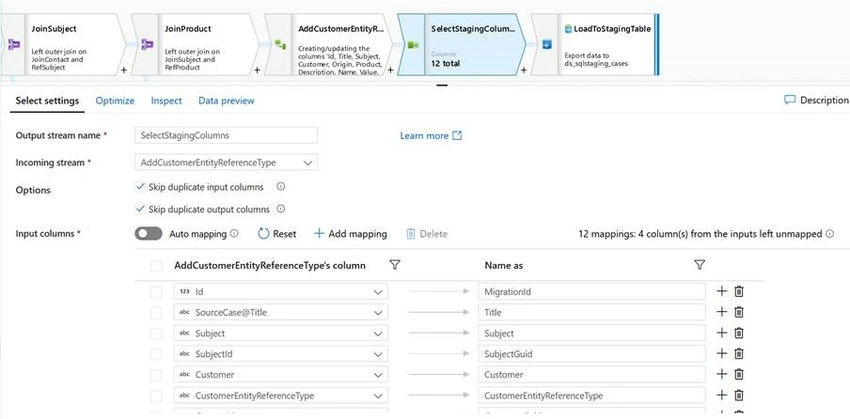
- Build the staging table using ADF Data Flow, performing a series of left joins between the source table and D365 reference tables.
- Add a column to handle multi-entity lookups (e.g., `CustomerEntityReferenceType`).
- Use a Sink Task to load the transformed dataset into the SQL staging table.
- Execute the Data Flow in ADF via the Data Flow Activity in the pipeline.
Performance Comparison: Execution Time
- SQL Stored Procedure: The entire pipeline took 22 seconds to complete, with the stored procedure itself taking only 2 seconds.
- ADF Data Flow: The pipeline using ADF Data Flow took almost 6 minutes to complete, with the data flow activity itself taking 5 minutes 36 seconds.
- Conclusion: The stored procedure significantly outperforms ADF Data Flow in terms of execution time, making it a more efficient option for large-scale data migrations.
Cost Comparison: ADF Pricing
Let’s examine the cost of running these pipelines based on Azure pricing (as of July 2020).
- SQL Stored Procedure: Total cost is **£0.009574 for 5 records.
- ADF Data Flow: Total cost is £0.6523 for the same 5 records.
- Conclusion: ADF Data Flow is not only slower but also much more expensive compared to the SQL Stored Procedure method.
Key Takeaways
- Execution Time: SQL Stored Procedures are significantly faster, especially for complex queries with multiple joins.
- Cost Efficiency: Using SQL Stored Procedures is far more cost-effective, particularly for large-scale migrations where the difference in execution time and cost becomes more pronounced.
- Ease of Use: ADF Data Flow offers a no-code solution, but the added convenience comes at a price in terms of both time and cost.
- Scalability: For small datasets or quick transformations, ADF Data Flow might be sufficient. However, for large data migrations, SQL Stored Procedures remain the preferred option due to their speed and lower cost.
Conclusion
While ADF Data Flow offers a no-code approach to data transformation, the execution time and associated costs make SQL Stored Procedures a better option for most data migration tasks, especially when dealing with large volumes of data in Dynamics 365 projects.
Join the conversation! Your thoughts help the community grow.