

System Views
When we create a new Database then SQL Server automatically creates System Views.
The following are a few System Views:
- sys.databases
- sys.tables
- sys.triggers
- sys.views
- sys.procedures
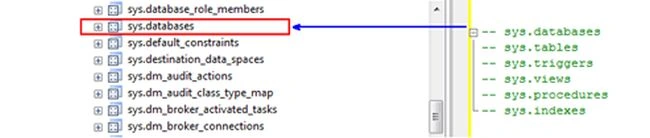
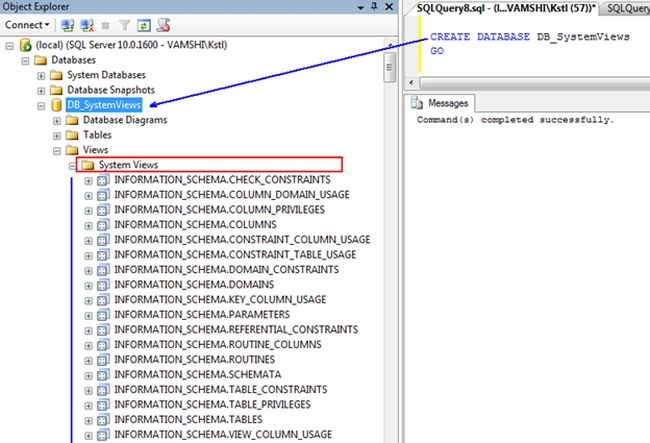
sys.databases view
The sys.databases view:
- Returns all the databases (system databases and user defined) names, database created date, user access description and other information of the database.
- Here we show only the Name, created date and user access description.
SELECT name[DBName],create_date[CreatedDate],user_access_desc[UserAccessDescription] FROM sys.databases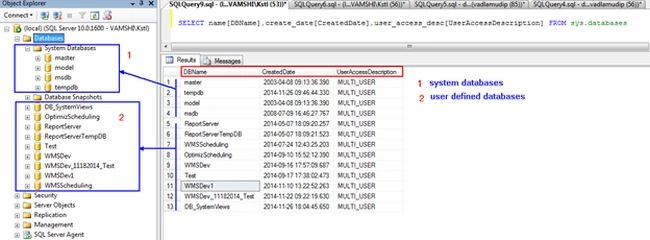
sys.tables view
The sys.tables view returns all the tables information (like table name, type of table, created date and modified date and so on) in a database:
- Create database name as “DB_SystemViews”.
- Create tables(tbl_defaultValues, tbl_parent and tbl_child) in that database.
- CREATE DATABASE DB_SystemViews
- GO
- CREATE TABLE tbl_defaultValues
- (
- Id INT IDENTITY(1,1) not null
- )
- GO
- CREATE TABLE tbl_parent
- (
- Id INT IDENTITY(1,1) CONSTRAINT PK_tbl_parent_Id PRIMARY KEY,
- Name VARCHAR(50)
- )
- GO
- CREATE TABLE tbl_child
- (
- Id INT IDENTITY(1,1) PRIMARY KEY,
- Name VARCHAR(50),
- ParentId INT CONSTRAINT FK_tbl_parent_tbl_child_ParentId FOREIGN KEY REFERENCES tbl_parent(Id)
- )
- USE DB_SystemViews
- GO
- SELECT
- name[TableName],
- type_desc[Description],
- create_date[TableCreatedDateWithTime],
- modify_date[TableModifeidDateWithTime]
- FROM sys.tables
- GO
The preceding query returns DB_SystemViews database tables.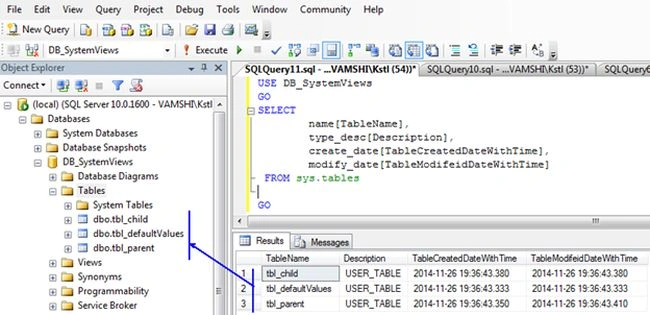
sys.triggers view
The sys.triggers view returns all the triggers information (like trigger name, type of trigger, created date and modified date and so on) in the database tables.
Create simple triggers for two different tables (tbl_parent and tbl_child).
- USE DB_SystemViews
- GO
- CREATE TRIGGER trg_parentTrigger ON tbl_parent FOR INSERT
- AS
- INSERT INTO dbo.tbl_defaultValues default values
- GO
- CREATE TRIGGER trg_childTrigger ON tbl_child FOR INSERT
- AS
- INSERT INTO dbo.tbl_defaultValues default values
- GO
- USE DB_SystemViews
- GO
- SELECT
- name[TriggerName],
- type_desc[TriggerType],
- create_date[TriggerCreatedDate],
- modify_date[TriggerModifiedDate]
- FROM sys.triggers
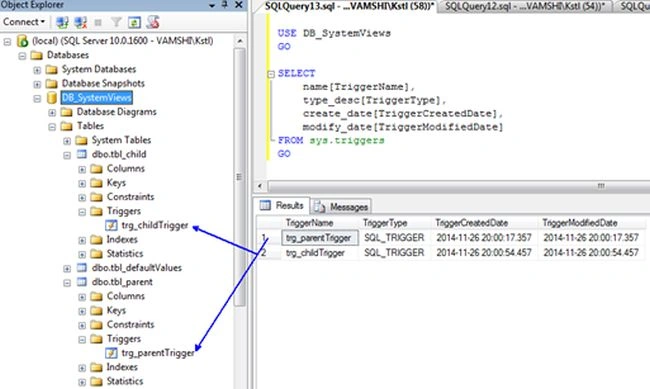
- This view also shows trigger tables and trigger status also.
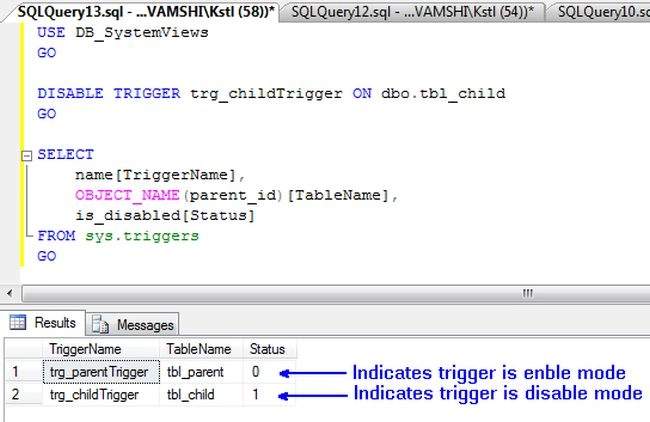
- Status indicates whether the trigger is in enabled or disabled mode, it returns a Boolean value.
- 0: indicates the trigger is in Enabled mode
- 1: indicates the trigger is in Disabled mode
- USE DB_SystemViews
- GO
- --disable the trigger
- DISABLE TRIGGER trg_childTrigger ON dbo.tbl_child
- GO
- SELECT
- name[TriggerName],
- OBJECT_NAME(parent_id)[TableName],
- is_disabled[Status]
- FROM sys.triggers
- GO
sys.views view
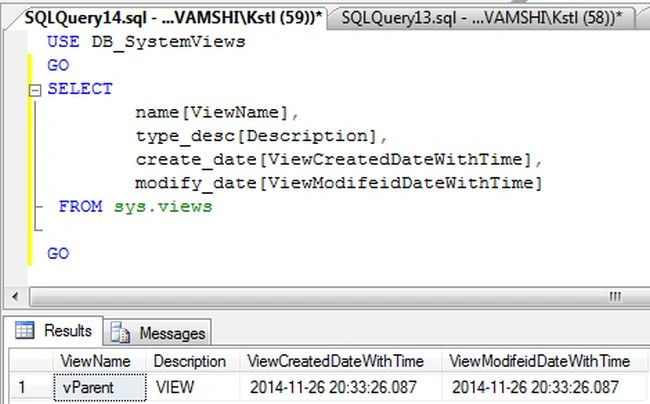
The sys.views view returns all the views information (like view name, type of view, created date and modified date and so on) in a database.
The following shows how to create a simple view:
- USE DB_SystemViews
- GO
- CREATE VIEW vParent
- AS
- select * from tbl_parent
- GO
- USE DB_SystemViews
- GO
- SELECT
- name[ViewName],
- type_desc[Description],
- create_date[ViewCreatedDateWithTime],
- modify_date[ViewModifeidDateWithTime]
- FROM sys.views
- GO
sys.procedures view
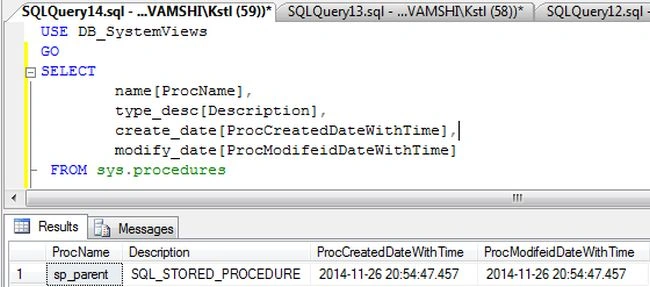
The sys.procedures view returns all the procedures information (like procedure name, type of procedure, created date and modified date and so on) in a database.
The following shows how to create a simple proc:
- USE DB_SystemViews
- GO
- CREATE PROC sp_parent
- AS
- SELECT * FROM tbl_parent
- GO
- USE DB_SystemViews
- GO
- SELECT
- name[ProcName],
- type_desc[Description],
- create_date[ProcCreatedDateWithTime],
- modify_date[ProcModifeidDateWithTime]
- FROM sys.procedures
Vamshi KrishnaPosted Nov 26, 2014, 11:01 PM
thank you Manish kumar choudary sir...
Manish Kumar ChoudharyPosted Nov 26, 2014, 10:55 PM
Nice one Vamshi Krishna sir..