

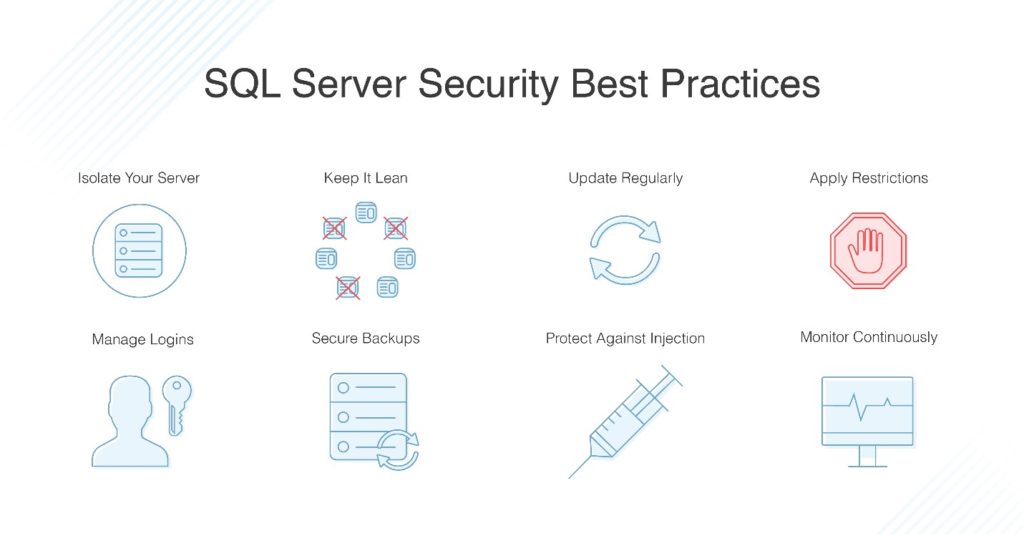
Security is one of the most important aspects of any database system.
As developers, we often focus on performance and forget that a single insecure query or open permission can expose sensitive business data.
In this article, let’s understand SQL Server Security Best Practices that every developer should follow — with examples, explanations, and a simple flowchart.
🔐 Why Security Matters
Modern applications store critical data — user credentials, financial transactions, personal information, etc.
If your SQL Server isn’t configured securely, attackers can exploit vulnerabilities such as:
SQL Injection
Privilege Escalation
Data Leakage
Unauthorized Access
That’s why database-level security must be a shared responsibility between developers and DBAs.
🧩 Security Layers in SQL Server
Before jumping into best practices, understand that SQL Server security has multiple layers :
Authentication: Who can access the server
Authorization: What actions they can perform
Encryption: How data is protected in transit and at rest
Auditing: Tracking who did what and when
⚙️ Best Practices for Developers
Let’s break down the most essential security best practices step by step.
1. Use Parameterized Queries (Prevent SQL Injection)
Never concatenate user input directly in your SQL statements.
❌ Vulnerable Example
string query = "SELECT * FROM Users WHERE Username = '" + userInput + "'";
✅ Safe Example
    SqlCommand cmd = new SqlCommand("SELECT * FROM Users WHERE Username = @Username", conn);
cmd.Parameters.AddWithValue("@Username", userInput);
Why: Parameterized queries ensure that input is treated as data, not executable SQL, preventing SQL injection attacks.
2. Follow the Principle of Least Privilege
Grant only the permissions required — nothing more.
❌ Don’t
Use
saor system admin accounts for applications.Give
db_ownerrole to every user.
✅ Do
Create application-specific users with limited access.
Assign roles like
db_datareaderordb_datawriteras needed.
3. Secure Connection Strings
Never store connection strings in plain text inside your source code.
✅ Use Configuration Files or Secrets Manager:
.NET Core: Store in
appsettings.jsonand protect with User Secrets or Azure Key Vault.Windows: Use DPAPI or Encrypted Configuration Sections.
Example
    "ConnectionStrings": {
  "DefaultConnection": "Server=myServer;Database=myDB;User Id=appUser;Password=***;"
}
4. Encrypt Sensitive Data
Use SQL Server encryption features to protect confidential data.
🔸 Transparent Data Encryption (TDE)
Encrypts the database files (.mdf, .ldf) at rest.
    CREATE DATABASE ENCRYPTION KEY
WITH ALGORITHM = AES_256
ENCRYPTION BY SERVER CERTIFICATE MyServerCert;
ALTER DATABASE MyDB SET ENCRYPTION ON;
🔸 Column-Level Encryption
Encrypt specific columns like passwords or credit card numbers.
    CREATE COLUMN MASTER KEY MyKey
WITH ALGORITHM = RSA_2048;
5. Avoid Hardcoding Credentials
❌ Never hardcode usernames, passwords, or keys in your code.
✅ Always use:
Environment variables
Secure configuration management
Secret stores (e.g., Azure Key Vault, AWS Secrets Manager)
6. Enable Row-Level Security (RLS)
Row-Level Security restricts data visibility based on user or role.
Example
    CREATE SECURITY POLICY SalesFilter
ADD FILTER PREDICATE dbo.fnSecurityPredicate(UserID)
ON dbo.Sales WITH (STATE = ON);
This ensures each user can only see data they are authorized to view.
7. Implement Data Masking
Use Dynamic Data Masking to hide sensitive information from unauthorized users.
    ALTER TABLE Customers
ALTER COLUMN Email ADD MASKED WITH (FUNCTION = 'email()');
Result
Admin sees full email:
[email protected]Analyst sees masked:
[email protected]
8. Regularly Patch and Update SQL Server
Always apply the latest SQL Server Service Packs and Cumulative Updates .
Outdated versions often contain known vulnerabilities that hackers exploit.
9. Use Secure Network Connections (SSL/TLS)
Enable encryption for data in transit.
Force Encryption = Yes
In the connection string:
Encrypt=True;TrustServerCertificate=False;
10. Audit and Monitor Database Activity
Enable SQL Server Audit to track actions such as login attempts, schema changes, or data access.
    CREATE SERVER AUDIT Audit_LoginTracking
TO FILE (FILEPATH = 'C:\AuditLogs\')
WITH (ON_FAILURE = CONTINUE);
Then:
ALTER SERVER AUDIT Audit_LoginTracking WITH (STATE = ON);
You can later review logs to identify suspicious activities.
📊 Flowchart: SQL Server Security Flow
Here’s a simple visualization of how SQL Server enforces security at multiple layers:
    ┌────────────────────────┐
                │   User / Application    │
                └──────────┬──────────────┘
                           │
                           ▼
             ┌────────────────────────┐
             │ Authentication Layer   │
             │ (Login / Password / AD)│
             └──────────┬──────────────┘
                           │
                           ▼
             ┌────────────────────────┐
             │ Authorization Layer     │
             │ (Roles, Permissions)    │
             └──────────┬──────────────┘
                           │
                           ▼
             ┌────────────────────────┐
             │ Row-Level / Data Access │
             │ (RLS, Masking, Filters) │
             └──────────┬──────────────┘
                           │
                           ▼
             ┌────────────────────────┐
             │ Encryption Layer        │
             │ (TDE, SSL, Column Key)  │
             └──────────┬──────────────┘
                           │
                           ▼
             ┌────────────────────────┐
             │ Auditing & Monitoring   │
             │ (Logs, Alerts, Reports) │
             └────────────────────────┘
This layered approach ensures defense at every step of the data access process.
✅ Final Checklist for Developers
| Security Area | Best Practice | Example |
|---|---|---|
| Input Handling | Parameterized Queries | @param |
| Access Control | Least Privilege | Limited Roles |
| Data Protection | Encryption & Masking | TDE / AES |
| Secrets Management | No Hardcoded Credentials | Azure Key Vault |
| Monitoring | SQL Server Audit | Audit Logs |
🔎 Conclusion
Database security is not only a DBA’s responsibility — developers must build it into the application from day one.
A secure SQL Server setup involves authentication, authorization, encryption, and auditing — all working together.
Remember:
“Performance issues can hurt your app, but security issues can destroy your business.”
So, follow these practices consistently and make SQL Server security a habit, not a checklist.
Join the conversation! Your thoughts help the community grow.