

Overview
The database is one of the most important elements in an organization/company's information system. It is often a target for hackers.
Recently, in my previous organization, a group of persons hacked the online trading database ofa bank. YES, a bank.
Here, Microsoft SQL Server has developed a key feature introduced in SQL Server 2014, which is backup encryption; i..e., encryption of database backup with a particular algorithm and while restoring a particular backup restoring with a key.
As part of the daily routine activities of DBA, if a particular requirement comes from business users, the activity that DBA does takes backup from one server and restores in another server as shown in below diagrams.
So let’s see how encryption is done in SQL Server 2014. Here I will illustrate what you will find in SQL server 2014
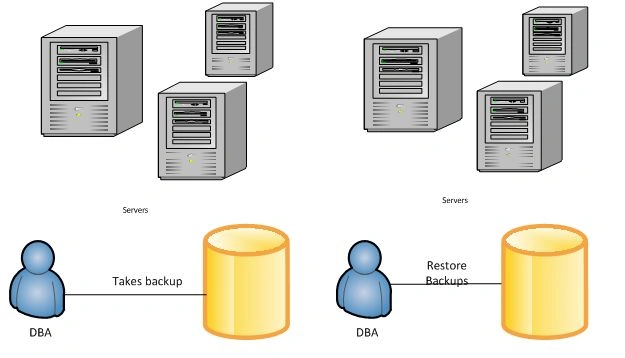
Note: The diagrams are been drawn by me in Microsoft Visio.
Tip: Microsoft Visio is the best tool for presentation and representating data and it is recommend you buy the license version so you will be able to showcase your creativity in articles or in presentations.
1. SQL Server offers two ways of encryption
- Transparent Data Access (TDA): From SQL Server 2008, SQL provides TDA i.e. transparent data access it enables encryption to database backups and restricts to access storage. Here major drawback in TDA is huge database generally ifGB. Export back up is taken on storage and ten on to tape library. Here I am referring tape library are nothing but IBM storage. In export backup it is observe red in TDA as CPU Utilization is high.
- Backup Encryption: SQL Server introduced yet another feature in SQL Server 2014 which is backup encryption as it supports database backups directly from backup engines. Now here in backup encryption, encryption is only done while taking backups and restoring backups (decryption with and key).
2. How does SQL Server Encryption work
- As you can see in below diagram SQL Server has a hierarchical encryption infrastructure. Here the term Service Master Key automatically gets generated during SQL Server 2014 installation and it gets stored in master database and it will be unique for every SQL Instance.
- SQL Master Key depends on SQL Service Account and Windows Data Protection API i.e. it depends on this both credentials.
- The next architecture layer is Database Master Key. Here DMK resides in master database and it is encrypted with the help of Service Master Key.
- The next architecture layer is the Private Key which is supported or protected by Database Master Key or you can say asymmetric key.
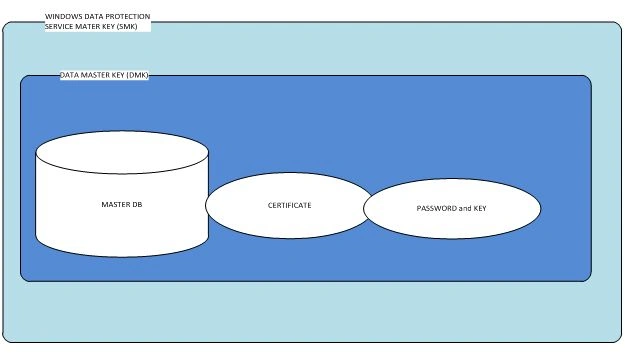
3. SQL Server Backup Algorithms
SQL Server backup encryption provides algorithm for data encryption like AES 128, AES 192, AES 256 and DES algorithm respectively.
- Advanced Encryption Standard (AES): Advanced Encryption Standard is specification which is mainly used to encrypt electronic data. Advanced Encryption consists of three blocks ciphers AES 128, AES 192, AES 256 here each blocks encrypts data in 128 block cipher.
- Data Encryption Standard (DES): Data Encryption Standard is also known as Data encryption algorithm. DES is a block cipher that encrypts 64 bit blocks. DES is a symmetric algorithm meaning a same algorithm is used for encryption and decryption. In Order to improve security they had introduces Triple DES it generates 168 bit block data but again it’s not been proven ineffective against brute force attacks.
4. SQL Server Backup Encryption
Let’s start SQL Server Backup Encryption in SQL Server 2014 while installing SQL Server 2014 Service Master Key (SMK) and Database Master Key (DMK) is generated automatically while installing SQL Server. Now you can check by performing a query sys.symmetric_keys.
- You can check by this query that SMK and DMK exists in Master Database.
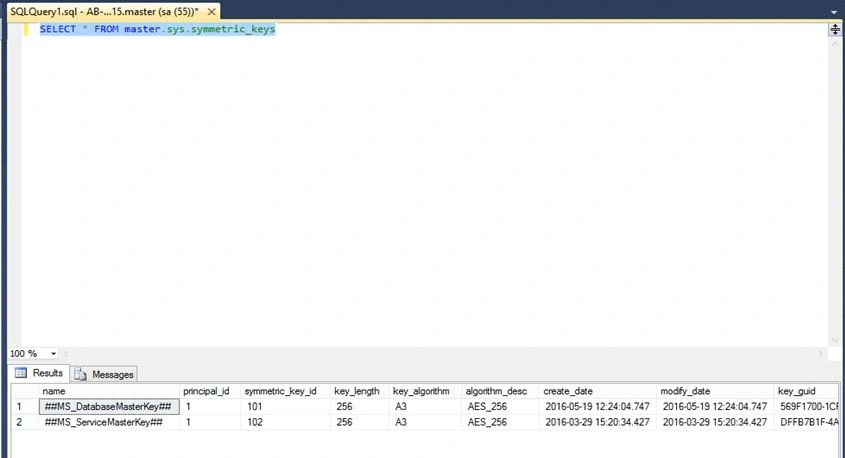
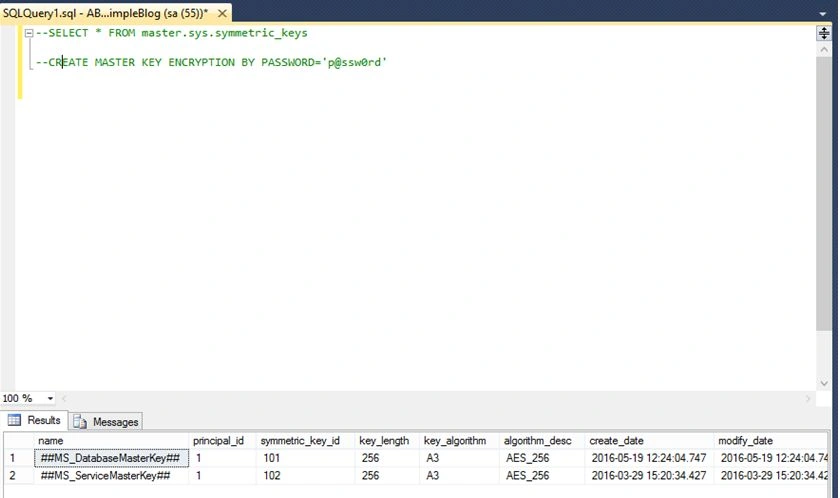
- If ##MS_DatabaseMasterKey## does not exists then ,lets create master key according to following screenshot identify by password.
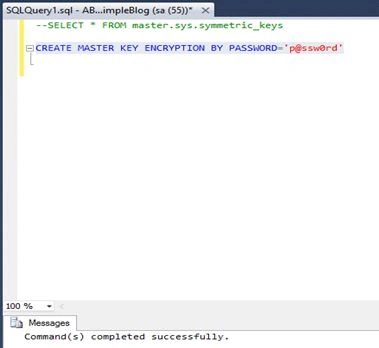
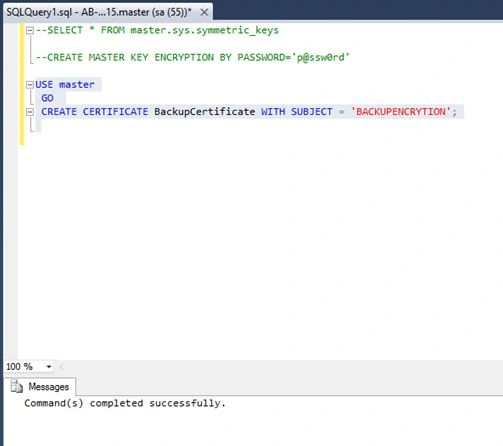
- Now we need to Certificate for the same. Use Following Command:
As soon as you run this command you will see a certificate appeared in master database ->certificate- Use Master
- GO
- CREATE CERTIFICATE BackupCertificate WITH SUBJECT=’BACKUPENCRYPTION’
Refer screenshot below:
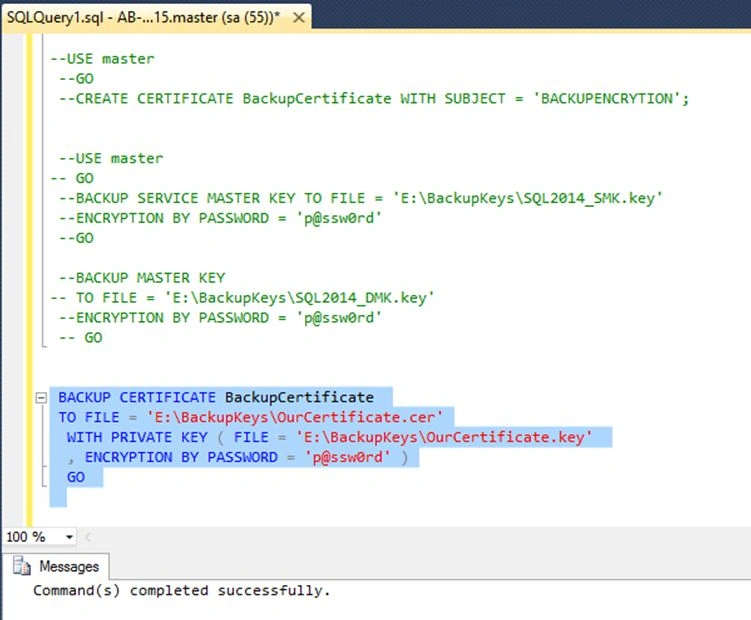
Now Comes the main Part . Now the certificate which has been created you need to backup that certificate on you local server/PC in order to restore database/backup to different server and so on . Backup the certificate and private Key associated to it respectively.
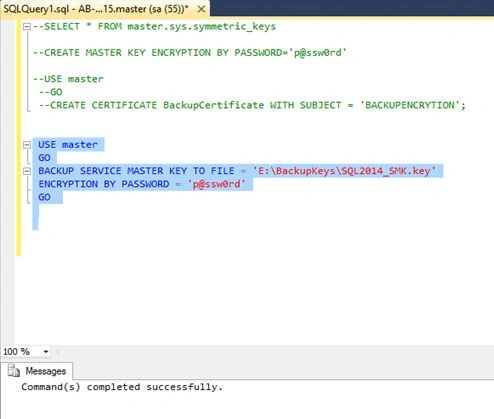
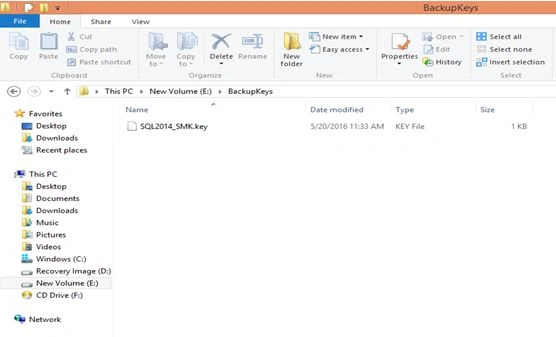
Backup the Database master Key (DMK),
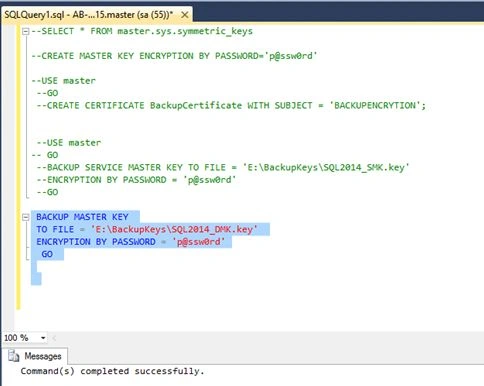
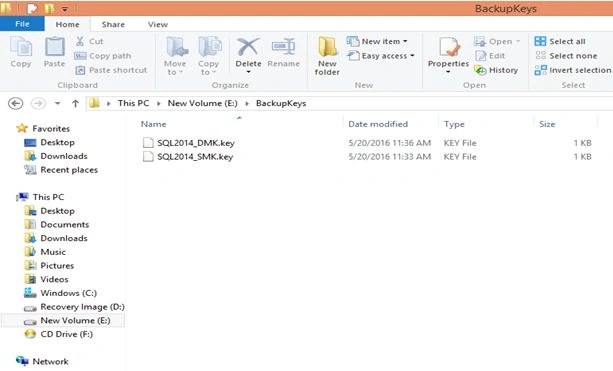
Now Backup the certificate,
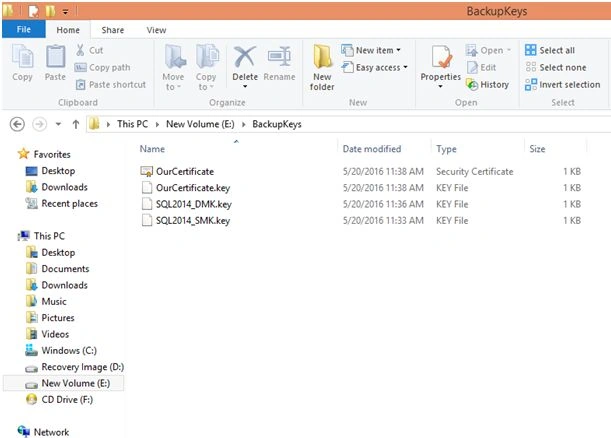
You will see a certificate in that location :
- SQL Server Performing backups.
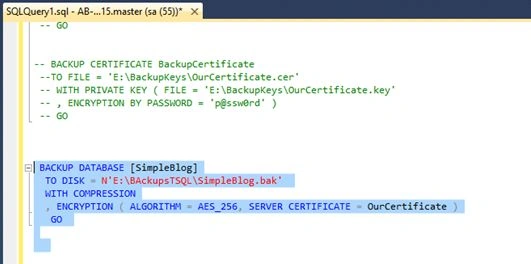
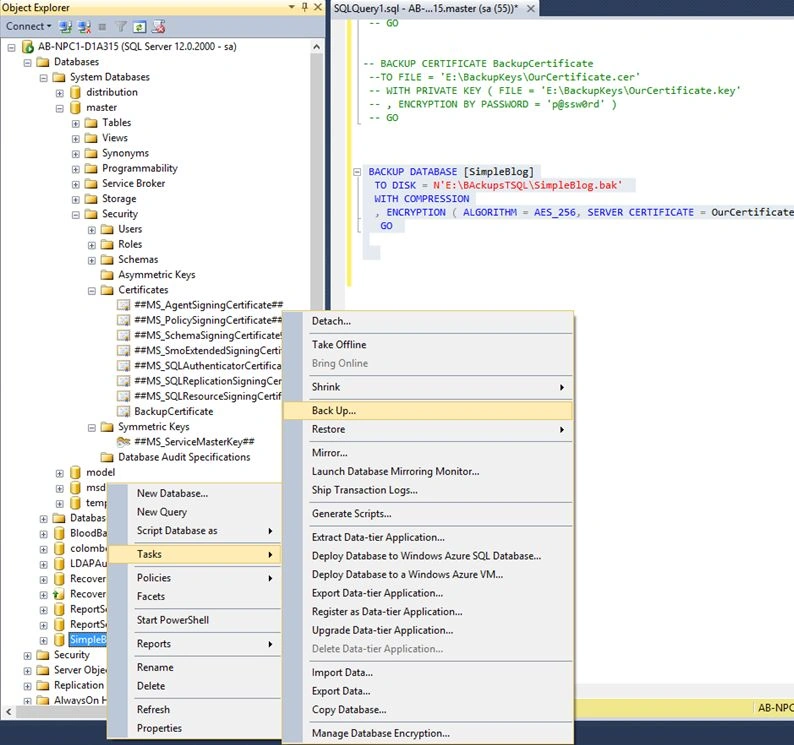
You can perform this encrypted backups by two ways using normal T-SQL and GUI through will Show you both ways :
T-SQL:
GUI:
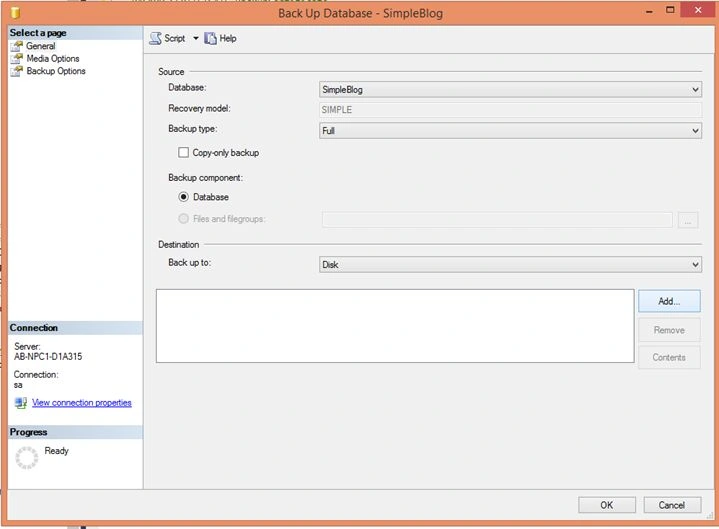
Add Path Where you want to take that Backup.
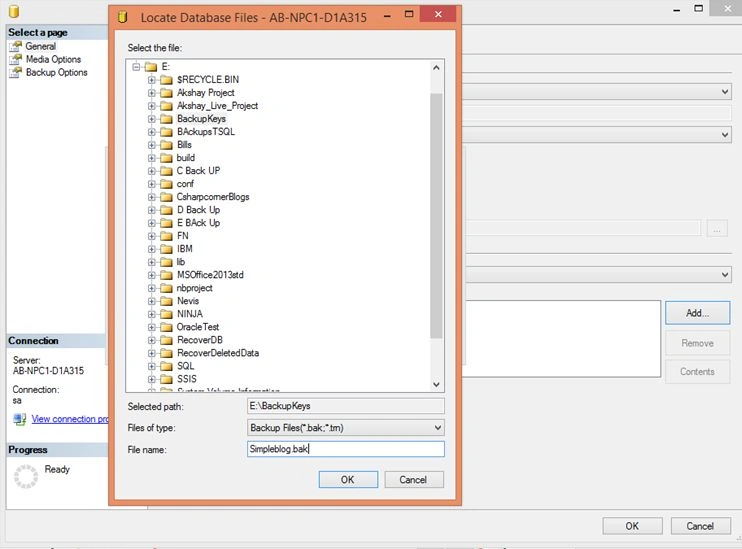
Click Ok -> Go To Media Options.
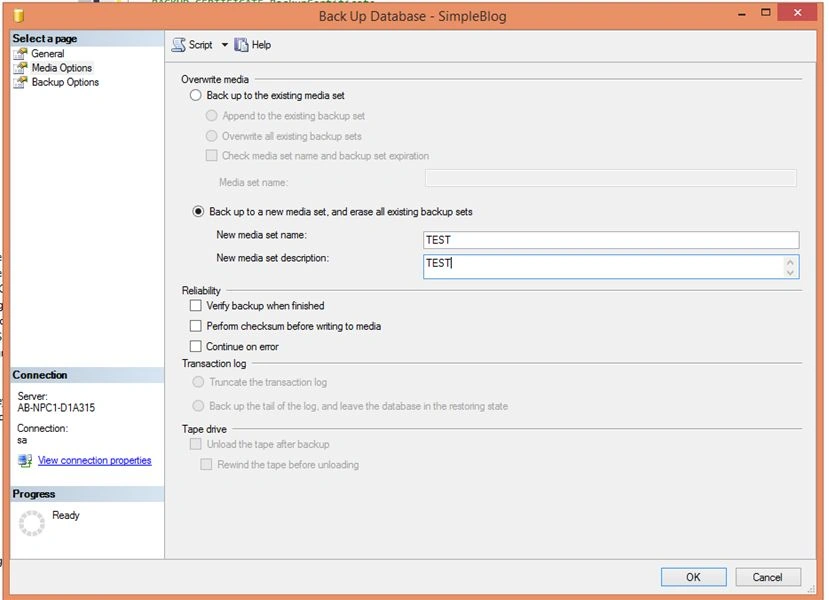
Now you need to select backup to media set option; one of the drawbacks is it cannot append the existing database and requires a new media set.
Click on Backup Options.
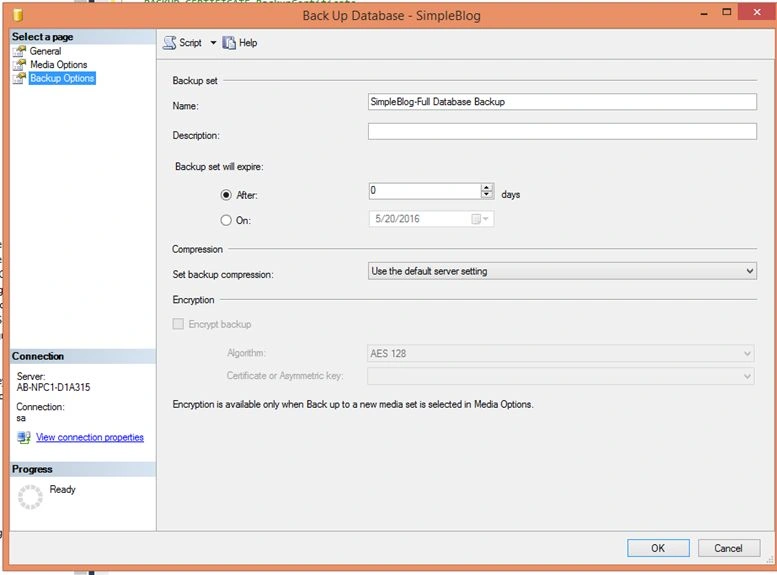
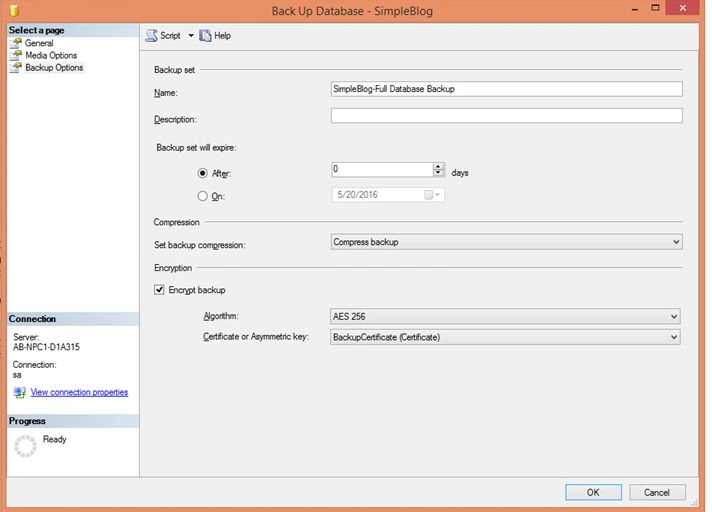
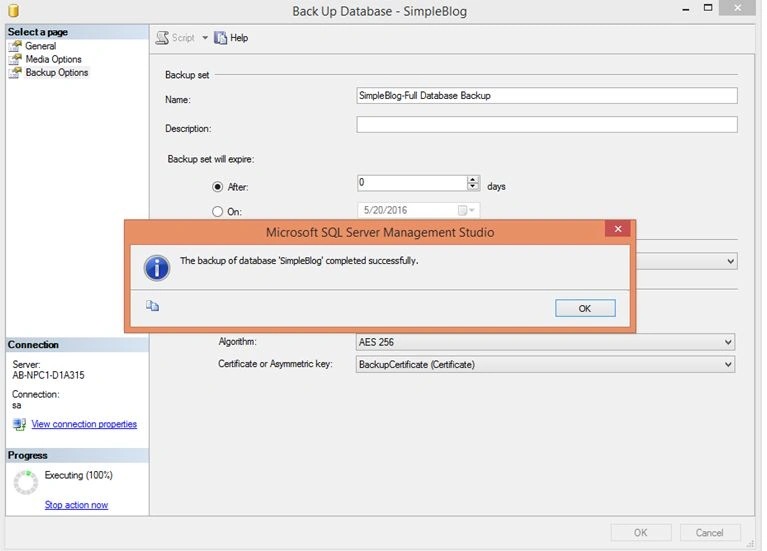
Again For restoring you need to follow the same process Database and restore the database respectively.
Note: Every day an encrypted database backup to run efficiently we need to add a backup maintenance plan and schedule it as per business requirement .Letssee.
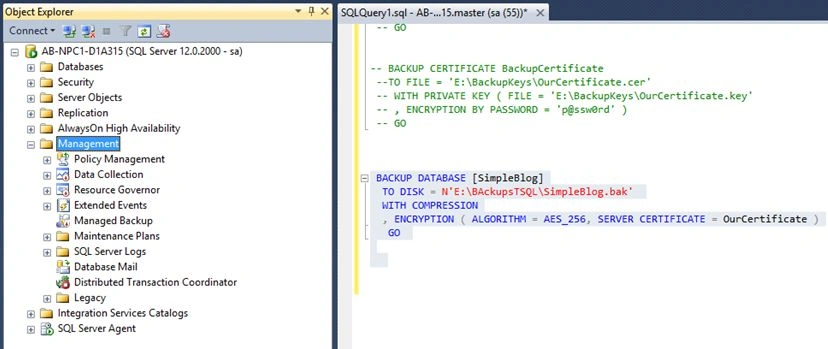
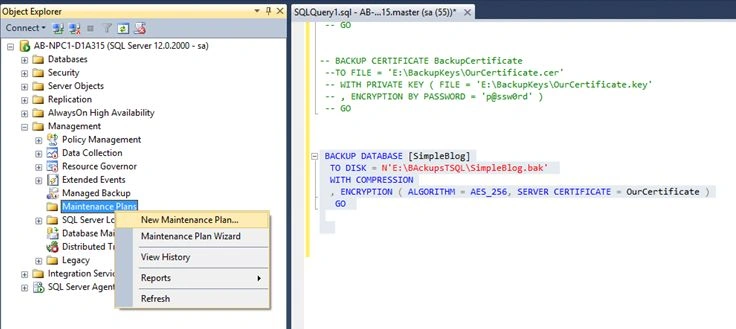
Click on New Maintaine give a suitable name to it.
Click om Tool Box and Drag -> backup Database Task.
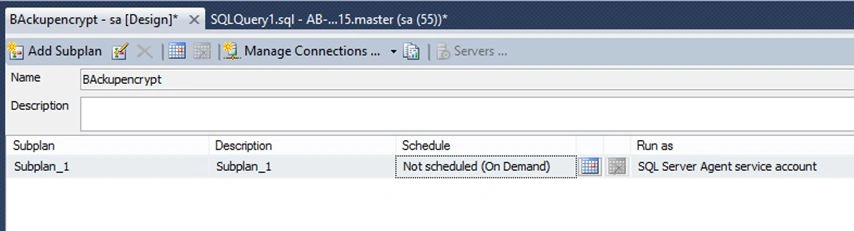
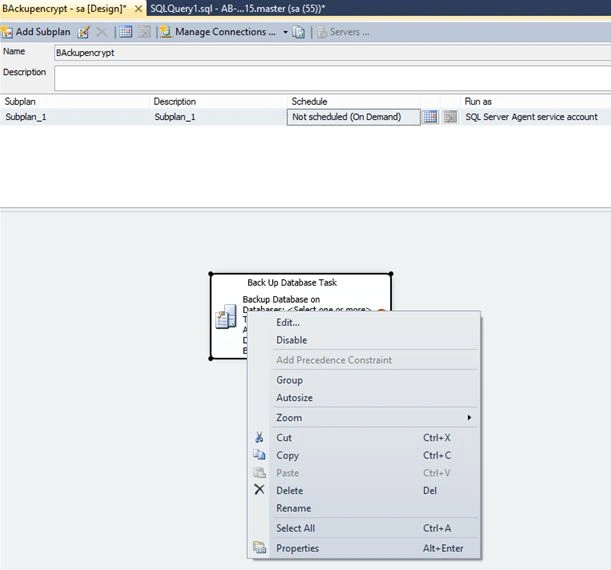
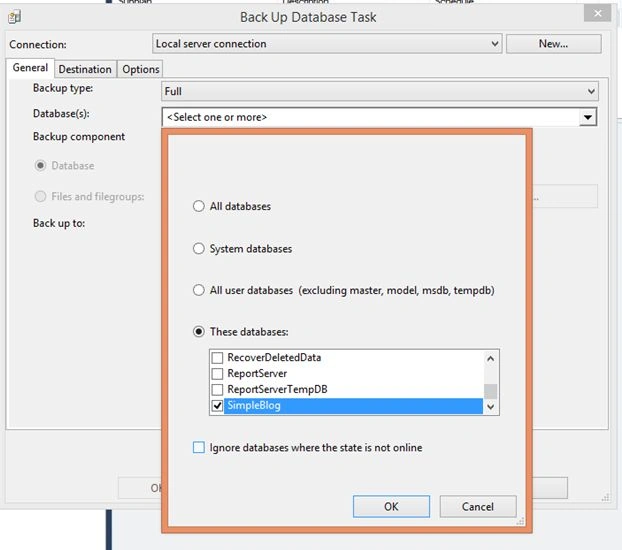
Click on Edit ->Select Database.
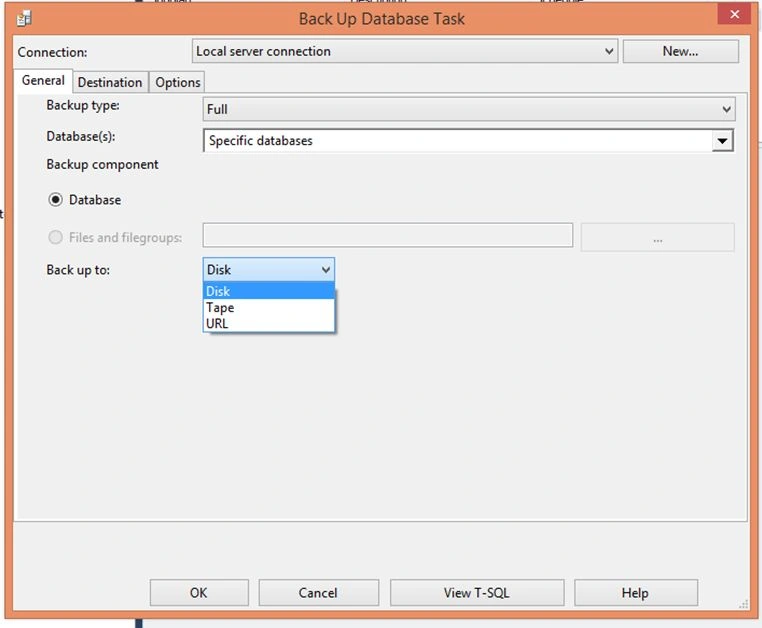
Note: You can see what I was referring to in an Overview Section as you can see option Tape,Disk, URL(Here an URL is nothing but an file Server).
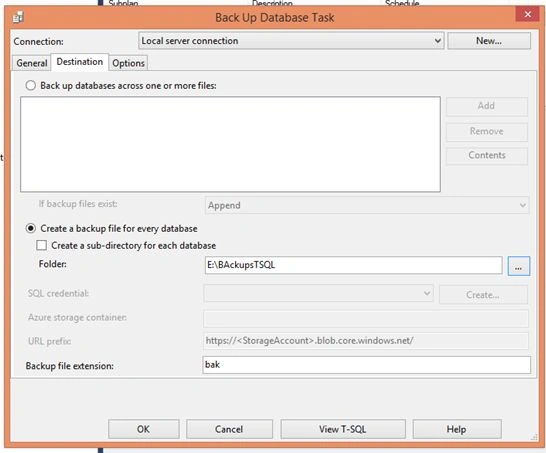
Select Destination Tab ->In that allocated folder in which you want your daily backups.
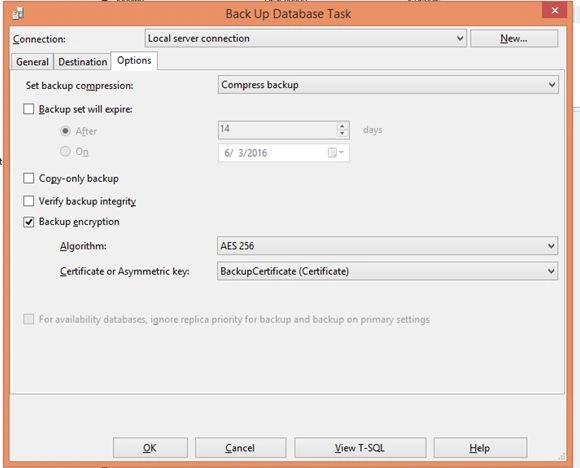
Click on Options select compress backup and AES 256 and the certificate and Save the maintanienece plan.
You will notice a job appeared in SQL Server Job:
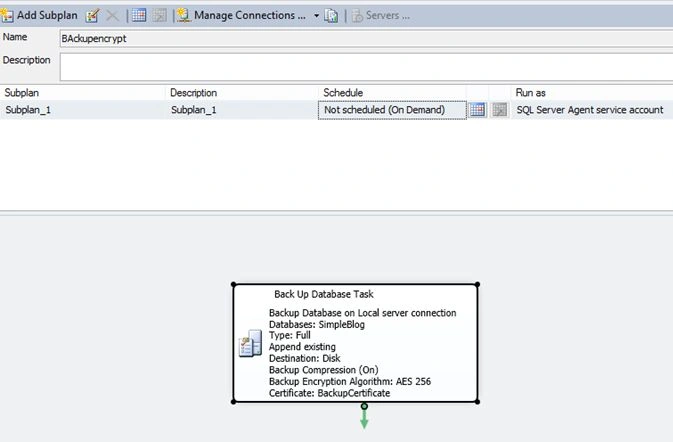
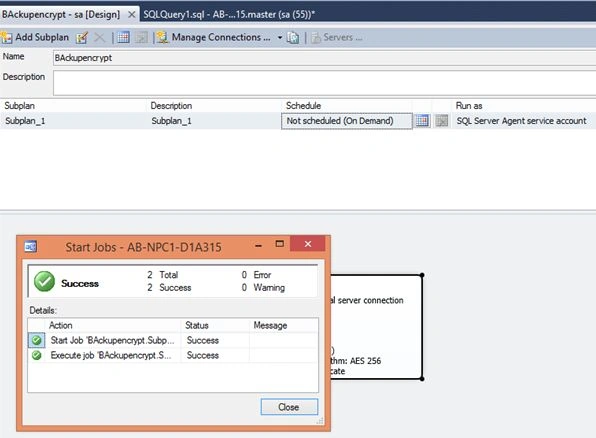
Now Just run that Job or you can schedule it daily:
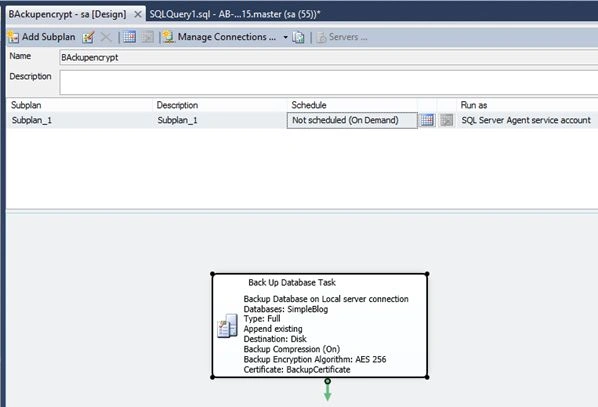
It's Done; Backup is encrypted through jobs on a daily basis or hourly basis.
Vignesh ManiPosted May 25, 2016, 8:28 AM
Nice
Akshay PhadkePosted May 25, 2016, 5:30 AM
Yashwant Vishwakarma Thanks buddy Gowtham Rajamanickam Munesh Sharma Thankyou ..
Yashwant VishwakarmaPosted May 25, 2016, 4:23 AM
Another nice article , thanks for sharing !!
Gowtham RajamanickamPosted May 25, 2016, 1:15 AM
Good one..
Munesh SharmaPosted May 25, 2016, 12:27 AM
good one
Akshay PhadkePosted May 24, 2016, 11:51 PM
Thanks ..
Kuppurasu NagarajPosted May 24, 2016, 12:05 PM
Nice Sharing..
Debasis SahaPosted May 24, 2016, 11:30 AM
Good one