

Sorting a list of simple and complex types in C#.
In the previous two articles of this series, we discussed:
Before going any further let's first understand what simple types are in C#.
Int, float, double, string and so on are simple types.
Let's look at an example of a simple type.
Example 1: Sorting a list of type float.
- using System;
- using System.Collections.Generic;
- using System.Linq;
- namespace SortingSimpleType {
- class Program {
- static void Main(string[] args) {
- //list collection of float
- List<float> floatList = new List<float>() { 123.2f, 33.2f, 82f, 55.5f, 190.45f };
- //loop through each floatList items
- foreach(float f in floatList) {
- Console.WriteLine(f);
- }
- }
- }
- }
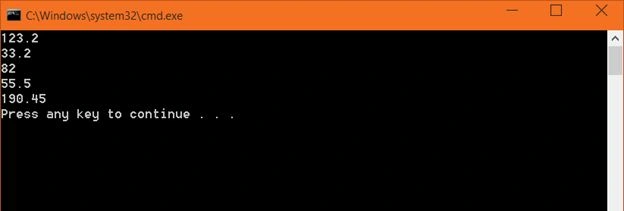
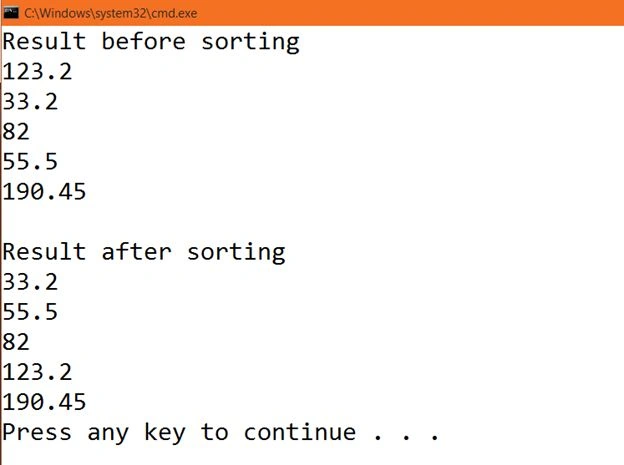
To sort a list collection, we can use the Sort method.
- //to sort a list, use sort method
- floatList.Sort();
- Console.WriteLine();
- Console.WriteLine("Result after sorting");
- foreach(float i in floatList) {
- Console.WriteLine(i);
- }
- using System;
- using System.Collections.Generic;
- using System.Linq;
- namespace SortingSimpleType {
- class Program {
- static void Main(string[] args) {
- List<float> floatList = new List<float>() { 123.2f, 33.2f, 82f, 55.5f, 190.45f };
- Console.WriteLine("Result before sorting");
- foreach(float f in floatList) {
- Console.WriteLine(f);
- }
- floatList.Sort();
- Console.WriteLine();
- Console.WriteLine("Result after sorting");
- foreach(float i in floatList) {
- Console.WriteLine(i);
- }
- }
- }
- }
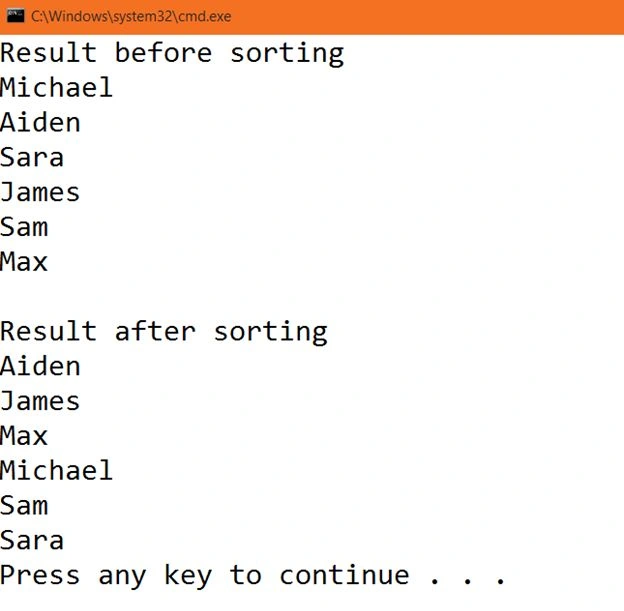
Example 2: Sorting a list of type string.
- using System;
- using System.Collections.Generic;
- using System.Linq;
- namespace SortingSimpleTypeTwo {
- class Program {
- static void Main(string[] args) {
- //create a list of string
- List<string> stringList = new List<string>() { "Michael", "Aiden", "Sara", "James", "Sam", "Max" };
- //output before sorting
- Console.WriteLine("Result before sorting");
- //loop through each stringList items
- foreach(string s in stringList) {
- Console.WriteLine(s);
- }
- //sorting
- stringList.Sort();
- Console.WriteLine();
- //output after sorting
- Console.WriteLine("Result after sorting");
- foreach(string s in stringList) {
- Console.WriteLine(s);
- }
- }
- }
- }
Example 3: Sorting a list of complex type.
Complex types are classes like Employee, Student, Customer, Sales and so on.
In the previous two examples we saw how to sort a list of simple types. Now let's see how to sort a list of complex types.
- using System.Collections.Generic;
- namespace SortingComplexType {
- //create a class Student
- class Student {
- //add four uto-implmeneted properties
- public int StudentId { get; set; }
- public string Name { get; set; }
- public string Gender { get; set; }
- public double TotalMarks { get; set; }
- }
- class Program {
- static void Main(string[] args) {
- //create five objects of Student class and assign values for the properties
- Student sOne = new Student() {
- StudentId = 104,
- Name = "Lara Croft",
- Gender = "Female",
- TotalMarks = 450.55
- };
- Student sTwo = new Student() {
- StudentId = 102,
- Name = "Sam Fisher",
- Gender = "Male",
- TotalMarks = 341
- };
- Student sThree = new Student() {
- StudentId = 101,
- Name = "Aiden Pearce",
- Gender = "Male",
- TotalMarks = 750.32
- };
- Student sFour = new Student() {
- StudentId = 103,
- Name = "Michael",
- Gender = "Male",
- TotalMarks = 612
- };
- Student sFive = new Student() {
- StudentId = 105,
- Name = "Black Widow",
- Gender = "Female",
- TotalMarks = 464
- };
- //create a new List object of type Student which is a complex type
- List<Student> StudentList = new List<Student>();
- //add all the student objects in this StudentList
- StudentList.Add(sOne);
- StudentList.Add(sTwo);
- StudentList.Add(sThree);
- StudentList.Add(sFour);
- StudentList.Add(sFive);
- System.Console.WriteLine("Result before sorting");
- //to retrieve all the details of all the students, use foreach loop
- foreach(Student s in StudentList) {
- System.Console.WriteLine("Id " + "->" + s.StudentId + " " + "Name " + "->" + " " + s.Name + " Gender " + "->" + " " + s.Gender + " " + " Total Marks " + "->" + s.TotalMarks);
- }
- }
- }
- }
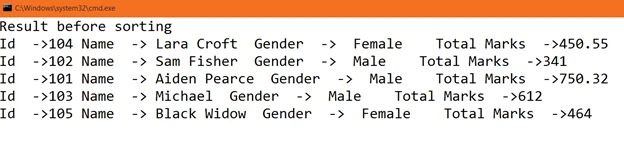
That is the data before sorting. Now let's sort this complex list item.
Add the following code just after the previous foreach loop:
- StudentList.Sort();
- System.Console.WriteLine();
- System.Console.WriteLine("Result after sorting");
- foreach(Student s in StudentList) {
- System.Console.WriteLine("Id " + "->" + s.StudentId + " " + "Name " + "->" + " " + s.Name + " Gender " + "->" + " " + s.Gender + " " + " Total Marks " + "->" + s.TotalMarks);
- }
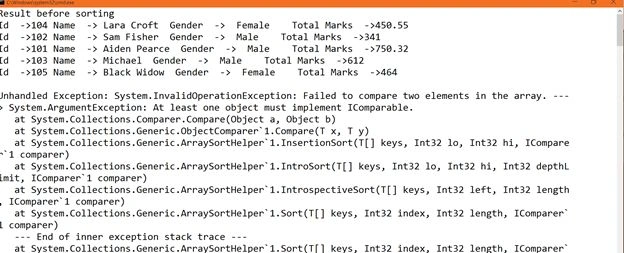
We get the results before sorting but we got an exception after sorting. So, what is the cause of this exception?
The .NET runtime does not know how to sort complex types. It is our job to tell .NET how to sort the data and for that we need to implement an interface called IComparable.
But now you might be thinking, we haven't implemented the IComparable interface when we were sorting a simple type. So, why did we not get an exception there?
Because a simple type such as float, string and int already implements the IComparable interface.
Right-click on the string class and go to definition, you will seethat the String class implements the IComparable interface.
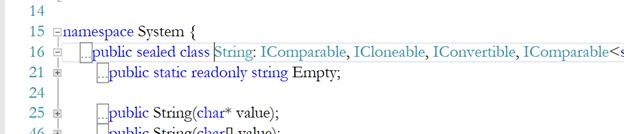
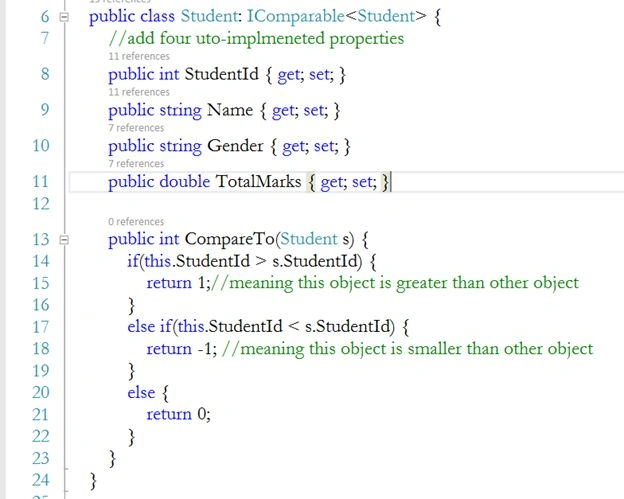
To sort a list of complex types, the complex type must implement the IComparable interface and provide the implementation for the CompareTo method.
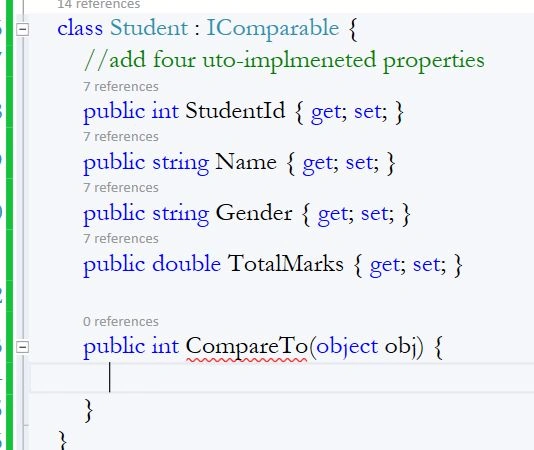
The following is the implementation of the IComparable interface.
- public class Student: IComparable<Student> {
- public int StudentId { get; set; }
- public string Name { get; set; }
- public string Gender { get; set; }
- public double TotalMarks { get; set; }
- public int CompareTo(Student s) {
- if(this.StudentId > s.StudentId) {
- return 1;//meaning this object is greater than other object
- }
- else if(this.StudentId < s.StudentId) {
- return -1; //meaning this object is smaller than other object
- }
- else {
- return 0; // both are equal
- }
- }
- }
- IComparable<type> the type should be IComparable<Student>.
- Change the type object to Student in the parameter of the CompareTo method and compare the current object (this) with the object s.
Run the application.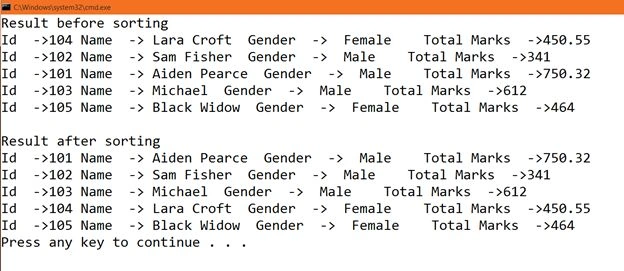
So we get the result as expected. All the results are sorted by StudentId.
Now, here in our project we own this Student class. So, we can change it the way we need it.
- public class Student{
- //add four auto-implemented properties
- public int StudentId { get; set; }
- public string Name { get; set; }
- public string Gender { get; set; }
- public double TotalMarks { get; set; }
- }
For that we need to implement IComparer.
How to implement
First we need to create a new class and inherit that class from IComparer<T>, the type here should be the type of object that we want to compare from.
- class SortingClass: IComparer<Student> {
- public int Compare(Student x, Student y) {
- //
- }
- class SortingClass: IComparer<Student> {
- public int Compare(Student x, Student y) {
- if(x.Name.Length > y.Name.Length) {
- return 1;
- }
- else if(x.Name.Length < y.Name.Length) {
- return -1;
- }
- else {
- return 0;
- }
- }
This IComparer interface has a method Compare that we need to implement and this method has two parameters of the type we specified in IComparer. Now all we need to do is compare Student x with Student object y.
After implementation, create a new instance of this SortingClass and pass the object in the third overloaded version of the Sort method as a parameter argument.
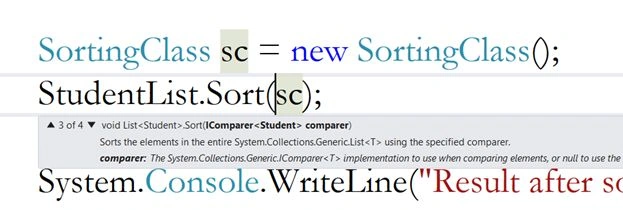
- SortingClass sc = new SortingClass();
- StudentList.Sort(sc);
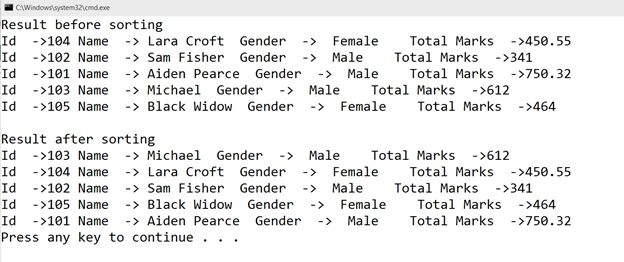
This time, the list is sorted by Name even after providing a default sort functionality in the Student class.
So, whenever you don't own a class and want to override the default sort functionality and want to provide your own then implement the IComparer interface.
I hope you like. Thank you.
Bruno PétersonPosted Apr 21, 2015, 12:33 PM
Thanks for share it!
Tom MohanPosted Mar 2, 2015, 5:00 AM
You are welcome Harpreet Singh
Sibeesh VenuPosted Mar 2, 2015, 4:03 AM
Harpreet Singh You are welcome.
Harpreet SinghPosted Mar 2, 2015, 2:16 AM
Tom Mohan thank you
Harpreet SinghPosted Mar 2, 2015, 2:16 AM
Sibeesh Venu thank you
Harpreet SinghPosted Mar 2, 2015, 2:16 AM
Pankaj Kumar Choudhary I am glad you like it...keep learning :)
Harpreet SinghPosted Mar 2, 2015, 2:15 AM
Rahul Saxena thank you
Tom MohanPosted Mar 1, 2015, 6:04 AM
Good effort
Sibeesh VenuPosted Mar 1, 2015, 3:07 AM
Nice...
Pankaj Kumar ChoudharyPosted Feb 28, 2015, 11:33 PM
Thanks Sir, for this article ...Really Today i learn new thing
Rahul Kumar SaxenaPosted Feb 28, 2015, 10:48 PM
Good Show