

Here, I will explain how to show a database value in a DataGridView.
Step 1: Form
Drag and drop a DataGridView and a Button from the Toolbox.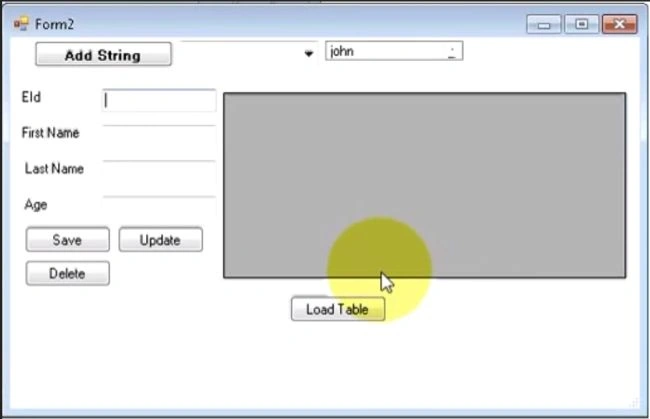
Step 2: Code
Now click on the button (Load Button) and write this code:
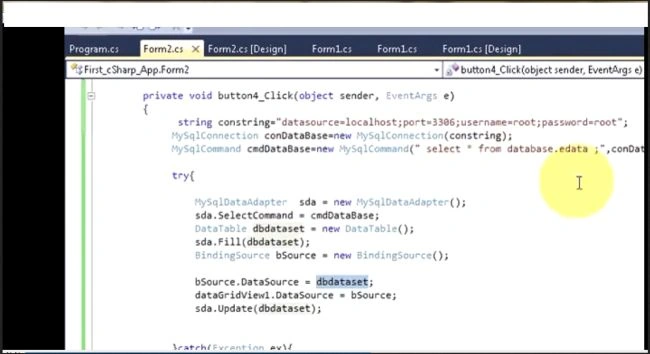
private void Load_button_Click(object sender, EventArgs e)
{
SqlConnection con = new SqlConnection("server = MUNESH;Database=datastore;UID=sa;Password=123;");
SqlCommand cmd = new SqlCommand("Select * from data1", con);
try
{
SqlDataAdapter da = new SqlDataAdapter();
da.SelectCommand = cmd;
DataTable dt = new DataTable();
da.Fill(dt);
BindingSource bsource = new BindingSource ();
bsource .DataSource = dt;
dataGridView1.DataSource = bsource ;
}
catch (Exception ec)
{
MessageBox.Show(ec.Message);
}
}
If you don't want to load data into the DataGridView at a button click then you can make a function for filling in this DataGridView.
public void displayDataGridView()
{
SqlConnection con = new SqlConnection("server = MUNESH;Database=datastore;UID=sa;Password=123;");
SqlCommand cmd = new SqlCommand("Select * from data1", con);
try
{
con.Open();
SqlDataAdapter da = new SqlDataAdapter();
da.SelectCommand = cmd;
DataTable dt = new DataTable();
da.Fill(dt);
dataGridView1.DataSource = dt;
con.Close();
}
catch (Exception ec)
{
MessageBox.Show(ec.Message);
}
}
Step 3: Run
Now run your application.

Ankit GuptaPosted May 1, 2018, 6:58 AM
Hi Munesh Sharma how i can data in datagrid view using datasource as dataset on selection of combobox
Sr KarthigaPosted May 3, 2016, 8:46 PM
Good one