

Creating a dashboard in Microsoft Fabric is only half the job. The real value comes when insights are shared securely with the right people, at the right time, and in the right way.
Microsoft Fabric makes dashboard sharing straightforward while maintaining enterprise-grade security, governance, and compliance. In this article, I’ll walk through how to share dashboards in Microsoft Fabric, the available sharing options, and best practices you should follow in real-world scenarios.
Understanding Dashboard Sharing in Microsoft Fabric
In Microsoft Fabric, dashboards are Power BI artifacts stored inside a workspace. When you share a dashboard, you’re not copying data—you’re granting controlled access to live insights.
Key points to remember:
Dashboards are read-only for consumers
Data remains governed by workspace permissions
Row-Level Security (RLS) is always enforced
Changes to the dashboard are reflected instantly for all users
Prerequisites for Sharing a Dashboard
Before sharing a dashboard in Fabric, ensure that:
The dashboard exists in a Fabric workspace
You have Contributor, Member, or Admin access
The recipients have Power BI licenses (or the workspace is backed by capacity)
The underlying dataset permissions allow access
Method 1: Sharing a Dashboard Directly
This is the quickest and most common way to share a dashboard.
Steps to Share a Dashboard
Open Microsoft Fabric
Navigate to your workspace
Open the dashboard
Select Share (top-right corner)
Enter email address to share with.
Determine the level of access to provide
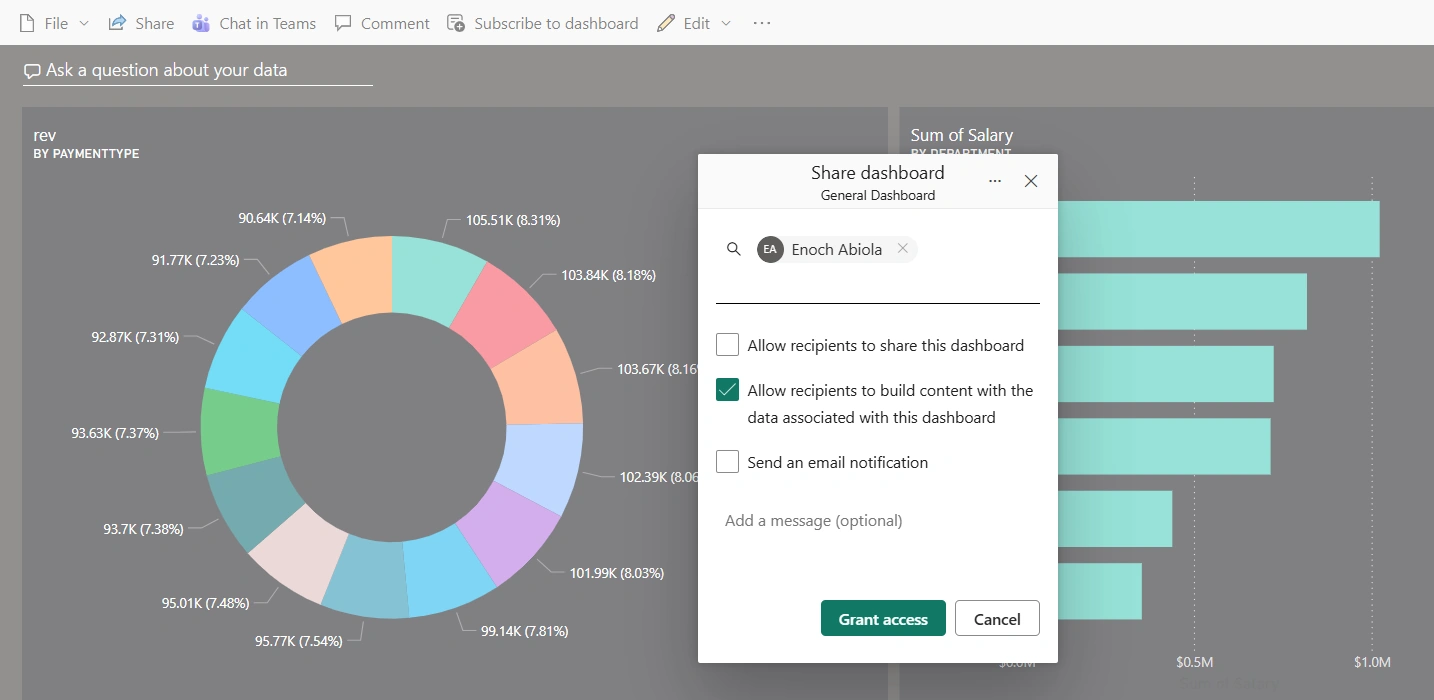
Click Grant Access
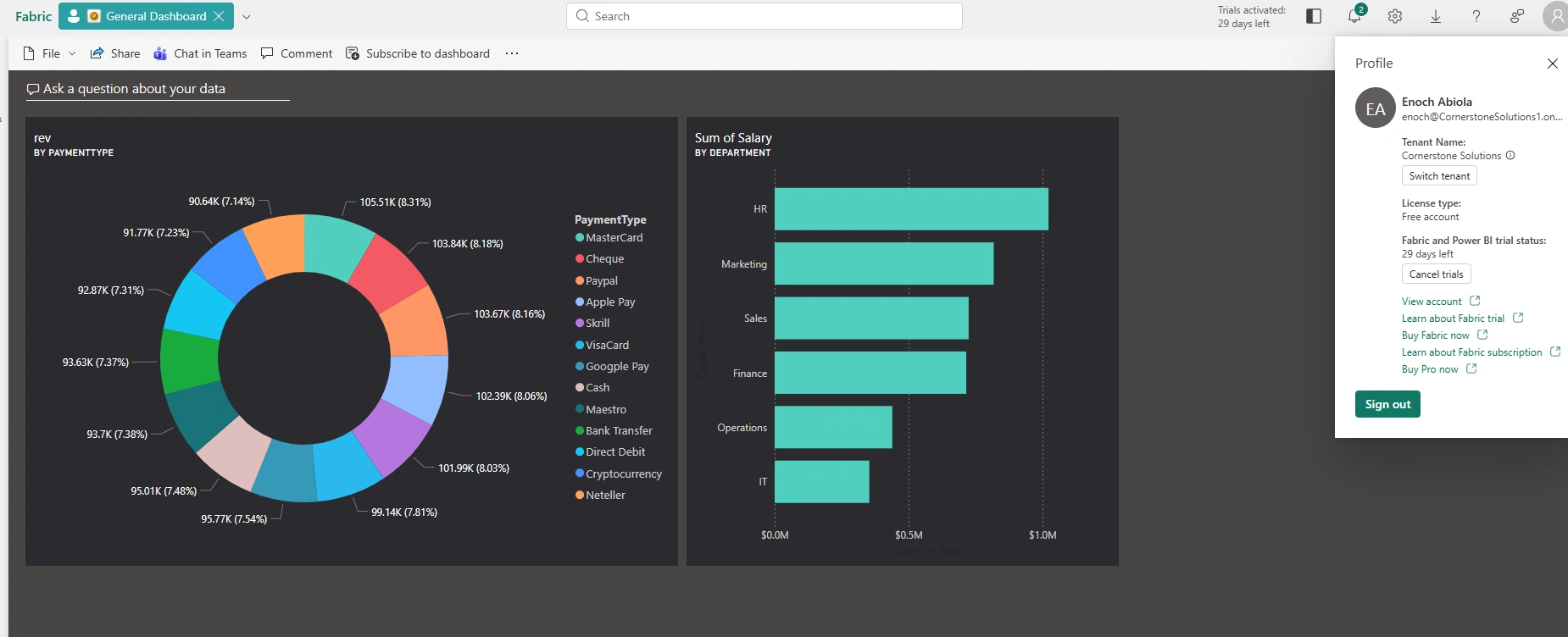
In this case that the email notification box is not ticked, copy the URL and send it to the person the dashboard is shared with. As seen in the screenshot below, the person is able to view the report from their account
Final Thoughts
Sharing dashboards in Microsoft Fabric is designed to be simple, secure, and scalable. Whether you’re sharing a single dashboard with a manager or distributing insights across the organization, Fabric gives you the flexibility to do it the right way.
By combining dashboards, workspace roles, and apps, you can deliver insights with confidence—without compromising security or governance.
Join the conversation! Your thoughts help the community grow.