

SharePoint Site Setting
Step 1: Create SharePoint Custom List - ProjectFolder, FolderList.
Step 2: Create SPD List Workflow.

Workflow
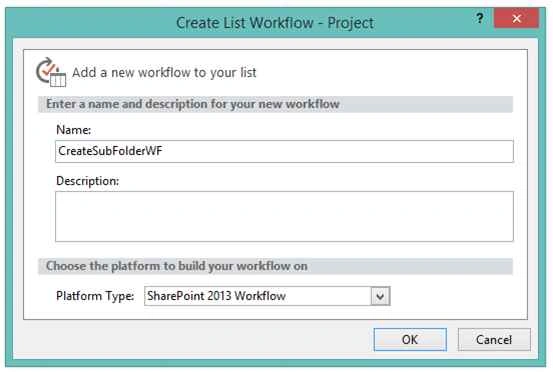
Step 3: Create Basic Workflow Pattern.
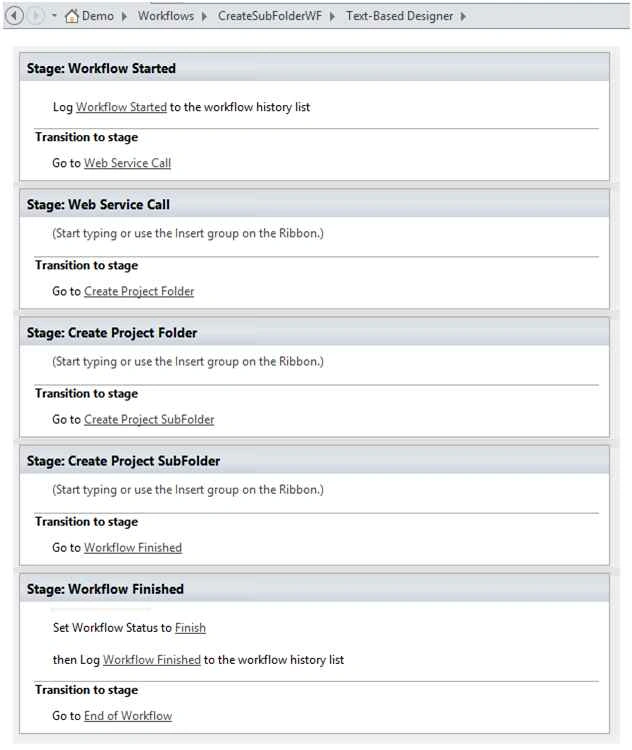
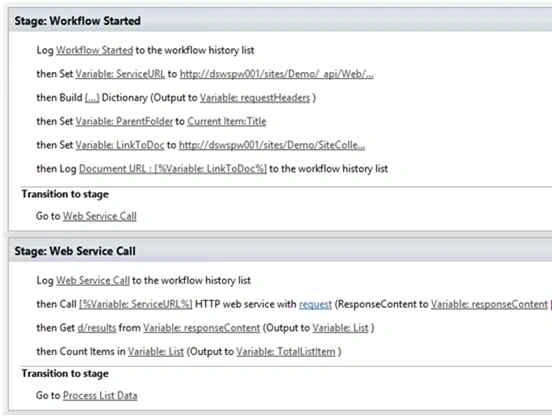
Step 4: Create Workflow Variable & assign some default values to them.
- ServiceURL - SharePoint List URL where we defined Sub Folder Names.
- RequestHeader - HTTP Header for web service call.
- LinkToDoc - SharePoint Link where our Sub Folder gets added/saved.

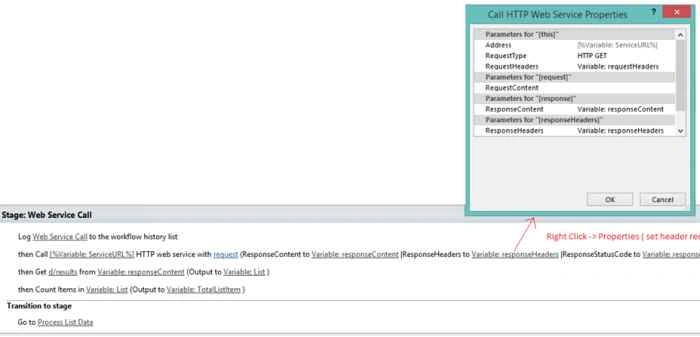
Step 5: Web Service Call.
- In order to create a sub folder, we first need to fetch List data containing folder names using the following URL "http://....../sites/Demo/_api/Web/Lists/GetByTitle('ProjectFolders')/Items ".
- Firstly, add ' call HTTP Web Service ' method to have web service call.
- Set all required parameter for this web service call such as requestHeader, responseContent, responseHeader
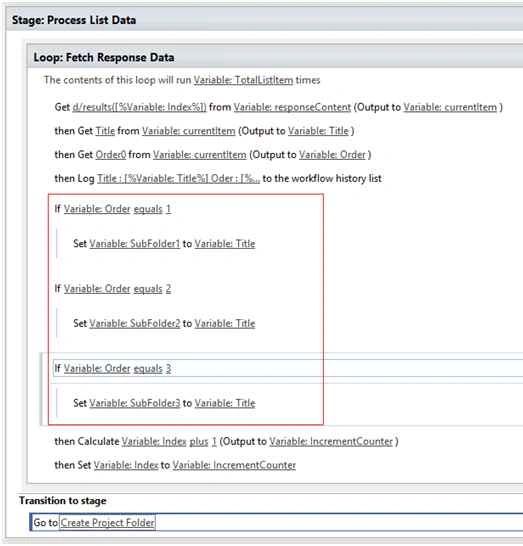
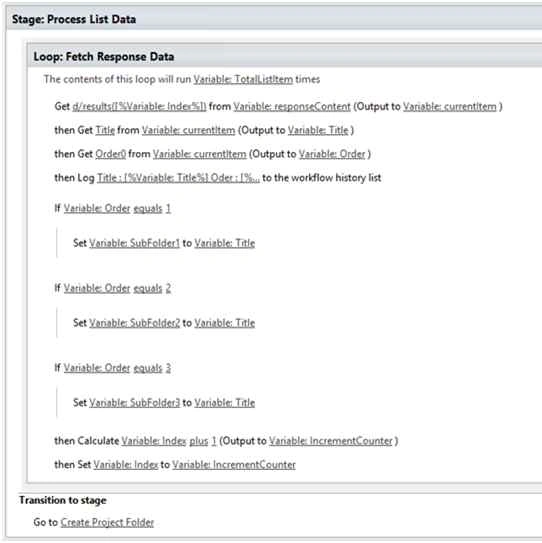
Step 6: As per the order of the folder, set workflow variable values. Go to the next stage once variable initialization completes.
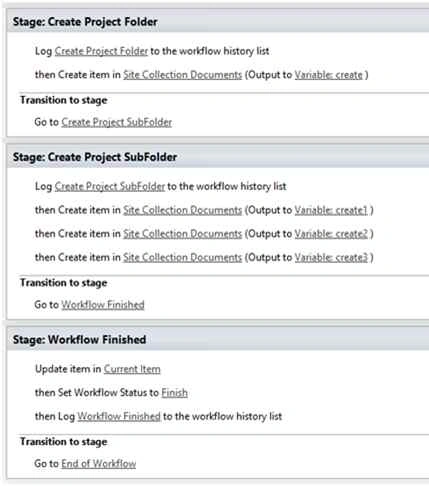
Step 7 Create Project Folder.
We first need to create a root folder to save sub folder, so at this stage we are going to create a parent folder.
To create Folder insert action named "Create Item".
Click 'this list", then Site Collection Documents and Add New Field. After that "Set this field" as Content Type ID and Folder for "To this value"

In order to set Parent Folder Path , we need to modify the following field: "Path and Name".

Step 8: Create Sub Folder.
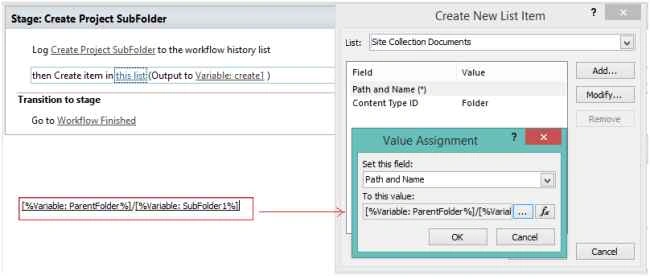
To create Folder insert action "Create Item".
Click "this list", then under Site Collection Documents - Add New Field, then Content Type ID = Folder
Folder Path play an important role here: ParentFolder/SubFolder
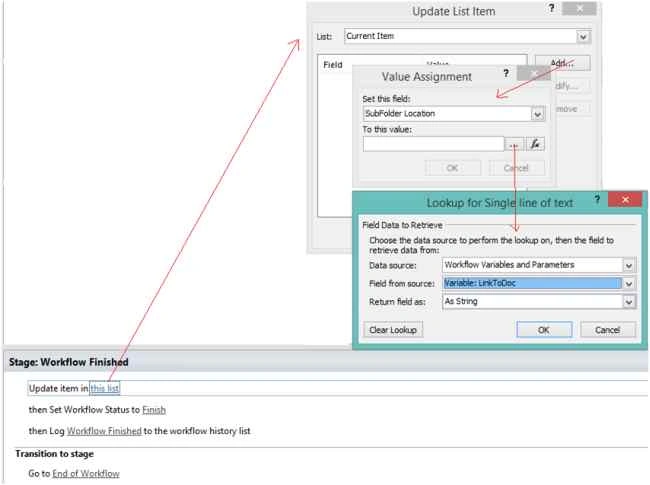
Step 9: Workflow Finished.
We need to update List field i.e SubFolder Location as in the following screenshot:
Workflow
Output:


Santhakumar MunuswamyPosted Oct 18, 2015, 3:52 AM
Good one
Mukesh KumarPosted Oct 13, 2015, 1:54 AM
Good One... Thanks for sharing
Harshad PansuriyaPosted Oct 13, 2015, 12:18 AM
Nice one
Nilesh JadavPosted Oct 13, 2015, 12:08 AM
Great work mam