
In this article, we will look at how to make your Space more visually interactive by using a 360-degree Virtual Tour Webpart.
- If you are new and want to know how to activate SharePoint Space for your site collection in SharePoint Online, look at my detailed blog, SharePoint Spaces - Blog Series 1.
- Also, if you want to know in detail about How to create a SharePoint Space, take a look at SharePoint Spaces - Blog Series 2.
- And if you want to know how to add Webparts like 3D objects and File Viewer in your Space, take a look at SharePoint Spaces - Blog Series 3.
- Also, if you want to know more about the 360-Image Webpart take a look at SharePoint Spaces - Blog Series 4.
- If you want to know more about the Document library Webpart in-depth, take a look at SharePoint Spaces - Blog Series 5.
Want to know what is Virtual Tour, and how is it helpful?
Virtual tour links together 360-degree images with annotations like text, video, images, files, and audio
With the virtual tour, you can help create a beautiful onboarding facility tour for your employees, students, etc.
Without further ado, let’s get started with creating a facility tour using SharePoint Spaces – Virtual Tour.
- Create a new Space with the appropriate name and description according to your business scenario, as shown in fig 1.1 I have created an Amphitheater type Space,
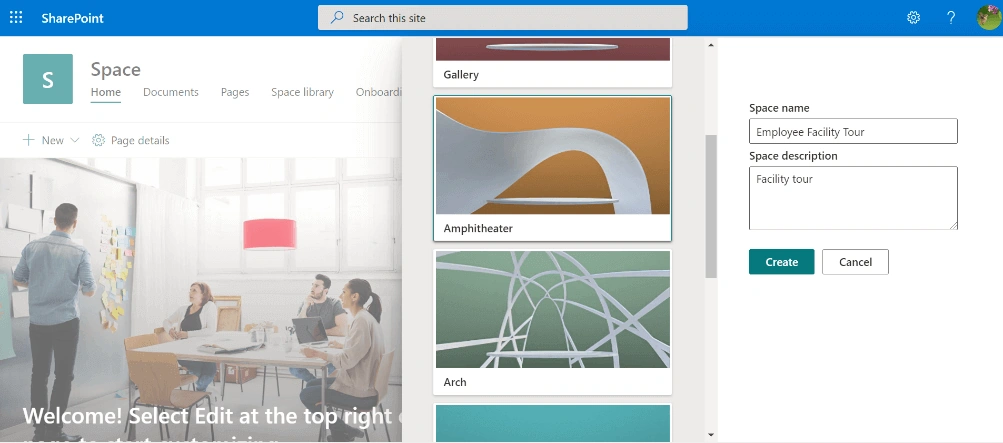
fig 1.1
- Your Space will look something like this, as shown in fig 1.2,
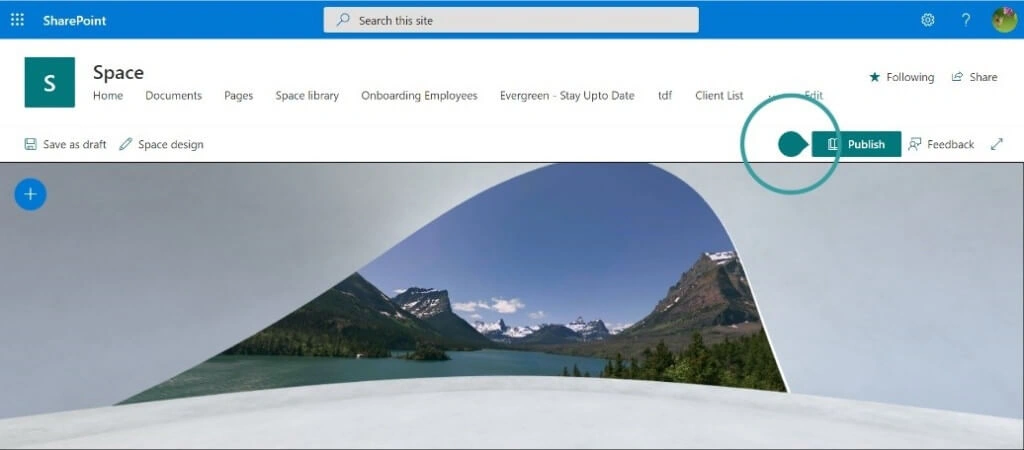
Fig 1.2
- Select + and add Virtual 360-degree tour Webpart from the Webpart toolbox. After selecting, click anywhere on the Space to add that Webpart in your created Space,
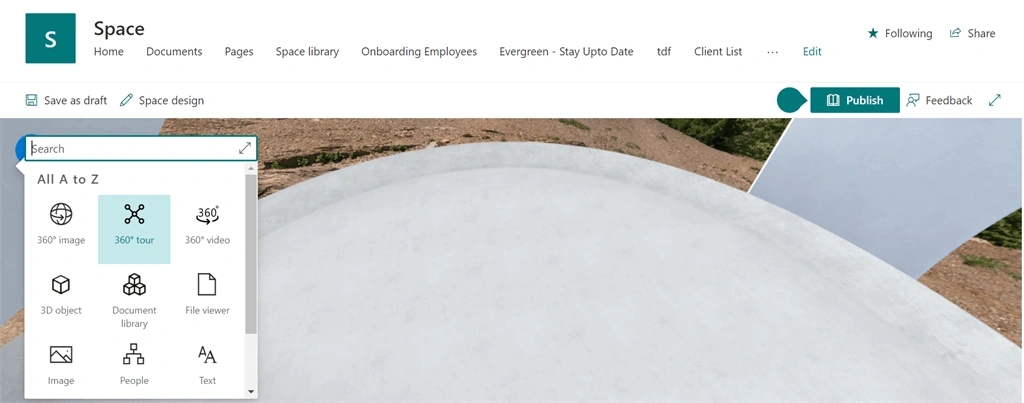
Fig 1.3
- Once the Webpart is added in the Space a panel to add your 360-degree images will open like this,
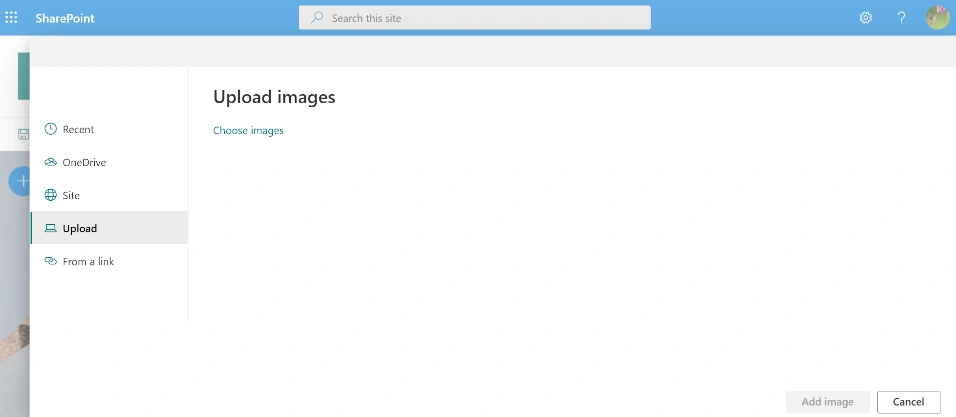
Fig 1.4
- It is preferable to add all your 360-degree images into a folder and add it to your SharePoint Document library, just like I did,
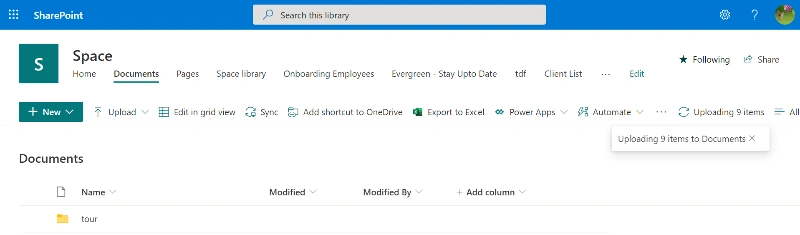
Fig 1.5
- Now in the upload panel as shown in fig 1.4. Select Site then select the folder in your Document library just like in fig 1.6, and select all the images you need click on Open as shown in fig 1.7,
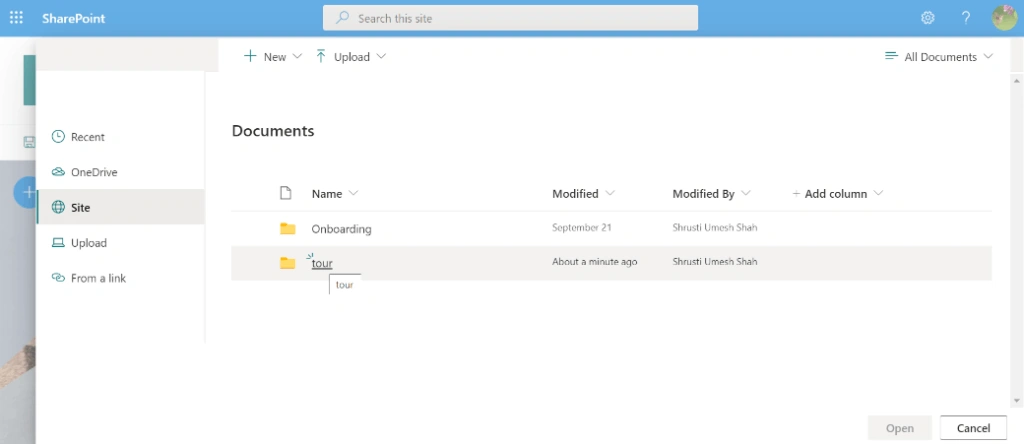
Fig 1.6
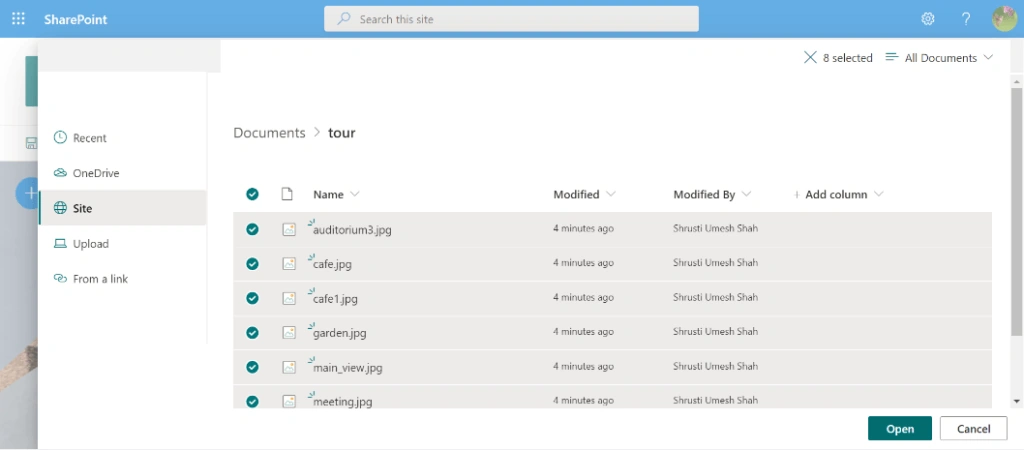
Fig 1.7
- Once you click on Open a Webpart will be added to your Space,
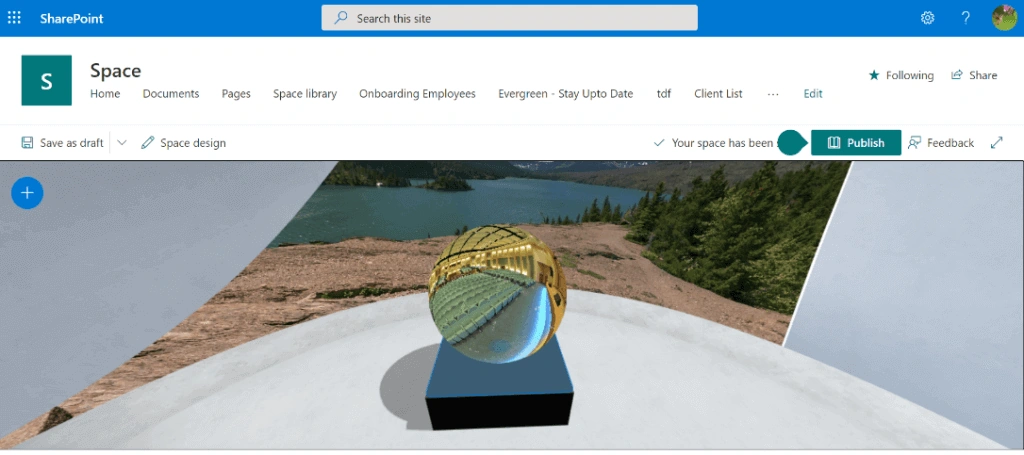
Fig 1.8
- Now let’s start customizing this virtual tour Webpart, To do so, click on the edit button of this Webpart, property pane of the virtual tour Webpart will open,
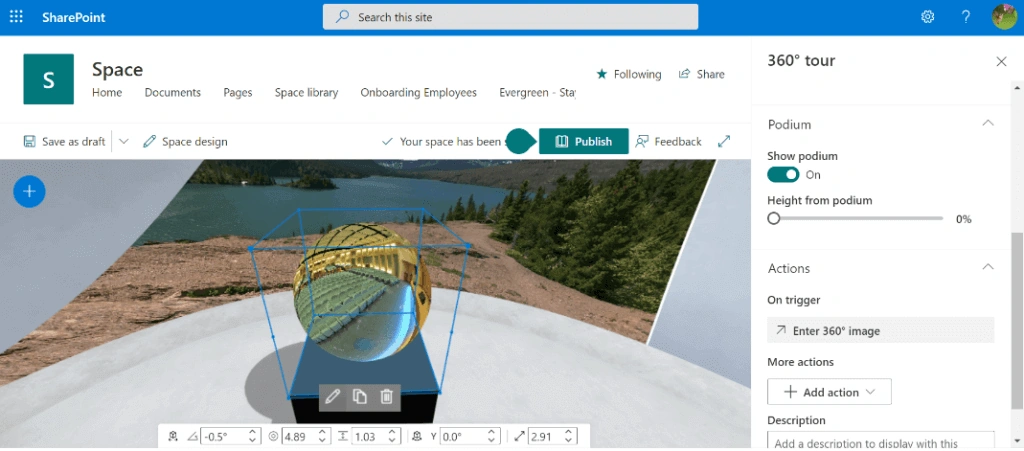
Fig 1.9
- Now click on ‘Open Tour builder’ from your property pane to start customizing your tour,
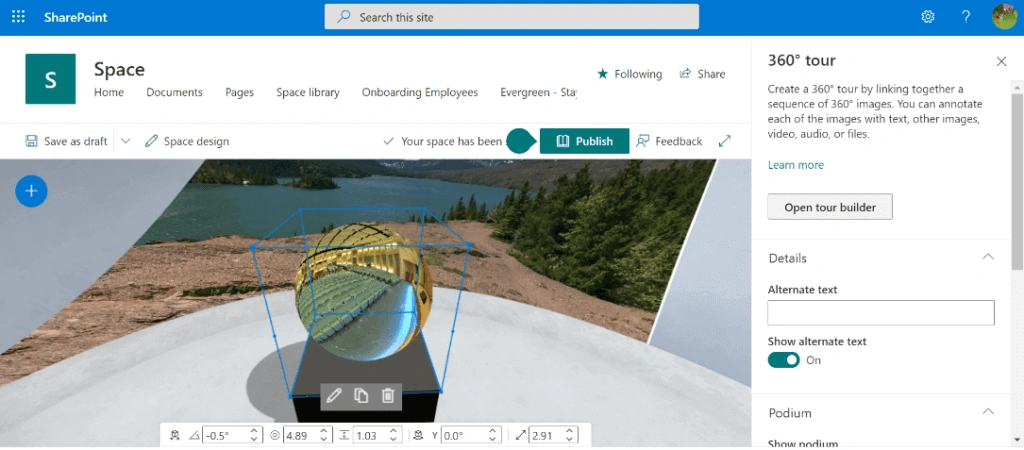
Fig 1.10
- After clicking on Tour builder, your tour settings page will open with a cursor to link your 360-degree images and a reel of all the images you selected at the bottom of the screen to select and add will be visible.
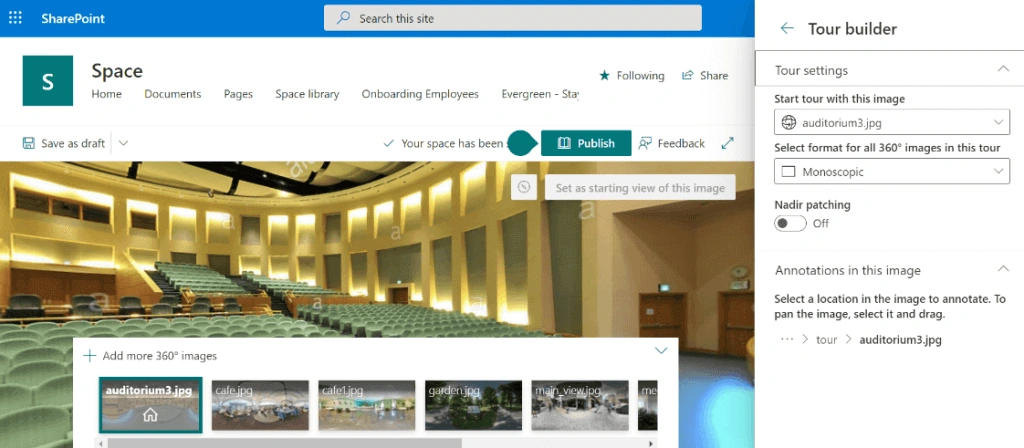
Fig 1.11
- I have selected the Office street view from the images as shown in fig 1.12. Once you select the start image of your tour, click anywhere on your image to add text annotations for your image and link that to another 360-degree image as shown in fig 1.13,
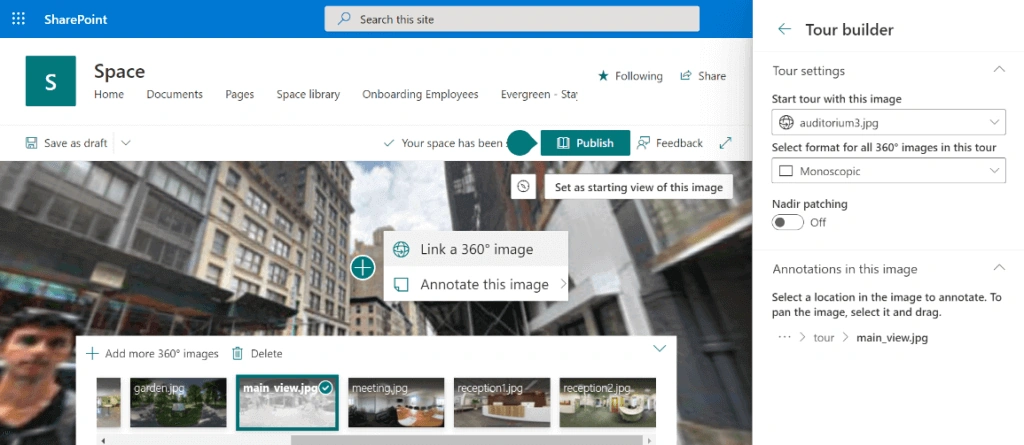
Fig 1.12
You can see from fig 1.13, where you will see Text Annotations is added to the 360-degree image,
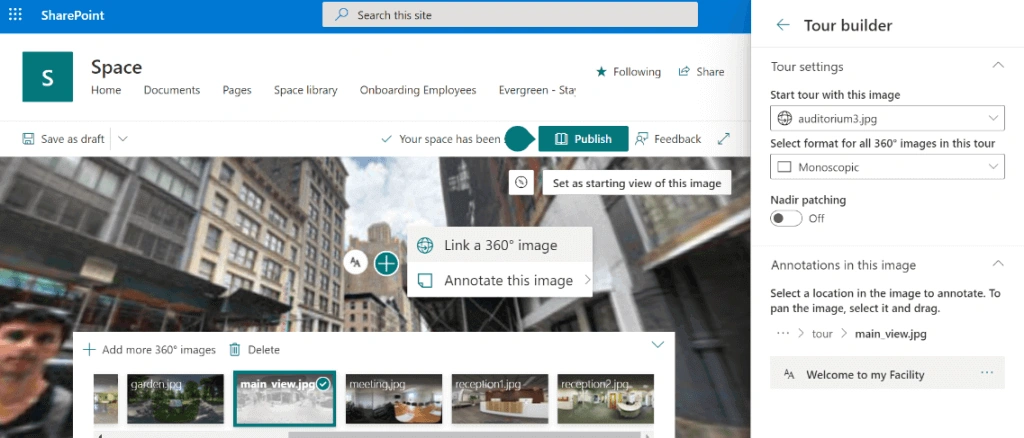
Fig 1.13
- After clicking to link a 360-degree image, Select the other image from the bottom which you will like to link to the 1st image. In my case, I have selected the main reception as the 2nd image. See in fig 1.14,
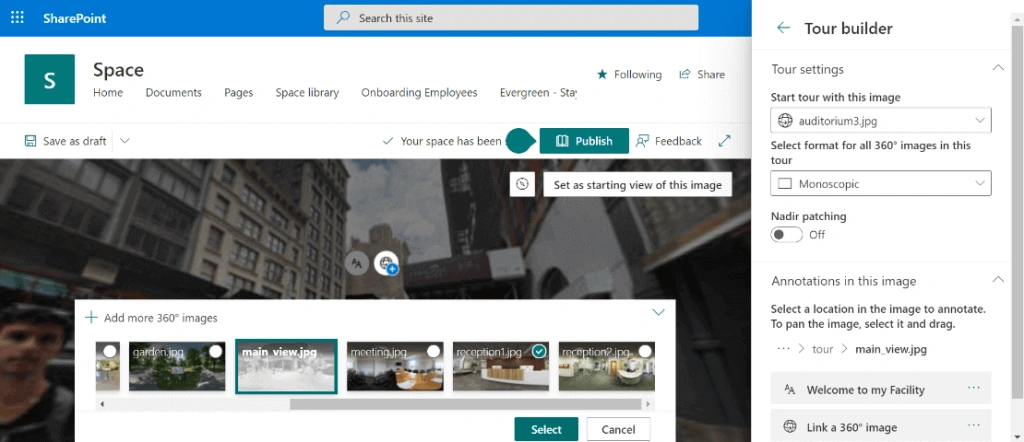
Fig 1.14
- Click on Select, give the appropriate description to your next tour image as shown in fig 1.15,
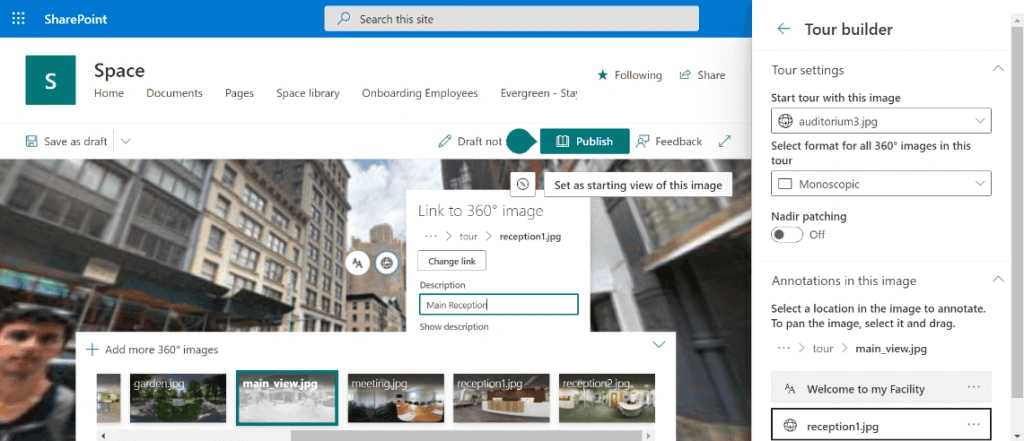
Fig 1.15
- Then click on Publish to view your tour,
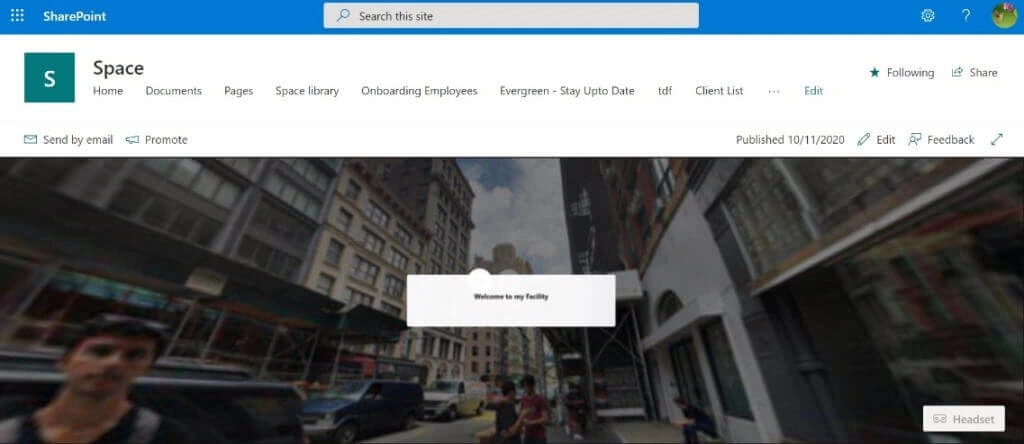
Fig 1.16
- Click on the Main browser icon and hover over the icon to view the description of your next page in the tour as shown in fig 1.17,
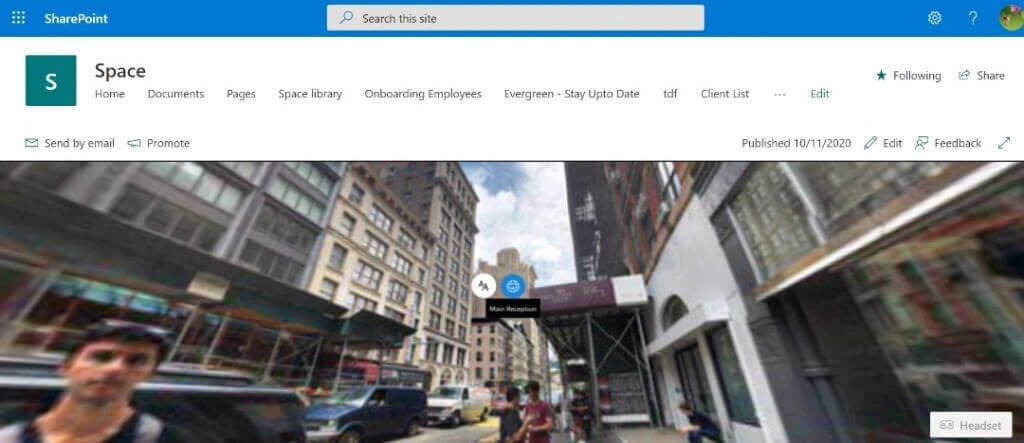
Fig 1.17
- Boom, you will now see a reception of the facility as shown in fig 1.18,
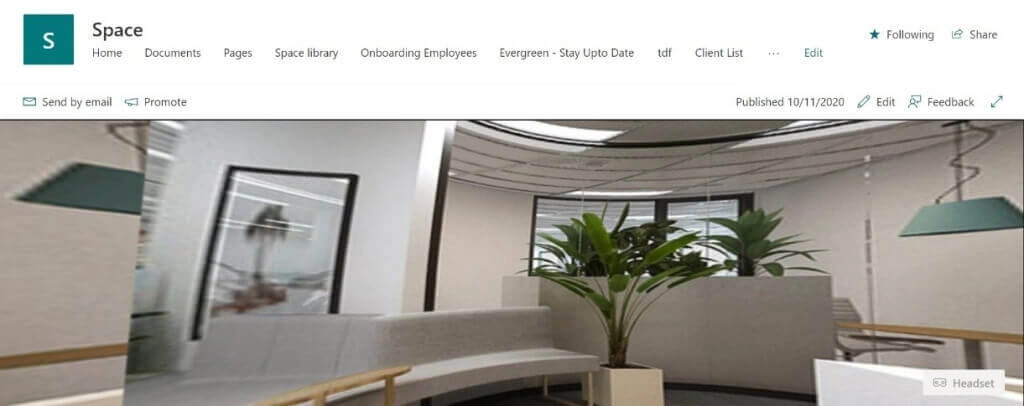
Fig 1.18
- In a similar fashion, edit your Space, link another 360-degree image to your 2nd image, Add text, File, Video annotations and create a Facility tour with a virtual immersive experience for your employees.
-
Let’s just take a quick tour, I have made few customizations added new images and annotations. I hope you enjoy this.
From fig 1.19 what you see is the Tour home image,
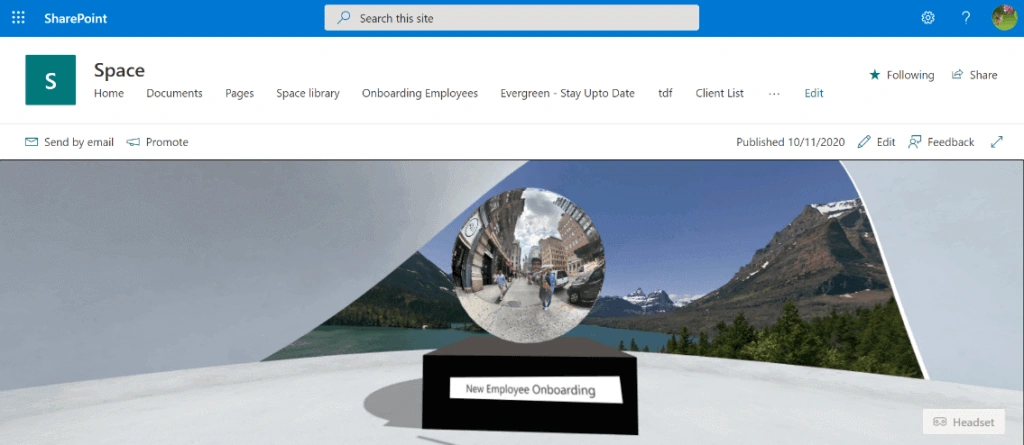
Fig 1.19
- Click on the image and a Street View of the Office will be seen. Also, annotation to guide the user that next tour image is of Reception,
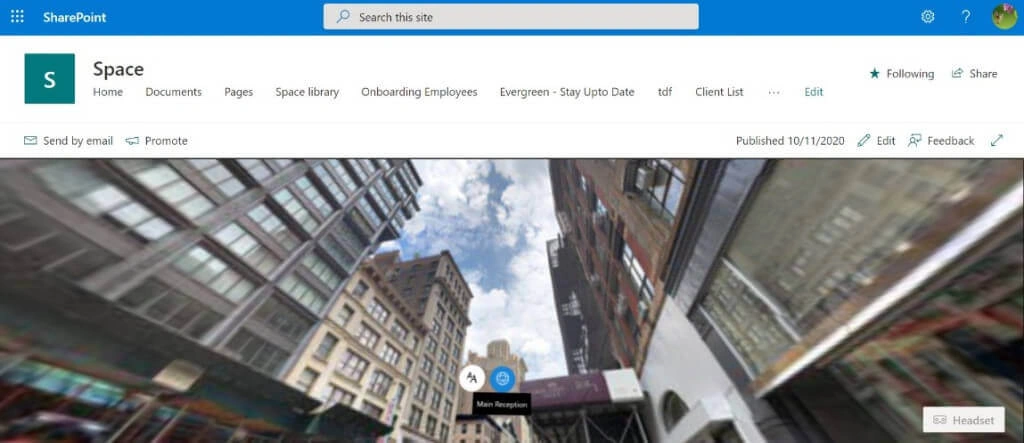
Fig 1.20
- In fig 1.21 You can take a tour of the Reception area with Files and Videos added from newly onboarded employees,
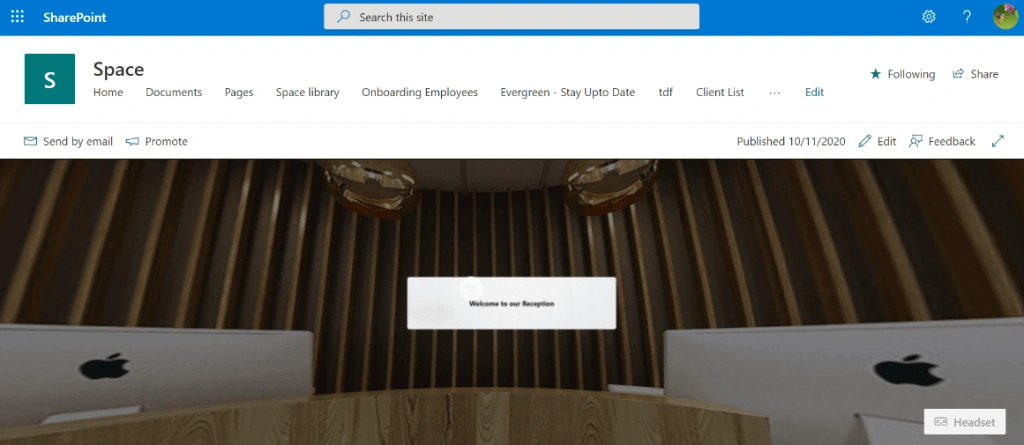
Fig 1.21
- From fig 1.22, you can take a tour of the auditorium and view the ongoing video seminar,
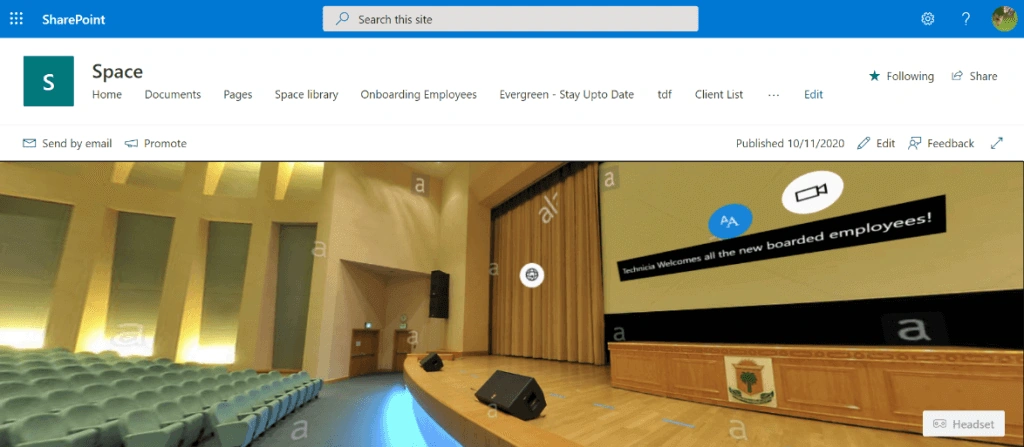
Fig 1.22
- From fig 1.23 you can have a personal meeting with experts,
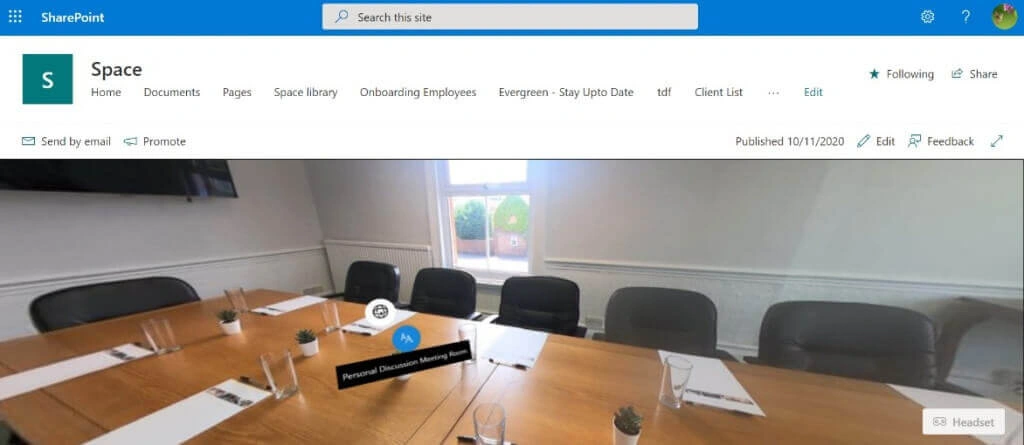
Fig 1.23
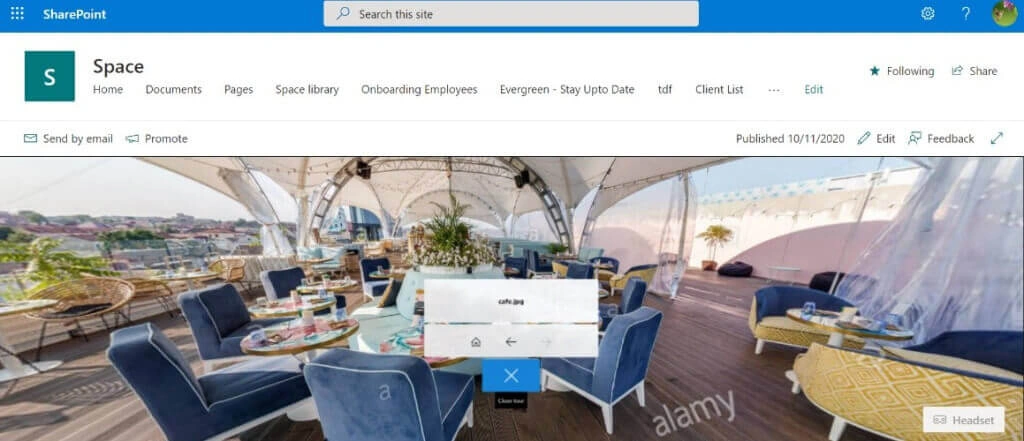
- From fig 1.24 you can take a break in the facility cafeteria as added in-text annotation,
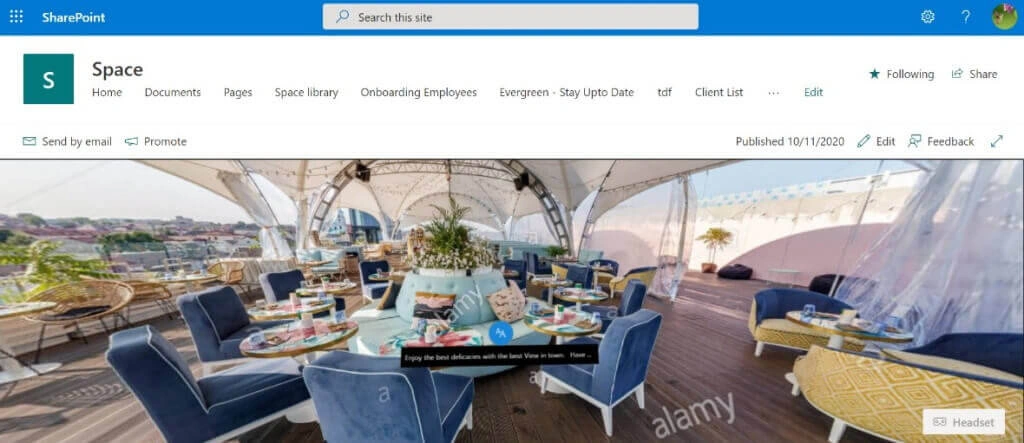
Fig 1.24
- In the end, you can cancel the tour at any time or go back to revisit the facility as shown in fig. 1.25,
This was a detailed overview of Virtual Tour Webpart in SharePoint Spaces with Facility tour use-case.
What are you waiting for? Go ahead and create one for yourself
I hope you enjoy building this journey of creating an amazing Facility tour using a Virtual 360-degree tour Webpart with me.
Stay tuned, For upcoming blogs on SharePoint Lists.
Join the conversation! Your thoughts help the community grow.