

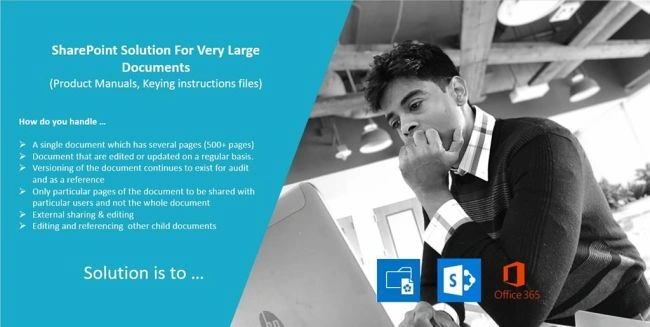
Here are some customer use-cases (or we can say pain points) with respect to handling large documents within their corporate content management space.
- A single document which has several pages (500+ pages)
- Documents that are edited or updated on a regular basis.
- Versioning of the document continues to exist for audit and as a reference.
- Only particular pages of the document to be shared with particular users and not the whole document.
- External sharing & editing.
- Editing and referencing other child document references within a document.
In such cases, it is not advisable or even feasible to keep these large files on OneDrive or SharePoint library. Splitting the files into smaller chunks and uploading is not an option either.
One solution that I implemented for one of our clients is to transform these large documents into SharePoint Wiki pages and load them into Wiki libraries. SharePoint Wiki pages are widely used in organizations and make it very easy to create, edit, share information and collaborate with others. They are very intuitive to create and use, and thus easy for the users to adopt and maintain.
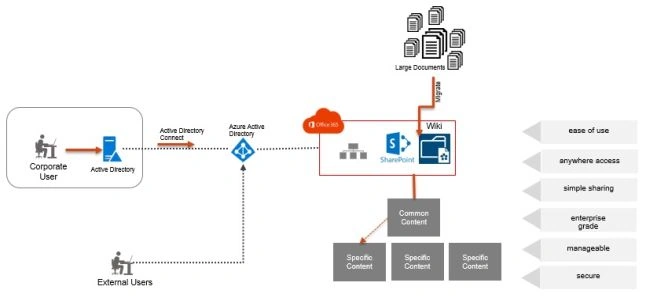
- Ability to edit and publish individual pages and not the whole document (that has 1000+ pages) every time a page is edited.
- Versions are created only for the edited pages, and tracking the version is easy and color coded.
- Relevant pages are grouped together through the table of contents and quick link references to other related materials can be maintained.
- Embedding diagrams, reports, tables, lists, pictures, and videos is easy. These can be simply loaded from the managed library.
- Ability to save page drafts and enforce approval process on publishing.
- Page rating and bookmarks.
- In-page metadata and intuitive search across pages.
Handling large electronic documents and other content can be cumbersome and time consuming for businesses, even though it is not as hard as maintaining a large volume of paper piles. SharePoint Wiki pages and Enterprise Wiki sites are a simple yet effective solution that can address the majority of these issues.
Thuyavan GanesanPosted Dec 12, 2018, 7:40 AM
Thanks for the comment Manoj appreciated
Manoj MittalPosted Dec 9, 2018, 2:26 PM
Nice thoughts. Thanks for sharing.