

What is Jenkins?
Jenkins is an open source extensible automation tool written in Java using which we can build a server for Continuous Integration. We can also use it for the continuous delivery hub of a project.
Whenever the development team check-in code to source control repository, Jenkins start the Continuous Integration by picking up the changed source code and triggering a build and runs unit tests if any.
Jenkins is an open source extensible automation tool written in Java using which we can build a server for Continuous Integration. We can also use it for the continuous delivery hub of a project.
Whenever the development team check-in code to source control repository, Jenkins start the Continuous Integration by picking up the changed source code and triggering a build and runs unit tests if any.
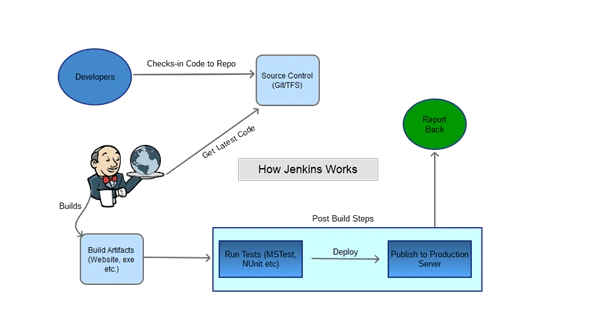
If the build fails, then the team will be notified.
If the build is successful, then Jenkins deploys the build in the test server or any pipeline configured.
History behind Jenkins
Kohsuke Kawaguchi is the man behind the Jenkins, Hudson was the earlier name and version of current Jenkins.
If the build is successful, then Jenkins deploys the build in the test server or any pipeline configured.
History behind Jenkins
Kohsuke Kawaguchi is the man behind the Jenkins, Hudson was the earlier name and version of current Jenkins.

the word 'Jenkins' means butler (the chief manservant) which can get your task done according to your order.
Prerequisites to run Jenkins
JDK 1.8 version or Above.
Set-up Jenkins on Server
To install Jenkins below is the process
To install Jenkins below is the process
Step 1
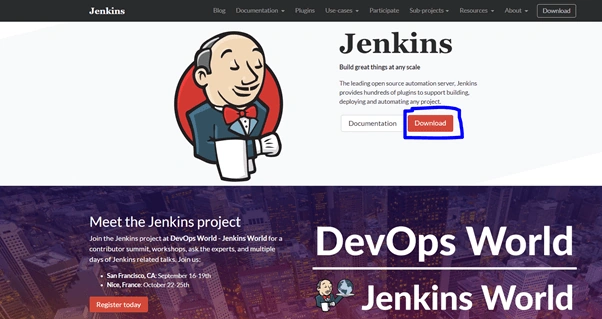
Go to Jenkins website and click on download.
Step 2
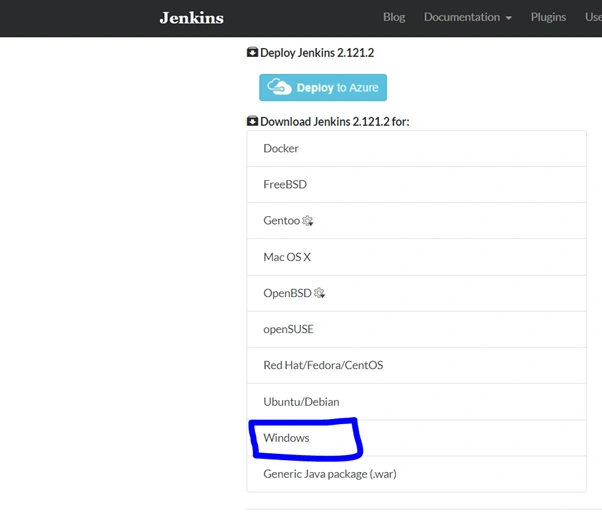
There are options to download for Mac OS, Ubuntu, Windows Etc.
Here, we will choose windows and download the setup file.
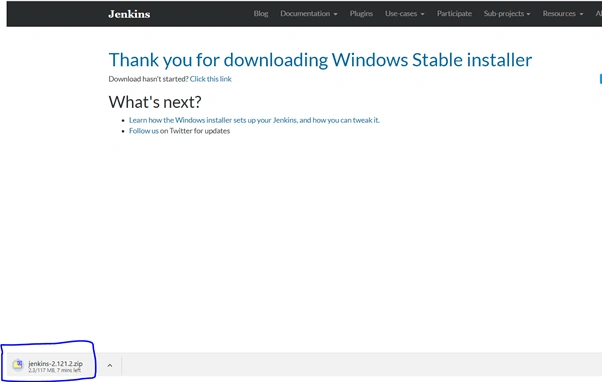

Once you have downloaded the file, click on the Installer file. It will open the below dialog box, Just click on 'Next' button.
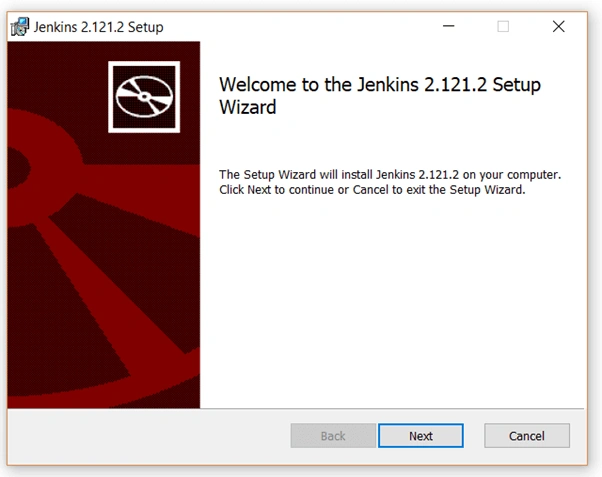
Step 4
Select the path where you want to install Jenkins and follow the instructions.
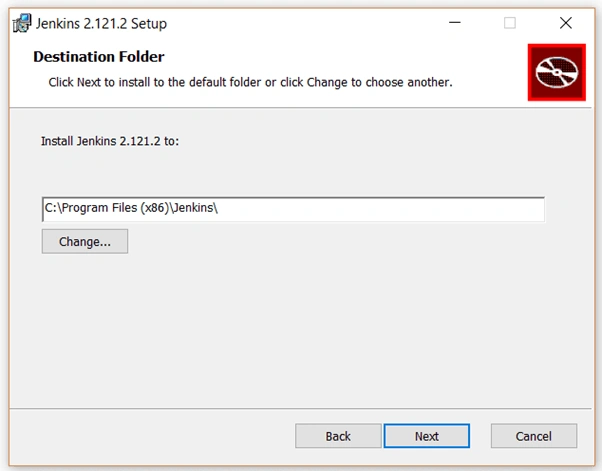
Step 5
Click on Install, run as an administrator right.
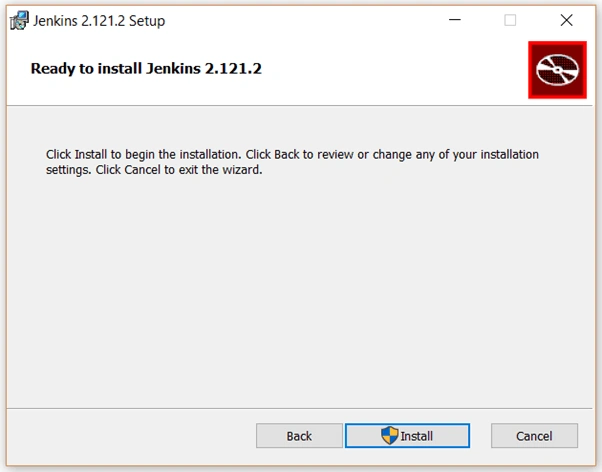
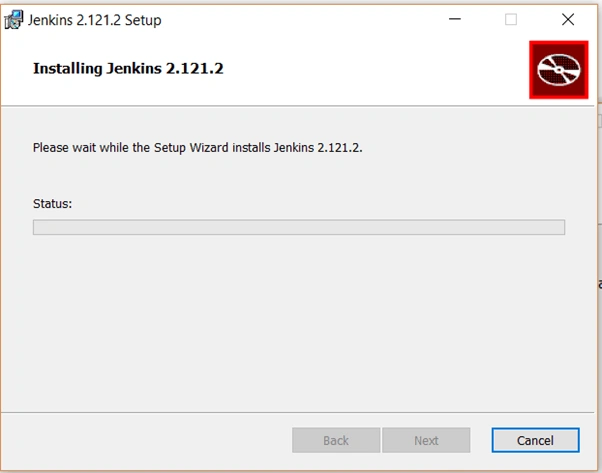
Once done, click on finish to complete the setup.
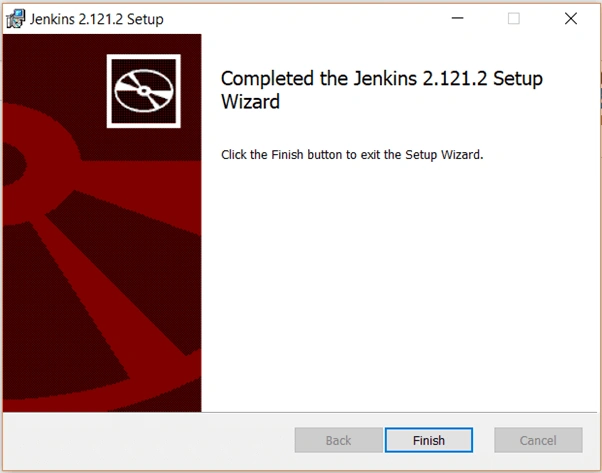
It will open the URL: http://localhost:8080
It will take some time to load.
Step 6
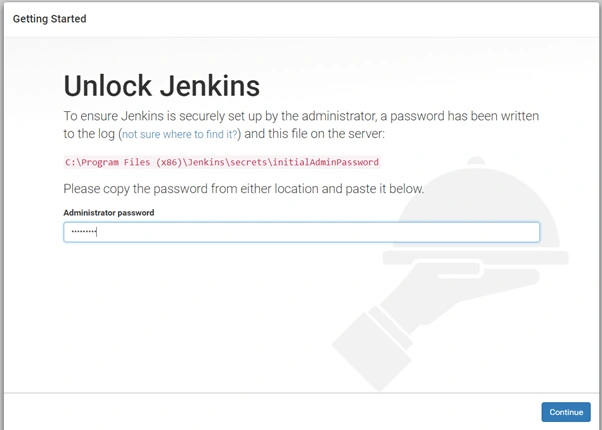
Once done, it will ask to copy and enter the admin password form the given location as shown in below screen. Copy the password and click on 'Continue' button.
Step 7
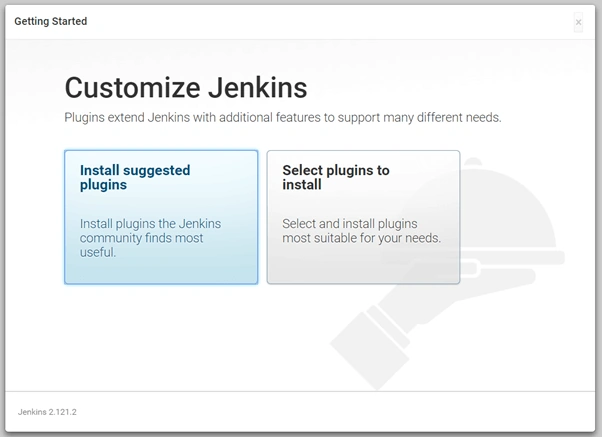
After that it will ask install plugin for Jenkins, here we have two options one for Install suggested plugins that are sets of plugins required for Jenkins and second for select the plugins that you want to install manually. here we will go with option one that is Install
Suggested Plugins.
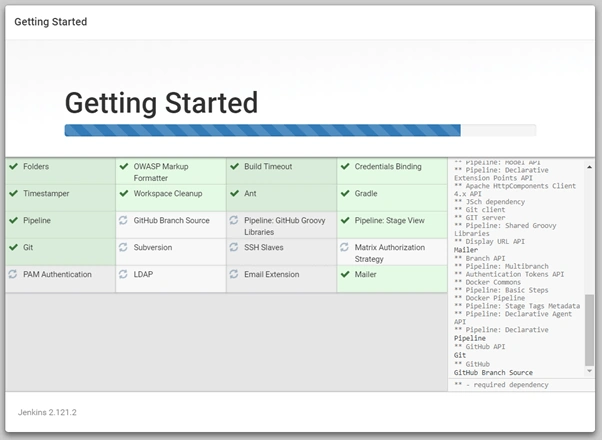
Once you click on Install Suggested Plugins, it will automatically start the installation as per below screen for the default Plugins.
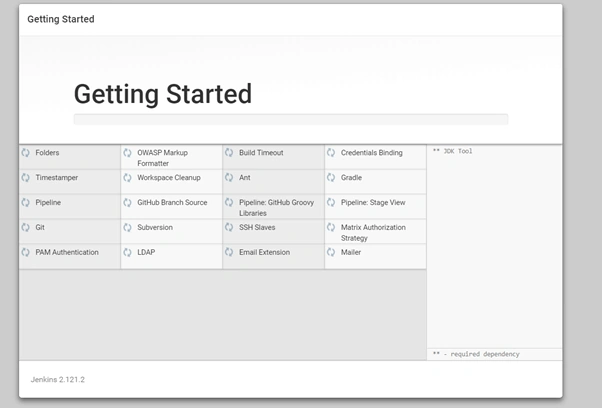
You can see the progress of that as per below screen.
Step 8
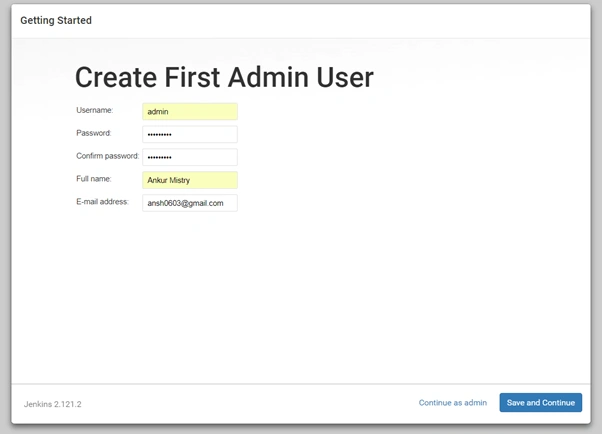
Once setup has done it will ask to create the first admin user, here you have to enter admin user Details then click on 'Save and Continue'
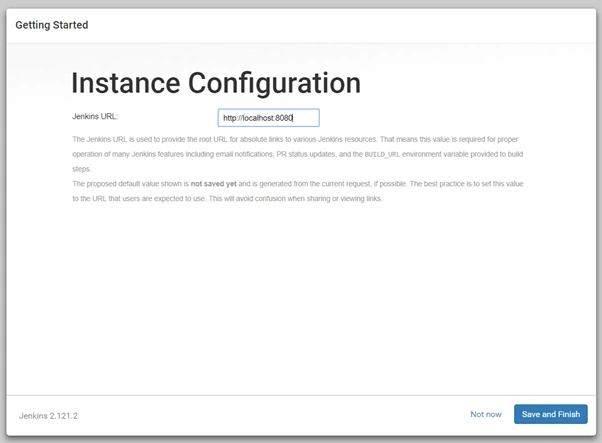
That's It, Your Instance is ready to use, you can navigate and check all stuff. Click on 'Save and Finish' button.
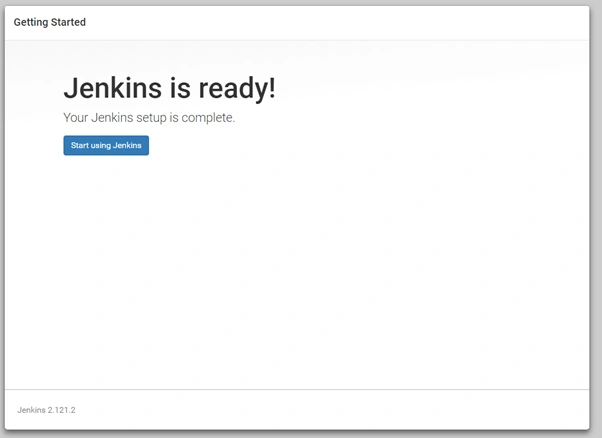
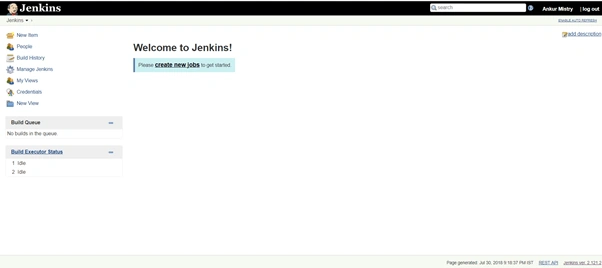
You will navigate to the dashboard, from here you can manage New Jobs, Workspace, and other settings for CI and CD.
Once you click on Install Suggested Plugins, it will automatically start the installation as per below screen for the default Plugins.
You can see the progress of that as per below screen.
Step 8
Once setup has done it will ask to create the first admin user, here you have to enter admin user Details then click on 'Save and Continue'
That's It, Your Instance is ready to use, you can navigate and check all stuff. Click on 'Save and Finish' button.
You will navigate to the dashboard, from here you can manage New Jobs, Workspace, and other settings for CI and CD.
Main Features of Jenkins
- Opensource - It's Opensource and free to use.
- Easy Installation and Configuration - The Installation and Configurations are easy and user user-friendly.
- Plugin Based - We can install a number of plugins based on requirements for the project.
- Extensible - We can extend via its Plugin Architecture
- Distributed - We can easily distribute work across multiple machines and deployments across multiple platforms faster.
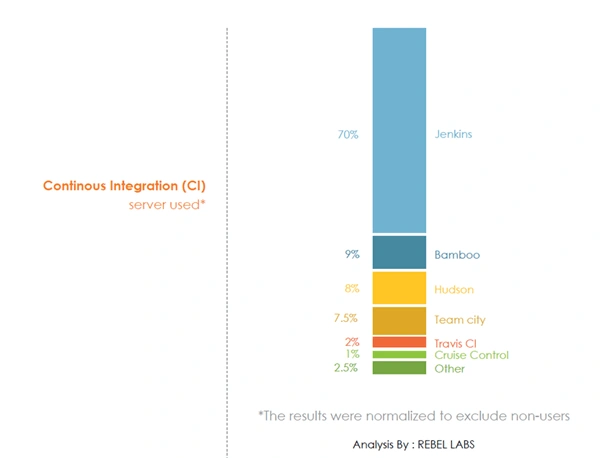
As per the survey by Rebel Labs, most of the organizations are choosing Jenkins for CI-CD.
Hope you like the article, Give you feedback, Comments, Suggestions in the comment box. In my next article, we will explore Jenkins in detail.
Jitendra KumarPosted Aug 7, 2018, 2:37 AM
Can you give me some suggestion! Is it beneficial for .net technology?
Viknaraj ManogararajahPosted Aug 6, 2018, 11:41 AM
nice article... thank you for sharing
Rushi MehtaPosted Aug 5, 2018, 11:52 PM
Nice article Ankur...This will help me a lot...Thanks for sharing... I suggest you to share the article of continuous Integration CI using Jenkins...
Sourabh SomaniPosted Aug 5, 2018, 11:38 PM
Nice article Ankur Mistry. Actually from few days I am getting an issue. I have build my MVC website using jenkins via msbuild. When I am publishing it to windows server I a getting issue. Via visual studio I have published I have created an IUSER account and I have published. When visual studio published application then It uses a certificate. But via jenkins I am not able to generate that certificate and publishing it.
Hadshana KamalanathanPosted Aug 3, 2018, 8:08 AM
Nice article...Thanks for sharing
Aakash MauryaPosted Aug 3, 2018, 4:13 AM
Great share. After a log time you back in action.
balakrishna maddhurPosted Aug 3, 2018, 2:50 AM
Thank you sir for this article it is very helpful to me.
Hardik DeshaniPosted Aug 2, 2018, 11:31 PM
Nice article sir. Step by step screenshots is a good way to learn this new thing. Thank you for sharing