

Introduction
In recent days, we have continuously heard about Gen AI and Copilot in a lot of areas. Microsoft keeps adding copilot features to all its services. During the Ignite event, Microsoft renamed the Power Virtual Agent to Copilot Studio and added a Generative AI feature to it. This enables us to create a chatbot that is AI-enabled. To make this feature available to our Tenants, we need to set up a separate environment.
Follow the below steps to setup an environment to get the Generative AI actions in your Bot creation.
- Navigate to the Power Platform Admin Center.
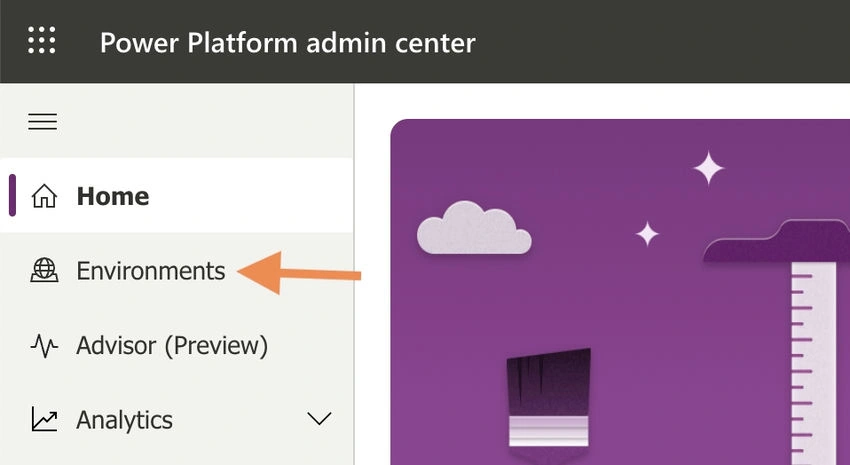
- Click Environments from the Left Navigation.
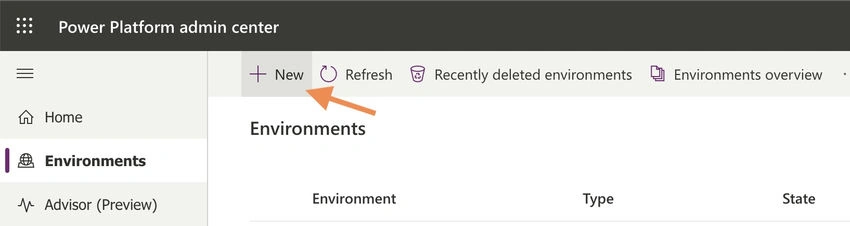
- In the Environments page, Click the New button from the command bar.
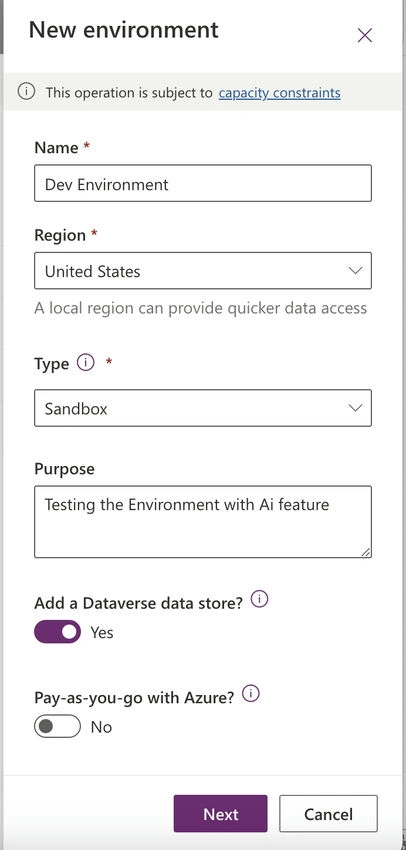
- The left side panel pops up with the initial fields of environment details. Fill up those details.
- Name: Give the environment name
- Region: This should be United Status
- Type: Select Sandbox from the dropdown
- Purpose: Give a description of the environment
- Add a Dataverse data store: Select yes to have a dataverse storage in the environment.
- Pay-as-you-go with Azure: If you want to link this environment with an Azure subscription, Select Yes.
- Select the Next button in the panel.
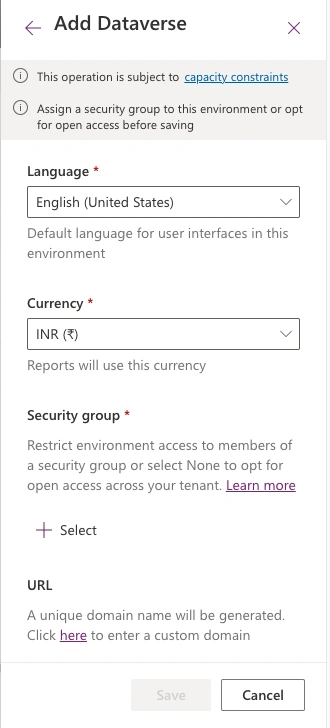
- In the Add Dataverse (second panel), update the below details.
- Language: Select the default language for your environment from the dropdown.
- Currency: Select any currency from the dropdown.
- Security group: Select the Microsoft 365 group to set up the permission to the environment.
- URL: We can also provide a custom domain on top of crm.dynamics.com. If there is no need for a custom domain, leave it as it is.
- Enable Dynamics 365 apps? No
- Deploy sample apps and data? No
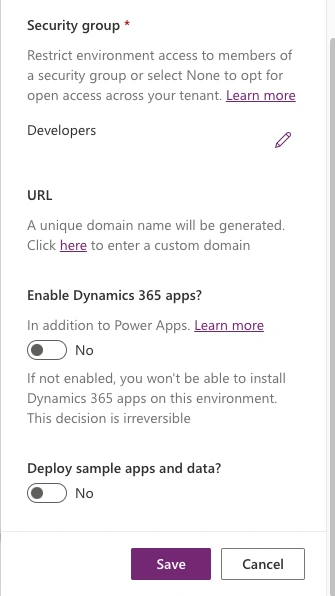
- Then Click the Save button.
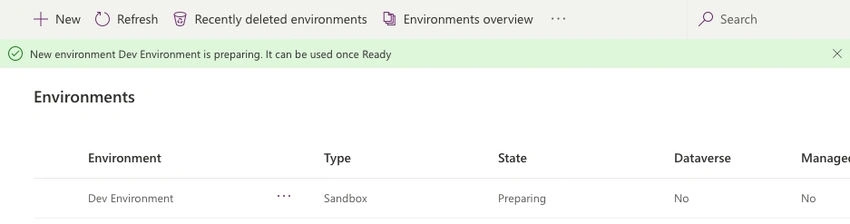
Immediately, Power Platform shows that the environmental preparation is still in progress.
After some time (or in few minutes), the notification message shows, Environment is successfully created.
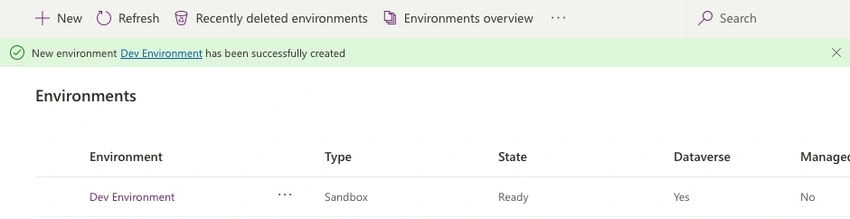
Once the environment is ready, we can go to copilotstudio.microsoft.com to create new chatbots with the Generative AI feature. In my next article, let's see how to create a chatbot using Copilot Studio with the Gen AI feature.
Join the conversation! Your thoughts help the community grow.