

Introduction
Before explaining anything let me clear first that it is inspired by a real situation. Recently I gave an online test that was very unique in terms of its security. We are given a set of questions and we have to answer it. The use of the internet was permitted but only if you can use it without leaving any trace behind. The security was very special and if you caught three times by the system in cheating it then your test will be aborted and the window will be closed. After the test was over I thought to implement it and this article will explain to you only that security feature.
Security System
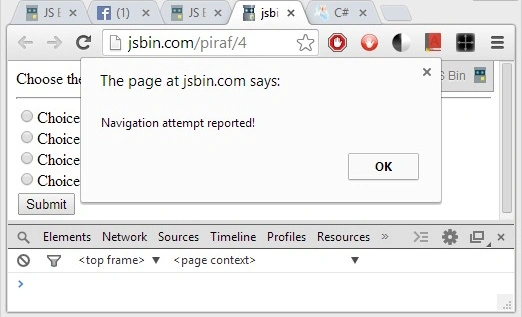
The test page will be opened in a new popup window. Once the test window is opened you are not allowed to do any kind of navigation away from this window else it is treated as cheating and the system will record that action. If the intrusion is detected three times then the window will be closed and your test will be aborted. The navigation can be done intentionally to cheat the system or it may happen automatically because of some other window alerts.
User is not allowed to perform copy-paste on the test page. Also, the use of right-clicking is also blocked.
Implementing the Navigation Security
To implement this system I'm using a client-side scripting and basic HTML.
HTML
<html>
<head>
  <meta charset="utf-8">
  <title>JS Bin</title>
</head>
<body>
  <div id="alert"></div>
  Choose the appropriate option:
  <br>
  <hr>
  <input type="radio" name="ch" /> Choice 1<br>
  <input type="radio" name="ch" /> Choice 2<br>
  <input type="radio" name="ch" /> Choice 3<br>
  <input type="radio" name="ch" /> Choice 4<br>
  <input type="submit" />
</body>
</html>
JavaScript
var intrusion = 0;
window.onblur = function() {
  intrusion++;
  alert("Navigation attempt reported!");
  console.log("intrusion count:" + intrusion);
  if (intrusion >= 3) {
    window.close();
  }
};
document.ondragstart = function(e) {
  console.log("drag blocked!");
  return false;
};
window.onkeydown = function(e) {
  if (e.ctrlKey && e.which == 67) {
    console.log("copy Blocked!");
    return false;
  }
};
document.addEventListener("contextmenu", function(e) {
  e.preventDefault();
}, false);
In the above code, I have implemented 4 security measures. These areas follow.
- Windows navigation blocked. It will block the user from minimizing the window or opening a new window.
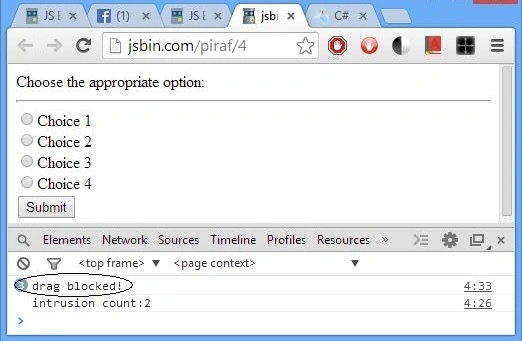
- I have also blocked the drag event to prevent the copy of the text using drag as supported by some browsers.
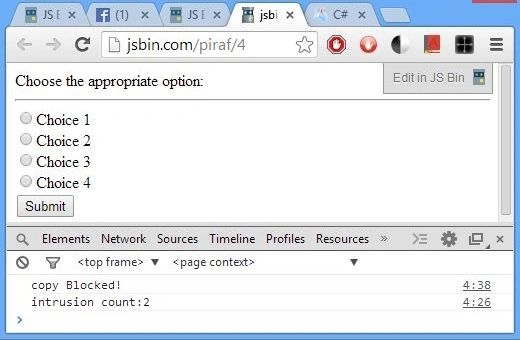
- Copy of the selected text is also blocked.
- Right-click is also blocked to prevent the opening of source code and other tools.
Explanation of the code
- Line number 1 defines a variable that records the illegitimate attempts made by a user.
- Line number 2 adds an "onblur" event on the window . The specialty of this event is that it triggers each time the document lost the focus or it goes out of user view.
- Line number 3 increments the intrusion variable as the window lost the focus. Line number 4 alerts the user about this event.
- Line numbers 6 and 7 are responsible for preventing repeated intrusion in the window. Line number 7 closes the test window once user attempts are exhausted.
- Line numbers 11 to 13 are responsible for blocking the text drag. This is achieved by detecting the drag event on the document.
- Line numbers 16 to 21 are responsible for blocking the copy shortcut. Whenever user presses the control (ASCII 17) + C (ASCII 67) it is detected and the copy is canceled.
- Line number 23 to 25 are used for blocking the right-click menu. Here we are not detecting the mouse button as in that case user can use the keyboard key to open the context menu. To avoid this problem we are blocking the context menu.
Output
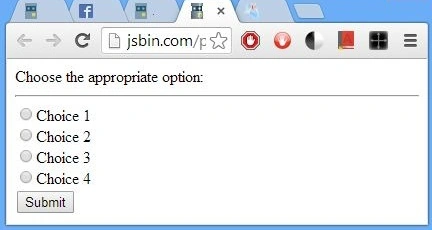
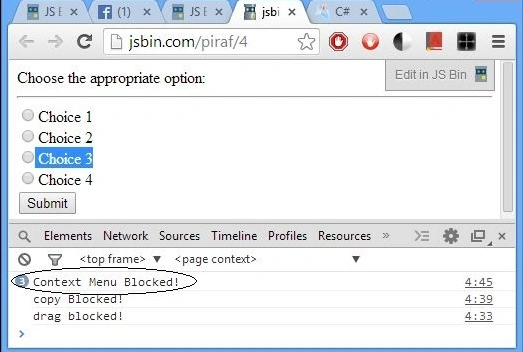
Normal
Focus Lost
Drag Blocked
Copy Blocked
Context Menu Blocked
Summary
That's all for this article. I hope you have enjoyed reading this article. The test window on which I was giving my test was a bit more secured as F12 was also blocked there. In the above code F12 ( To open developer tools in Chrome) is allowed for demonstration purposes.
Join the conversation! Your thoughts help the community grow.