

We know that C# supports const and readonly variables and generally uses them interchangeably, but we also should notice that they offer different behaviors. Always remember, const is compile time and readonly is runtime. This will always help in choosing the correct one according to the situation.
Let’s look into the behavior of both of these in detail:
const (Compile time constant)
const are “compile time constants”. Compile time constants are a bit faster than run time constants. When performance is the highest criteria and we are sure that value of constant will not change for different release, use const.
- Compile time constants
- As const are processed at compile time itself, they are replaced with their values as soon as code is compiled.
For example, if we define and use a const, as below,
- const int meterInKm = 1000;
- int distance = 10;
- int totalMeter = distance * meterInKm;
it will be converted to below after compilation:
- const int meterInKm = 1000;
- int distance = 10;
- int totalMeter = distance * 1000;
- Limited to numbers (int, long, double….) and strings
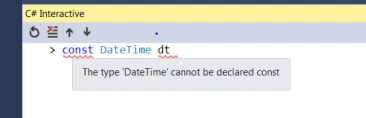
- We cannot use any other datatype as const.
For example, if you try below, you will get a compile time error: (** Using REPL to show compile time error. Look at end of the article on how to open REPL)
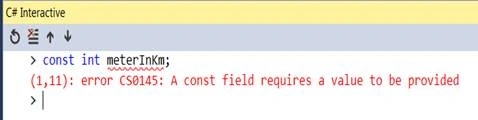
- Should be assigned when declared, if not assigned it will throw compile time error as below:
Readonly (Run time constant)
readonly defines “run time constants”. Run time constants are a bit slower but are more flexible than compile time constants. The main difference between these are that they are resolved at run time, which means whenever we use a readonly variable it is referenced while when we use const the value is used.
- Run Time constants
- Unlike const
For example, if we define and use a readonly, as below:
- readonly int meterInKm = 1000;
- int distance = 10;
- int totalMeter = distance * meterInKm;
it will be converted to below after compilation:
- const int meterInKm = 1000;
- int distance = 10;
- int totalMeter = distance * meterInKm;
** Notice the difference between const and readonly.
- Can be of any type -- let's try Date time which we tried for const above and got an error. It should work for readonly. See below, no compile error:
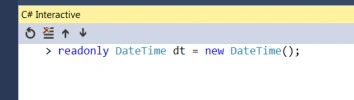
- Should be assigned in constructor or before (cannot be defined after contractor has been executed)
See below, no error if initialized inside constructor,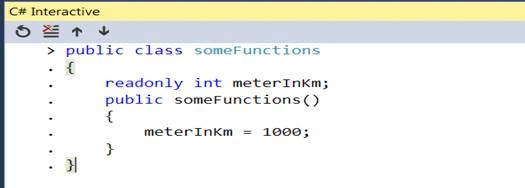
Show compile time error if initialized after constructor is executed,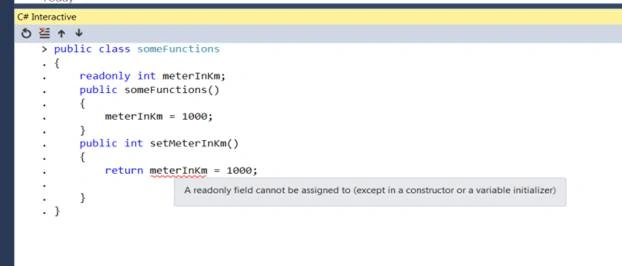
Open REPL
REPL - Read–Eval–Print Loop, provides an interactive shell inside visual studio where user can do a quick programming and do experiment.
Below describes how to open C# REPL,
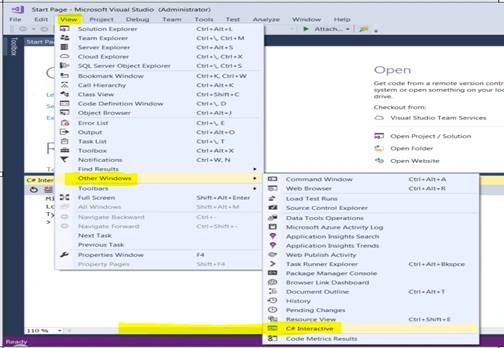
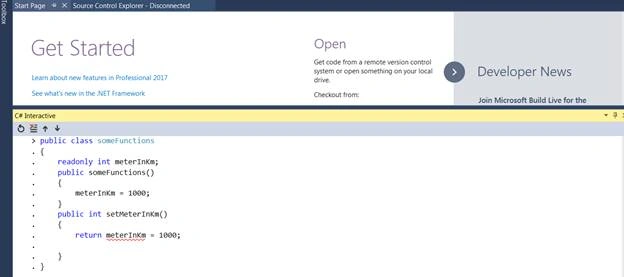
This will open the below window where you can write and experiment with your codebase,
Viknaraj ManogararajahPosted Jul 21, 2018, 11:03 PM
Nice Article, Thank you for sharing