


The Microsoft Windows Malicious Software Remove Tool (MSRT), or the MRT.exe file, is a security app designed to scan your computer occasionally for widespread malware, viruses, and worms. It plays a providential role in maintaining your PC's security. It is updated monthly with Windows Update to check for malicious software. Using it at least once a month is strongly recommended, especially after Patch Tuesday, the second Tuesday of the month when Microsoft releases product updates. This regular use is the cornerstone of keeping your system secure. By default, it runs in the background once a month. However, we can manually initiate different scans: Quick, Full, or Customized; in this article, we will use the Full.
Let’s do it!
Do these steps to start the MRT tool.
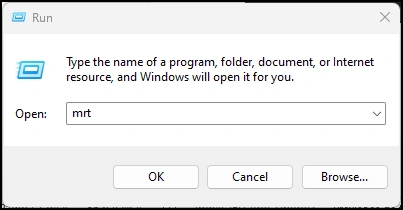
Press the Window Key* + R on your keyboard, type mrt, and press the enter key.
Windows Key is the keyboard key with the Microsoft Windows logo.
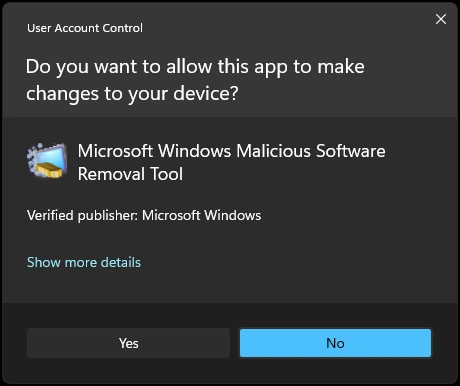
Allow it to elevate to admin privilege.
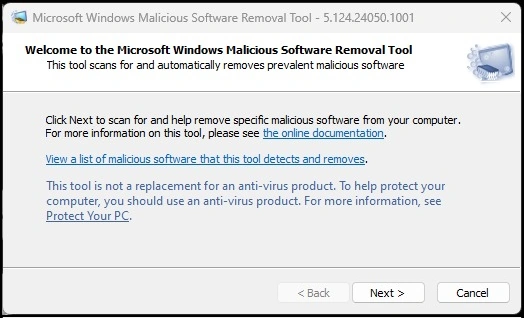
Press the Next button.
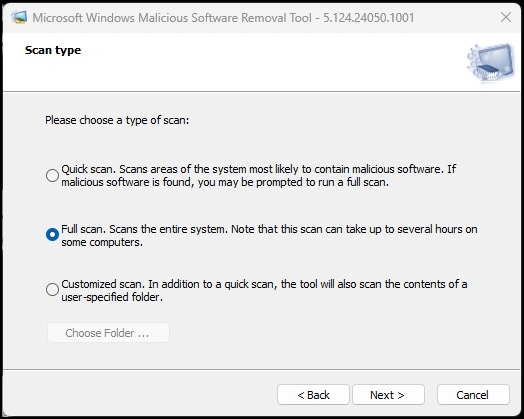
Select the Full Scan option and press the Next button.
Now, the app will run and check all files on your computer.
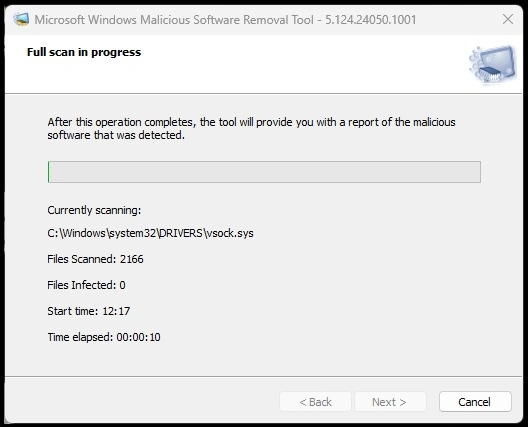
If some files on your computer are infected, they will appear in Files Infected and clear them automatically.
Remember that the Microsoft Malicious Software Removal Tool is not a replacement for a full-fledged antivirus solution.
It complements existing protection and targets specific threats. Regular updates and vigilance are essential for maintaining a secure system!
Q&A
How long does the full scan typically take to complete?
- The duration of a full scan depends on factors such as your system, the number of files, and the type of threats detected.
- It takes several hours, especially if there are many files to check.
- If the scan takes too long, restart your PC and check again.
What should you do if the tool detects malicious software?
- If the Malicious Software Removal Tool detects any infections, it will remove them immediately.
- The tool also generates a report (saved as mrt.log; try the Everything app to find it, containing details about the scan.
- Review the report to see the number of files scanned, infected, and removed.
- Consider using a reliable antivirus program alongside the MSRT for comprehensive protection.
- If you suspect an infection, follow the steps in the next section to verify the tool's legitimacy.
What are the signs of malicious software on my computer?
While the MSRT helps detect and remove malware, it's essential to recognize other signs of infection.
- Unusual system behavior: Unexpected crashes, slow performance, or frequent errors.
- Pop-ups and redirects: If you encounter excessive pop-ups or browser redirects.
- High CPU or memory usage: Check Task Manager for abnormal resource consumption.
- Changed settings: Malware may alter browser settings, homepage, or search engine.
- Disabled security software: Malicious software often tries to turn off antivirus programs.
- Suspicious files or processes: Investigate any unfamiliar files or processes.
Conclusion
Utilizing the MSRT is an essential step in maintaining the security of your Windows device. Following the recommended monthly scans and being vigilant for signs of malicious software will help keep your system secure. Remember that while the MSRT is a valuable tool, it should be used with a reliable antivirus program for comprehensive protection. Staying proactive and informed can help safeguard your system against potential threats.
I hope this tip adds more security to your Windows device.
Join the conversation! Your thoughts help the community grow.