

What is AWS Lambda?
AWS Lambda lets you run code without any server. You just write your code, upload it, and AWS runs it for you only when needed.
Steps to Run a Python Script on AWS Lambda
Step 1. Log In.
Go to your AWS Console management.
Step 2. Open Lambda.
- In the top search bar, type Lambda.
- Click on Lambda from the list.
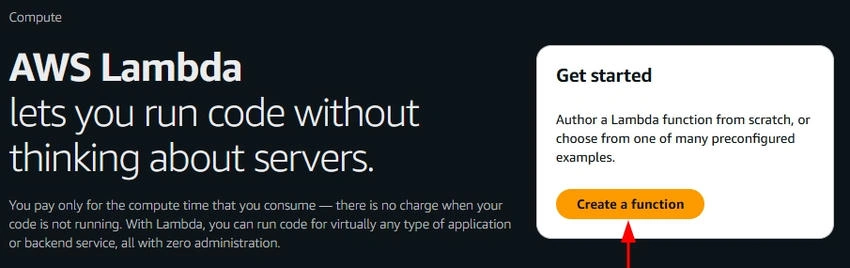
Step 3. Create a New Function.
- Click Create function.
- Choose Author from scratch
- Fill in,
- Function name: MyFirstPythonLambda
- Runtime: Python 3.10
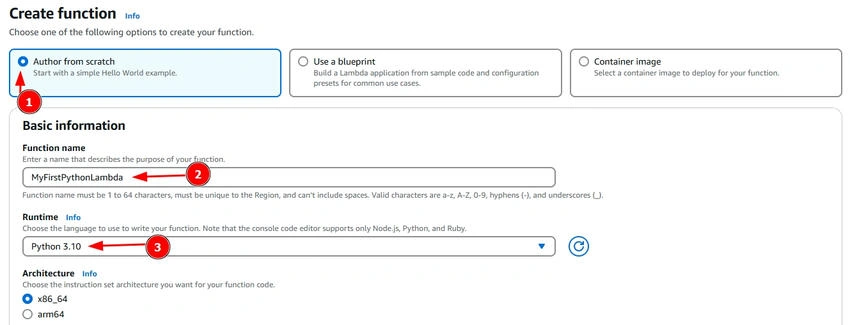
- Click Create function
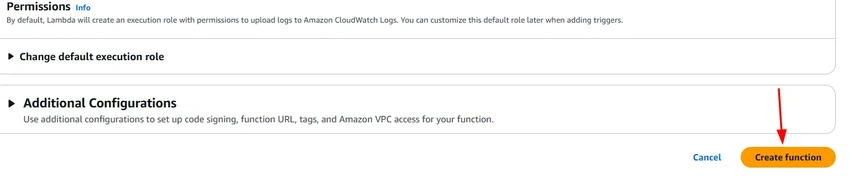
Step 4. Add Your Code.
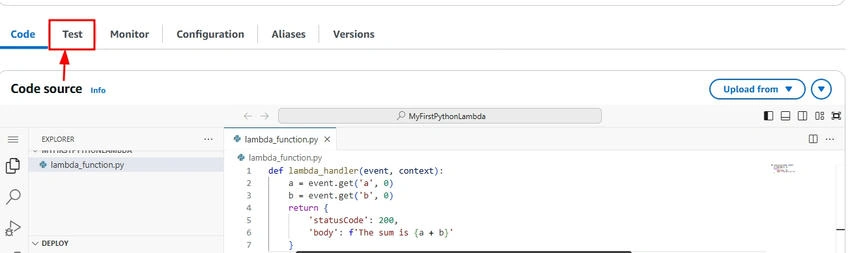
Scroll down to the code editor. Replace the code with this.
def lambda_handler(event, context):
    a = event.get('a', 0)
    b = event.get('b', 0)
    return {
        'statusCode': 200,
        'body': f'The sum is {a + b}'
    }
Click Deploy to save.
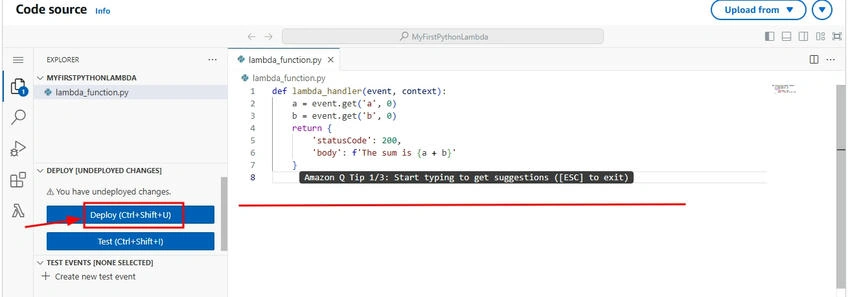
Step 5. Test It.
Click the Test button.
Create a new test event and paste this.
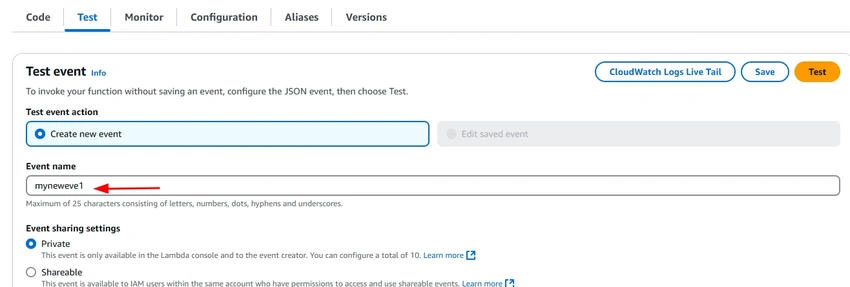
{
  "a": 5,
  "b": 3
}
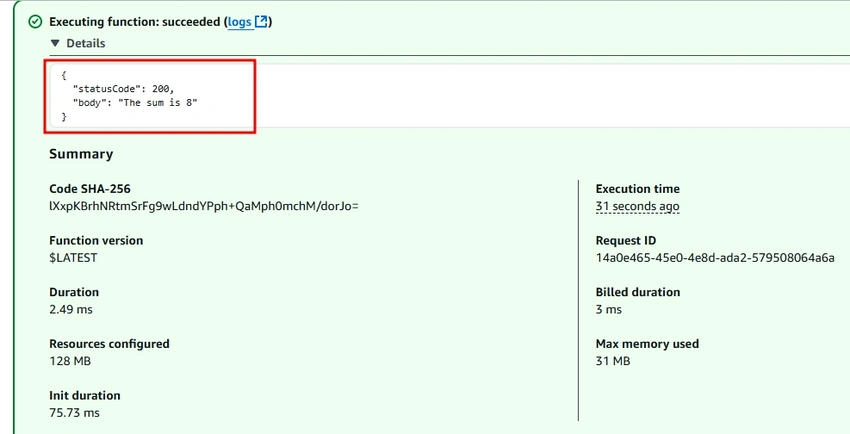
Click Test.
You’ll see this result.
{
  "statusCode": 200,
  "body": "The sum is 8"
}
Conclusion
You’ve just learned how to run your first Python script using AWS Lambda without needing to set up or manage any servers. This simple example shows how powerful and easy serverless computing can be.
Now that you’ve taken your first step, you can start exploring more features like connecting your function to APIs, running it on a schedule, or using it with other AWS services.
Keep learning and building!
Join the conversation! Your thoughts help the community grow.