

In this article, we will learn how to keep running our task after closing the web application. A user does not have to stay on the application. We will demonstrate this easily by HostingEnvironment API.
HostingEnvironment API was announced in .NET Framework 4.5.2. Now, it’s very easy to run background jobs in ASP.NET Web application. HostingEnvironment API allows us to queue background jobs like thread pool and avoids IIS app pools shutdown until the tracked tasks are completed.
When to use it
When you have long running task which is taking too much time to complete and the user has to wait until it’s not completed, in this situation, you can use this feature. After implementing this, the user will start that task and he/she will close the application within a second after the start. Here the awesome thing is that the task will complete by itself in the background.
Note
This feature is only available after .Net Framework 4.5.2. So you have to choose that type of web application.
- Action<CancellationToken>
- Func<CancellationToken, Task>
Example
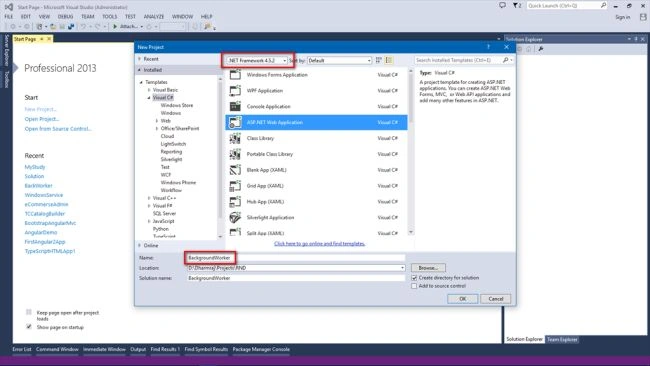
Open Visual Studio, Add a new project of ASP.NET Web Application with .Net Framework 4.5.2
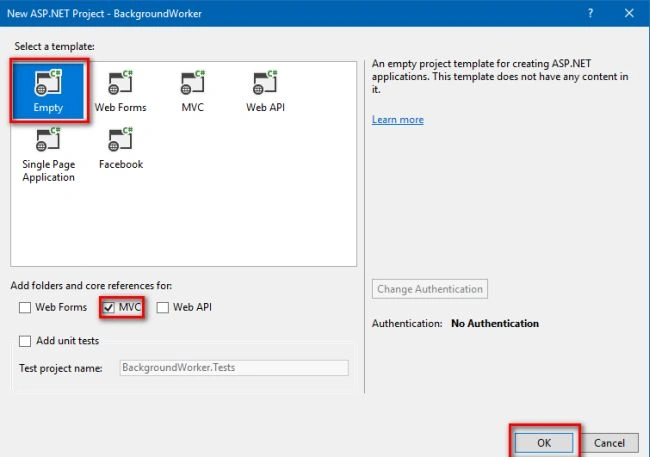
Select an Empty template and MVC type of project.
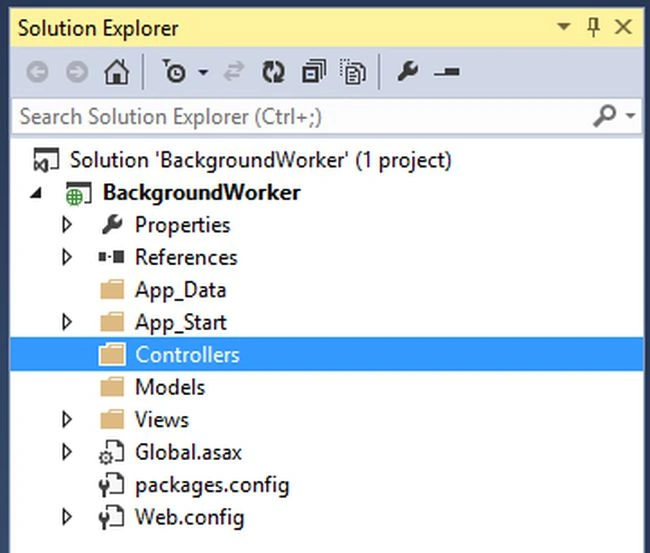
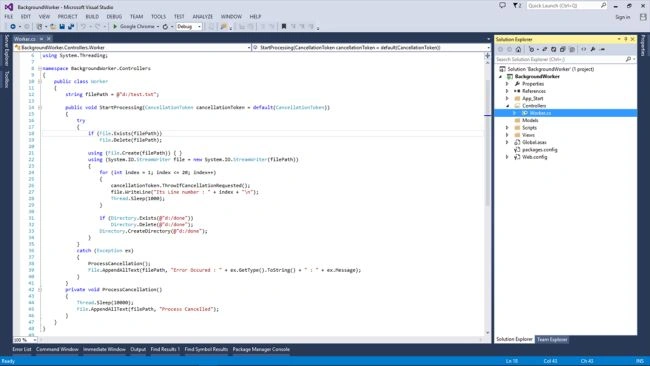
- public class Worker
- {
- string filePath = @"d:/test.txt";
- public void StartProcessing(CancellationToken cancellationToken = default(CancellationToken))
- {
- try
- {
- if (File.Exists(filePath))
- File.Delete(filePath);
- using (File.Create(filePath)) { }
- using (System.IO.StreamWriter file = new System.IO.StreamWriter(filePath))
- {
- for (int index = 1; index <= 20; index++)
- {
- //execute when task has been cancel
- cancellationToken.ThrowIfCancellationRequested();
- file.WriteLine("Its Line number : " + index + "\n");
- Thread.Sleep(1500); // wait to 1.5 sec every time
- }
- if (Directory.Exists(@"d:/done"))
- Directory.Delete(@"d:/done");
- Directory.CreateDirectory(@"d:/done");
- }
- }
- catch (Exception ex)
- {
- ProcessCancellation();
- File.AppendAllText(filePath, "Error Occured : " + ex.GetType().ToString() + " : " + ex.Message);
- }
- }
- private void ProcessCancellation()
- {
- Thread.Sleep(10000);
- File.AppendAllText(filePath, "Process Cancelled");
- }
- }
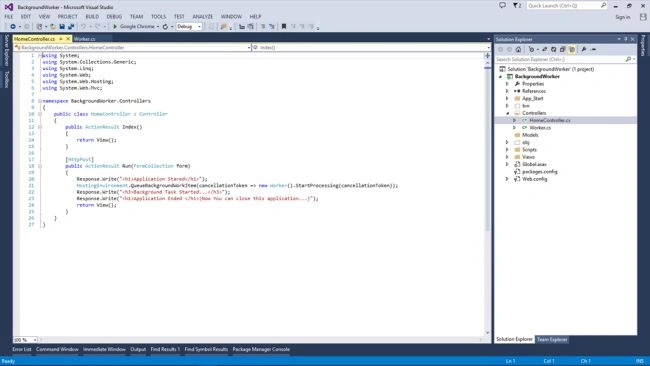
- public class HomeController : Controller
- {
- public ActionResult Index()
- {
- return View();
- }
- [HttpPost]
- public ActionResult Run(FormCollection form)
- {
- Response.Write("<h1>Application Stared</h1>");
- HostingEnvironment.QueueBackgroundWorkItem(cancellationToken => new Worker().StartProcessing(cancellationToken));
- Response.Write("<h3>Background Task Started...</h3>");
- Response.Write("<h1>Application Ended </h1>(Now You can close this application...)");
- return View();
- }
- }
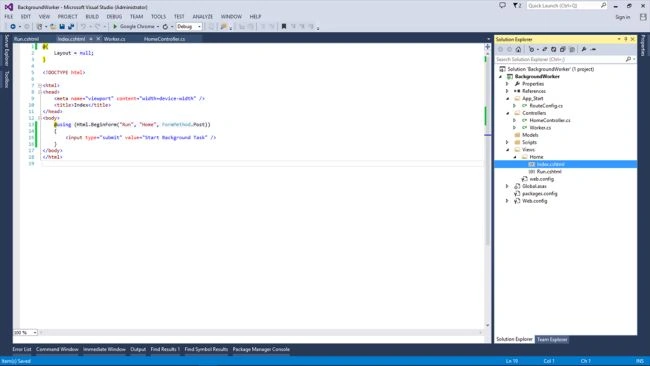
- @{
- Layout = null;
- }
- <!DOCTYPE html>
- <html>
- <head>
- <meta name="viewport" content="width=device-width" />
- <title>Index</title>
- </head>
- <body>
- @using (Html.BeginForm("Run", "Home", FormMethod.Post))
- {
- <input type="submit" value="Start Background Task" />
- }
- </body>
- </html>
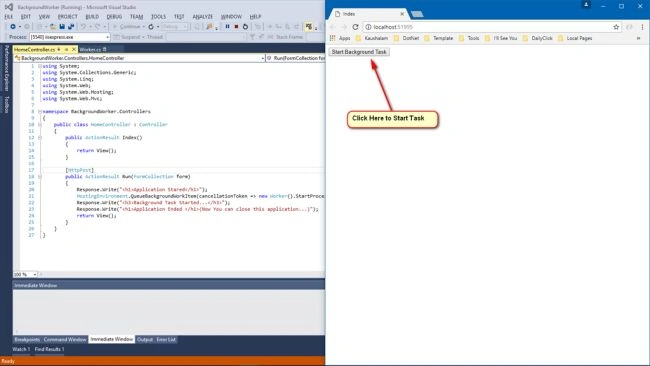
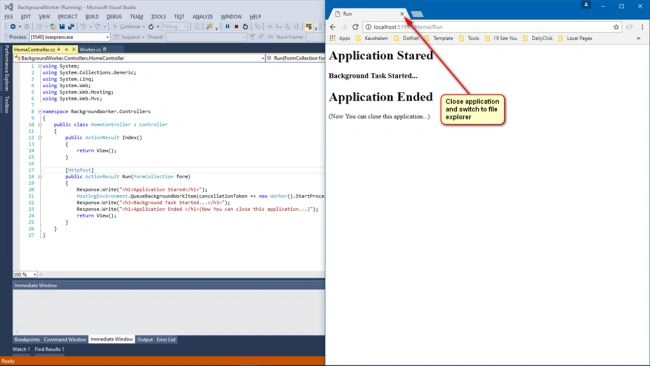
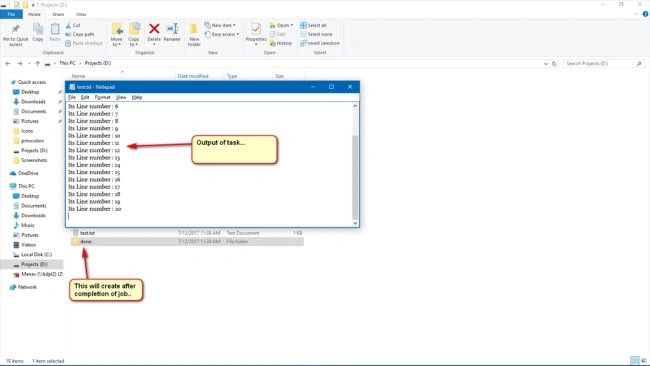
Conclusion
We have seen HostingEnvironment.QueueBackgroundWorkItem of .Net Framework 4.5.2 to make background running web application. Feel free to ask me any questions related to this article.
Thank You For Reading...
santiago gordonPosted Oct 2, 2020, 12:06 PM
Yo estoy probando esto en un formulario aspx, me funciona bien el localhost, pero al publicarlo , no funciona, falta alguna configuraci?n ? o esto no funciona en aspx.??
Bhavesh JadavPosted Jun 3, 2019, 7:57 AM
Very good Dharmaraj...
ivan lewisPosted Feb 27, 2019, 11:52 PM
I tried this and other type of threads like task.run() etc. in my asp.net web forms application. In visual studio everything works fine but on production method is not getting called. plz help.
Murali NarisettyPosted Sep 25, 2018, 3:35 AM
1. Can I do the same on WEB API? 2. How long the QueuebackgroundWorkItem can run? 3. do we get the Thread abort errors with this? 4. Any idea how to handle in case of thread abort? any help is much appreciated
Robert LuoPosted Jul 4, 2018, 11:13 AM
Excellent demo. Can you please go further of this topic: How to achieve a dynamic task queue and run them in the background? For example, user1 submit task1 and user2 submit task2,etc, and run the multiple tasks in the background? my email is [email protected]. Thank you very much.
bond singhPosted Jul 4, 2018, 4:26 AM
Awsome answer
ANSARI AKHTARALIPosted Jun 19, 2018, 2:05 AM
Thank you. It is very helpful article
Munish APosted May 30, 2018, 6:40 AM
Nice article.................
Admirador damasPosted Mar 10, 2018, 3:03 AM
Phil Haack wrote a great article on the dangers of recurring background tasks in ASP.NET http://haacked.com/archive/2011/10/16/the-dangers-of-implementing-recurring-background-tasks-in-asp-net.aspx/ https://www.hanselman.com/blog/HowToRunBackgroundTasksInASPNET.aspx How cancelling sample?
Sourabh ChoubeyPosted Feb 5, 2018, 2:15 AM
Nice but i have one question what about if there are more than thousand records .Then in that case what we can do.Looping that much of times and waitting will make your application slow.
V A ThomasPosted Jul 24, 2017, 3:26 AM
Can you give an example in a simple Web Application ?
Manav PandyaPosted Jul 18, 2017, 1:21 AM
Wow nice share ......
Hiten PandyaPosted Jul 18, 2017, 1:07 AM
Good Job Dharmraj. Nice article
Kashif AsifPosted Jul 18, 2017, 12:42 AM
Next article keep it up (y)